
1. Giriş
The AstroAI P8 4000A Jump Starter is a versatile and powerful device designed to provide reliable jump-starting for vehicles, act as a portable power bank, and offer emergency lighting. This manual provides essential information for safe and effective use of your device.
2. Təhlükəsizlik Məlumatı
XƏBƏRDARLIQ: Bu məhsulu istifadə etməzdən əvvəl bütün təhlükəsizlik xəbərdarlıqlarını və təlimatları oxuyun. Xəbərdarlıqlara və təlimatlara əməl edilməməsi elektrik şoku, yanğın və/və ya ciddi xəsarətlə nəticələnə bilər.
- This car starter includes 10 built-in comprehensive protections for enhanced safety. These safety features include reverse polarity, overcurrent, overcharge, overdischarge, high & low temperature protection, reverse connection, over voltage, overload, short circuit, and spark-proof clamps.
- Do not attempt to jump start any engine that exceeds the maximum displacement supported by the jump starter (10L Gas or 8L Diesel).
- Do not crank the engine for more than 3 seconds at a time. Allow the jump starter to cool down for at least 1 minute between each start attempt.
- Ensure the device has at least 50% charge before use.
- Uşaqların əli çatmayan yerdə saxlayın.
- Məhsulu yağışa və ya nəm vəziyyətə məruz qoymayın.
- Məhsulu sökməyin.

Image: AstroAI P8 Jump Starter highlighting its 10 safety protections including reverse polarity, overcurrent, overcharge, overdischarge, high & low temperature protection, reverse connection, over voltage, overload, short circuit, and spark-proof clamps.
3. Paketin məzmunu
- AstroAI P8 Jump Starter Unit
- Ağıllı keçid kabelləri
- USB-C şarj kabeli
- İstifadəçi təlimatı
- Saxlama Çantası

Image: The AstroAI P8 Jump Starter, smart jumper cables, USB-C charging cable, user manual, and a storage bag, laid out on a dark background.
4. Məhsulun xüsusiyyətləri
- Powerful Jump Starting: 4000A peak current for 10L gas and 8L diesel engines. Compatible with motorbikes, cars, SUVs, lawnmowers, tractors, and motorboats.
- Multifunctional Power Bank: USB-A output Port works with 5V⎓3A, 9V⎓2A, 12V⎓1.5A (QC 3.0). Serves as a reliable backup power source for electronic devices.
- Kompakt və Portativ: Size 7.20in*3.45in*1.53in (183mm*88mm*39mm) for easy carrying and storage in glove boxes and door pockets.
- Multi-Mode LED Flashlight: Provides 3 modes: illumination, SOS, and strobe for convenient lighting in various scenarios.
- Kompleks Təhlükəsizlik: 10 built-in protections for enhanced safety, including reverse polarity, overcurrent, overcharge, overdischarge, high & low temperature protection, reverse connection, over voltage, overload, short circuit, and spark-proof clamps.

Image: The AstroAI P8 Jump Starter demonstrating its three main functions: jump starter, power bank, and LED flashlight.
5. Məhsul bitdiview (Komponentlər)
The AstroAI P8 features a robust design with clearly marked ports and indicators for ease of use.
- Güc düyməsi: Activates the device and checks battery level.
- Batareya Səviyyə Göstəricisi: Displays the remaining charge.
- Jumper Kabel Portu: For connecting the smart jumper cables.
- USB-A Output Ports (QC 3.0): Xarici cihazları doldurmaq üçün.
- USB-C Giriş/Çıxış Portu: For charging the jump starter and external devices.
- LED Fənər: Multi-mode light for illumination, SOS, and strobe.
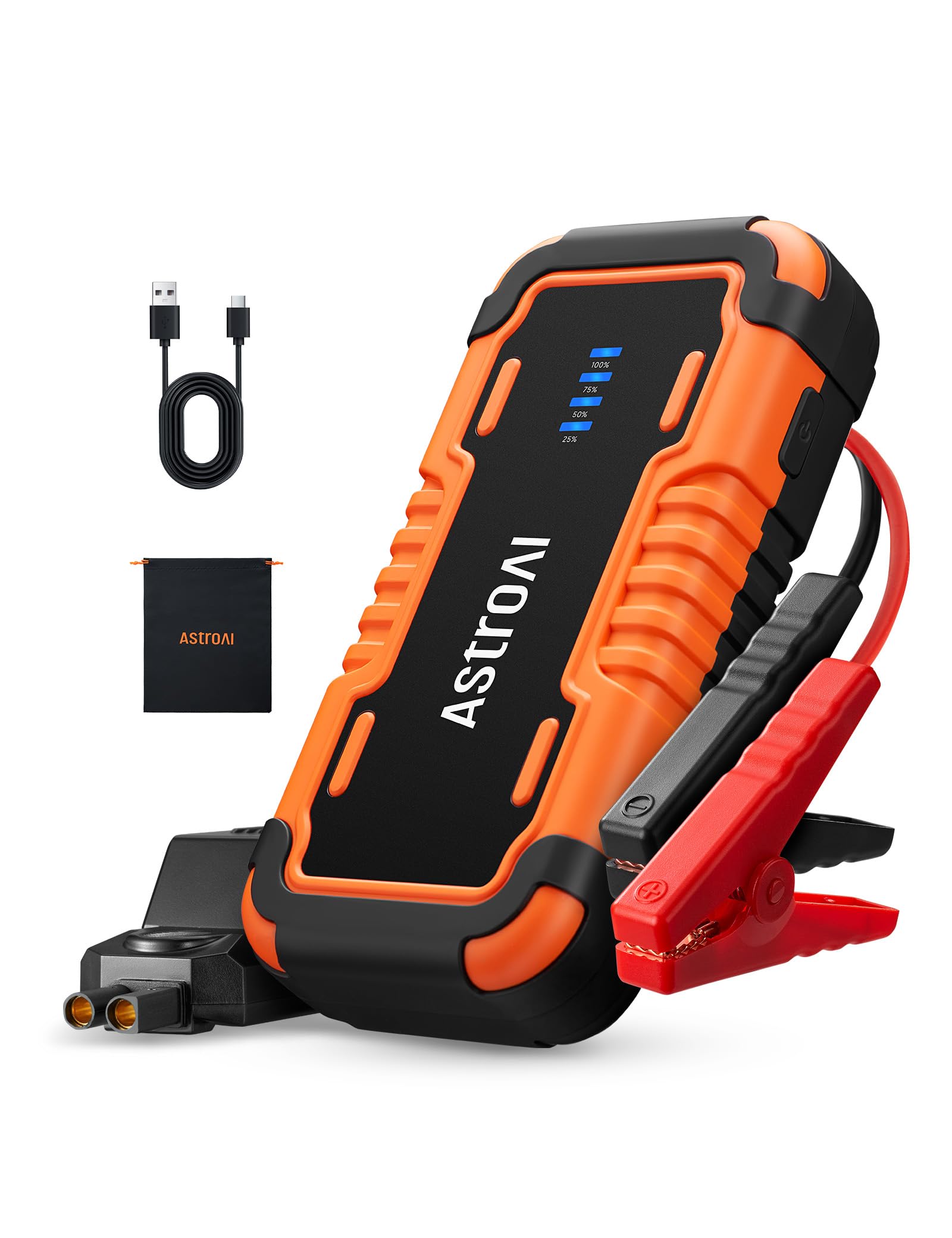
Image: The AstroAI P8 Jump Starter with its smart jumper cables connected, ready for use.
6. Başlanğıc qurğusunun doldurulması
Before first use, fully charge the AstroAI P8. It is recommended to recharge the unit after each use to maintain battery health.
- Təqdim olunan USB-C şarj kabelini keçid starterindəki USB-C giriş/çıxış portuna qoşun.
- Plug the other end of the USB-C cable into a compatible USB wall adapter (not included) or car charger.
- The battery level indicator lights will illuminate and flash, indicating the charging progress. All lights will be solid when fully charged.

Image: The AstroAI P8 Jump Starter connected via USB-C to charge a smartphone and a tablet, demonstrating its power bank functionality.
7. Əməliyyat Təlimatları
7.1. Avtomobili işə salmaq
- Ensure the jump starter is sufficiently charged (at least 50%).
- Connect the smart jumper cables to the jump starter's port. Ensure a secure connection.
- Qırmızı cl əlavə edinamp avtomobilin akkumulyatorunun müsbət (+) terminalına.
- Qara cl əlavə edinamp nəqliyyat vasitəsinin akkumulyatorunun mənfi (-) terminalına.
- Check the indicator light on the smart jumper cable. A solid green light indicates a correct connection and readiness to jump start. If it's flashing or red, check connections or refer to troubleshooting.
- Start the vehicle's engine. If it doesn't start immediately, wait at least 1 minute before trying again. Do not crank for more than 3 seconds per attempt.
- Once the vehicle starts, immediately remove the black clamp from the negative terminal, then the red clamp müsbət terminaldan.
- Disconnect the smart jumper cables from the jump starter.

Image: A person connecting the AstroAI P8 Jump Starter to a car battery, illustrating the process of jump starting a vehicle.
7.2. Power Bank kimi istifadə
The AstroAI P8 can charge various electronic devices.
- Connect your device's USB charging cable to one of the USB-A output ports or the USB-C port on the jump starter.
- Sürətli başlanğıc avtomatik olaraq cihazınızı doldurmağa başlayacaq.
7.3. LED Fənərdən istifadə
The built-in LED flashlight offers multiple modes for different situations.
- Press and hold the power button for 3 seconds to turn on the flashlight (illumination mode).
- Press the power button once to switch to SOS mode.
- Press the power button again to switch to strobe mode.
- Press the power button once more to turn off the flashlight.

Image: A person using the AstroAI P8 Jump Starter's multi-mode LED flashlight under the hood of a car at night.
8. Baxım
- Store the jump starter in a cool, dry place away from direct sunlight and extreme temperatures.
- Recharge the unit every 3-6 months, even if not used, to maintain battery health.
- Xarici səthi yumşaq, damp parça. Sərt kimyəvi maddələrdən və ya aşındırıcı təmizləyicilərdən istifadə etməyin.
- Kabelləri yoxlayın və clamps for any damage before each use.
9. Giderme
| Problem | Mümkün Səbəb | Həll |
|---|---|---|
| Nəqliyyat vasitəsi işə düşmür. | Low charge on jump starter, incorrect connection, or vehicle battery completely dead. | Ensure jump starter is at least 50% charged. Recheck clamp connections. If battery is extremely dead, allow jump starter to connect for a few minutes before attempting to start. |
| Smart jumper cable indicator is red or flashing. | Reverse polarity, short circuit, or other safety protection activated. | cl-ni ayırınamps and re-attach them correctly (red to positive, black to negative). If issue persists, check for short circuits or other battery issues. |
| Başlanğıc şarj olunmur. | Qüsurlu şarj kabeli və ya adapter. | Başqa bir USB-C kabeli və divar adapterini sınayın. Bağlantıların təhlükəsiz olduğundan əmin olun. |
10. Spesifikasiyalar
- Model: P8
- Pik cari: 4000 Amps
- Mühərrik Uyğunluğu: 10L-ə qədər Benzin və ya 8L Dizel
- Cildtage: 12 volt
- Batareya növü: Litium Polimer (daxildir)
- USB-A Çıxışı (QC 3.0): 5V⎓3A, 9V⎓2A, 12V⎓1.5A
- USB-C Giriş/Çıxış: 5V⎓3A, 9V⎓2A
- Ölçülər: 183 mm x 88 mm x 39 mm (7.20 düym x 3.45 düym x 1.53 düym)
- Maddə çəkisi: 710 q
- Mənşə ölkəsi: Çin
11. Zəmanət və Dəstək
AstroAI products come with a manufacturer's warranty. For detailed warranty information, product support, or to register your product, please visit the official AstroAI websaytına daxil olun və ya birbaşa müştəri xidmətləri ilə əlaqə saxlayın. Zəmanət iddiaları üçün alış qəbzini saxlayın.
İstehsalçı: Astro AI
Əlaqə: Support@astroai.com