
1. Məhsul bitdiview
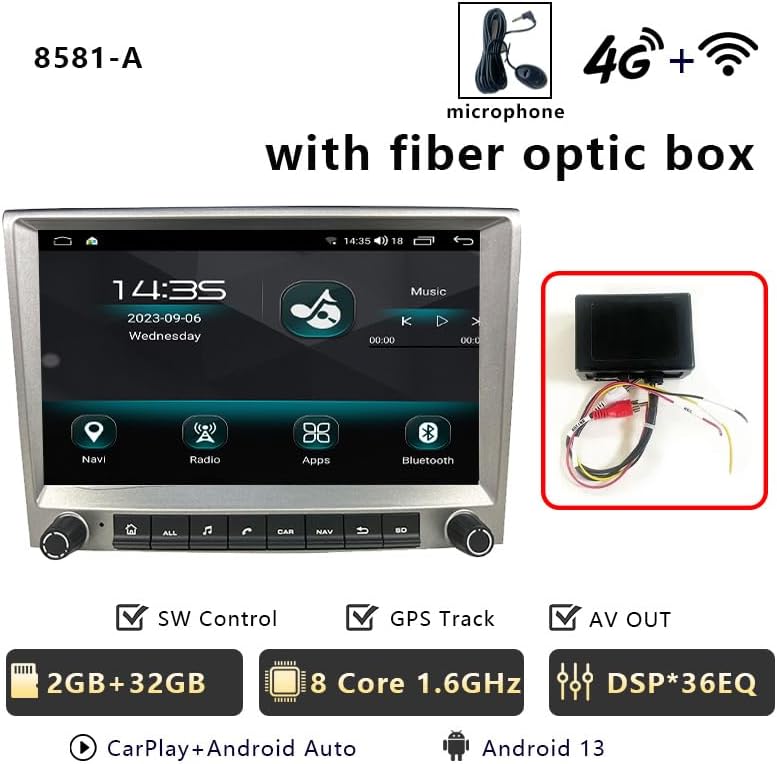
This manual provides detailed instructions for the CHSTEK 8581A+Box Android Car Radio, designed for Porsche Cayman, 911, 987, and Boxster 997 models manufactured between 2005 and 2013. This 8-inch 1280x720P HD touch screen unit offers a comprehensive multimedia and navigation experience, integrating seamlessly with your vehicle's existing systems. It features an Android 13 operating system, wireless CarPlay, wired Android Auto, GPS navigation, 4G/WiFi connectivity, Bluetooth hands-free calling, FM radio, and an EQ function for enhanced audio quality.
Vacib Qeyd: If your vehicle is equipped with a Harman Kardon or BOSE audio system, a fiber optic box may be required for proper sound functionality. Please contact support for assistance.
2. Paketin məzmunu
Aşağıda sadalanan bütün komponentlərin paketinizə daxil olduğunu yoxlayın:
- Main Unit (Android Car Radio)
- ISO Kablolama Kəməri
- CANbus Cable
- USB Cables (2x)
- CANbus Box
- Optical Fibre Decoder (if applicable)
- Kamera Kabeli
- 4G Antena
- GPS antenası
- Radio Antenna Cable
- Orijinal USB Kabel
- İstifadəçi əməliyyat təlimatı
3. Quraşdırma və Quraşdırma
Professional installation is recommended. Ensure the vehicle's power is disconnected before beginning installation. Refer to the following videos for detailed installation guidance.
3.1. Ümumi Quraşdırma Bitdiview
3.2. Wiring Harness and Module Installation
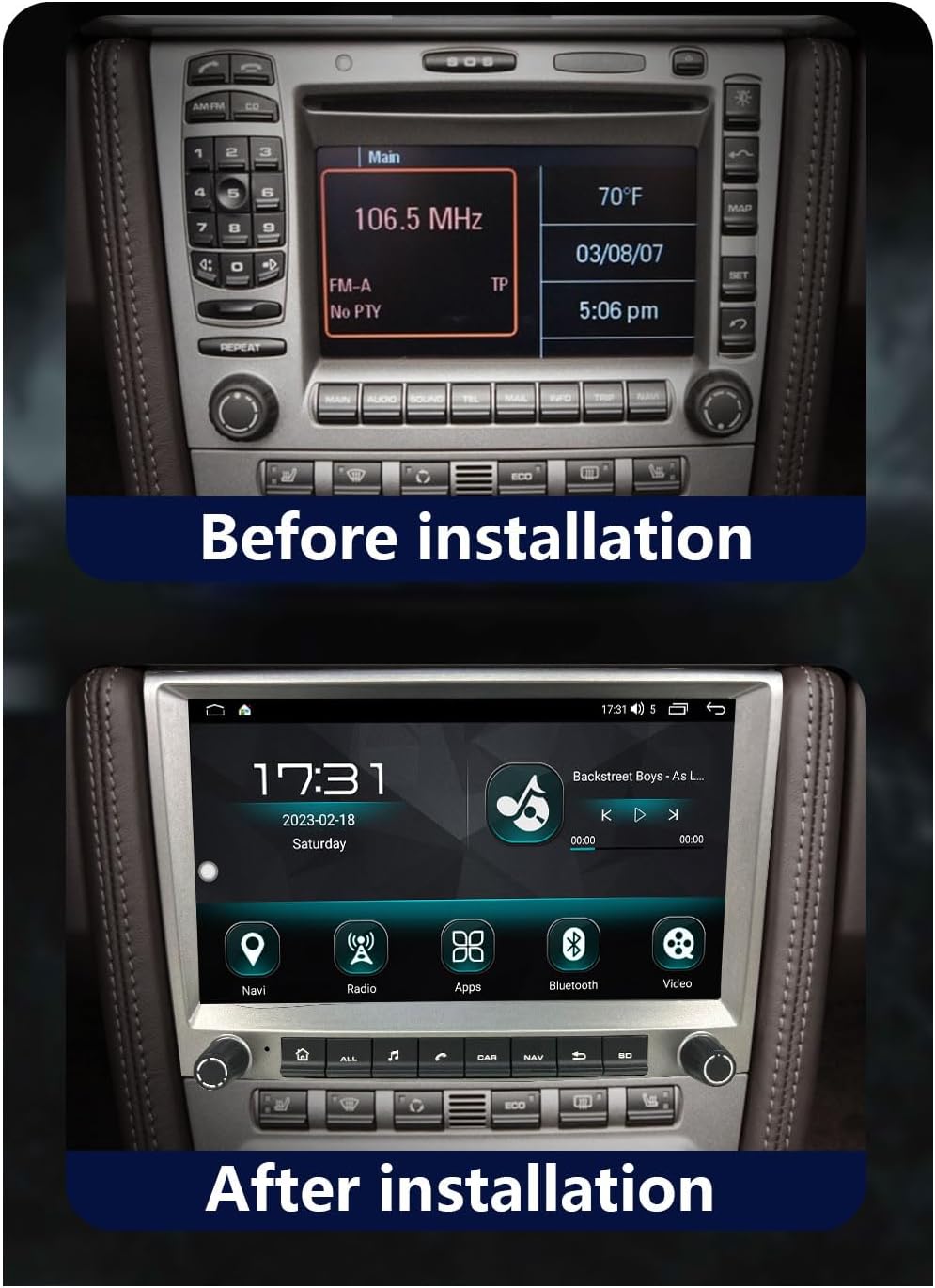
3.3. Before and After Installation
4. Əməliyyat Təlimatları
Familiarize yourself with the various functions and features of your new car radio.
4.1. Wireless CarPlay & Wired Android Auto
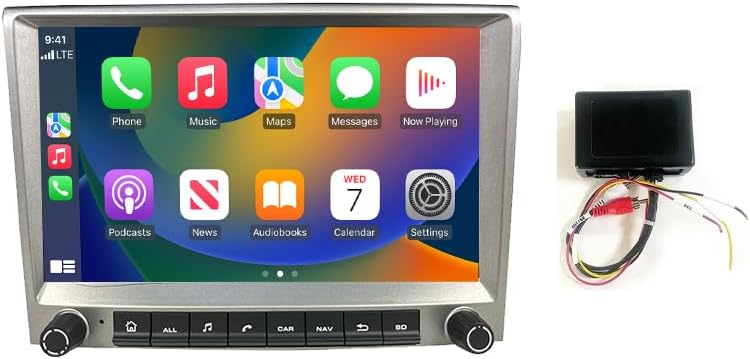
Connect your iPhone wirelessly or Android device via a wired connection to access a simplified version of your phone's screen on the car radio. This allows for navigation, calls, messages, and music playback through the car's display. Voice control (Siri or Google Assistant) is supported.


4.2. GPS Navigation & WiFi Connectivity
The head unit features built-in GPS navigation, supporting both online and offline maps. Download necessary offline maps for navigation without an internet connection. Real-time traffic conditions can be accessed with an internet connection. Connect to WiFi to stream online content, browse the web, and use various online applications.

4.3. Bluetooth Hands-free & FM Radio
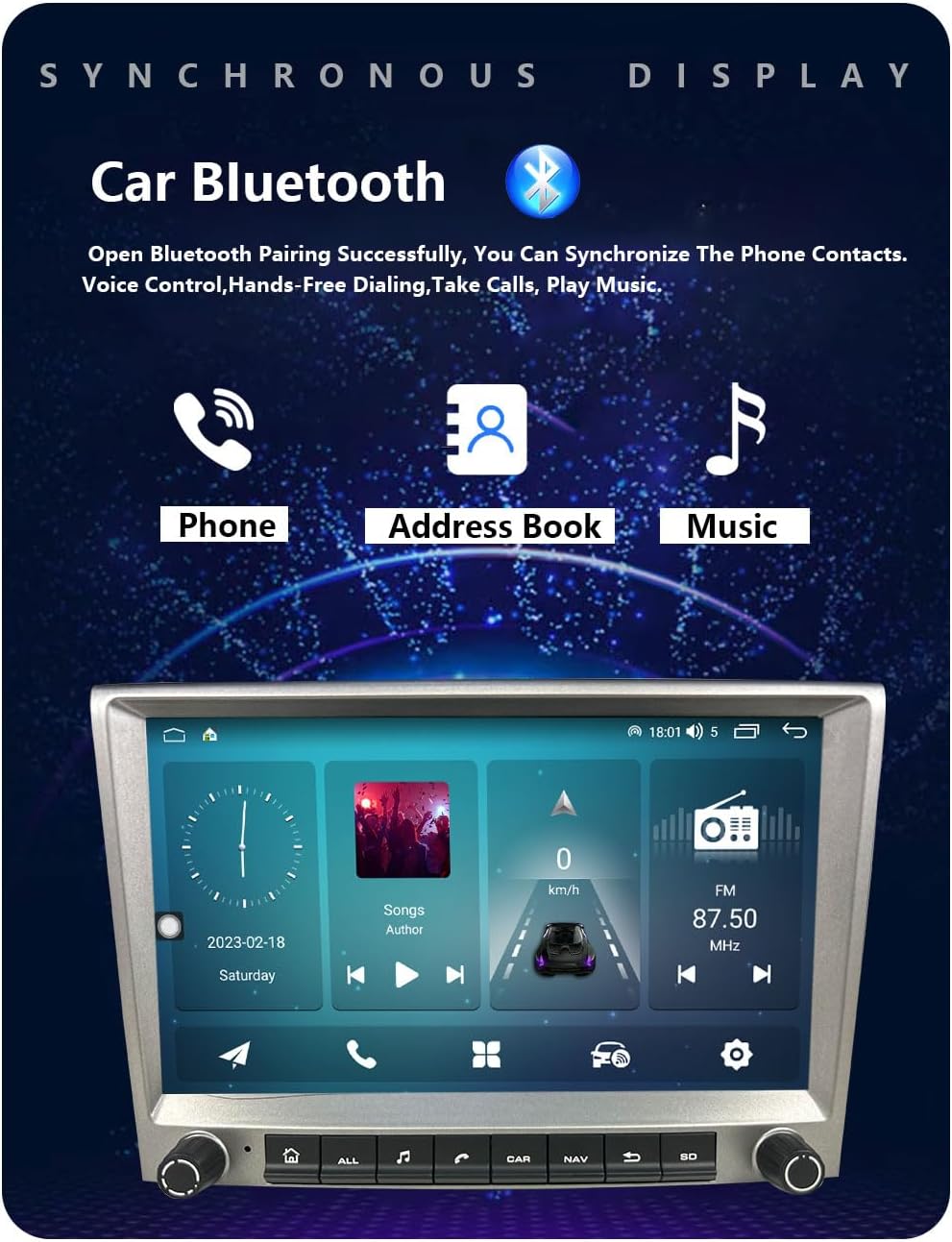
Enjoy hands-free calling and Bluetooth music streaming. Download your phonebook for easy access to contacts. The FM radio provides 18 preset stations (FM 87.50-108.0 MHz) for news and music. An integrated EQ function allows for sound customization.
4.4. Multiple UI Themes & Split Screen Function
Personalize your experience with multiple built-in UI desktop themes. The split-screen function allows you to run two different applications simultaneously, such as navigation and music playback.

4.5. Rear Camera & Parking Sensor Support
The unit supports original rear cameras and parking sensors, providing visual assistance for safe parking and maneuvering. This integration ensures that existing vehicle safety features remain functional.
5. Baxım
To ensure optimal performance and longevity of your CHSTEK 8581A+Box Android Car Radio, follow these maintenance guidelines:
- Ekranın təmizlənməsi: Bir az yumşaq, tüysüz parça istifadə edin dampened with a screen cleaner or water to gently wipe the touch screen. Avoid abrasive materials or harsh chemicals.
- Proqram təminatı yeniləmələri: Periodically check for software updates to ensure you have the latest features, bug fixes, and security enhancements. Follow the on-screen prompts or consult the manufacturer's website for update procedures.
- Kabel Bağlantıları: Ensure all cables are securely connected. Loose connections can lead to intermittent functionality or signal loss.
- Ekoloji Şərtlər: Cihazı həddindən artıq temperatura, uzun müddət birbaşa günəş işığına və ya həddindən artıq nəmə məruz qoymaqdan çəkinin.
- Ümumi Baxım: Keep the unit free from dust and debris. Do not attempt to open the casing or perform repairs yourself, as this may void the warranty.
6. Giderme
If you encounter any issues with your car radio, refer to the following common troubleshooting steps:
- Səs yoxdur: If your car has a Harman Kardon or BOSE audio system, ensure a fiber optic box is correctly installed. Check all audio connections.
- Cihaz işə düşmür: Verify that the power cable is securely connected and that the vehicle's battery has sufficient charge. Check the fuse.
- CarPlay/Android Auto Bağlantı Problemləri: Ensure your phone's Bluetooth and Wi-Fi are enabled. For wired connections, try a different USB cable. Restart both the car radio and your mobile device.
- GPS siqnal itkisi: Ensure the GPS antenna is properly installed and has a clear line of sight to the sky. Move the antenna if necessary.
- Toxunma ekranı cavab vermir: Perform a soft reset of the unit (refer to the main unit's specific reset procedure). Ensure the screen is clean and free from obstructions.
- Sükan çarxının idarəediciləri işləmir: Some high-grade versions of specific car models (e.g., Cayman 2010-2012) may not fully support steering wheel controls. Verify CANbus connections and settings.
If the problem persists after attempting these steps, please contact CHSTEK customer support for further assistance.
7. Spesifikasiyalar
Key technical specifications for the CHSTEK 8581A+Box Android Car Radio:
| Xüsusiyyət | Spesifikasiya |
|---|---|
| Maddə Çəkisi | 4.4 funt sterlinq |
| Paket Ölçüləri | 11.81 x 9.84 x 7.87 düym |
| Element Model nömrəsi | GMC |
| Ekran Ölçüsü | 8 düym |
| Ekran Ölçüsü | 8 düym |
| Xüsusi Xüsusiyyət | Bluetooth, Sensorlu ekran |
| Bağlantı texnologiyası | Simsiz |
| Xəritə növü | Dünya üzrə |
| İstehsalçı | CHSTEK |
| İlk Mövcud | 29 may 2025-ci il |
8. Zəmanət və Dəstək
The CHSTEK 8581A+Box Android Car Radio comes with a 1 il zəmanət satın alındığı tarixdən etibarən. Bu zəmanət normal istifadə zamanı istehsal qüsurlarını və nasazlıqlarını əhatə edir. Düzgün quraşdırma, sui-istifadə, qəzalar və ya icazəsiz dəyişikliklər nəticəsində yaranan zərərləri əhatə etmir.
For technical support, warranty claims, or any questions regarding your product, please contact CHSTEK customer service through the retailer where the product was purchased or refer to the contact information provided in your purchase documentation.