
1. Giriş
This manual provides detailed instructions for the installation, operation, and maintenance of your CHSTEK 8581B Android 13 Car Radio. This advanced multimedia system is designed specifically for Volvo S60, S40, V40, V70, XC70, and XC90 models manufactured between 2000 and 2004. It features an 8-inch HD touch screen, Wireless CarPlay, Wired Android Auto, GPS navigation, Bluetooth connectivity, and 4G/WiFi capabilities to enhance your driving experience.
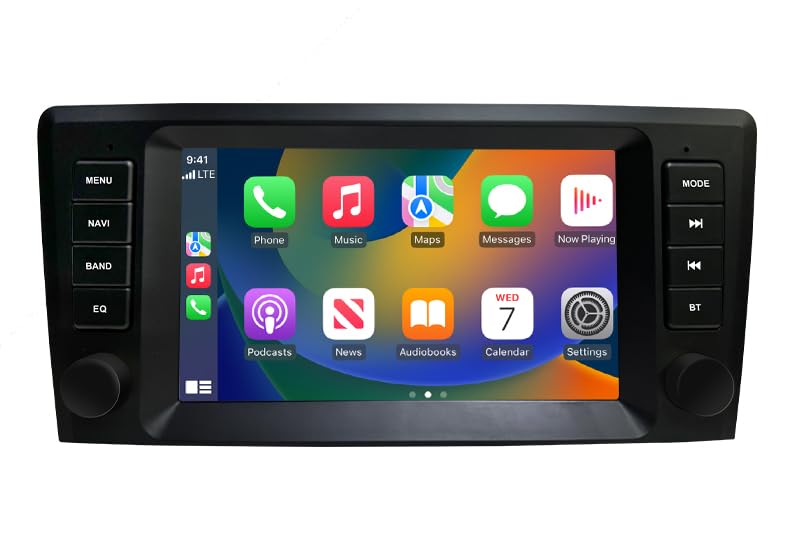
Şəkil 1: Bitdiview of the CHSTEK 8581B Car Radio highlighting its 8-core processor, 4GB RAM + 64GB storage, DSP, 4G, and Android 13 features.
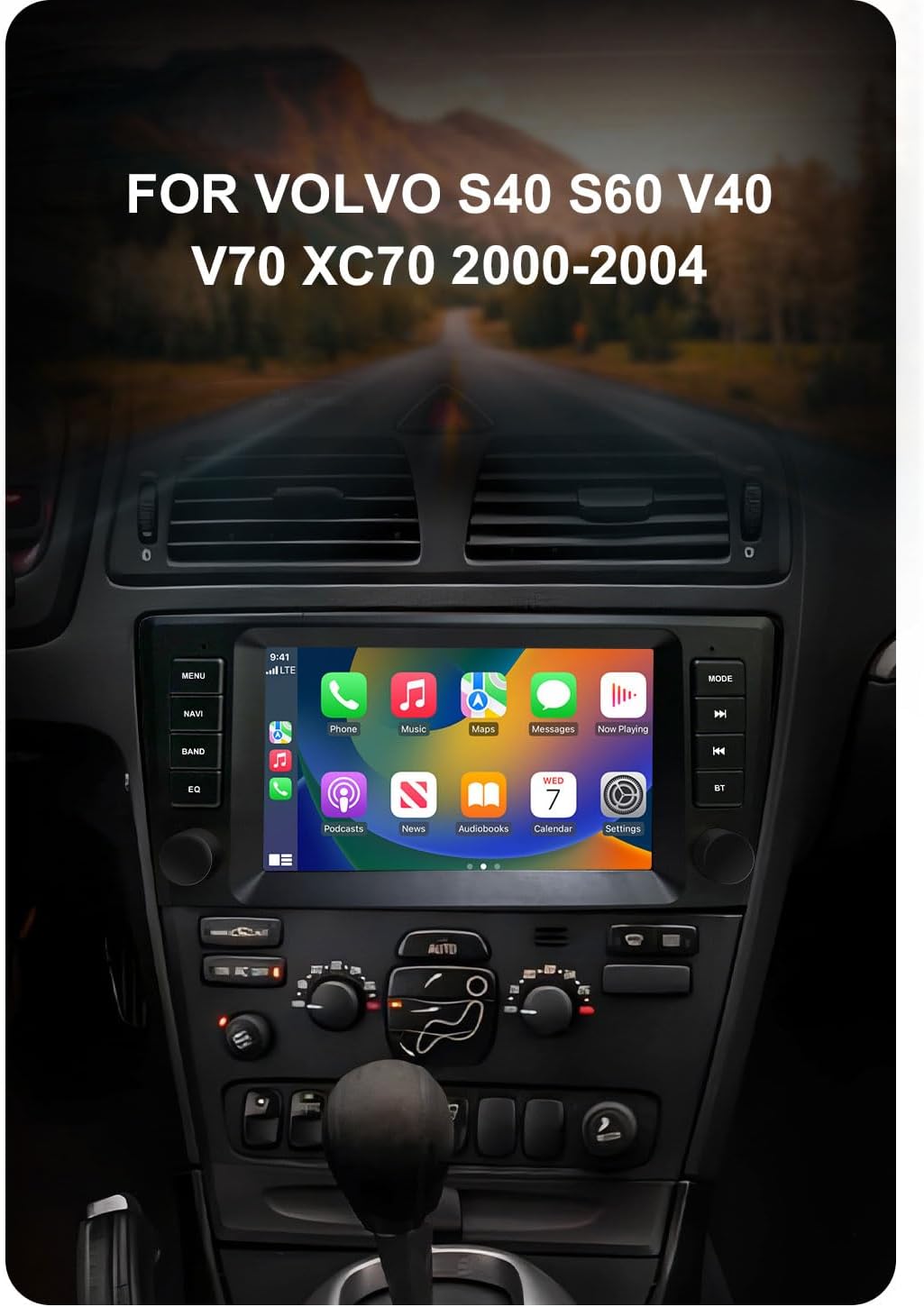
Image 2: The CHSTEK Car Radio seamlessly integrated into a Volvo S40, S60, V40, V70, XC70, or XC90 dashboard, demonstrating its compatibility.
2. Quraşdırma və Quraşdırma
The CHSTEK 8581B Car Radio is designed for a plug-and-play installation. However, professional installation is recommended to ensure proper functionality and to avoid damage to your vehicle's electrical system.
2.1 Vehicle Compatibility Check
Before installation, verify that your vehicle's dashboard matches the appearance shown in the 'After Installation' image below. If you are uncertain about compatibility, please provide your car's detailed information to customer service for confirmation.
2.2 Quraşdırma addımları
- Mövcud avtomobil radio qurğusunu diqqətlə çıxarın.
- Connect the provided plug-and-play cables to the corresponding ports on the new CHSTEK 8581B unit and your vehicle's wiring harness.
- Secure the new unit into the dashboard opening.
- Test all functions (power, audio, touch screen, navigation, etc.) before fully reassembling the dashboard.

Image 3: Comparison of a Volvo dashboard before and after the installation of the CHSTEK Car Radio, demonstrating the integrated fit.
2.3 4G SIM Card Installation (Optional)
The unit supports 4G connectivity via a SIM card. The 4G SIM cable allows for easy replacement of the SIM card without disassembling the main unit.
- Insert a compatible 4G SIM card into the provided 4G SIM cable slot.
- Connect the 4G SIM cable to the designated port on the car radio.
Vacib Qeyd: 4G network functionality may vary by region. Customers in the Americas (e.g., United States, Canada, Mexico, Brazil) should confirm 4G network compatibility with customer service. 4G SIM card network function is not supported in Japan and South Korea due to different carriers and network basebands.

Image 4: The CHSTEK Car Radio displaying its 4G and WiFi capabilities, including a detailed view of the 4G SIM cable for easy SIM card access.
3. Əməliyyat Təlimatları
3.1 Əsas əməliyyat
- Yandırma/Söndürmə: Cihazı yandırmaq və ya söndürmək üçün güc düyməsini (adətən ön paneldə yerləşir) basıb saxlayın.
- Toxunma Ekranı: Navigate the Android 13 interface using the responsive 8-inch 1280*720P HD touch screen.
- Səs səviyyəsinə nəzarət: Use the physical knobs or on-screen controls to adjust the volume.
- Multiple UI Themes: Customize your user experience by selecting from various built-in desktop themes.
- Bölünmüş ekran funksiyası: Utilize two applications simultaneously, such as navigation and music playback, for enhanced multitasking.

Image 5: The CHSTEK Car Radio displaying its split-screen feature, showing video playback and navigation simultaneously.
3.2 Qoşulma Xüsusiyyətləri
- Simsiz CarPlay: Connect your iPhone wirelessly to access maps, make calls, send messages, and enjoy music directly on the car radio display. Use Siri voice control for hands-free operation.

Image 6: The CHSTEK Car Radio displaying the Wireless CarPlay interface, showing various iPhone applications and Siri voice control in action.
- Simli Android Auto: Connect your Android device via USB to mirror features like GPS mapping, music playback, SMS, and telephone functions. Google Assistant can be activated via voice control.

Image 7: The CHSTEK Car Radio displaying the Wired Android Auto interface, showing common Android applications.
- Güzgü Linki: Mirror your smartphone screen directly onto the car radio display.
- Bluetooth: Pair your phone for hands-free calling, access to phone contacts, and Bluetooth music streaming. An external microphone is supported for clear communication.

Image 8: The CHSTEK Car Radio's Bluetooth interface, showing options for phone calls, address book, and music playback.
- GPS Naviqasiya və WiFi: The unit includes built-in GPS for online and offline navigation. Download offline maps for use without an internet connection. Connect to WiFi to access online movies, news, and streaming services like YouTube and TikTok.
- FM Radiosu: Tune into FM radio stations (87.50-108.0 MHz) with 18 preset stations available.
- EQ funksiyası: Utilize the built-in Equalizer (DSP*36EQ) to customize audio output for optimal sound quality.
3.3 Multimedia Oynatma
- Vahid edir yox have a built-in DVD/CD reader.
- var yox built-in SD card slot. External media can be connected via USB.
4. Baxım
Daimi texniki xidmət avtomobil radiosunun uzunömürlülüyünü və optimal işləməsini təmin edir.
- Ekranın təmizlənməsi: Use a soft, lint-free cloth to gently wipe the touch screen. Avoid abrasive cleaners or harsh chemicals.
- Proqram təminatı yeniləmələri: Periodically check for available software updates through the system settings to ensure you have the latest features and performance enhancements.
- Ekoloji Şərtlər: Cihazı uzun müddət həddindən artıq temperaturda və ya birbaşa günəş işığında saxlamaqdan çəkinin.
5. Giderme
If you encounter issues with your CHSTEK 8581B Car Radio, refer to the following common solutions. If the problem persists, contact customer support.
- Güc yoxdur: Check all power connections and ensure the vehicle's ignition is on. Verify fuses are intact.
- Səs yoxdur: Check volume levels, audio source selection, and speaker connections. Ensure the mute function is not activated.
- Toxunma ekranı cavab vermir: Try restarting the unit. If the issue continues, a factory reset might be necessary (note: this will erase personal data).
- Bluetooth/CarPlay/Android Auto Connection Issues: Ensure Bluetooth is enabled on both devices. For wired connections, try a different USB cable. For wireless connections, ensure both devices are discoverable and within range.
- GPS siqnal itkisi: GPS antennasının düzgün quraşdırıldığından və şəffaf olduğundan əmin olun view səmanın.
6. Spesifikasiyalar
| Xüsusiyyət | Spesifikasiya |
|---|---|
| Model nömrəsi | 8581B |
| Əməliyyat sistemi | Android 13 |
| Prosessor | 8 Core 1.6GHz |
| RAM | 4 GB |
| Daxili yaddaş | 64 GB |
| Ekran Ölçüsü | 8 düym |
| Ekran həlli | 1280*720P HD |
| Bağlantı | Wireless CarPlay, Wired Android Auto, Mirror Link, Bluetooth, 4G, WiFi |
| GPS | Built-in GPS, supports online/offline maps (Worldwide) |
| Audio Xüsusiyyətlər | FM Radio (87.50-108.0 MHz, 18 presets), DSP*36EQ |
| Xüsusi Xüsusiyyətlər | Touchscreen, Voice Command, Multiple UI Themes, Split Screen |
| Avtomobilin Xidmət Növü | Avtomobil |
| Daxil olan komponentlər | As shown (main unit, wiring harness, GPS antenna, 4G antenna, external microphone) |
| Maddə Çəkisi | 3520 funt sterlinq (Note: This weight appears to be a data entry error. Actual weight is likely much lower, e.g., 3.52 lbs.) |
| Paket Ölçüləri | 11.81 x 9.84 x 7.87 düym |
7. Zəmanət və Dəstək
7.1 Məhsul Zəmanəti
The CHSTEK 8581B Car Radio comes with a 1 il zəmanət istehsal qüsurlarını əhatə edən satın alınma tarixindən. Zəmanət iddiaları üçün satınalma sübutunuzu özündə saxlayın.
Extended protection plans may be available for purchase separately to provide additional coverage beyond the standard warranty period.
7.2 Müştəri dəstəyi
For technical assistance, troubleshooting, or warranty inquiries, please contact CHSTEK Radio customer service. Provide your product model number (8581B) and purchase details for efficient support.