
Giriş
This manual provides detailed instructions for the ESR Flexible Keyboard Case, designed to enhance your iPad experience. It features a detachable magnetic keyboard, a large precision trackpad, and versatile viewing angles, offering comprehensive protection and functionality.
Məhsulun düzgün işləməsini təmin etmək və onun xüsusiyyətlərini maksimum dərəcədə artırmaq üçün istifadə etməzdən əvvəl bu təlimatı diqqətlə oxuyun.
Uyğunluq
This keyboard case is compatible only with the following iPad models:
- iPad 11" (A16) 2025
- iPad 10th Generation 2022
Compatible model numbers include: A2696, A2757, A2777, A3354, A3355, A3162, A3356.
To verify your iPad model number, locate it on the back of your iPad.

Image: Compatibility chart for ESR Flexible Keyboard Case, highlighting supported iPad 11" (A16) 2025 and iPad 10th Gen 2022 models, and illustrating where to find the model number on the back of the iPad.
Quraşdırma
- Klaviaturanı doldurun: Before initial use, ensure the keyboard is fully charged. Connect the provided charging cable to the keyboard's charging port and a power source. The charging indicator will show the charging status.
- Attach iPad to Case: Carefully place your compatible iPad into the protective case. Ensure all corners and edges are securely fitted. The reinforced Air Guard corners provide enhanced protection.
- Klaviatura əlavə edin: The keyboard attaches magnetically to the case. Align the keyboard with the magnetic strip at the bottom edge of the case until it snaps into place.
- Bluetooth vasitəsilə cütləşmə:
- Güc düyməsini basaraq klaviaturanı yandırın.
- iPad-də, keçin Parametrlər > Bluetooth.
- Bluetooth -un aktiv olduğundan əmin olun.
- Select the "ESR Keyboard" (or similar name) from the list of available devices.
- Cütləşdirmə prosesini başa çatdırmaq üçün ekrandakı istənilən göstərişlərə əməl edin.
- Once paired, the keyboard will automatically connect to your iPad when turned on and within range (up to 32.8 ft).
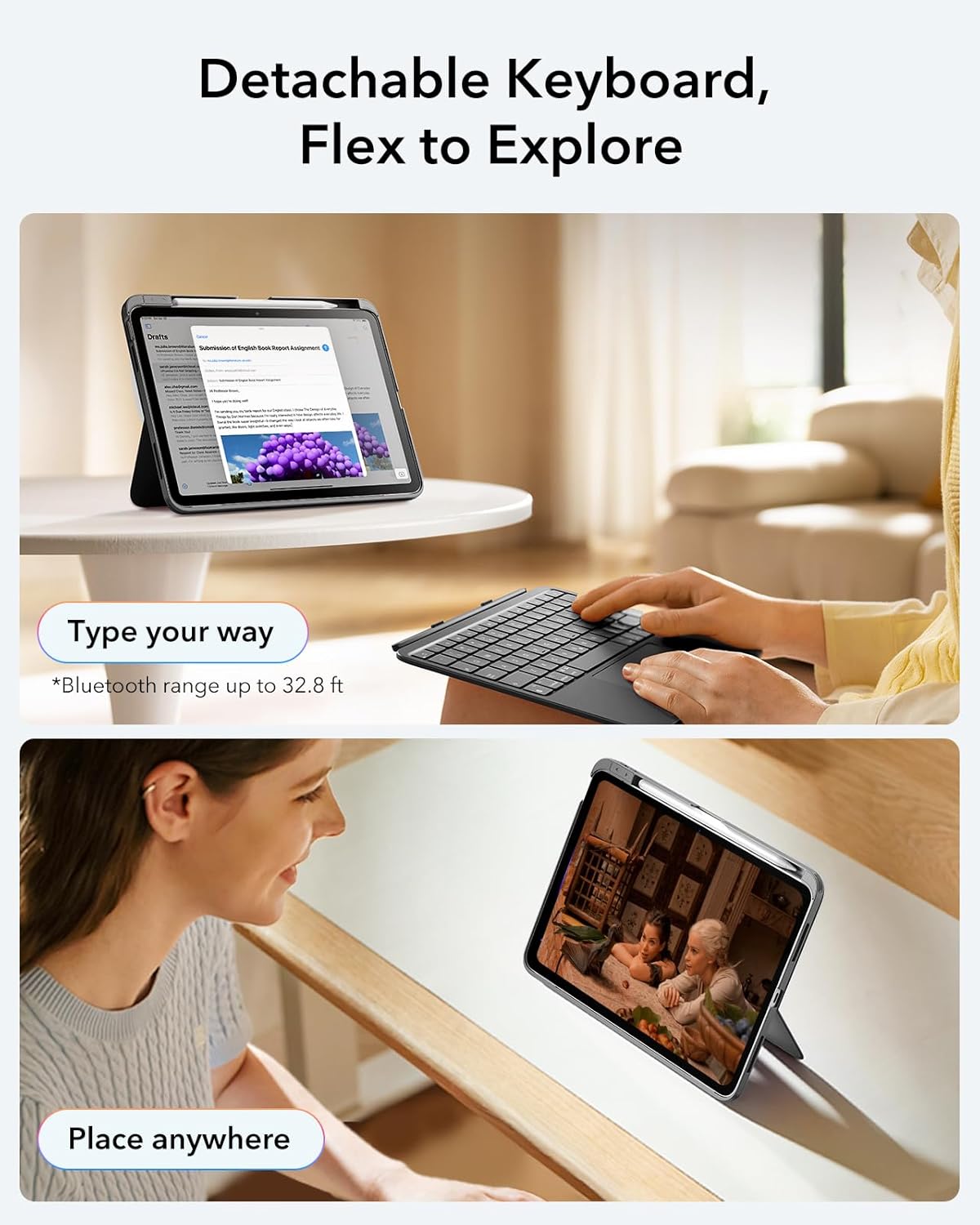
Image: The ESR Flexible Keyboard Case with the detachable keyboard in use, demonstrating its magnetic attachment and portability.
Əməliyyat Təlimatları
Detachable Magnetic Keyboard
The keyboard can be easily attached or removed from the case due to its strong magnetic connection. This allows for flexible usage, enabling you to switch between a laptop-like setup and a pure tablet mode for reading, watching videos, or sketching.
The keyboard features a QWERTZ layout, which is standard for German-speaking regions. Please be aware of this layout difference if you are accustomed to other keyboard layouts (e.g., QWERTY or AZERTY).
Tənzimlənən Viewaçılar
The case offers two stable viewing angles, supported by a triangular stand design to prevent wobbling:
- 65° Bucaq: Ideal for working, reading, or watching videos.
- 20° Bucaq: Suitable for writing or drawing.

Image: The ESR Flexible Keyboard Case demonstrating its two stable viewing angles: 20 degrees for drawing/writing and 65 degrees for viewing/typing.
Precision Trackpad
The extra-large trackpad provides smooth and precise navigation. It supports intuitive multi-touch gestures for efficient operation:
- Klikləyin: Single finger tap.
- Sürüşdürün: Two-finger swipe up or down.
- Zoom: Pinch with two fingers.
- Ev: Three-finger swipe up.
For optimal trackpad performance, you can adjust the cursor speed on your iPad: Go to iPad Settings > General > Trackpad and adjust the cursor speed (10 levels available).
Note: This keyboard does not feature a backlight.

Image: A close-up of the large precision trackpad, illustrating various multi-touch gestures like click, scroll, zoom, and home.
Pencil Storage and Release
The case includes a quick-access pen slot for secure storage of your Apple Pencil. A one-handed release mechanism allows for easy retrieval.

Image: The ESR Flexible Keyboard Case featuring a dedicated slot for the Apple Pencil and a quick-release mechanism for easy access.
Baxım
- Təmizləmə: Use a soft, dry, lint-free cloth to clean the keyboard and case. For stubborn dirt, slightly dampsu ilə parça. Sərt kimyəvi maddələrdən və ya aşındırıcı təmizləyicilərdən istifadə etməyin.
- Doldurulur: Recharge the keyboard when the battery indicator shows low power. Regular charging helps maintain battery health.
- Yaddaş: When not in use for extended periods, store the keyboard and case in a cool, dry place. Ensure the keyboard is turned off to conserve battery life.
- Müdafiə: The robust case with reinforced Air Guard corners is designed to protect your iPad from scratches, drops, and dust. While durable, avoid exposing the case to extreme temperatures or direct impact.
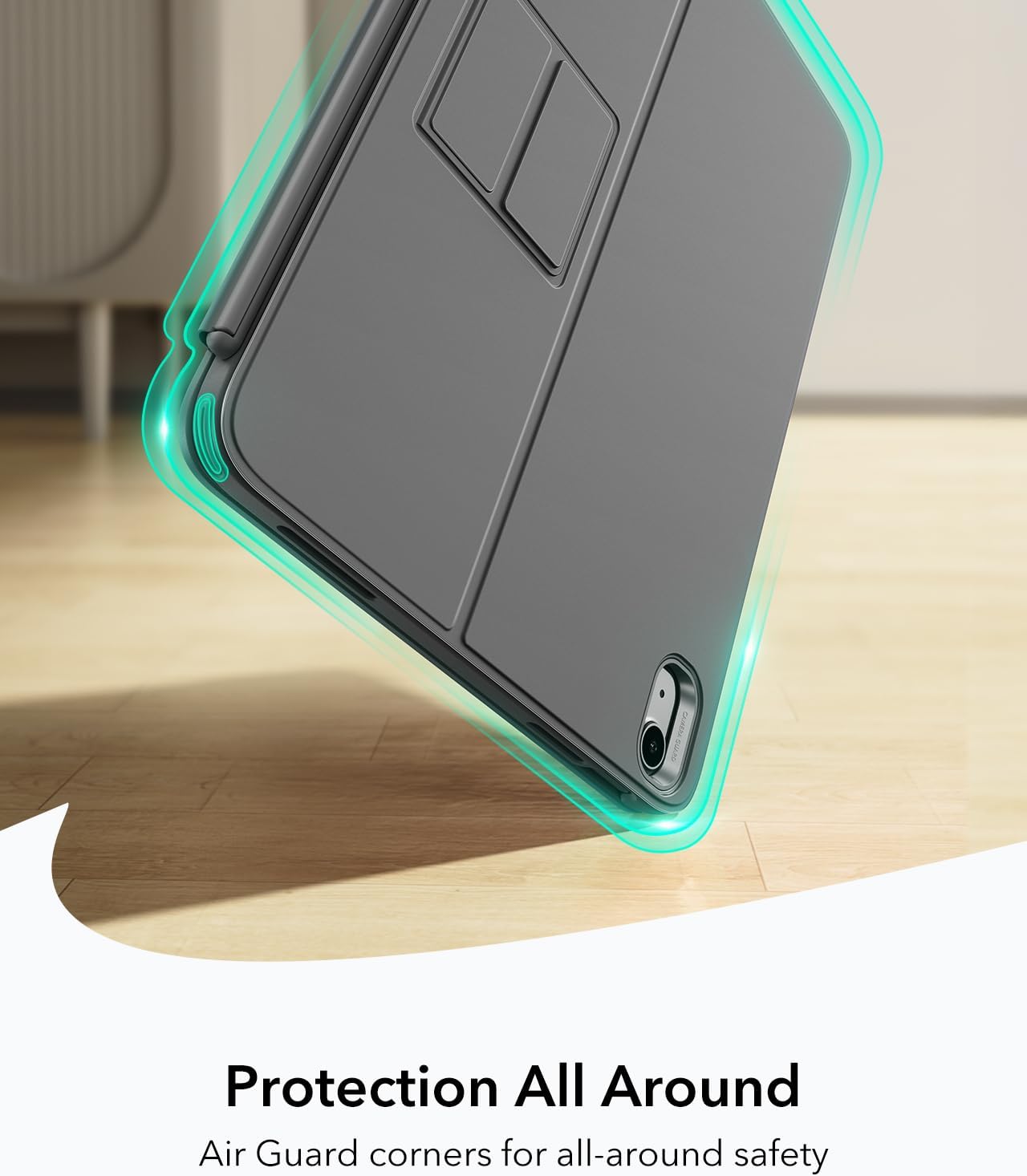
Image: The ESR Flexible Keyboard Case highlighting its Air Guard reinforced corners for all-around protection.
Problemlərin aradan qaldırılması
| Problem | Mümkün Səbəb | Həll |
|---|---|---|
| Klaviatura Bluetooth vasitəsilə qoşulmur. | Keyboard is off, low battery, Bluetooth off on iPad, or not paired. |
|
| Trackpad not responding. | Keyboard not connected, trackpad disabled (if applicable), or software glitch. |
|
| Açarlar cavab vermir. | Low battery, connection issue, or keyboard malfunction. |
|
| Incorrect key input (e.g., QWERTZ vs QWERTY). | Keyboard layout is QWERTZ. |
|
Spesifikasiyalar
- Brend: ESR
- Model: Flexible Keyboard Case
- Uyğunluq: iPad 11" (A16) 2025, iPad 10th Gen 2022 (Models: A2696, A2757, A2777, A3354, A3355, A3162, A3356)
- Bağlantı: Bluetooth
- Klaviatura düzeni: QWERTZ (German style)
- Açarların sayı: 78
- Trackpad: Extra-large precision trackpad with multi-touch gesture support
- Arxa işıq: Arxa işıq yoxdur
- Viewaçılar: 65° (working/viewing), 20° (writing/drawing)
- Güc mənbəyi: Batareya ilə işləyir (yenidən doldurulan)
- Material: plastik
- Weight (Case & Keyboard): Təxminən 530 q
- Qalınlıq: Təxminən 6.9 mm
- Bluetooth Aralığı: 32.8 fut (10 metr) qədər
- Xüsusi Xüsusiyyətlər: Detachable magnetic keyboard, reinforced Air Guard corners, quick-access pen slot.
- Əməliyyat Sistemi Uyğunluğu: iPadOS

Image: The ESR Flexible Keyboard Case held in hand, emphasizing its lightweight design (530g) for portability.
Zəmanət və Dəstək
For warranty information and customer support, please refer to the official ESR website or contact their customer service directly. Details regarding specific warranty periods and support procedures are typically provided with your purchase documentation or on the manufacturer's websayt.
Zəmanət iddiaları üçün satınalma sübutunuzu özünüzdə saxlayın.