
CHEREEKI B0FHHKMP1X
CHEREEKI Digital LED Alarm Clock User Manual
Model: B0FHHKMP1X
Giriş
Aldığınız üçün təşəkkür edirikasing the CHEREEKI Digital LED Alarm Clock. This manual provides detailed instructions for setting up and operating your new alarm clock. Please read it thoroughly before use and keep it for future reference.
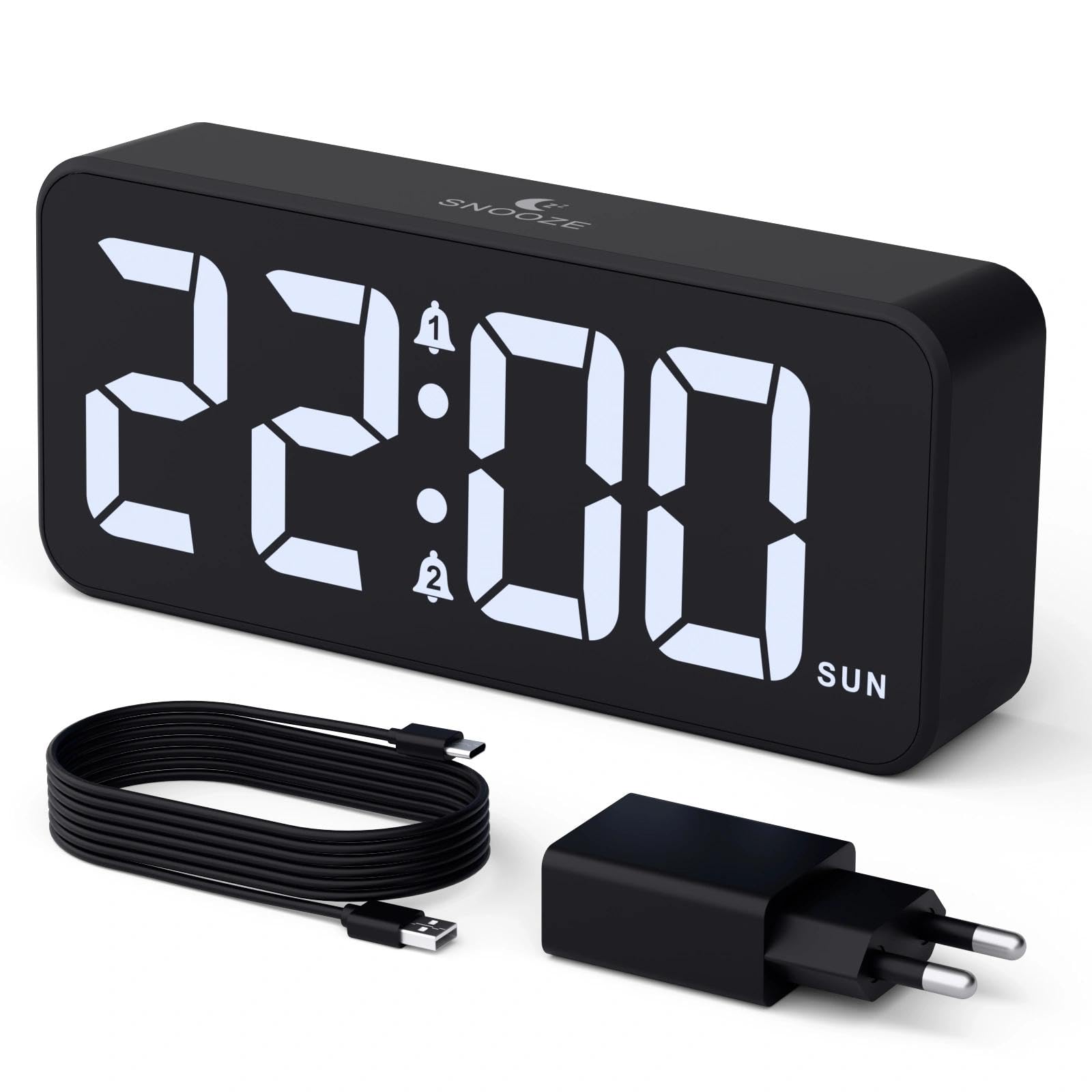
Image: The CHEREEKI Digital LED Alarm Clock, showcasing its large LED display and key features.
Təhlükəsizlik Məlumatı
- Ensure the power adapter and cable are compatible with the device's voltage requirements (5V/1A or 5V/2A).
- Cihazı suya və ya həddindən artıq rütubətə məruz qoymayın.
- Cihazı istilik mənbələrinin yaxınlığında və ya birbaşa günəş işığı altında yerləşdirməyin.
- Cihazı özünüz sökməyə və ya təmir etməyə çalışmayın. Problemlər yaranarsa, müştəri dəstəyi ilə əlaqə saxlayın.
- Uşaqların əli çatmayan yerdə saxlayın.
Paketin məzmunu
- CHEREEKI Digital LED Alarm Clock
- Power Adapter (5V/1A or 5V/2A)
- USB Charging Cable (1.5m)
- İstifadəçi təlimatı
- CR2032 Backup Battery (pre-installed or included)

Image: Illustration of the items included in the product package.
Məhsul Düzəldicisi və Nəzarətləri

Image: Rear panel of the alarm clock with labels for all buttons and ports.
- Vaxt Təyin Et Düyməsi: Vaxt tənzimləmə rejiminə daxil olmaq üçün basın.
- Siqnal 1 Düyməsi: Press to set Alarm 1.
- Siqnal 2 Düyməsi: Press to set Alarm 2.
- Yuxarı/Aşağı Düymələri: Adjust values during setting.
- Dimmer Knob: Rotate to adjust display brightness (0-100%).
- Səs düyməsi: Rotate to adjust alarm volume (10 levels).
- USB çıxış portu: Xarici cihazları doldurmaq üçün.
- Type-C Giriş Portu: For power supply to the alarm clock.
- DST Button: For Daylight Saving Time adjustment.
- Batareya bölməsi: Houses the CR2032 backup battery.
Quraşdırma
1. Güc Bağlantısı
The alarm clock operates solely on AC power. Connect the provided USB cable to the Type-C input port on the back of the clock and plug the adapter into a standard wall outlet (5V/1A or 5V/2A). The display will light up.

Image: The alarm clock connected to a power source via its adapter.
2. Ehtiyat Batareya
A CR2032 backup battery is included to retain time and alarm settings during power outages. This battery does not power the display or alarm functions; it only preserves memory. Ensure the battery is correctly installed in the compartment on the back of the clock.

Image: Close-up of the backup battery compartment, indicating its purpose to retain settings during power loss.
Əməliyyat Təlimatları
Vaxtın qurulması
- Press the "TIME SET" button. The hour digits will flash.
- Use the "UP" or "DOWN" buttons to adjust the hour.
- Press "TIME SET" again to confirm the hour and move to minute setting. The minute digits will flash.
- Dəqiqələri tənzimləmək üçün "YUXARI" və ya "AŞAĞI" düymələrindən istifadə edin.
- Press "TIME SET" once more to confirm the minutes and exit time setting mode.
Siqnalların Qurulması (Siqnal 1 və Siqnal 2)
This clock supports two independent alarms with three scheduling options.
- Press the "ALARM 1" or "ALARM 2" button. The alarm hour digits will flash.
- Use the "UP" or "DOWN" buttons to adjust the alarm hour.
- Press the respective alarm button again to confirm the hour and move to minute setting. The minute digits will flash.
- Use the "UP" or "DOWN" buttons to adjust the alarm minutes.
- Press the alarm button again to select the alarm schedule:
- Həftə içi: Bazar ertəsindən cüməyə
- Həftə sonları: Şənbədən bazara
- Gündəlik: Bazar ertəsindən bazar gününə qədər
- Press the alarm button once more to confirm the schedule and exit alarm setting mode.
- To enable/disable an alarm, press the "ALARM 1" or "ALARM 2" button briefly outside of setting mode. An alarm icon will appear/disappear on the display.

Image: The alarm clock demonstrating dual alarm settings with various scheduling options.
Mürgülə funksiyası
When the alarm sounds, touch the top of the clock to activate the 5-minute snooze function. The alarm will temporarily stop and sound again after 5 minutes. To turn off the alarm completely, press any other button on the back of the clock.
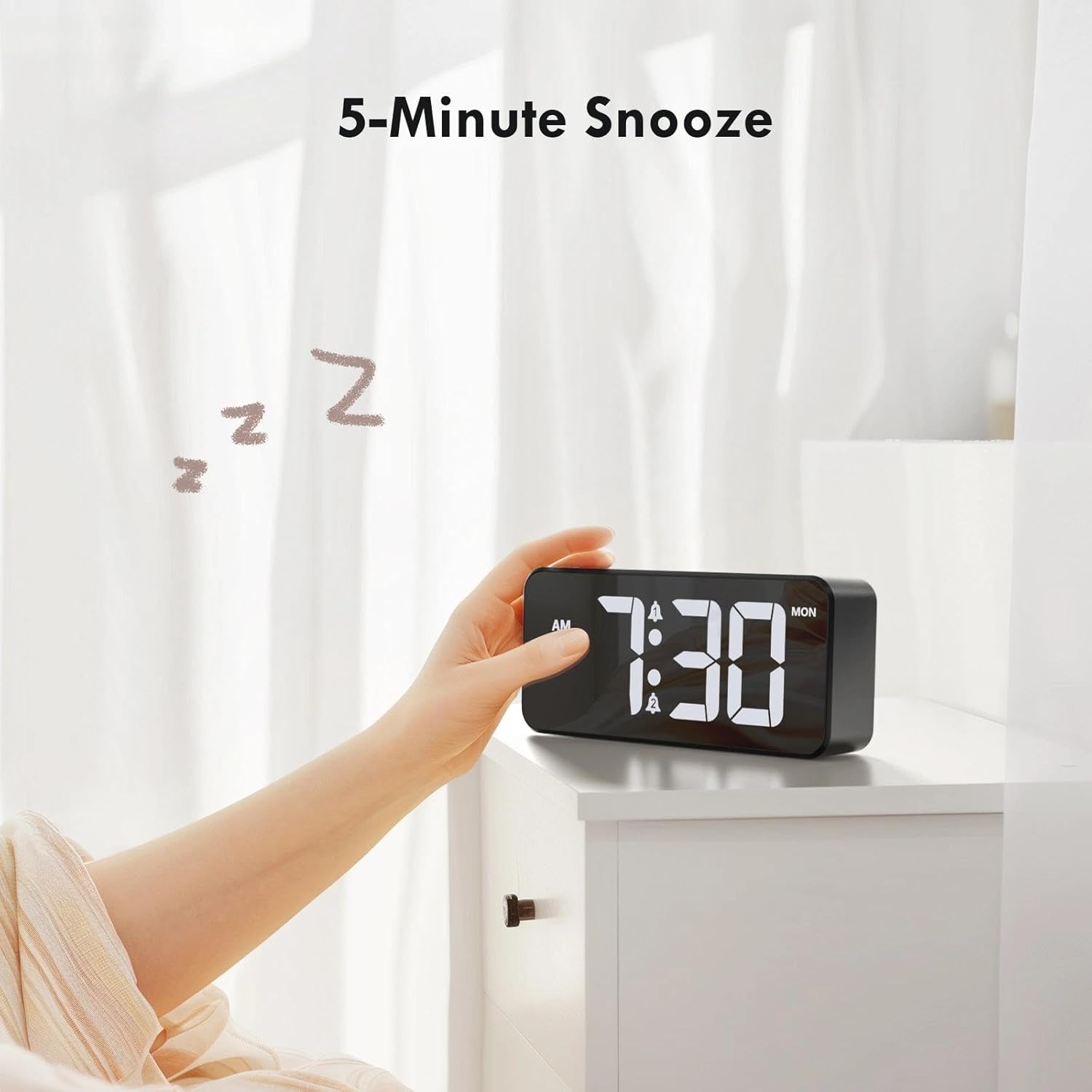
Image: A user activating the snooze function by touching the top of the alarm clock.
Ekran Parlaqlığının Tənzimlənməsi
Rotate the "DIMMER" knob on the back of the clock to adjust the display brightness from 0% (off) to 100% (maximum brightness). This allows for comfortable viewistənilən işıqlandırma şəraitində.

Image: Visual representation of the adjustable brightness feature and the dimmer knob.
Siqnalın Səsinin Tənzimlənməsi
Rotate the "VOLUME" knob on the back of the clock to select one of the 10 available alarm volume levels. Choose a volume that suits your preference.

Image: The volume control knob and a visual scale indicating adjustable volume levels.
12/24 Saat Format
To switch between 12-hour and 24-hour time formats, press and hold the "TIME SET" button for a few seconds until the format changes. In 12-hour format, "AM" or "PM" indicators will be displayed.

Image: The alarm clock showing both 12-hour and 24-hour time display options.
USB şarj portu
The USB-A output port on the back of the clock allows you to charge other devices, such as smartphones or tablets. Simply connect your device's charging cable to this port.

Image: The alarm clock charging a smartphone via its integrated USB port.
Yaz Saatı (DST)
To adjust for Daylight Saving Time, press the "DST" button on the back of the clock. This will advance or set back the time by one hour. Press it again to revert.
Baxım
- Clean the clock's surface with a soft, dry cloth. Do not use abrasive cleaners or solvents.
- Cihazı toz və zibildən təmizləyin.
- If the backup battery needs replacement, use a CR2032 coin cell battery. Ensure correct polarity.
Problemlərin aradan qaldırılması
| Problem | Mümkün Səbəb | Həll |
|---|---|---|
| Ekran deaktivdir. | Not connected to power; Dimmer set to 0%. | Ensure the clock is plugged into a working power outlet. Rotate the Dimmer knob to increase brightness. |
| Siqnal səslənmir. | Alarm not activated; Volume set to minimum. | Press the ALARM 1/2 button to activate the alarm (icon should appear). Rotate the Volume knob to increase volume. |
| Elektrik kəsildikdən sonra parametrlər itirilditage. | Ehtiyat batareya bitib və ya yoxdur. | CR2032 ehtiyat batareyasını dəyişdirin. |
| USB şarj işləmir. | Clock not powered; Device cable faulty. | Ensure the alarm clock is powered. Try a different USB cable or device. |
Spesifikasiyalar
- Brend: ÇEREKİ
- Model: B0FHHKMP1X
- Rəng: Qara
- Ekran növü: Rəqəmsal LED
- Material: Akrilonitril Butadien Stirol (ABS)
- Məhsul Ölçüləri: 14.5 x 3.81 x 6.5 sm (5.7 x 1.5 x 2.5 düym)
- Maddə çəkisi: 230 qram (0.5 funt)
- Güc mənbəyi: Wired Electric (5V/1A or 5V/2A adapter)
- Ehtiyat Batareya: CR2032 (for memory retention only)
- Xüsusi Xüsusiyyətlər: Adjustable Brightness, Dual Alarm, Snooze, USB Charging Port, 12/24H Format, Adjustable Volume, Day of Week Display
Zəmanət və Dəstək
This CHEREEKI Digital LED Alarm Clock comes with a Ömürlük Zəmanət. For any product inquiries, technical support, or warranty claims, please contact CHEREEKI customer service through the retailer where you purchased the product or visit the official CHEREEKI webəlaqə məlumatı üçün sayt.
Zəmanət məqsədləri üçün satınalma sübutunuzu özünüzdə saxlayın.
Ask a question about this manual
Ask about setup, troubleshooting, compatibility, parts, safety, or missing instructions. Manuals+ will review the question and use this page’s manual context to help answer it.