
Giriş
The Fender Mustang LTX50 is a versatile 50-watt modeling combo amplifier designed for guitarists seeking a wide range of authentic Fender tones and modern features. Equipped with a 12-inch Celestion G12P-80 speaker, it delivers dynamic sound suitable for practice, rehearsal, and performance. This amplifier offers 25 amp models and 25 effects, covering various musical styles from clean to high-gain. Its intuitive color display, onboard tuner, and 100 user preset slots provide easy customization and quick access to your preferred sounds. The Mustang LTX50 also features Bluetooth audio streaming for playing along with tracks and USB-C connectivity for direct recording and monitoring.
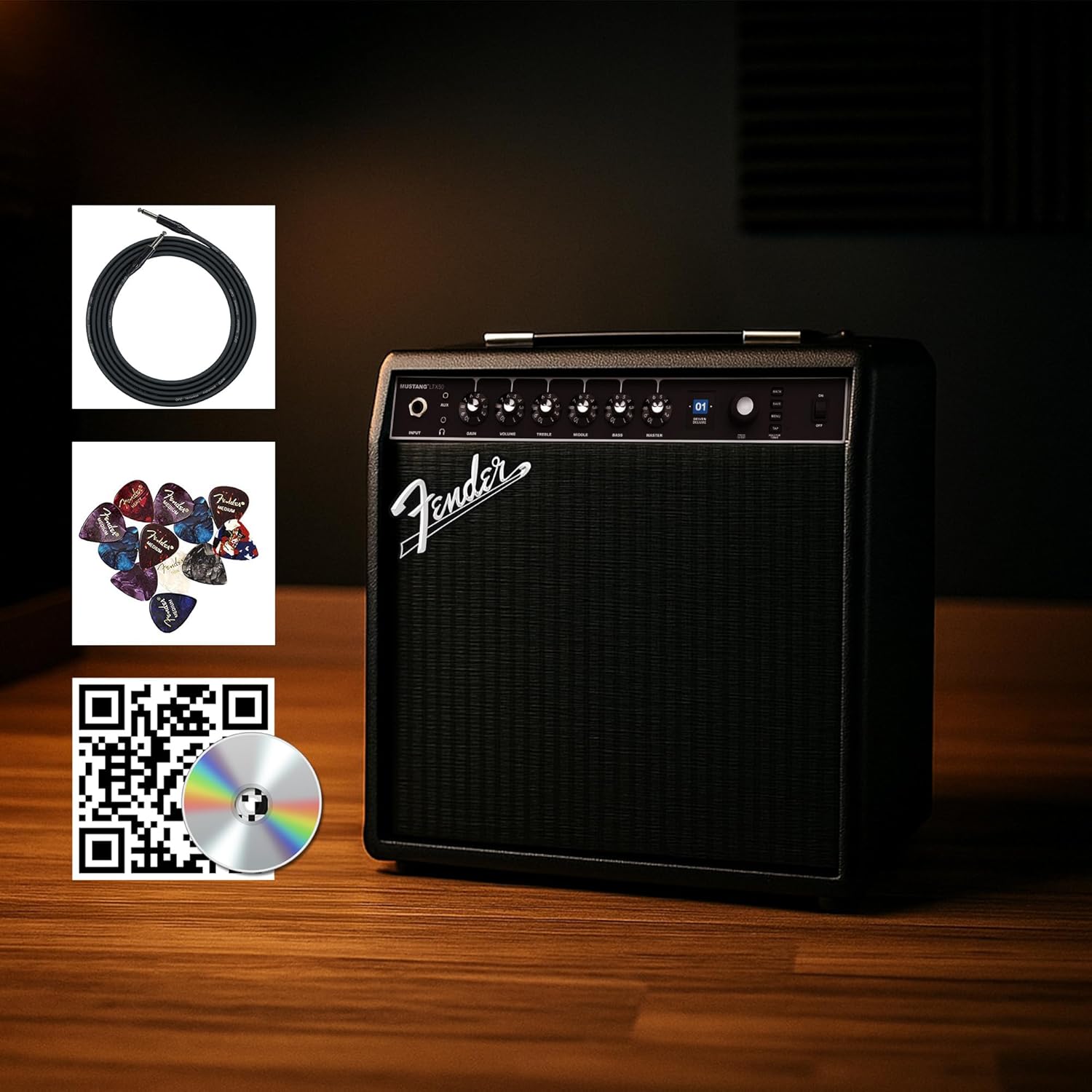
Figure 1: Fender Mustang LTX50 Guitar Combo Ampaksesuarları olan qaldırıcı.
Quraşdırma
1. Qutudan Çıxarma və İlkin Yoxlama
- Diqqətlə çıxarın ampqaldırıcı və qablaşdırmadakı bütün aksesuarlar.
- Yoxlayın amplifier for any signs of damage that may have occurred during shipping.
- Confirm all included items are present: Mustang LTX50 amplifier, power cord, instrument cable, 12-pack guitar picks, and instructional DVD.
2. Gücü birləşdirin
- təmin etmək ampqaldırıcının güc açarı OFF vəziyyətindədir.
- Connect the included power cord to the AC input on the rear panel of the ampömürlük.
- Elektrik kabelinin digər ucunu torpaqlanmış elektrik rozetkasına qoşun.
3. Gitara qoşmaq
- Use the included instrument cable to connect your guitar to the GİRİŞ jack on the front panel of the ampömürlük.
4. Əsas Nəzarətlərview
Familiarize yourself with the front panel controls before powering on the ampömürlük.
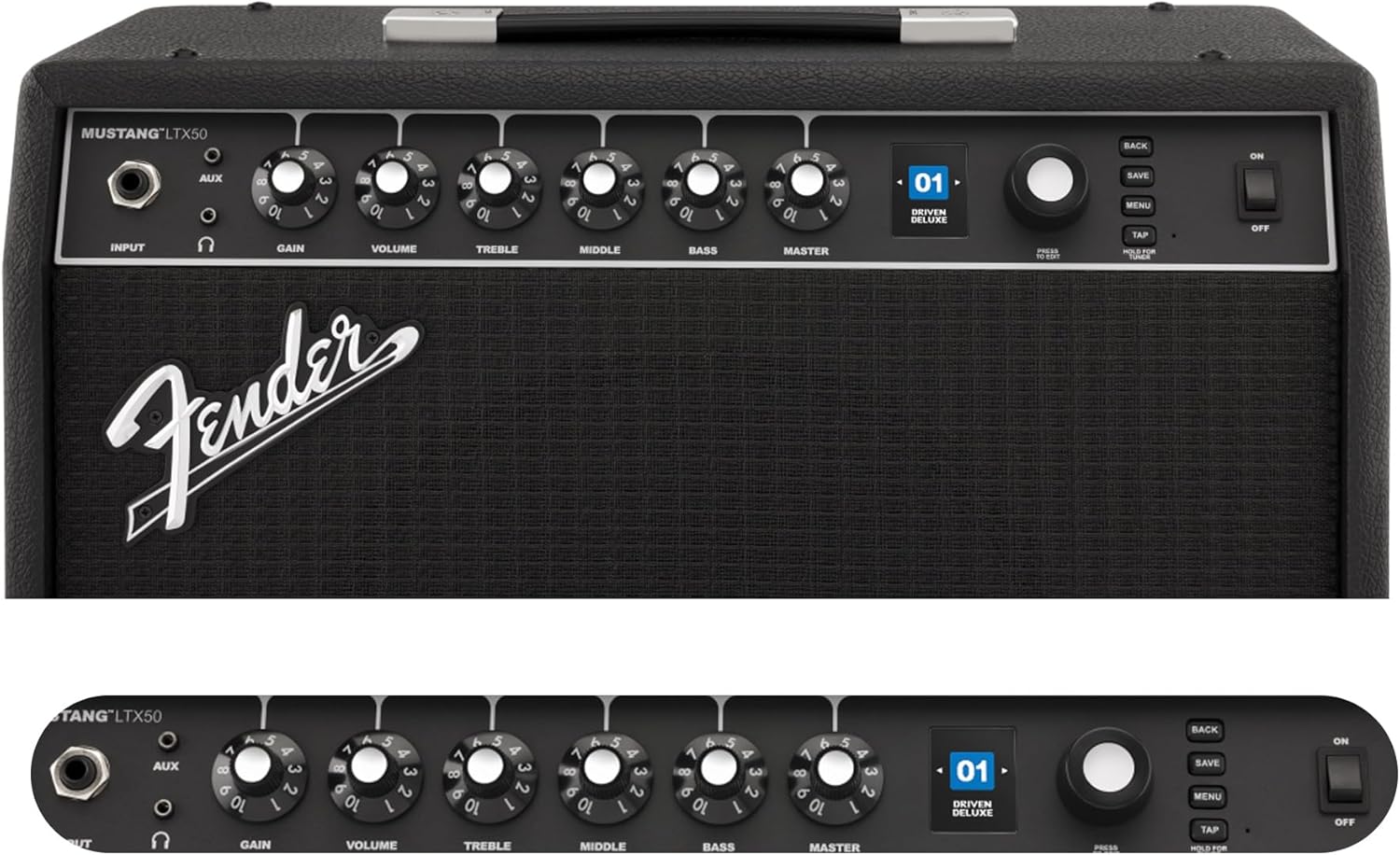
Figure 2: Front Panel Controls of the Mustang LTX50.
Əməliyyat Təlimatları
1. Açma / Söndürmə
- To power on, ensure all volume controls are set to minimum, then flip the GÜC ON vəziyyətinə keçin.
- Söndürmək üçün çevirin GÜC OFF vəziyyətinə keçirin.
2. Naviqasiya Əvvəlcədən Ayarlar
- istifadə edin Kodlaşdırın knob (large rotary knob) to scroll through the 100 available presets (70 factory, 30 user).
- düyməsini basın Kodlaşdırın knob to select a preset.
- The color LCD displays the current preset number and name.
3. Tənzimləmə Amp Modellər və effektlər
- düyməsini basın MENU daxil olmaq üçün düymə amplifier's settings.
- Navigate through options like AMP, STOMP, MOD, DELAY, REVERB using the Kodlaşdırın.
- Select an option and use the Kodlaşdırın to choose different amp models or effects.
- Adjust parameters for each effect using the smaller control knobs (GAIN, VOLUME, TREBLE, MIDDLE, BASS, MASTER) or by selecting parameters on the display.
- basın SAXLAYIN to store your customized preset.
4. Daxili Tünerdən İstifadə
- basın və saxlayın TAP button to activate the chromatic tuner.
- Play a single note on your guitar; the display will show the note and indicate if it is sharp, flat, or in tune.
- Press any button or play for a few seconds to exit tuner mode.
5. Fender Tone 3.0 App Control
- Download the Fender Tone 3.0 app from your device's app store (iOS/Android).
- Mobil cihazınızda Bluetooth-u aktivləşdirin.
- Üzərində amplifier, press the MENU button, navigate to "Bluetooth," and select "Pair."
- Select "Mustang LTX50" from your device's Bluetooth settings to connect.
- Use the app to wirelessly create, edit, save, and share presets, and to manage your ampqaldırıcı parametrlər.
6. Playing Along with Audio (Bluetooth)
- Once paired via Bluetooth, you can stream audio from your mobile device directly to the ampömürlük.
- Adjust the volume of the streamed audio from your mobile device.
- Alternatively, connect an external audio source to the AUX IN jack on the front panel using a 3.5mm stereo cable.
7. Recording via USB-C
- Connect a USB-C cable from the amplifier's USB-C port to your computer (Mac or PC).
- The amplifier functions as a bidirectional audio interface, allowing direct recording and monitoring.
- Refer to your Digital Audio Workstation (DAW) software's manual for specific setup instructions.
Baxım
1. Təmizləmə
- ayırın amplifier from power before cleaning.
- Xarici səthləri silmək üçün yumşaq, quru bir parça istifadə edin.
- İnadkar kirlər üçün bir az damp yumşaq sabunlu parça, ardınca quru parça istifadə edilə bilər.
- Aşındırıcı təmizləyicilərdən, həlledicilərdən və ya mumlardan istifadə etməyin, çünki bunlar finişə zərər verə bilər.
2. Saxlama
- saxlamaq ampliifier birbaşa günəş işığından və həddindən artıq temperaturdan uzaq sərin, quru yerdə.
- Yüksək rütubətli yerlərdə saxlamaqdan çəkinin.
- If storing for extended periods, cover the amptozdan qorumaq üçün qaldırıcı.
3. Safety Warnings (Proposition 65)
Bu məhsul Kaliforniya ştatına xərçəng, anadangəlmə qüsurlar və ya digər reproduktiv zərərlərə səbəb olduğu bilinən kimyəvi maddələr ehtiva edə bilər. Daha ətraflı məlumat üçün ziyarət edin www.P65Warnings.ca.gov.
Problemlərin aradan qaldırılması
Səs yoxdur
- təmin etmək amplifier is powered on and the power cord is securely connected.
- Check that your guitar is properly connected to the GİRİŞ jak.
- Doğrulayın ki MASTER volume and individual preset volume controls are not set to zero.
- Test with a different instrument cable and guitar to rule out faulty equipment.
- If using headphones, ensure they are fully plugged into the headphone jack and that the main speaker is not muted.
Təhrif olunmuş və ya istənməyən səs-küy
- Gitaranızın səs və ton tənzimləmələrini yoxlayın.
- azaldın QAZAN ayarı ampömürlük.
- Ensure your instrument cable is not damaged or poorly shielded.
- Try a different power outlet to rule out electrical interference.
- If using high-gain amp models, some distortion is inherent. Adjust settings accordingly.
Bluetooth Bağlantı Problemləri
- Ensure Bluetooth is enabled on both your mobile device and the ampömürlük.
- əmin olun amplifier is in pairing mode (refer to "Fender Tone 3.0 App Control" section).
- Mobil cihazınızı daha yaxına gətirin ampömürlük.
- Cihazları ayırıb yenidən qoşmağa çalışın.
- Hər ikisini yenidən başladın amplifier and your mobile device.
Amplifier Not Responding
- Güc dövrü amplifier by turning it off, waiting 10 seconds, and turning it back on.
- If the issue persists, a factory reset may be necessary. Consult the Fender support website for instructions on performing a factory reset for the Mustang LTX50.
Spesifikasiyalar
| Model Adı | MUSTANG LTX50 |
| Model nömrəsi | 2311700000 |
| Brend | Fender |
| Amplifier növü | Rəqəmsal Modelləşdirmə |
| Güc Çıxışı | 50 Vt |
| Natiq | 1 x 12" Celestion G12P-80 |
| Amp Modellər | 25 |
| Effektlər | 25 (distortion, overdrive, compression, modulation, reverb, delay, octave, etc.) |
| Əvvəlcədən təyinlər | 70 factory + 100 user slots |
| Ekran | Color LCD with onboard chromatic tuner |
| Bağlantı | Bluetooth audio, USB-C bidirectional audio |
| Çıxışlar | XLR line out, Headphone out |
| Tətbiq Dəstəyi | Fender Tone 3.0 app (iOS/Android) |
| Qoruyucu material | Metal |
| Element Ölçüləri (D x G x Y) | 22.3"D x 19.9"W x 12.3"H |
| Maddə Çəkisi | 26.4 funt sterlinq |
| UPC | 840262259088 |

Figure 3: Rear Panel Connections of the Mustang LTX50.
Zəmanət Məlumatı
The Fender Mustang LTX50 Guitar Combo Ampqaldırıcı bir ilə örtülmüşdür 2 İl Məhdud Zəmanət. This warranty covers defects in materials and workmanship under normal use. For full terms and conditions, please refer to the warranty documentation included with your product or visit the official Fender websayt.
Dəstək
For further assistance, technical support, or service inquiries regarding your Fender Mustang LTX50 amplifier, please visit the official Fender support websayt:
You may also find additional resources, FAQs, and software updates on the Fender websayt.