
Giriş
Thank you for choosing the ProtoArc KM310 Wireless Mechanical Keyboard and Mouse. This combo offers a responsive typing experience with low-profile linear red switches and versatile multi-device connectivity. The ergonomic mouse is designed for comfort and precision. This manual provides detailed instructions for setup, operation, maintenance, and troubleshooting to ensure optimal performance.
Qutuda nə var

Image: Contents of the ProtoArc KM310 package, including the keyboard, mouse, charging cable, and user manual.
- ProtoArc KM310 Wireless Mechanical Keyboard
- ProtoArc Wireless Mouse
- USB-C şarj kabeli
- İstifadəçi təlimatı
Məhsul Bitdiview
Klaviatura Xüsusiyyətləri

Şəkil: Yaxın plan view of the ProtoArc KM310 keyboard, highlighting its low-profile keys and linear red switches.
- Aşağı Profile Mexanik açarlar: Equipped with linear red switches for a smooth, quiet, and responsive typing experience.
- Aluminum Top Case: Provides durability and a sleek, modern aesthetic.
- Tənzimlənən Tilt Ayaqları: Ergonomically designed with 2-stage foot mats offering 6° and 9° tilt options for comfortable typing.
- Tam ölçülü tərtibat: A 108-key layout suitable for office and business use.
Siçan Xüsusiyyətləri

Image: The ProtoArc KM310 mouse being held, showcasing its ergonomic design for a natural grip.
- 63G Ultra-Lightweight: Reduces hand fatigue during extended use and enhances portability.
- Erqonomik Dizayn: Contoured shape for a comfortable and natural grip.
- Tənzimlənən DPI: Three DPI levels (1000/1600/2400) for tailored control and precision.
- Səssiz Klik: Sakit əməliyyat üçün nəzərdə tutulmuşdur.
- İrəli/Geri Düymələr: Integrated for seamless browsing.
Qoşulma və Güc
- Çox Cihaz Bağlantısı: Connects up to 3 devices via 2.4G USB receiver or Dual Bluetooth (BT1, BT2).
- Yenidən doldurulan: Both keyboard and mouse feature Type-C charging. The mouse's USB receiver is stored on its bottom.
- Uzun Batareya Ömrü: Up to 150-200 days standby time; 2-3 hours for a full charge.
Quraşdırma Təlimatları
1. Cihazların doldurulması

Image: The keyboard and mouse are shown connected to power sources via USB-C cables for charging.
- Connect the provided USB-C charging cable to the charging port on the keyboard (located on the top edge) and the mouse (located on the front edge).
- Kabelin digər ucunu USB enerji mənbəyinə (məsələn, kompüter USB portu, USB divar adapteri) qoşun.
- The indicator lights will show charging status. Allow 2-3 hours for a full charge.
2. Cihazlara qoşulma

Image: A desk setup showing the ProtoArc KM310 keyboard and mouse connected to a laptop, monitor, and tablet, illustrating multi-device capability.
The KM310 combo supports three connection modes: 2.4G wireless via USB receiver, Bluetooth 1 (BT1), and Bluetooth 2 (BT2).
2.1. 2.4G Simsiz Bağlantı
- Locate the USB receiver stored in the compartment on the bottom of the mouse.
- USB qəbuledicisini kompüterinizdə mövcud olan USB portuna qoşun.
- Müvafiq güc açarlarından istifadə edərək klaviatura və siçanı yandırın.
- The devices should connect automatically.
2.2. Bluetooth bağlantısı (BT1 / BT2)
- Klaviatura və siçanı yandırın.
- Klaviaturada düyməsini basın BT1 or BT2 key (usually located on the number pad, indicated by orange keycaps) to select the desired Bluetooth channel. The indicator light will flash.
- On your device (computer, tablet, etc.), go to Bluetooth settings and search for "ProtoArc KM310 Keyboard" and "ProtoArc KM310 Mouse".
- Select the devices to pair. The indicator light will stop flashing once connected.
- Repeat for a second Bluetooth device using the other BT channel.
2.3. Cihazlar arasında keçid
To switch between connected devices, simply press the corresponding connection key on the keyboard (2.4G, BT1, or BT2) and the channel switch button on the bottom of the mouse.
Əməliyyat Təlimatları
Klaviatura İstifadəsi
- Yazmaq: Aşağı peşəkarfile linear red switches provide a responsive and quiet typing experience.
- Əməliyyat Sistemi Uyğunluğu: The keyboard is compatible with Windows and Mac OS. Keys like 'Win' and 'Alt' also show 'Option' and 'Cmd' for Mac users.
- Tilt tənzimlənməsi: Use the adjustable tilt legs on the underside of the keyboard to set your preferred typing angle (6° or 9°).
Siçan İstifadəsi
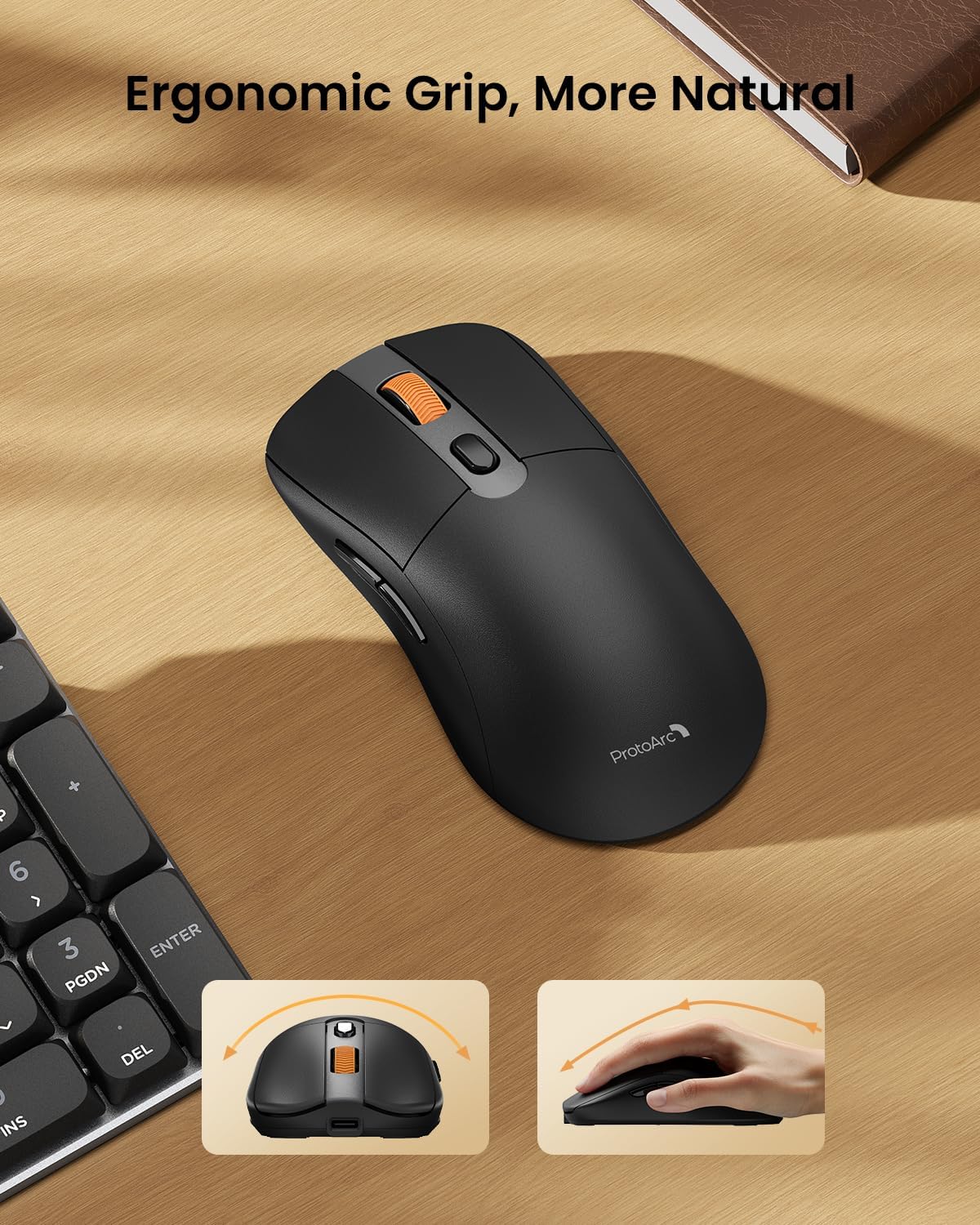
Image: A close-up of the ProtoArc KM310 mouse, illustrating the three adjustable DPI settings (1000, 1600, 2400).
- DPI Tənzimlənməsi: Press the DPI switch button (usually located near the scroll wheel) to cycle through the 3 DPI levels (1000/1600/2400) to match your preference for cursor speed and precision.
- Naviqasiya düymələri: Use the forward and backward buttons on the side of the mouse for quick navigation in web brauzerlər və ya file kəşfiyyatçılar.
- Səssiz Kliklər: The mouse features silent click buttons for a quiet working environment.
Baxım
- Təmizləmə: Klaviatura və siçanı yumşaq, quru bir parça ilə silin. İnadkar çirk üçün bir az təmizləyin.amp Cihaza mayenin daxil olmamasını təmin etmək üçün yumşaq sabunlu parça istifadə edilə bilər.
- Batareyaya qulluq: Recharge the devices when the battery indicator is low. Avoid prolonged exposure to extreme temperatures.
- Yaddaş: When not in use for extended periods, turn off the devices to conserve battery life. Store the USB receiver inside the mouse to prevent loss.
Problemlərin aradan qaldırılması
Keyboard/Mouse Not Turning On or Stopping Working
- Batareyanı yoxlayın: Ensure both the keyboard and mouse are sufficiently charged. Connect them to a power source using the USB-C cable.
- Cihazları yenidən birləşdirin:
- For 2.4G connection, ensure the USB receiver is securely plugged in and the devices are set to 2.4G mode.
- For Bluetooth connection, ensure the devices are set to the correct BT channel (BT1 or BT2) and re-pair them through your device's Bluetooth settings.
- Fərqli bir kabeli sınayın: If charging issues persist, try using a different USB-C cable to rule out a faulty cable.
- Müdaxilə: Move the devices closer to your computer or away from other wireless devices that might cause interference.
- Dəstək ilə əlaqə saxlayın: If the issue persists, please contact ProtoArc customer support for further assistance.
Spesifikasiyalar
| Model nömrəsi | KM310 |
| Brend | ProtoArc |
| Rəng | Kosmik Boz |
| Bağlantı texnologiyası | Bluetooth, USB (2.4G Wireless) |
| Xüsusi Xüsusiyyətlər | Aşağı Profile Keys, Linear Red Switches, Ergonomic Design, Ultra-Light Mouse, Ergonomic Mouse |
| Uyğun Cihazlar | Laptop, Personal Computer, Tablet (Windows 7/8/10, Mac OS X 10.12, Android 4.3 or higher) |
| Maddə Çəkisi | 2.31 funt sterlinq |
| Paket Ölçüləri | 17.68 x 8.07 x 2.05 düym |
Zəmanət və Dəstək
The ProtoArc KM310 Mechanical Keyboard and Mouse combo comes with a 2 il Zəmanət.
For any questions, technical support, or warranty claims, please contact ProtoArc customer service:
- E-poçt: support@protoarc.com
- Telefon: +1 866-287-8188
Rəsmi Məhsul Videosu
Video: Rəsmi məhsul video nümayişiasing the features and design of the ProtoArc KM310 Aluminum Mechanical Keyboard and Mouse.