
1. Giriş
This manual provides essential information for the safe and efficient operation of your VEVOR S4040 CNC Router Machine. This 3-axis wood engraving and milling machine features a 300W spindle, a 15.75 x 15.75 x 2.36 inch working area, and an offline controller. It is designed for precise engraving and cutting on various materials including wood, acrylic, MDF, leather, plastic, foam, vinyl, and soft metals.
Lütfən, düzgün istifadəni təmin etmək və zədələrin və ya xəsarətlərin qarşısını almaq üçün maşını işə salmazdan əvvəl bu təlimatı hərtərəfli oxuyun.
2. Təhlükəsizlik Təlimatları
Always prioritize safety when operating the CNC router machine. Failure to follow these instructions may result in serious injury or damage to the equipment.
- Təlimatı oxuyun: İstifadədən əvvəl bütün təlimatları və xəbərdarlıqları oxuyun.
- Fərdi Qoruyucu Avadanlıqlar (PPE): Always wear safety glasses to protect your eyes from flying debris. Consider hearing protection and a dust mask, especially when working with materials that produce fine particles.
- İş sahəsi: Ensure your work area is clean, well-lit, and free from obstructions. Keep children and unauthorized personnel away from the machine during operation.
- Təhlükəsiz iş parçası: Həmişə təhlükəsiz clamp your material to the workbed to prevent movement during engraving or cutting.
- Təcili Durma: Təcili dayandırma düyməsinin yeri və işləməsi ilə tanış olun.
- Elektrik kəsilməsi: Disconnect power before performing any maintenance, adjustments, or when changing tools.
- Alətlər: Use only sharp, appropriate cutting tools for the material being processed. Dull or incorrect tools can cause kickback or breakage.
- Havalandırma: Ensure adequate ventilation, especially when working with materials that produce fumes or dust.
- Elektrik Təhlükəsizliyi: Maşını yaş əllərlə və ya damp conditions. Ensure all electrical connections are secure and properly grounded.
- Heç vaxt nəzarətsiz qoymayın: Dəzgahı nəzarətsiz qoymayın.
3. Paketin məzmunu
Upon unpacking, verify that all components are present and undamaged. If any items are missing or damaged, contact VEVOR customer support immediately.
- 1 x CNC Router Machine (main unit)
- Oflayn Nəzarətçi
- Güc adapteri
- USB kabel
- Assorted Engraving Bits
- Clamps
- Wrenches and Hex Keys
- Fırça
- Other necessary accessories for assembly

Image: VEVOR S4040 CNC Router Machine with its various included accessories, such as the offline controller, power supply, USB cable, and tools.
4. Quraşdırma
The VEVOR S4040 CNC Router Machine features a pre-assembled design for quick installation. Key components come pre-assembled and pre-wired, simplifying the setup process.
4.1 Quraşdırma addımları
- Komponentləri qablaşdırmadan çıxarın: Carefully remove all parts from the packaging and place them on a clean, stable surface.
- Connect Pre-assembled Modules: The machine consists of a few main pre-assembled modules. Follow the included quick start guide or detailed assembly instructions to connect these modules. Typically, this involves attaching the gantry to the base and securing the spindle assembly.
- Təhlükəsiz naqil: Ensure all pre-wired connections are properly seated and secured. Use cable ties if necessary to manage cables and prevent them from interfering with moving parts.
- Enerji bağlantısı: Connect the power adapter to the machine and then to a grounded electrical outlet. Do not power on yet.
- Kompüter Bağlantısı (İstəyə görə): If you plan to operate the machine via a computer, connect the USB cable from the machine to your computer.
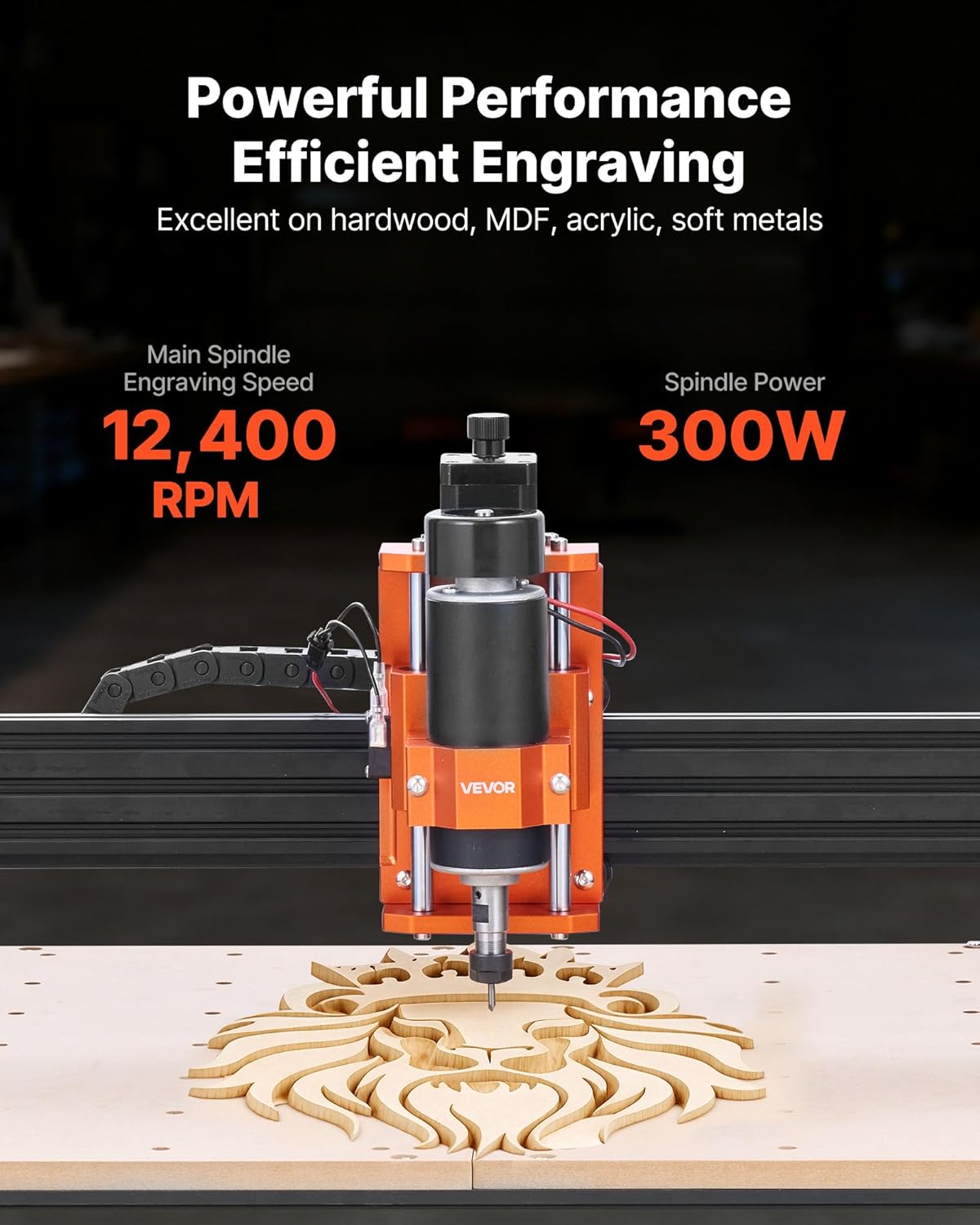
Image: The VEVOR S4040 CNC Router Machine shown fully assembled, ready for operation.
5. Əməliyyat Təlimatları
The VEVOR S4040 offers both offline control via its 2.4-inch touchscreen controller and online control through compatible software.
5.1 Offline Control
The 2.4-inch touchscreen offline controller allows you to operate the machine without a computer connection.
- Prepare G-code: Save your G-code files (design instructions) onto a USB drive.
- USB Sürücüsünü Qoşun: Plug the USB drive into the offline controller.
- Güc Aktivdir: Turn on the machine's power switch.
- seçin File: Use the touchscreen interface to navigate and select your desired G-code file.
- İş parçasının mövqeyi: Secure your material on the workbed using the provided clamps.
- Set Origin: Manually move the spindle to the desired starting point (origin) for your engraving/cutting job and set the X, Y, and Z axes origin through the controller.
- Əməliyyata başlayın: Initiate the engraving or cutting process from the controller.
- Adjust Spindle Speed: Use the rotary knob on the machine to precisely control the spindle speed during operation.

Şəkil: Yaxın plan view of the 2.4-inch touchscreen offline controller, showing its interface for file selection and machine control.
5.2 Software Compatibility (Online Control)
The machine is compatible with all software that supports GRBL f1.1 firmware. Popular compatible software includes:
- CNC (Candle): Supports Windows 7/8/10/11 and macOS.
- Easel: Supports Windows 7/8/10/11, macOS, and Linux.
- LazerGRBL: Supports Windows 7/8/10/11 and macOS (via Virtual Machine).
- LightBurn: Supports Windows 7/8/10/11 and macOS.
To operate via computer, install the necessary drivers and software, connect the machine via USB, and follow the software's instructions for loading G-code, setting parameters, and initiating jobs.

Image: The VEVOR S4040 CNC Router Machine connected to a laptop, demonstrating its compatibility with various design and control software.
5.3 Engraving and Cutting Materials
The VEVOR S4040 is suitable for a wide range of materials:
- Wood (hardwood, softwood, MDF)
- Akrilik təmizləyin
- Dəri
- plastik
- Köpük
- Vinil
- Soft Metals (e.g., aluminum, brass)

Image: The VEVOR S4040 CNC Router Machine actively engraving a detailed lion head design into a piece of wood, showcasing its precision.
6. Baxım
Regular maintenance ensures the longevity and optimal performance of your CNC router machine.
- Təmizləmə: After each use, clean the work area, rails, and lead screws to remove dust, chips, and debris. Use a brush or vacuum. Avoid using compressed air directly on sensitive electronic components.
- Yağlama: Periodically apply a small amount of appropriate lubricant to the linear rails and lead screws to ensure smooth movement. Refer to the manufacturer's recommendations for lubricant type and frequency.
- Bağlantıları yoxlayın: Regularly inspect all electrical connections, cables, and mechanical fasteners to ensure they are secure. Tighten any loose screws or bolts.
- Spindle Care: Keep the spindle clean and free of debris. Ensure proper ventilation around the spindle motor to prevent overheating. The spindle motor features current detection protection, extending its lifespan up to 5,000 hours.
- Alət Təftişi: Inspect cutting bits before each use for sharpness and damage. Replace dull or broken bits immediately.
7. Giderme
Bu bölmə qarşılaşa biləcəyiniz ümumi problemlərə toxunur. Burada qeyd olunmayan problemlər üçün VEVOR müştəri dəstəyi ilə əlaqə saxlayın.
| Problem | Mümkün Səbəb | Həll |
|---|---|---|
| Maşın işə düşmür | Power cable loose; Power switch off; Faulty power adapter | Check power cable connection; Ensure power switch is ON; Test power adapter with another device if possible. |
| Motors not moving | Emergency stop engaged; Loose motor cables; Software connection issue | Disengage emergency stop; Check all motor cable connections; Verify software connection and settings. |
| Inaccurate engraving/cutting | Loose workpiece; Dull bit; Incorrect G-code/settings; Loose belts/lead screws | Secure workpiece firmly; Replace bit; Verify G-code and software settings; Check and tighten belts/lead screws. |
| Spindle not rotating | Spindle cable loose; Spindle speed set to zero; Spindle motor fault | Check spindle cable connection; Increase spindle speed via controller/software; Contact support if issue persists. |
| Offline controller not responding | Controller cable loose; Controller frozen | Ensure controller cable is secure; Restart the machine and controller. |
8. Spesifikasiyalar
Detailed technical specifications for the VEVOR S4040 CNC Router Machine.
| Xüsusiyyət | Spesifikasiya |
|---|---|
| Element Model nömrəsi | S4040 |
| Giriş həcmitage | AC100-220V, 50/60Hz |
| Maximum Spindle Power | 300W |
| Effective Work Area (X, Y, Z) | 15.75 x 15.75 x 2.36 düym (400 x 400 x 60 mm) |
| Uyğun proqram təminatı | All software supporting GRBL f1.1 firmware |
| Kompüter bağlantısı | USB |
| Oflayn əməliyyat | 2.4-inch Touchscreen Offline Controller |
| Mil sürəti | 12,400 rpm |
| X/Y/Z Axis Speed | 1200 mm/dəq |
| Repeat Positioning Accuracy | ≤0.05 mm |
| Əsas material | 6061 alüminium ərintisi |
| Xalis Çəki | 28.66 funt / 13.0 kq |
| Məhsulun Ölçüləri (U x G x Y) | 27.95 x 23.62 x 12.60 düym (710 x 600 x 320 mm) |

Image: The VEVOR S4040 CNC Router Machine with its overall dimensions and working area clearly indicated.
9. Zəmanət və Dəstək
For warranty information, technical support, or service inquiries, please contact VEVOR customer service. Refer to your purchase documentation or the official VEVOR webxüsusi zəmanət şərtləri və əlaqə məlumatları üçün sayta daxil olun.
When contacting support, please have your model number (S4040) and purchase date available.