
1. Giriş
This manual provides essential information for the proper installation, operation, and maintenance of your Hasaller 4.3 inch 40-pin HD 480x272 TFT LCD Replacement Screen. This product is designed as a direct replacement for compatible car stereo head units, offering clear visuals for navigation and rear-view monitoring. Please read this manual thoroughly before attempting installation or use.

Image 1.1: Hasaller 4.3 inch 40-pin HD 480x272 TFT LCD Replacement Screen.
2. Təhlükəsizlik Məlumatı
- Always disconnect the vehicle's power supply before beginning any installation or repair work to prevent electrical shock or damage to components.
- Handle the LCD screen with care. Avoid applying excessive pressure or impact, as this can damage the display.
- Wear appropriate personal protective equipment, such as anti-static gloves, to prevent electrostatic discharge (ESD) damage to sensitive electronic components.
- Ensure all connections are secure and correctly oriented before restoring power. Incorrect connections can lead to malfunction or damage.
- Quraşdırma prosesinin hər hansı bir addımından əmin deyilsinizsə, ixtisaslı bir mütəxəssislə məsləhətləşin.
3. Paketin məzmunu
Paketi açarkən bütün əşyaların mövcud olduğunu və yaxşı vəziyyətdə olduğunu yoxlayın:
- 1 x Hasaller 4.3 inch 40-pin HD 480x272 TFT LCD Replacement Screen
4. Spesifikasiyalar
| Xüsusiyyət | Spesifikasiya |
|---|---|
| Ekran Ölçüsü | 4.3 düym |
| Qətnamə | 480 x 272 HD |
| İnterfeys | 40 sancaq |
| Material | ABS + Şüşə |
| Rəng | Black + Gray (as shown) |
| Ölçülər (U x G x Y) | 15 x 10 x 5 sm |
| Çəki | 80 qram |
| Model nömrəsi | Q18GGBJ5QF188GWGLV60 |
5. Quraşdırma və Quraşdırma
This replacement screen is designed for direct installation. However, careful attention to detail is crucial for successful replacement.
Important Pre-Installation Check:
Satın almadan əvvəlasing and installing, it is critical to verify the part number, pin count, and cable position of your original screen against this replacement. Compatibility is universal for 4.3-inch 40-pin screens, but exact matching is necessary.
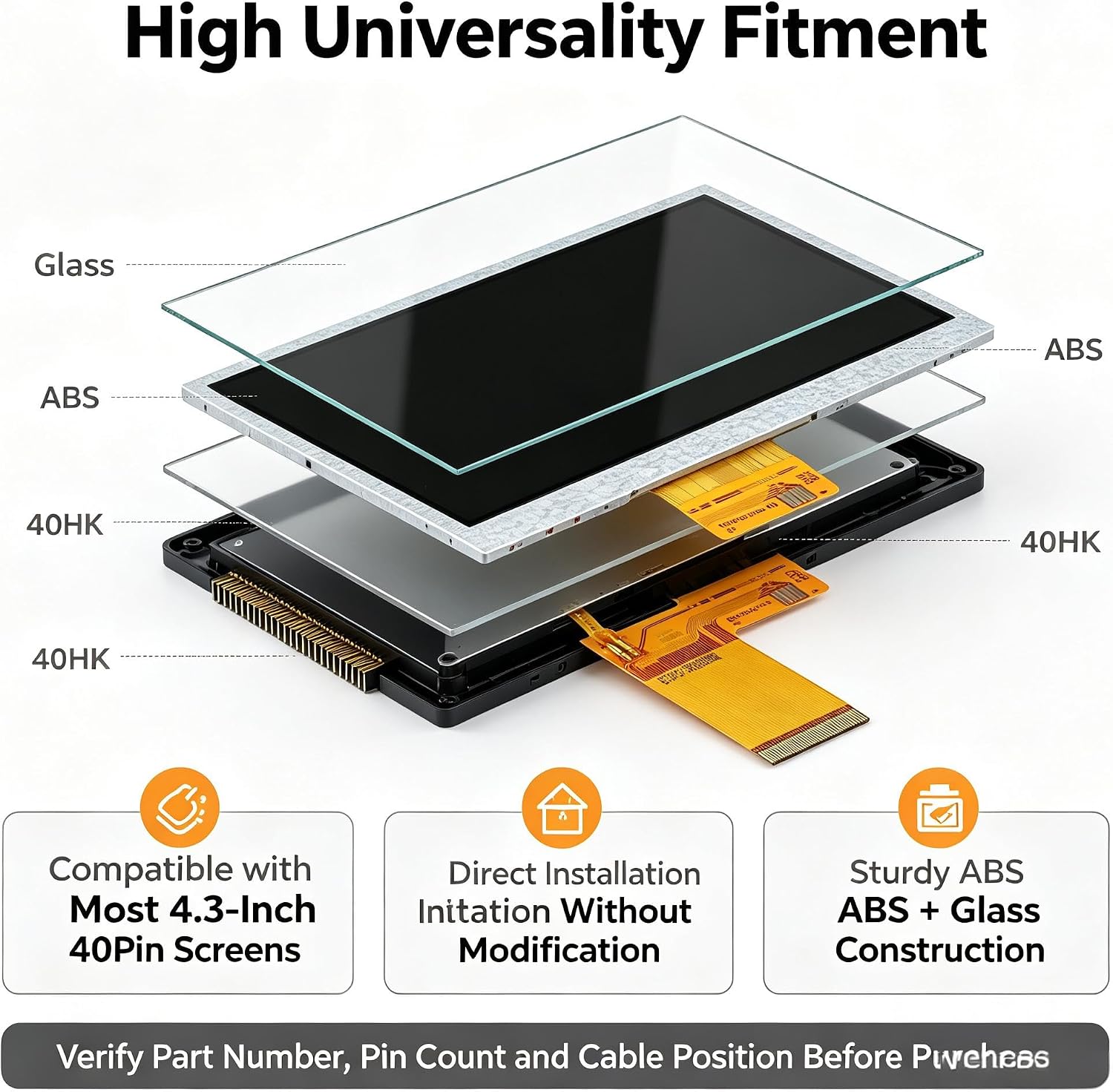
Şəkil 5.1: Partladı view showing screen layers and a reminder to verify part number, pin count, and cable position.
Ümumi quraşdırma addımları:
- Maşını hazırlayın: Ensure the vehicle's ignition is off and disconnect the negative terminal of the car battery to prevent electrical hazards.
- Access the Head Unit: Carefully remove the car stereo head unit from the dashboard. This may involve removing trim panels and screws. Refer to your vehicle's service manual for specific instructions.
- Disassemble the Head Unit: Open the head unit casing to access the internal components, including the existing LCD screen.
- Disconnect Old Screen: Gently disconnect the ribbon cable and any other connectors attached to the old LCD screen. Carefully remove the old screen.
- Yeni Ekran Quraşdırın: Position the new Hasaller 4.3 inch LCD screen into place. Ensure it fits securely.
- Lent kabelini birləşdirin: Carefully connect the 40-pin ribbon cable from the new screen to the corresponding port on the head unit's circuit board. Ensure the connection is firm and correctly aligned.
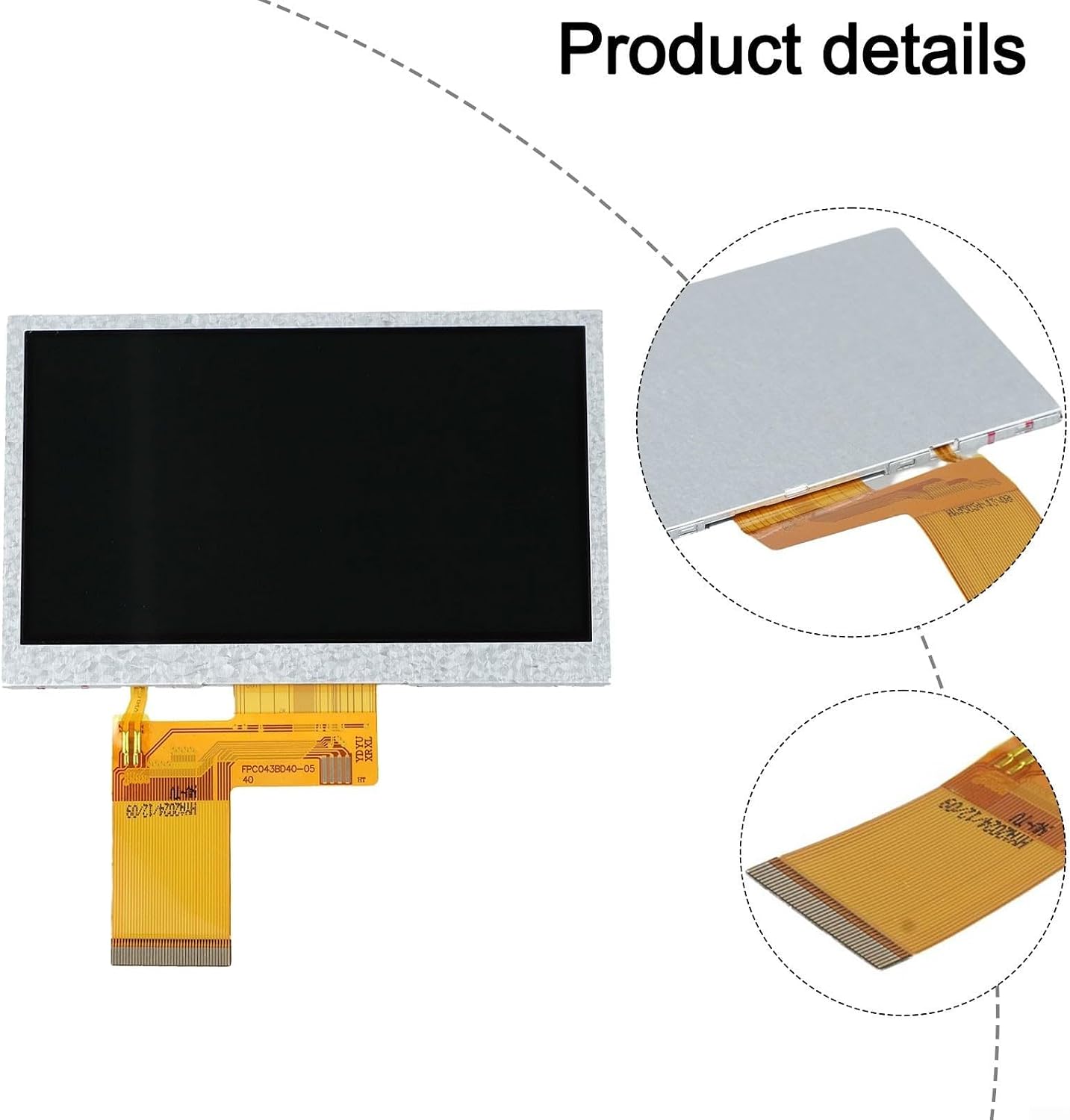
Şəkil 5.2: Yaxından view of the 40-pin ribbon cable connection.
- Yenidən yığmaq və sınaqdan keçirmək: Partially reassemble the head unit and reconnect the car battery. Turn on the vehicle's ignition and test the new screen's functionality. Verify that the display is clear and responsive.
- Yekun Məclis: If the screen functions correctly, complete the reassembly of the head unit and reinstall it into the dashboard.
6. Əməliyyat Təlimatları
Once installed, the Hasaller 4.3 inch LCD screen operates as a direct replacement for your original car stereo display. It provides clear and vibrant visuals for various in-car functions.
Əməliyyatda əsas xüsusiyyətlər:
- Yüksək Çözünürlüklü Ekran: Enjoy crisp and clear images with the 480x272 HD resolution, enhancing visibility for all displayed content.
- Navigation Support: Provides clear visuals for GPS navigation systems, making directions easy to follow.
- Arxa View Monitorinq: Ideal for displaying feeds from rear-view cameras, offering a clear and stable image for safer reversing.
- Car Media Player Integration: Seamlessly integrates with car media player systems, displaying audio/video information and controls.

Şəkil 6.1: Bitdiview of the 4.3 inch Car LCD Display features.

Image 6.2: The screen providing a clear reverse image for rear-view monitorinq.

Image 6.3: The screen fitting into car media player systems.
7. Baxım
To ensure the longevity and optimal performance of your LCD screen, follow these simple maintenance guidelines:
- Təmizləmə: Use a soft, lint-free cloth (e.g., microfiber) to gently wipe the screen surface. For stubborn smudges, slightly dampParçanı su və ya ekran üçün xüsusi təmizləyici məhlulla yuyun.
- Sərt kimyəvi maddələrdən çəkinin: Do not use abrasive cleaners, alcohol, ammonia-based solutions, or solvents, as these can damage the screen coating.
- Təsirdən qoruyun: While durable, avoid dropping or subjecting the screen to strong impacts.
- Temperatur: Avoid exposing the screen to extreme temperatures for prolonged periods, as this can affect its performance and lifespan.
8. Giderme
If you encounter issues with your replacement screen, refer to the following common problems and solutions:
Problem: Screen is blank or shows no image.
- Gücü yoxlayın: Ensure the car stereo head unit is receiving power and is turned on.
- Bağlantıları yoxlayın: Verify that the 40-pin ribbon cable is securely and correctly connected to both the screen and the head unit's circuit board. A loose or misaligned connection is a common cause.
- Uyğunluq: Double-check that the screen's specifications (part number, pin count, resolution) are fully compatible with your car stereo head unit.
Problem: Image is distorted, flickering, or has incorrect colors.
- Bağlantıları yoxlayın: Re-verify the ribbon cable connection for any bent pins or improper seating.
- Mənbə Siqnalı: Ensure the input signal from the head unit is stable and correct. Test other functions of the head unit if possible.
- Zərər: Inspect the screen for any physical damage that might have occurred during installation or handling.
Bu addımlar problemi həll etmirsə, əlavə yardım üçün müştəri dəstəyi ilə əlaqə saxlayın.
9. Zəmanət və Dəstək
Zəmanət məlumatı və ya texniki dəstək üçün, xahiş edirik, alış-verişiniz ilə birlikdə təqdim olunan sənədlərə baxın və ya birbaşa satıcı ilə əlaqə saxlayın. Hər hansı bir zəmanət iddiası üçün alış-veriş sənədinizi saxlayın.