PowerA Advantage Wireless Controller for Nintendo Switch 2 - Mario & Yoshi
Model: NSGP0569-01V
Giriş
Bu təlimat PowerA Advan üçün ətraflı təlimatlar təqdim edirtage Wireless Controller, designed for use with the Nintendo Switch family of devices. It covers setup, operation, maintenance, and troubleshooting to ensure optimal performance and longevity of your controller.
Əsas Xüsusiyyətlər
Hall Effect Modules: Equipped with contact-free magnetic sensors in the thumbsticks to prevent stick drift, offering smoother control, enhanced precision, and increased longevity.
Qabaqcıl Oyun Düymələri: Two mappable buttons can be programmed on the fly during gameplay without needing to access system settings.
Intuitive Motion Controls: Experience fluid and responsive motion controls for aiming, steering, flying, and other in-game actions.
C düyməsi: Provides quick access to GameChat features.
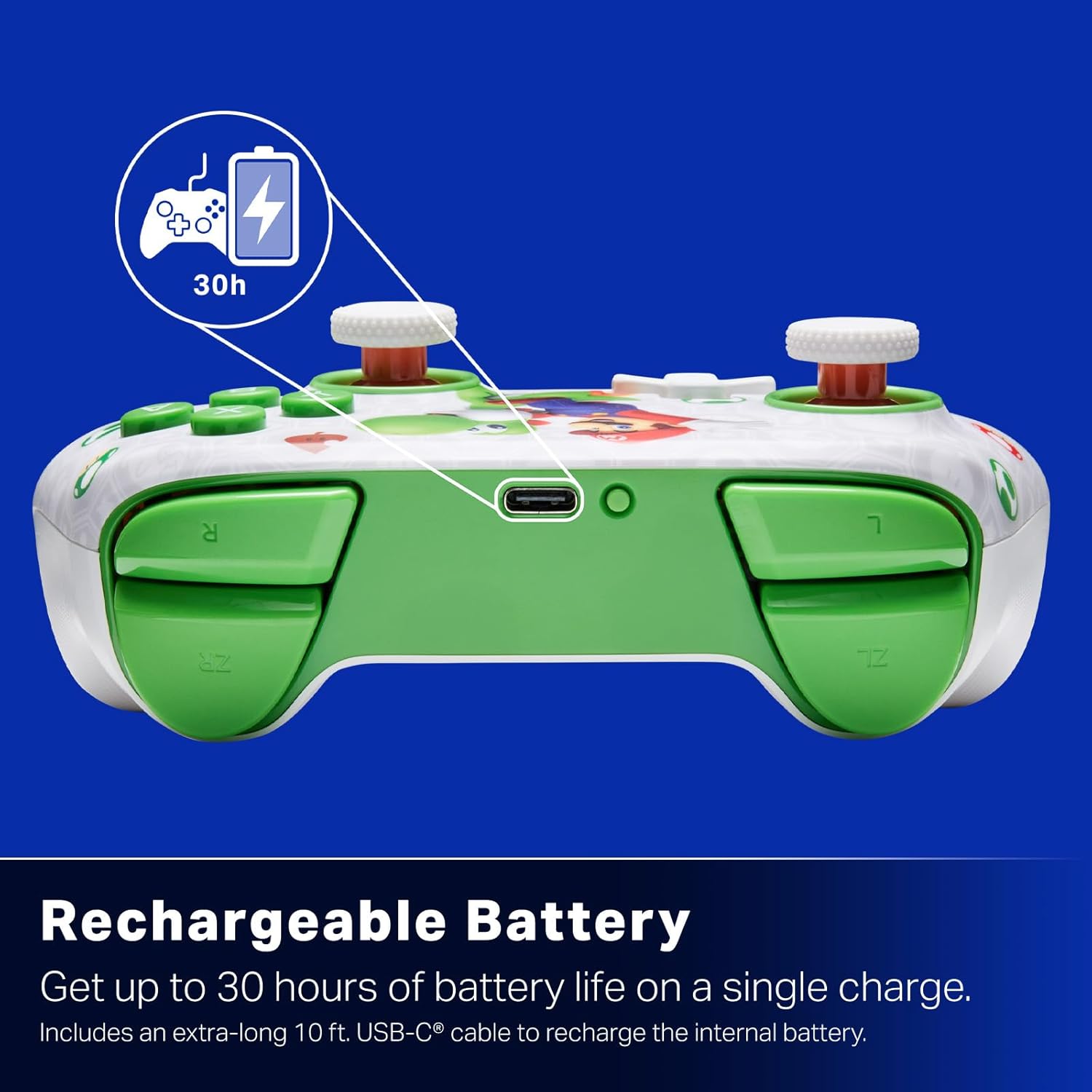
Yenidən doldurulan batareya: Offers up to 30 hours of gameplay on a single charge. Includes a 10 ft. (3m) USB-C cable for recharging.
Erqonomik Dizayn: Crafted for comfort during extended gaming sessions, utilizing cutting-edge ergonomics and high-quality materials.
Nintendo Family Compatibility: Compatible with Nintendo Switch 2, Nintendo Switch, Nintendo Switch – OLED Model, and Nintendo Switch Lite.
Rəsmi Lisenziyalı: PowerA products undergo rigorous testing by Nintendo to ensure compatibility and quality.
Quraşdırma Təlimatları
1. İlkin Doldurma
Before first use, fully charge your PowerA Advantage Wireless Controller. Connect the included 10 ft. (3m) USB-C cable to the controller's USB-C port and the other end to a powered USB port on your Nintendo Switch dock or a USB wall adapter.
Figure 1: Controller connected via USB-C for charging, highlighting the rechargeable battery feature.
2. Nintendo Switch ilə cütləşmə
Nintendo Switch konsolunuzun işə salındığından və ən son sistem proqram təminatına yeniləndiyindən əmin olun.
HOME Menyusundan seçin Nəzarətçilər, sonra Tutma / Sifarişi dəyişdirin.
On the PowerA Advantage Wireless Controller, press and hold the SYNC düyməsi located on the top edge of the controller for at least three seconds. The player indicator LEDs on the bottom of the controller will begin to flash.
Once the controller successfully pairs, the player indicator LED(s) corresponding to the controller number will remain lit.
düyməsini basın Bir Düymə to confirm and exit the pairing screen.
For subsequent uses, simply press the HOME button on the controller to wake it up and automatically reconnect to your Switch console.
Əməliyyat Təlimatları
Əsas Nəzarətlər
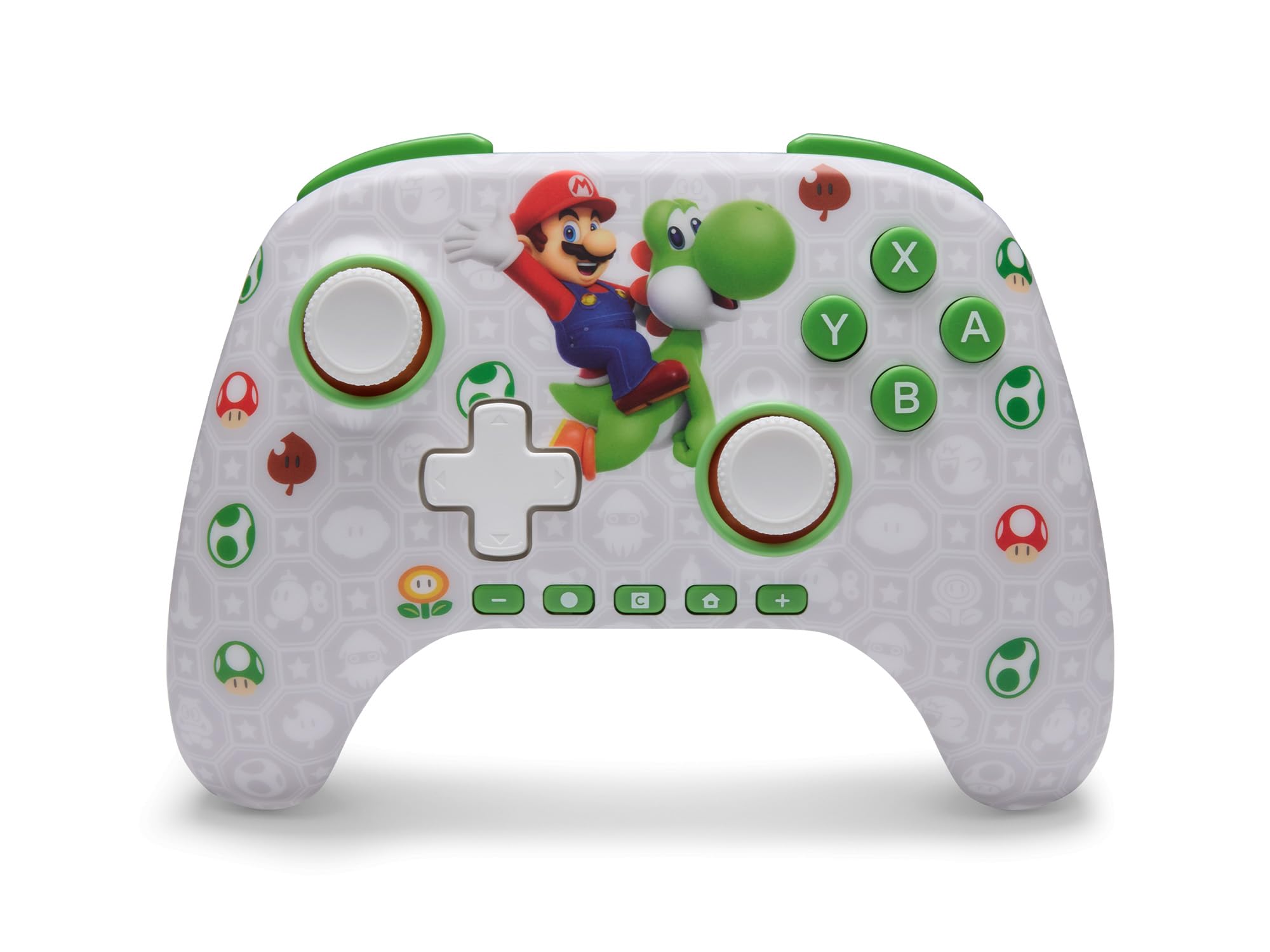
PowerA Advantage Wireless Controller features standard Nintendo Switch button layouts, including A, B, X, Y buttons, L/R and ZL/ZR shoulder buttons, a D-pad, and dual analog sticks. Familiarize yourself with these controls for general gameplay.
Şəkil 2: Ön view of the PowerA Advantage Wireless Controller, highlighting the Mario and Yoshi design and button layout.
Advanced Gaming Buttons (AGB)
The controller includes two mappable Advanced Gaming Buttons (AGR and AGL) on the back. These buttons can be assigned to replicate any other button on the controller for quick access during gameplay.
düyməsini basın Program Button (PRGM) on the back of the controller. The Program LED will flash.
düyməsini basın Qabaqcıl Oyun Düyməsi (AGR or AGL) you wish to map. The Program LED will flash rapidly.
düyməsini basın düyməsi you want to assign to the Advanced Gaming Button (e.g., A, B, X, Y, L, R, ZL, ZR, D-pad directions). The Program LED will stop flashing, indicating successful mapping.
To clear a mapped button, repeat steps 1-2, then press the Proqram düyməsi yenə.
Figure 3: Advanced Gaming Buttons (AGB) on the back of the controller, with an illustration of mappable functions.
Hərəkət İdarəetmələri
The controller supports motion controls, allowing for intuitive interaction in compatible games. These controls are automatically enabled when supported by the game.
Figure 4: Controller demonstrating motion control capabilities through tilting.
C Button (GameChat)
The dedicated C Button provides quick access to GameChat features in supported titles, enhancing your multiplayer experience.
Figure 5: The 'C' button, used for GameChat features.
Baxım
Təmizləmə: Kontrolleri təmizləmək üçün yumşaq, quru parça istifadə edin. Sərt kimyəvi maddələrdən və ya aşındırıcı materiallardan istifadə etməkdən çəkinin.
Yaddaş: Kontrolleri birbaşa günəş işığından və həddindən artıq temperaturdan uzaq sərin, quru yerdə saxlayın.
Batareyaya qulluq: Batareyanın ömrünü uzatmaq üçün kontrolleri tez-tez tam boşaltmaqdan çəkinin. Daimi istifadədə olmasa belə, onu müntəzəm olaraq doldurun.
Kabel Baxımı: Handle the USB-C charging cable with care. Avoid bending or twisting it excessively.
Problemlərin aradan qaldırılması
Controller Not Connecting/Pairing
Nəzarətçinin tam doldurulduğundan əmin olun.
Verify the Nintendo Switch console is updated to the latest system software.
Repeat the pairing process (see "Pairing with Nintendo Switch" in Setup Instructions).
Problemlər davam edərsə, həm nəzarətçini, həm də Nintendo Switch konsolunu yenidən başlatmağa çalışın.
Stick Drift
PowerA Advantage Controller features Hall Effect modules designed to prevent stick drift. If you experience any unintended input, ensure the controller's firmware is up to date (check PowerA's official webyeniləmələr üçün sayt).
Recalibrate the joysticks through the Nintendo Switch system settings if necessary (System Settings > Controllers and Sensors > Calibrate Control Sticks).
Qısa Batareya Ömrü
Ensure the controller is fully charged before each use.
Battery life can vary based on game usage and features enabled.
Use the provided USB-C cable for optimal charging.
Spesifikasiyalar
Xüsusiyyət
Detal
Model nömrəsi
NSGP0569-01V
Bağlantı
Wireless (Bluetooth), USB-C (for charging)
Uyğun Cihazlar
Nintendo Switch 2, Nintendo Switch, Nintendo Switch – OLED Model, Nintendo Switch Lite
Batareya Ömrü
30 saata qədər (istifadəyə görə dəyişir)
Kabel uzunluğu
10 ft. (3m) USB-C
Ölçülər
5.88 x 4.21 x 2.36 düym
Çəki
0.66 funt sterlinq
Xüsusi Xüsusiyyətlər
Hall Effect Thumbsticks, Mappable Advanced Gaming Buttons, Motion Controls, C Button
Zəmanət və Dəstək
PowerA Advantage Wireless Controller comes with a İki illik məhdud zəmanət. For detailed warranty information, product support, or to register your product, please visit the official PowerA websaytında PowerA.com/Support.
Figure 6: Official Nintendo Licensed Product badge, ensuring quality and compatibility.
Ask a question about this manual
Ask about setup, troubleshooting, compatibility, parts, safety, or missing instructions. Manuals+ will review the question and use this page’s manual context to help answer it.