
1. Giriş
The Huawei OptiXstar K251a-21 is a sub-FTTR (Fiber to the Room) unit designed to extend the high-speed network provided by the Huawei FTTR OptiXstar F50 Plus main unit. This device supports ultra-Gigabit high-speed access via upstream fiber optic lines and delivers Ultra Gigabit dual-band Wi-Fi and ultra-Gigabit network ports to users. It integrates next-generation Wi-Fi 7 technology for higher speeds and lower latency, ensuring a superior home network experience.
2. Təhlükəsizlik Məlumatı
Please read and understand all safety instructions before using this device. Failure to follow these instructions may result in injury, damage to the device, or property damage.
- Yalnız cihazla birlikdə verilən güc adapterindən istifadə edin.
- Cihazı suya, nəmə və ya həddindən artıq temperatura məruz qoymayın.
- Cihazı istilik mənbələrinin yaxınlığında və ya birbaşa günəş işığı altında yerləşdirməyin.
- Həddindən artıq istiləşmənin qarşısını almaq üçün düzgün havalandırma təmin edin.
- Do not attempt to open or repair the device yourself. Contact qualified service personnel for assistance.
- Cihazı uşaqlardan və ev heyvanlarından uzaq saxlayın.
3. Paketin məzmunu
Bütün əşyaların paketinizdə olduğunu yoxlayın:
- Huawei OptiXstar K251a-21 Sub FTTR Device
- Elektrik kabeli
- Tez Başlanğıc Bələdçisi (əgər daxil edilirsə)
4. Məhsul bitdiview
Cihazın komponentləri və göstəriciləri ilə tanış olun.
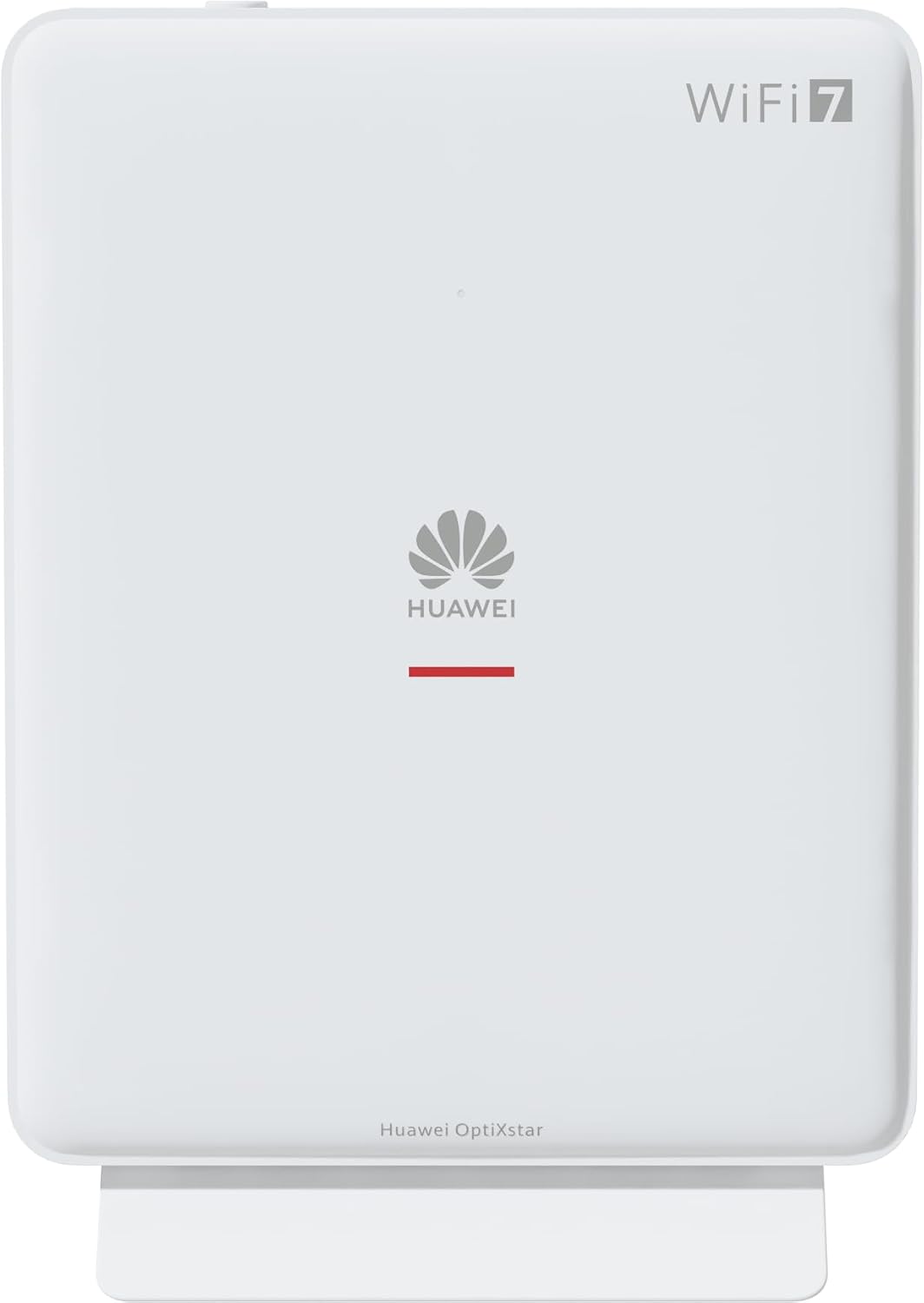
Şəkil 1: Ön view of the Huawei OptiXstar K251a-21 Sub FTTR device, showing the Huawei logo and "WiFi 7" branding.

Şəkil 2: Bucaqlı ön tərəf view of the Huawei OptiXstar K251a-21 Sub FTTR, highlighting its sleek design and ventilation.

Şəkil 3: Arxa view of the Huawei OptiXstar K251a-21 Sub FTTR, displaying the ports (Reset, 2-GE, 1-2.5GE, Power, FTTR) and mounting options.

Şəkil 4: Side profile of the Huawei OptiXstar K251a-21 Sub FTTR, showing its slim form factor and ventilation grilles.

Şəkil 5: Bucaqlı arxa view of the Huawei OptiXstar K251a-21 Sub FTTR, providing a clear look at the port labels and layout.

Şəkil 6: Üst view of the Huawei OptiXstar K251a-21 Sub FTTR, featuring the WPS/LED button.
Limanlar və Düymələr:
- FTTR Port: Connects to the main FTTR unit via a fiber optic cable.
- 1-2.5GE Port: Gigabit Ethernet port for high-speed wired connections.
- 2-GE Port: Gigabit Ethernet port for wired connections.
- Güc Portu: Güc adapterinə qoşulur.
- Sıfırlama düyməsi: Used to restore factory settings (press and hold for 5-10 seconds).
- WPS/LED Button: Initiates Wi-Fi Protected Setup (WPS) for easy device connection and controls LED indicators.
5. Quraşdırma
Follow these steps to set up your Huawei OptiXstar K251a-21 Sub FTTR device:
- Yerləşdirmə: Choose a central location in your home for optimal Wi-Fi coverage. The device is suitable for various installation scenarios, including vertical placement on a desk, wall-mounting, plugging into a power strip, or mounting in an 86mm junction box with a bracket.
- Fiber optik kabeli birləşdirin: Connect one end of the fiber optic cable to the FTTR port on the Sub FTTR unit and the other end to the corresponding FTTR port on your Huawei FTTR OptiXstar F50 Plus main unit or wall outlet. Ensure the connection is secure.
- Güc bağlayın: Plug the power adapter into the Power port on the Sub FTTR unit, then plug the other end into a power outlet.
- Güc Aktivdir: The device will automatically power on. Wait for the indicator lights to stabilize, typically indicating a successful connection to the main FTTR unit and active Wi-Fi.
- Wired Connections (Optional): For wired devices, connect an Ethernet cable from the 1-2.5GE or 2-GE ports on the Sub FTTR to your computer, gaming console, or other network devices.
6. işlək
Once set up, your OptiXstar K251a-21 provides seamless Wi-Fi 7 connectivity.
- Wi-Fi Bağlantısı: axtarın the Wi-Fi network name (SSID) broadcast by your FTTR system on your devices (smartphones, laptops, etc.). Enter the Wi-Fi password. The system's unique SRCN (Seamless Roaming Coordinate Network) technology ensures seamless roaming throughout your home.
- C-WAN Architecture: The C-WAN architecture centrally controls and coordinates network-wide Wi-Fi resources via the Main FTTR, providing an ultra-Gigabit high-speed experience.
- IoT Casing: The device features an IoT casing designed to protect home network security and privacy.
- WPS funksiyası: Press the WPS/LED button briefly to use Wi-Fi Protected Setup (WPS) for quick connection of compatible devices without entering the password.
- LED göstəriciləri: The LED indicators provide status information. Refer to the main FTTR unit's manual or the device's specific documentation for detailed LED status meanings.
7. Baxım
Regular maintenance helps ensure optimal performance and longevity of your device.
- Təmizləmə: Gently wipe the device with a soft, dry cloth. Do not use liquid cleaners or abrasive materials.
- Firmware Güncellemeleri: Huawei periodically releases firmware updates to improve performance and security. These updates are typically managed through the main FTTR unit or a dedicated mobile application. Ensure your system is always running the latest firmware.
- Havalandırma: Həddindən artıq istiləşmənin qarşısını almaq üçün havalandırma deliklərinin bağlanmadığından əmin olun.
- Kabel İdarəetmə: Keep fiber optic and power cables neatly organized and free from kinks or excessive bending.
8. Giderme
Problemlərlə qarşılaşsanız, aşağıdakı problemlərin həlli addımlarını sınayın:
- Güc yoxdur: Check if the power cable is securely connected to both the device and the power outlet. Try a different outlet.
- İnternet bağlantısı yoxdur:
- Verify that the fiber optic cable is correctly connected to the FTTR port.
- Check the status indicators on both the Sub FTTR and the main FTTR unit.
- Restart both the Sub FTTR and the main FTTR unit by unplugging them from power for 30 seconds and then plugging them back in.
- Ensure your main FTTR unit has an active internet connection.
- Yavaş Wi-Fi Sürəti:
- Ensure the device is placed optimally, away from obstructions and interference sources.
- Check if too many devices are connected to the network.
- Update the firmware of your FTTR system.
- Consider using a wired connection for bandwidth-intensive tasks.
- Wi-Fi-a qoşulmaq mümkün deyil:
- Düzgün Wi-Fi parolunu daxil etdiyinizi yoxlayın.
- Try using the WPS button to connect.
- Restart your device and the Sub FTTR unit.
- Zavod Sıfırlama: If issues persist, you may need to perform a factory reset. With the device powered on, use a pointed object (like a paperclip) to press and hold the Reset button for 5-10 seconds until the indicators change. Note that this will erase all custom settings.
9. Spesifikasiyalar
| Xüsusiyyət | Spesifikasiya |
|---|---|
| Brend | HUAWEI |
| Model nömrəsi | K8M251a-21G02 |
| Ölçülər (Paket) | 24.5 x 23.7 x 7.4 sm |
| Çəki (Paket) | 300 qram |
| Xüsusi Xüsusiyyət | İnternet Təhlükəsizliyi |
| Tezlik Bandı Sinfi | Dual Band |
| Simsiz rabitə standartı | 802.11ax (Wi-Fi 7 Generation) |
| Uyğun Cihazlar | Fərdi kompüter |
| Tövsiyə olunan istifadələr | Ev |
| Daxil olan komponentlər | Elektrik kabeli |
| Bağlantı texnologiyası | Ethernet, FTTR, Wi-Fi, Fiberglass |
| Rəng | Ağ |
| Portların sayı | 4 (FTTR, 1-2.5GE, 2-GE, Power) |
| Məlumat ötürmə dərəcəsi | 1 Gigabits per second |
| Ağıllı Ev Uyğunluğu | Compatible with smart home systems |
| İnternet bağlantısı | Bəli |
| Bağlantı Protokolu | Wi-Fi |
10. Zəmanət və Dəstək
For warranty information and technical support, please refer to the official Huawei website or contact your local Huawei customer service. Keep your purchase receipt for warranty claims.
Onlayn Resurslar: Visit the official Huawei support webTez-tez verilən suallar, yenilənmiş təlimatlar və proqram yükləmələri üçün sayt.
Müştəri Xidmətləri: Contact details for customer support can typically be found on the Huawei website or in the documentation provided with your main FTTR unit.