1. Əhəmiyyətli Təhlükəsizlik Məlumatı
Please read all instructions carefully before operating your Thomson RR 68 M clock. Keep this manual for future reference.
- Saatı həddindən artıq temperatura, birbaşa günəş işığına və ya yüksək rütubətə məruz qoymayın.
- Saatı yerə yıxmaqdan və ya güclü zərbələrə məruz qoymaqdan çəkinin.
- Do not attempt to disassemble or modify the clock. This will void the warranty.
- Use only the specified battery type. Ensure correct polarity when inserting batteries.
- Sızmanın qarşısını almaq üçün saat uzun müddət istifadə edilməyəcəksə, batareyaları çıxarın.
2. Məhsul bitdiview
Familiarize yourself with the components of your Thomson RR 68 M clock.
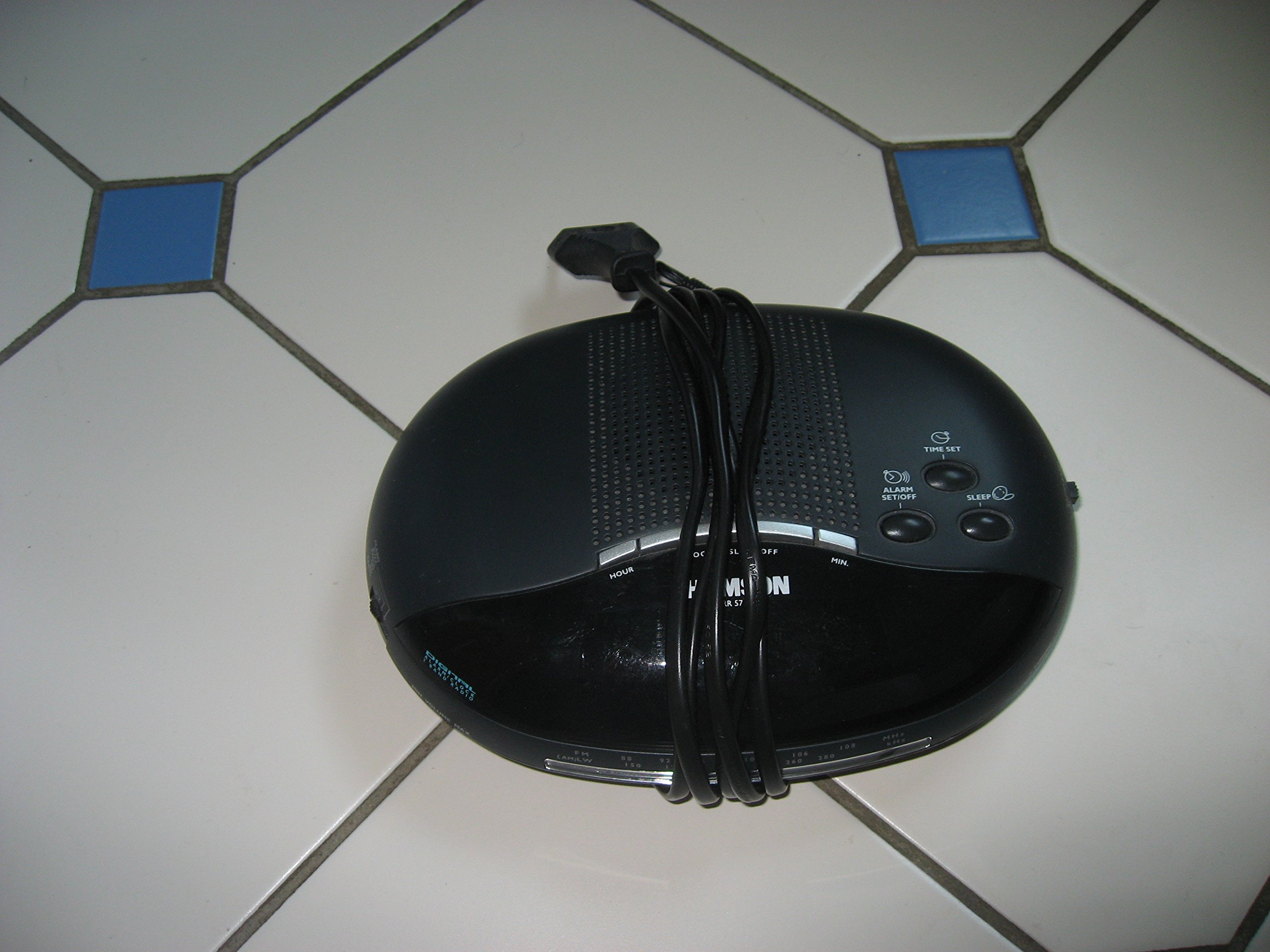
Şəkil 1: Ön view of the Thomson RR 68 M clock, showing the digital display and control buttons. This image illustrates the compact design suitable for tabletop placement.
2.1 Paketin məzmunu
- Thomson RR 68 M Clock Unit
- İstifadəçi Təlimatı (bu sənəd)
3. Quraşdırma
3.1 Saatı işə salmaq
The Thomson RR 68 M clock operates on batteries (not included). Ensure you have the correct type and quantity of batteries before proceeding.
- Locate the battery compartment cover on the back or bottom of the clock.
- Remove the battery compartment cover by sliding or unlatching it.
- Insert the required batteries, paying close attention to the polarity markings (+ and -) inside the compartment.
- Replace the battery compartment cover securely. The clock display should now illuminate.
4. Əməliyyat Təlimatları
4.1 Vaxtın təyin edilməsi
To set the current time on your Thomson RR 68 M clock:
- Locate the 'SET' or 'MODE' button, usually on the back or side of the clock. Press and hold this button for a few seconds until the hour digits begin to flash.
- Use the '+' or 'HOUR' button to adjust the hour. Press repeatedly to advance the hour.
- Press the 'SET' or 'MODE' button again. The minute digits will begin to flash.
- Use the '+' or 'MINUTE' button to adjust the minutes. Press repeatedly to advance the minutes.
- Press the 'SET' or 'MODE' button one last time to confirm the time setting and exit the setting mode. The display will stop flashing.
Note: This model does not feature an alarm function.
5. Baxım
5.1 Təmizləmə
To maintain the appearance of your clock:
- Saatın xarici hissəsini yumşaq, quru bir parça ilə silin.
- Aşındırıcı təmizləyicilərdən, həlledicilərdən və ya kimyəvi spreylərdən istifadə etməyin, çünki bunlar örtüyə zərər verə bilər.
5.2 Batareyanın dəyişdirilməsi
When the display dims or the clock stops functioning, it is time to replace the batteries. Follow the steps in Section 3.1 to replace the old batteries with new ones. Dispose of used batteries responsibly according to local regulations.
6. Giderme
If you encounter issues with your Thomson RR 68 M clock, refer to the following common problems and solutions:
6.1 Clock Display is Blank or Dim
- Batareyaları yoxlayın: Ensure batteries are inserted correctly with the correct polarity. Replace with fresh batteries if necessary.
- Batareya bölməsi: Batareya bölməsinin qapağının etibarlı şəkildə bağlandığını yoxlayın.
6.2 Vaxt Yanlışdır
- Yenidən qurma vaxtı: Follow the instructions in Section 4.1 to manually set the time.
- Batareya Gücü: If the time frequently resets or loses accuracy, the batteries may be low and require replacement.
7. Spesifikasiyalar
| Model nömrəsi | RR 68 M |
| Brend | TOMSON |
| Montaj növü | Stolüstü |
| Güc mənbəyi | Batareyalar (daxil deyil) |
| Siqnal funksiyası | yox |
8. Zəmanət Məlumatı
Specific warranty details for the Thomson RR 68 M clock are not provided within this user manual. Please refer to the product packaging, the point of purchase, or the official Thomson webətraflı zəmanət şərtləri və qaydaları üçün sayt.
9. Müştəri dəstəyi
For further assistance, technical support, or inquiries regarding your Thomson RR 68 M clock, please visit the official Thomson websaytına daxil olun və ya müştəri xidməti şöbəsi ilə əlaqə saxlayın. Əlaqə məlumatları adətən istehsalçının saytında mövcuddur websayt və ya məhsulun qablaşdırılması.