Giriş
This manual provides detailed instructions for the setup, operation, maintenance, and troubleshooting of your Coby CRA54 Digital AM/FM Alarm Clock Radio. Please read this manual thoroughly before using the device to ensure proper function and longevity.
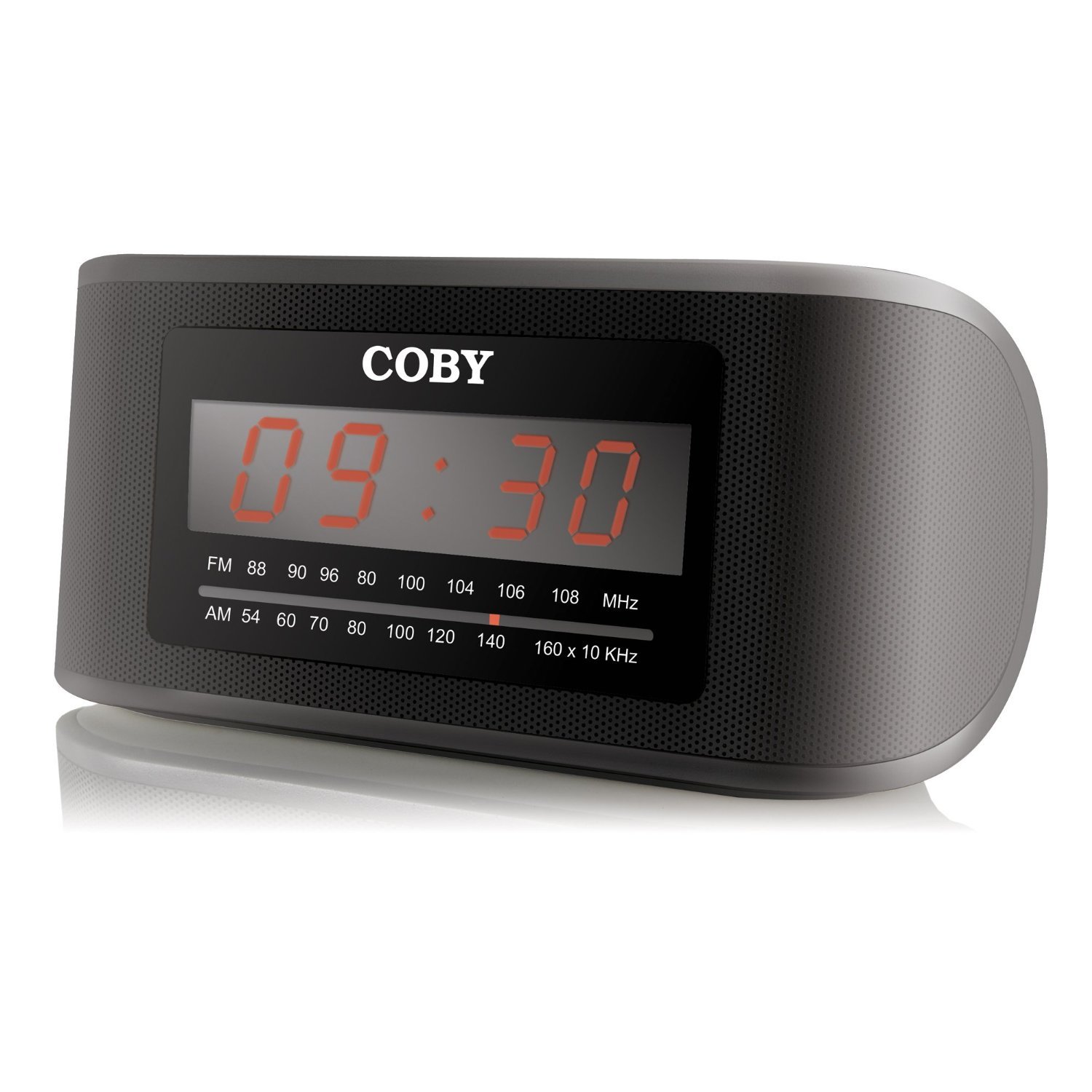
Şəkil 1: Ön view of the Coby CRA54 Digital AM/FM Alarm Clock Radio, showing the digital display and control buttons.
Quraşdırma
- Qablaşdırma: Carefully remove the alarm clock radio from its packaging. Retain the packaging materials for future transport or storage.
- Enerji bağlantısı: Connect the AC power cord to the 110V power outlet. The unit is designed for wired operation.
- Batareya Yedəkləməsi (İsteğe bağlı): While the unit operates on AC power, it may have a compartment for backup batteries (not included) to maintain time settings during power outages. Refer to the battery compartment cover for the correct battery type and polarity. Note: Batteries are not included with this product.
- Antenanın tənzimlənməsi: Extend the FM wire antenna fully for optimal FM reception. For AM reception, rotate the unit for the best signal.
Əməliyyat Təlimatları
Vaxtın qurulması
- basın və saxlayın ZAMAN AYARI button (location may vary, typically on the front or top panel) until the display flashes.
- istifadə edin HOUR və DƏQİQƏ buttons to adjust the time. Observe the AM/PM indicator if present.
- basın ZAMAN AYARI təsdiq etmək və vaxt təyini rejimindən çıxmaq üçün yenidən.
Siqnalın qurulması
- basın və saxlayın ALARM SETİ Zəngli saat ekranı yanıb-sönənə qədər düyməni basın.
- istifadə edin HOUR və DƏQİQƏ İstədiyiniz siqnal vaxtını təyin etmək üçün düymələr.
- basın ALARM SETİ again to confirm. You may then be prompted to select the alarm source (radio or buzzer) using the Siqnal rejimi düyməsi.
- Ensure the alarm is activated by checking for an alarm indicator icon on the display.
Radio əməliyyatı
- Yandırma/Söndürmə: düyməsini basın GÜC radionu yandırmaq və ya söndürmək üçün düymə.
- Bant seçimi: düyməsini basın AM/FM AM və FM diapazonları arasında keçid etmək üçün düymə.
- tuning: istifadə edin TUNING dial or TUNE +/- buttons to find your desired station. Some models may feature auto-scan functionality.
- Səs səviyyəsinə nəzarət: Səs səviyyəsini HƏCM dial or VOL +/- düymələri.
Mürgülə funksiyası
Siqnal səsləndikdə, böyük düyməsini basın YUXUR button (usually located on the top of the unit) to temporarily silence the alarm. The alarm will sound again after a few minutes (typically 9 minutes).
Baxım
- Təmizləmə: Təmizləmədən əvvəl elektrik enerjisini ayırın. Cihazın xarici hissəsini yumşaq, quru bir parça ilə silin. Aşındırıcı təmizləyicilərdən və ya həlledicilərdən istifadə etməyin.
- Yerləşdirmə: Place the unit on a stable, flat surface. Avoid placing it in direct sunlight, near heat sources, or in areas with high humidity.
- Havalandırma: Həddindən artıq istiləşmənin qarşısını almaq üçün cihazın ətrafında adekvat havalandırma təmin edin. Havalandırma deliklərini bağlamayın.
Problemlərin aradan qaldırılması
| Problem | Mümkün Səbəb | Həll |
|---|---|---|
| Cihaz işə düşmür. | Elektrik kabeli düzgün qoşulmayıb. | Ensure the power cord is securely plugged into both the unit and a working 110V outlet. |
| Zəif radio qəbulu. | Antenna not extended or unit position. | Extend the FM wire antenna fully. For AM, rotate the unit to improve signal. Avoid interference from other electronic devices. |
| Siqnal səslənmir. | Alarm not set or activated. | Verify that the alarm time is correctly set and the alarm function is activated (check for alarm icon on display). Ensure volume is not at minimum. |
| Time display is incorrect or runs fast/slow. | Internal clock deviation or power interruption. | Reset the time. If the issue persists, ensure stable power supply and consider using fresh backup batteries if applicable. |
Spesifikasiyalar
- Brend: Coby
- Model nömrəsi: CRA54
- Məhsul Ölçüləri: 17.78 x 10.16 x 8.89 sm
- Məhsul çəkisi: 522 q
- Cildtage: 110 volt
- Ekran növü: Rəqəmsal
- Montaj növü: Stolüstü
- Zəngli saat: Bəli
- İş rejimi: Elektrik
- Quraşdırılmış Dinamiklər: Bəli
- Bağlantı texnologiyası: Simli
Zəmanət və Dəstək
For information regarding warranty coverage and customer support, please refer to the warranty card included with your product or contact Coby customer service directly. Keep your purchase receipt as proof of purchase.


