1. Giriş
This manual provides detailed instructions for the installation, operation, and maintenance of your JVC KDR820BT Wireless Bluetooth Dual USB-CD Receiver. Please read this manual thoroughly before using the unit to ensure proper operation and to prevent damage.
The JVC KDR820BT is designed to provide versatile audio playback and communication features in your vehicle. It includes built-in Bluetooth for hands-free calling and audio streaming, dual USB ports for device connectivity, and CD playback capabilities. The unit also features a customizable display with variable color options.
2. Paketin məzmunu
Quraşdırmaya başlamazdan əvvəl bütün elementlərin paketdə olduğunu yoxlayın:
- JVC KDR820BT Head Unit
- Wireless Remote Control (RM-RK52)
- USB Bluetooth Adapteri
- Simli Mikrofon
- Məftil qoşqu
- Montaj Aparatı
- Sahibkarın Təlimatı (bu sənəd)
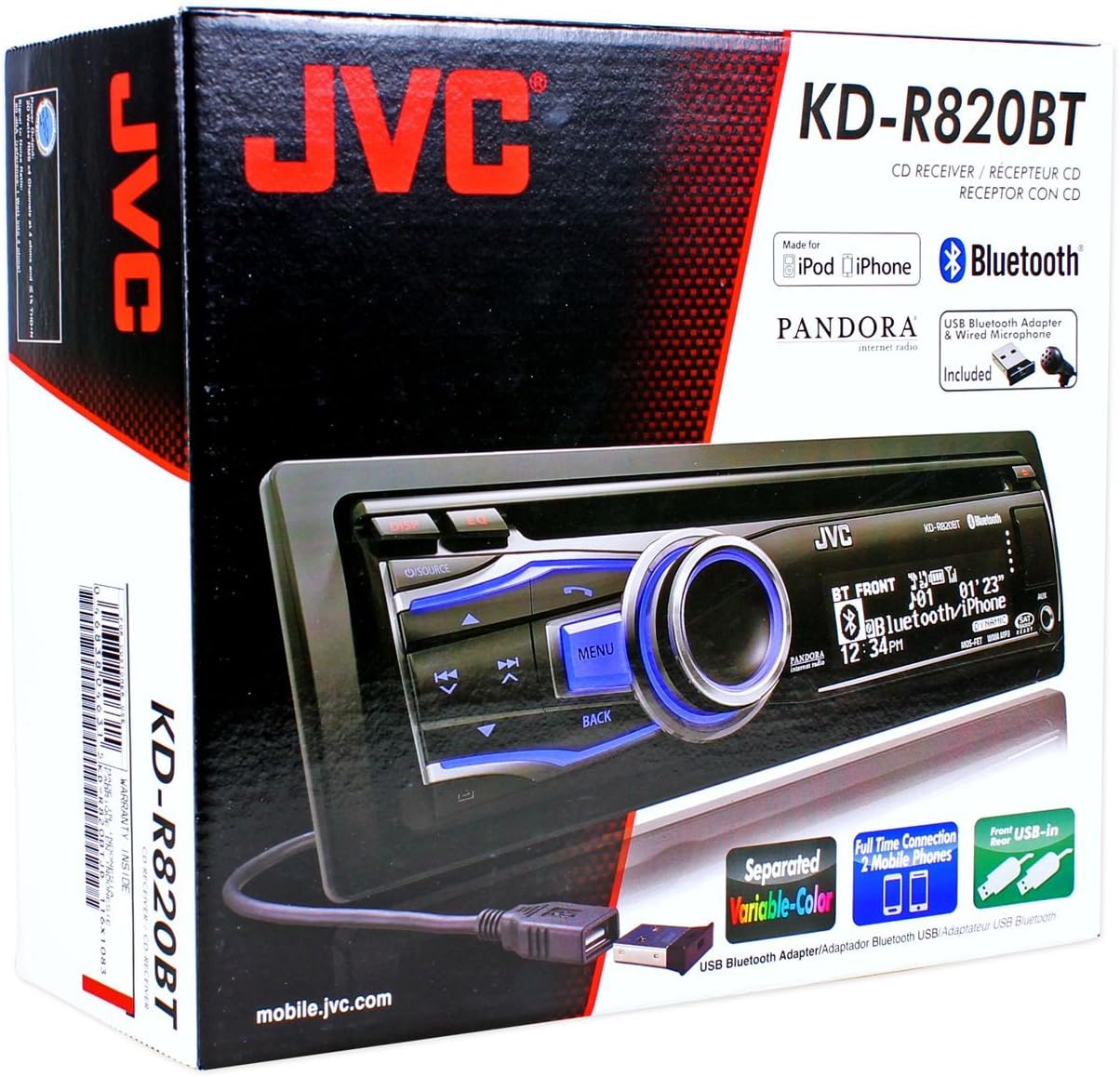
Figure 2.1: JVC KDR820BT Product Packaging. The box illustrates the main unit, remote, USB Bluetooth adapter, and wired microphone.
3. Quraşdırma
Professional installation is recommended. Ensure the vehicle's battery is disconnected before starting installation to prevent electrical damage.
3.1 Naqil birləşmələri
Connect the wiring harness to the vehicle's electrical system and speakers. Refer to your vehicle's wiring diagram for specific connections.
- Sarı tel: Sabit 12V gücə qoşun.
- Qırmızı tel: Kommutasiya edilmiş 12V aksesuar gücünə qoşulun.
- Qara Tel: Avtomobilin şassisinin yerə qoşulun.
- Mavi/Ağ Tel: Güc antennasına qoşulun və ya ampqaldırıcının uzaqdan işə salınması.
- Dinamik telləri: Avtomobilin dinamiklərinə qoşun (düzgün polariteyi təmin edin).
- RCA Pre-out Jacks: Xarici əlaqə üçün ampqaldırıcılar (Ön, Arxa, Sabvufer).
- Mikrofon Girişi: Connect the supplied wired microphone for hands-free calling.
- USB Portları: Front USB for general connectivity, Rear USB for additional devices or the Bluetooth adapter.

Figure 3.1: Rear Panel Connections. This image displays the rear of the receiver with its wiring harness, RCA pre-outs, and antenna input.
3.2 Qurğunun quraşdırılması
Install the mounting sleeve into the vehicle's dashboard opening. Secure the unit by sliding it into the sleeve until it locks into place. Attach the trim ring.
3.3 Connecting the Bluetooth Adapter
The supplied USB Bluetooth adapter must be connected to one of the USB ports (front or rear) for Bluetooth functionality. For a cleaner installation, the rear USB port is often preferred.
4. İlkin Quraşdırma
After installation, reconnect the vehicle battery. The unit will power on. Follow these steps for initial configuration:
- İlkin işə salınma: düyməsini basın MƏNBƏ bölməni açmaq üçün düyməni basın.
- Saat Parametrləri: Access the system menu to set the current time.
- Audio Parametrlər: Adjust basic audio settings such as bass, treble, balance, and fader.
- Ekran Rəngi: Customize the display and button illumination colors using the variable color settings.
5. Əməliyyat Təlimatları

Şəkil 5.1: Ön Panel Üstüview. This image shows the main controls and display of the JVC KDR820BT.

Figure 5.2: Receiver with Remote Control. The image displays the head unit and the included wireless remote control (RM-RK52).
5.1 Əsas idarəetmə vasitələri
- Güc/Mənbə Düyməsi: Press to turn on/off or change audio source (FM/AM, CD, USB, Bluetooth Audio, AUX).
- Səs düyməsi: Rotate to adjust volume. Press to mute/pause audio.
- Menyu düyməsi: Access system settings and advanced options.
- Geri düyməsi: Return to the previous menu or display.
- Skip/Seek Buttons: Navigate tracks, radio stations, or menu options.
5.2 Radio Əməliyyatı (AM/FM)
- basın MƏNBƏ to select FM or AM.
- istifadə edin axtar buttons to find stations automatically.
- Əl ilə kökləmək üçün basıb saxlayın axtar düymələri.
- To store a preset, tune to the desired station, then press and hold a preset number button (1-6).
5.3 CD Oynatma
- Insert a CD into the disc slot. The unit will automatically switch to CD source and begin playback.
- istifadə edin Keç trekləri dəyişdirmək üçün düymələr.
- düyməsini basın Səs düyməsi fasilə vermək/oxutmaq.
- düyməsini basın Çıxar CD-ni çıxarmaq üçün düymə.
5.4 USB Device Playback
- Connect a USB device (flash drive, iPod/iPhone, digital audio player) to either the front or rear USB port.
- basın MƏNBƏ USB seçmək üçün.
- istifadə edin Keç treklərdə naviqasiya etmək üçün düymələr.
- düyməsini basın Menyu button to browse folders and files.
5.5 Bluetooth funksiyası
Ensure the USB Bluetooth adapter is connected to the unit.
5.5.1 Bluetooth Cihazının Qoşulma
- Mobil cihazınızda Bluetooth-u yandırın.
- On the JVC KDR820BT, select the Bluetooth source.
- axtarın available devices on your mobile phone. Select "JVC unit" (or similar) from the list.
- Enter the PIN code (usually "0000") if prompted.
- Once paired, the Bluetooth indicator on the receiver will illuminate. The unit supports connecting two phones simultaneously.
5.5.2 Əllər Sərbəst Zəng
- Zəng etmək: Use your phone's voice dial feature (if supported) or dial directly from your phone. The audio will transfer to the receiver.
- Zəngə cavab vermək: düyməsini basın Telefon button on the receiver when an incoming call is detected.
- Zəngin bitirilməsi: düyməsini basın Telefon zəngi bitirmək üçün yenidən düyməni basın.
- Telefon kitabçasına giriş: The unit supports Phone Book Access Profile (PBAP) for transferring contacts.
5.5.3 Bluetooth Audio Axını
- Select Bluetooth Audio as the source.
- Play audio from your paired mobile device. The receiver will stream the audio wirelessly.
- istifadə edin Keç buttons on the receiver to control playback (play/pause, skip track).
- The unit supports Pandora Internet Radio control from an iPhone.
5.6 Səs Parametrləri
- 3-Band Parametric iEQ: Access the sound menu to adjust the equalizer settings for customized audio output.
- MOS-FET 50W x 4 Ampömürlük: Provides powerful audio output.
- TI/Burr-Brown 24-bit DAC: Ensures high-quality digital-to-analog audio conversion.
5.7 Ekran Parametrləri
- Separated Variable Color: Customize the illumination color of the keys and LCD panel from over 30,000 choices. Access this setting through the system menu.
- Parlaqlığa Nəzarət: Adjust display brightness for day and night viewing.
6. Baxım
- Cihazın təmizlənməsi: Ön paneli silmək üçün yumşaq, quru parça istifadə edin. İnadkar kir üçün dampsu ilə parça. Aşındırıcı təmizləyicilərdən və ya həlledicilərdən çəkinin.
- CD pleyerə qulluq: Keep the disc slot free of dust and debris. Use only clean, scratch-free CDs.
- Faceplate çıxarılması: The detachable faceplate can be removed for security. Store it in a protective case.
7. Giderme
Review the following common issues and solutions before seeking service.
| Problem | Mümkün səbəb/həlli |
|---|---|
| Güc yoxdur | Check power and ground wiring connections. Ensure the vehicle's ignition is on. Check vehicle fuses. |
| Səs yoxdur | Check speaker wiring. Ensure volume is not muted or too low. Verify the power antenna/remote wire is connected if using an external ampömürlük. |
| Bluetooth echo during calls | Adjust microphone gain settings. Reposition the microphone away from reflective surfaces (e.g., windshield). Reduce the receiver's volume during calls. |
| Cannot pair Bluetooth device | Ensure the USB Bluetooth adapter is securely connected. Make sure Bluetooth is enabled on your mobile device and the receiver is in pairing mode. Delete previous pairings from your phone and try again. |
| Cihaz söndürüldükdən sonra parametrlərini itirir | The yellow constant 12V power wire may not be connected correctly or is losing power. This can also occur if the vehicle battery is disconnected. |
| Display text is truncated or difficult to read | The display has limited character space. Some long names may be truncated. There is no option to increase scroll speed for folder/file adlar. |
| Buttons or rotary knob are unresponsive | Ensure the faceplate is securely attached. Clean around the buttons to remove any debris. If the issue persists, it may indicate a hardware malfunction. |
8. Spesifikasiyalar
| Xüsusiyyət | Spesifikasiya |
|---|---|
| Model nömrəsi | KDR820BT |
| Çıxış Gücü | MOS-FET 50W x 4 (20W RMS x 4) |
| DAC | TI/Burr-Brown 24-bit |
| Ekvalayzer | 3-Band Parametric iEQ |
| Bağlantı | Bluetooth, Dual USB (Front & Rear), AUX Input |
| Bluetooth Xüsusiyyətləri | Hands-Free Call, Audio Streaming, Phone Book Access Profile, Text Message Receipt Notification, Connects 2 Phones |
| Media Oynatma | CD, MP3, WMA, WAV |
| Ekran növü | LCD with Separated Variable Color |
| Preamp Cildtage | 2 volt |
| Şassi Ölçüsü | Tam DIN |
| Ölçülər (G x Y x D) | 7.19 x 2.06 x 6.25 düym (təxminən) |
| Çəki | 4 funt (təxminən) |
| Dəstəklənən İnternet Xidmətləri | Pandora Internet Radio |
| Nəzarət metodu | Remote Control, Android (via USB) |
9. Zəmanət və Dəstək
JVC products are manufactured to high-quality standards. For specific warranty information, please refer to the warranty card included with your product or visit the official JVC websayt. Satınalma qəbzinizi zəmanət iddiaları üçün satınalmanın sübutu kimi saxlayın.
For technical support, service, or inquiries regarding your JVC KDR820BT receiver, please contact JVC customer service or visit their official support channels. Contact information can typically be found on the JVC websaytda və ya məhsulun qablaşdırmasında.