1. Giriş
This manual provides essential information for the proper installation, operation, and maintenance of your Intel Xeon E5-2690 processor. Designed for high-performance computing environments, this 8-core processor offers robust capabilities for demanding applications. Please read these instructions carefully before proceeding with installation.
2. Məhsul bitdiview
The Intel Xeon E5-2690 is an 8-core processor operating at 2.9 GHz, featuring a 20MB L3 Cache and a 135W Thermal Design Power (TDP). It supports DDR3 memory up to 1600 MHz and is designed for the LGA 2011 socket.
- Processor Cores: 8
- Base Clock Speed: 2.9 GHz
- L3 Önbellek: 20MB
- İstilik Dizayn Gücü (TDP): 135W
- Yaddaş Dəstəyi: 3 MHz-ə qədər DDR1600
- Soket növü: LGA 2011
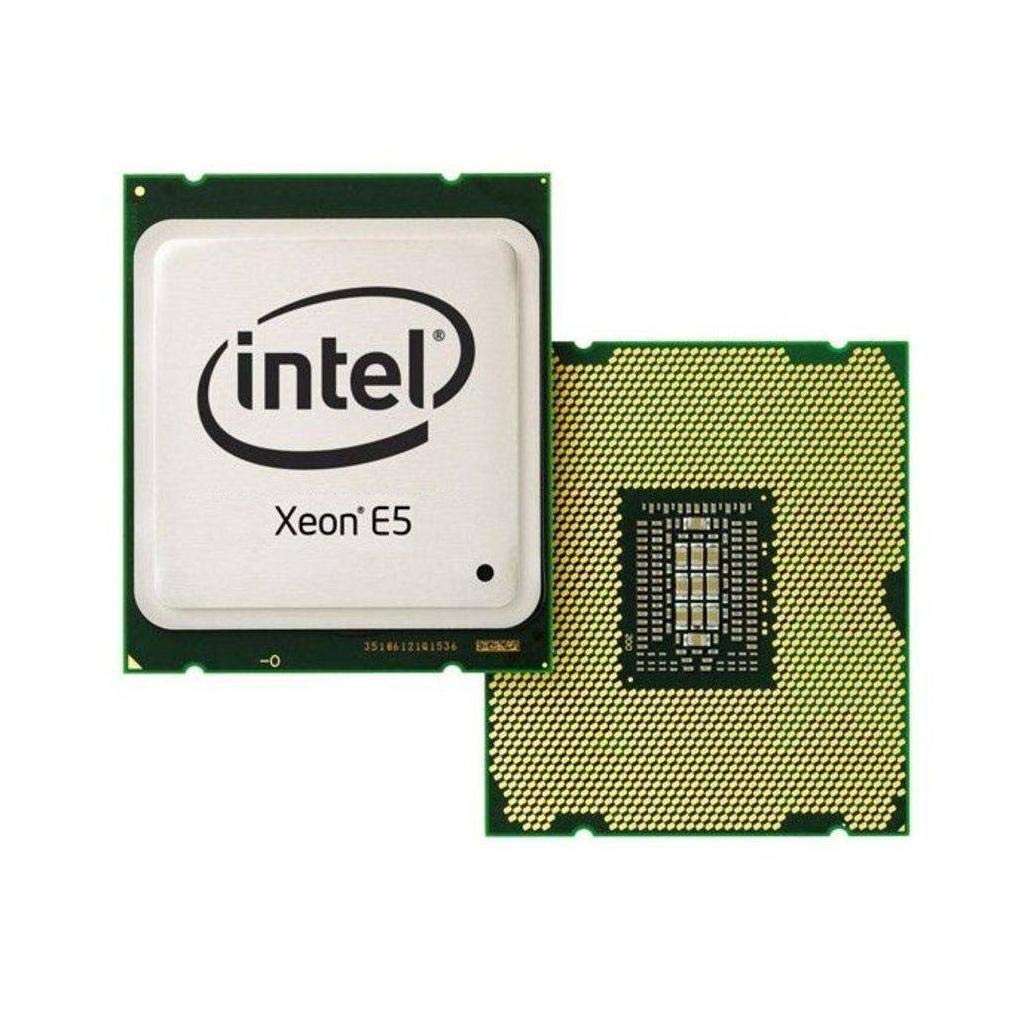
Figure 2.1: Intel Xeon E5-2690 Processor. This image displays the top view of the processor, showing the integrated heat spreader (IHS) and Intel branding.
3. Quraşdırma və Quraşdırma
Proper installation is crucial for the stability and performance of your system. Ensure your motherboard supports the LGA 2011 socket and the Intel Xeon E5-2690 processor.
3.1. Başlamadan əvvəl
- Uyğunluq: Verify your motherboard's compatibility with the Intel Xeon E5-2690 (LGA 2011 socket). Refer to your motherboard's manual.
- Statik Elektrik: Take anti-static precautions (e.g., use an anti-static wrist strap) to prevent damage to components.
- Alətlər: Gather necessary tools, including a Phillips head screwdriver and thermal paste.
- Soyutma Məhlulu: Ensure you have a compatible CPU cooler for the LGA 2011 socket, capable of dissipating 135W TDP.
3.2. Quraşdırma addımları
- Anakartı hazırlayın: Open the CPU socket retention mechanism on your LGA 2011 motherboard. This typically involves releasing two levers.
- Orient Processor: Carefully align the processor with the socket. The processor has notches that correspond to keys on the socket. Do not force the processor into place.
- Seat Processor: Gently lower the processor into the socket. It should sit without resistance.
- Secure Processor: Close the socket retention mechanism by pushing down the levers until they lock into place.
- Termal pasta tətbiq edin: Apply a small amount of high-quality thermal paste to the center of the processor's Integrated Heat Spreader (IHS). Consult the thermal paste manufacturer's instructions for the recommended application method.
- CPU Soyuducusunu Quraşdırın: Mount your compatible CPU cooler according to its manufacturer's instructions. Ensure it makes firm, even contact with the processor's IHS.
- Fanı birləşdirin: Connect the CPU cooler's fan cable to the designated CPU_FAN header on your motherboard.

Figure 3.1: Intel Xeon E5-2690 Processor (bottom view). This image shows the pin array on the underside of the processor, which interfaces with the LGA 2011 socket.
4. Əməliyyat Təlimatları
Once the processor is installed and the system is assembled, you can power on your computer. The operating system will detect the new hardware. Ensure all necessary drivers are installed for optimal performance.
4.1. Sistem Tələbləri
- Ana plata: LGA 2011 socket compatible.
- RAM: DDR3 ECC or non-ECC memory, up to 1600 MHz, as supported by your motherboard.
- Enerji təchizatı: A power supply unit (PSU) with sufficient wattage to power all system components, including the 135W TDP processor.
- Əməliyyat sistemi: Compatible with Intel Xeon processors (e.g., Windows Server, Linux distributions, Windows Pro editions).
4.2. Typical Usage
The Intel Xeon E5-2690 processor is ideal for:
- Workstations requiring high multi-core performance for tasks like video editing, 3D rendering, and scientific simulations.
- Servers handling virtualization, databases, and other demanding server applications.
- High-performance computing (HPC) clusters.
5. Baxım
Regular maintenance helps ensure the longevity and stable operation of your processor and system.
- Termal İdarəetmə: Periodically check CPU temperatures using monitoring software. Ensure your CPU cooler is free of dust and debris. Clean fan blades and heatsink fins as needed with compressed air.
- Hava axını: Maintain good airflow within your computer case. Ensure case fans are functioning correctly and cables are managed to avoid obstructing airflow.
- BIOS/UEFI Yeniləmələri: Keep your motherboard's BIOS/UEFI firmware updated to ensure optimal compatibility and performance with your processor. Refer to your motherboard manufacturer's website for updates and instructions.
- Sürücü Yeniləmələri: Ensure all system drivers, especially chipset drivers, are up to date.
6. Giderme
Problemlərlə qarşılaşsanız, aşağıdakı əsas problemlərin aradan qaldırılması addımlarını nəzərdən keçirin:
- Güc yoxdur/Yükləmə yoxdur:
- Verify all power cables are securely connected (24-pin ATX, 8-pin EPS/CPU power).
- Ensure the CPU is correctly seated in its socket.
- Check for bent pins on the CPU or in the socket (only if CPU was removed).
- Həddindən artıq istiləşmə:
- Confirm the CPU cooler is properly installed and making good contact with the processor.
- Check if thermal paste was applied correctly.
- Ensure CPU cooler fan is spinning and heatsink is clean.
- Verify adequate case airflow.
- Sistem qeyri-sabitliyi/qəzaları:
- Check RAM modules for proper seating and compatibility.
- Update motherboard BIOS/UEFI and chipset drivers.
- Run diagnostic tools to check for hardware errors.
- BIOS/UEFI Not Detecting CPU:
- Ensure your motherboard's BIOS/UEFI version supports the E5-2690 processor. An update may be required (often needs a compatible CPU to perform).
For more advanced diagnostics, consult your motherboard's manual for specific POST codes or diagnostic LEDs.
7. Spesifikasiyalar
| Xüsusiyyət | Detal |
|---|---|
| Prosessor modeli | Intel Xeon E5-2690 |
| Element Model nömrəsi | BX80621E52690 |
| CPU nüvələri | 8 |
| Əsas Saat Sürəti | 2.9 GHz |
| L3 Keş | 20 MB |
| İstilik Dizayn Gücü (TDP) | 135 Vt |
| CPU yuvası | LGA 2011 |
| Yaddaş Dəstəyi | 3 MHz-ə qədər DDR1600 |
| Maddə Çəkisi | 4 unsiya |
| Məhsul Ölçüləri (UxGxY) | 4.9 x 2 x 1.8 düym |
| İstehsalçı | Intel |
8. Zəmanət və Dəstək
For warranty information and technical support regarding your Intel Xeon E5-2690 processor, please refer to the official Intel website or contact Intel customer service.
Vacib Qeyd: Specific purchase terms, such as "No refunds, no returns, no exchanges. FINAL SALE," may apply depending on your retailer. These terms are separate from Intel's official product warranty. Always review the terms and conditions provided by your point of purchase.
You can find comprehensive support resources, including drivers, software, and troubleshooting guides, on the official Intel support portal:


