1. Giriş
This manual provides essential information for the safe and efficient operation of your Keystone KSTAD70B 70-Pint Dehumidifier. This unit is designed to remove up to 70 pints of moisture from the air daily, suitable for rooms up to 4500 square feet. Key features include electronic controls with an LED display, a 24-hour timer, a transparent water level indicator, and a full bucket alert with automatic shutoff. It also offers a continuous draining option and a removable, easy-to-clean dust filter with a clean-filter alert. The auto-restart function preserves your settings after a power outage, and rolling casters facilitate easy movement.
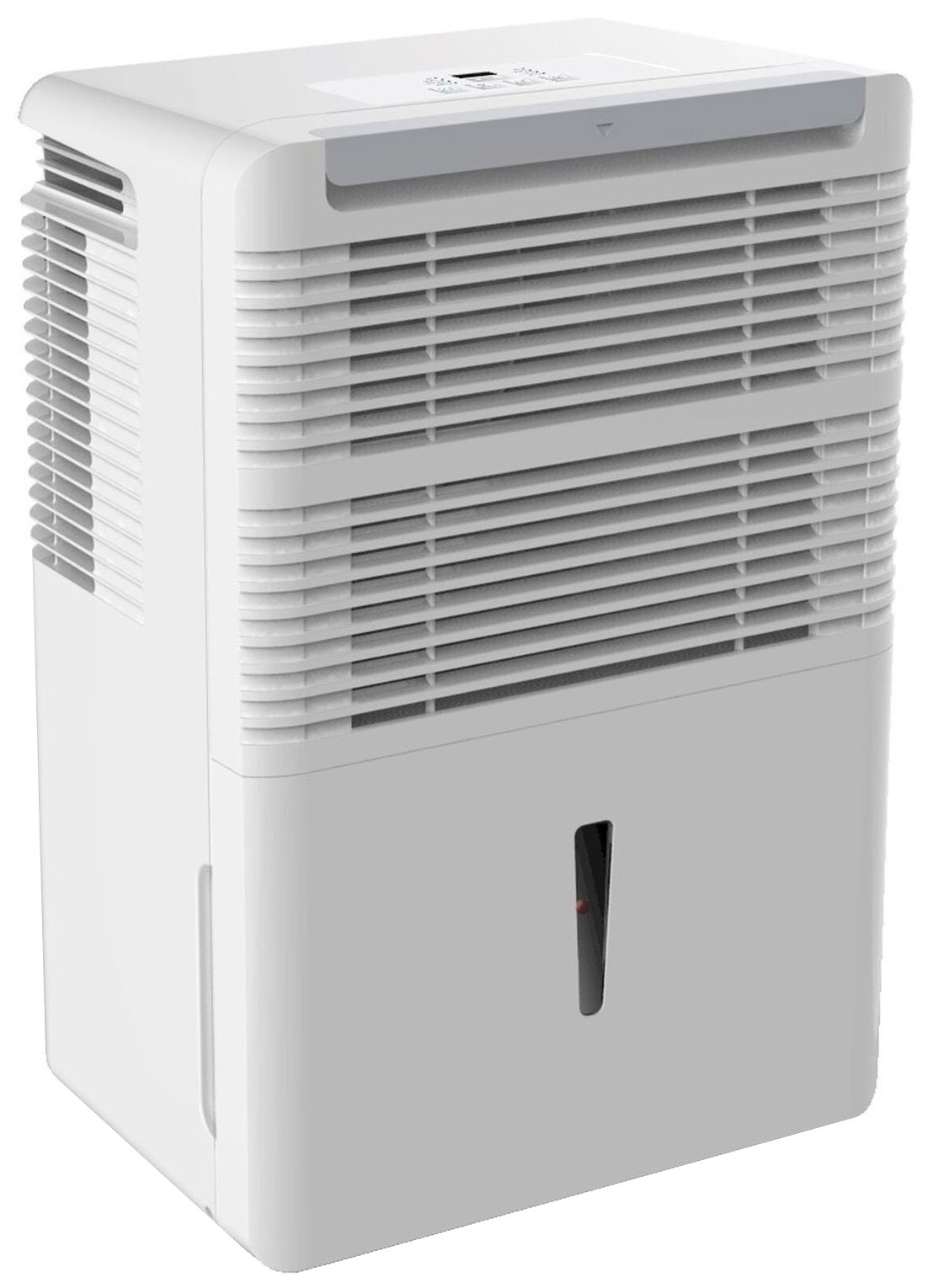
Şəkil 1: Ön view of the Keystone KSTAD70B Dehumidifier.
2. Təhlükəsizlik Məlumatı
Please read all safety instructions before operating the dehumidifier to prevent injury or damage. Keep this manual for future reference.
- Always connect the unit to a properly grounded electrical outlet of the correct voltage.
- Cihazı zədələnmiş elektrik kabeli və ya fiş ilə işlətməyin.
- Ensure adequate clearance (at least 12-18 inches) around the air intake and outlet to prevent overheating and ensure efficient operation.
- Hava deliklərini bağlamayın.
- Do not use the dehumidifier near water or in excessively wet environments.
- Təmizləmədən və ya hər hansı texniki xidmət göstərmədən əvvəl cihazı elektrik şəbəkəsindən ayırın.
- Bu cihaz fiziki, duyğu və ya əqli imkanları zəif olan və ya təcrübəsi və biliyi olmayan şəxslərin (uşaqlar da daxil olmaqla) istifadəsi üçün nəzərdə tutulmayıb, əgər onların təhlükəsizliyinə cavabdeh olan şəxs tərəfindən nəzarət və ya cihazın istifadəsi ilə bağlı təlimat verilməyibsə.
- Do not use chemical solvents or abrasive cleaners on the unit.
3. Quraşdırma və Yerləşdirmə
3.1 Qabın açılması
Carefully remove the dehumidifier from its packaging. Retain the packaging materials for future storage or transport. Inspect the unit for any shipping damage.
3.2 Yerləşdirmə
For optimal performance, place the dehumidifier in a location where air can circulate freely around it. The unit circulates air from the sides, not the top. Therefore, avoid placing it directly in a corner or against walls. Maintain a minimum clearance of 12-18 inches (30-45 cm) on all sides to ensure proper airflow.
3.3 İlkin işə salınma
Elektrik kabelini torpaqlanmış elektrik rozetkasına qoşun. Qurğu artıq işə hazırdır.
4. Əməliyyat Təlimatları
4.1 İdarəetmə Paneli Bitdiview

Figure 2: Control panel of the Keystone KSTAD70B Dehumidifier.
The control panel features an LED display and various buttons for setting the dehumidifier's functions:
- Güc düyməsi: Cihazı yandırır və ya söndürür.
- Fan düyməsi: Adjusts fan speed (typically Low, Medium, High).
- Taymer düyməsi: 24 saatlıq yandırma/söndürmə taymerini təyin edir.
- Yuxarı/Aşağı Oklar: Adjust humidity level settings or timer duration.
- Filtr göstəricisi: Hava filtrinin təmizlənməsi lazım olduqda yanır.
- Tam Göstərici: Illuminates when the water bucket is full and needs emptying.
- Cont. (Continuous) Indicator: Illuminates when the unit is set for continuous operation.
- Turbo rejimi: Activates maximum dehumidification.
- Normal rejim: Standard dehumidification operation.
- Avtomatik Defrost: Automatically defrosts the coils if ice builds up.
4.2 İstədiyiniz Rütubət Səviyyəsinin qurulması
Press the Up or Down arrow buttons to set your desired humidity level. The unit will operate until the set humidity is reached, then cycle on and off to maintain it. The recommended humidity range for comfort is typically between 45% and 55%.
4.3 Davamlı Əməliyyat
To run the dehumidifier continuously, select the 'Cont.' setting. In this mode, the unit will operate regardless of the ambient humidity level. Note that when continuous operation is selected, the humidity setpoint buttons will not respond.
4.4 Taymer funksiyası
Use the Timer button to program the unit to turn on or off automatically after a set number of hours (up to 24 hours).
4.5 Avtomatik Yenidən Başlatma
The unit features an auto-restart function that saves your settings. In the event of a power outage, the dehumidifier will automatically resume operation with the last settings once power is restored.
5. Baxım
Müntəzəm texniki qulluq nəmləndiricinizin optimal performansını və uzunömürlülüyünü təmin edir.
5.1 Su qabının boşaldılması
When the water bucket is full, the 'Full' indicator light will illuminate, and the unit will automatically shut off. Carefully remove the bucket and empty the collected water. Reinsert the bucket firmly until it clicks into place to resume operation.

Figure 3: Removing the water collection bucket.

Figure 4: Transparent water level indicator.
5.2 Continuous Draining Option
For continuous operation without emptying the bucket, you can connect a standard garden hose (not included) to the unit's low-level drain. The unit includes an adapter with a clear hose that pushes onto a smooth plastic fitting inside the unit. This adapter has male hose threads for attaching a garden hose. Ensure the hose is routed downwards to a suitable drain to allow gravity to remove the water.
5.3 Hava Filtrinin Təmizlənməsi
The 'Filter' indicator light will remind you when it's time to clean the air filter. A clean filter ensures efficient operation and better air quality. To clean, lift the filter straight up from the top at the front corner of the unit and slide it out. Wash the filter with warm, soapy water, rinse thoroughly, and allow it to air dry completely before reinserting.

Şəkil 5: Təmizləmə üçün hava filtrinin çıxarılması.
6. Giderme
Before contacting support, try these common troubleshooting steps:
| Problem | Mümkün Səbəb | Həll |
|---|---|---|
| Nəmləndirici işə düşmür. | No power; power cord loose; 'Full' indicator on. | Check power supply; ensure cord is plugged in; empty water bucket. |
| Qurğu işləyir, lakin nəmini çıxarmır. | Air filter clogged; room temperature too low; unit size too small for area. | Clean air filter; ensure room temperature is above 41°F (5°C); consider unit placement. |
| Vahid səs-küylüdür. | Cihaz düz deyil; ventilyator tıxanıb. | Place on a flat, stable surface; check for obstructions in fan area. |
| Cihazdan su sızır. | Water bucket not properly seated; continuous drain hose loose or clogged. | Ensure bucket is fully inserted; check continuous drain hose connection and clear any blockages. |
7. Spesifikasiyalar
| Xüsusiyyət | Detal |
|---|---|
| Brend | Açar daşı |
| Model Adı | KSTAD70B |
| Nəm alma qabiliyyəti | Gündə 70 Pint |
| Tövsiyə olunan otaq ölçüsü | 4500 kvadrat fut-a qədər |
| Rəng | Ağ |
| Xüsusi Xüsusiyyətlər | Automatic Restart, Automatic Shutoff |
| Sürətlərin sayı | 3 |
| Əməliyyat rejimi | Normal, Turbo, Auto-Defrost |
| Wattage | 720 vatt |
| Maddə Çəkisi | 40 funt sterlinq |
| Məhsulun Ölçüləri (U x G x Y) | 11.25 x 15.5 x 23.25 düym |
| Tövsiyə olunan istifadələr | Yaşayış |
8. Zəmanət Məlumatı
The Keystone KSTAD70B Dehumidifier comes with a 1 il zəmanət on parts and labor, and a məhdud 5 illik zəmanət on the sealed system. Please refer to the physical warranty card included with your product for full terms and conditions.
9. Müştəri dəstəyi
For product registration, warranty claims, or technical assistance, please refer to the contact information provided in the physical instruction manual that came with your dehumidifier. Online registration or direct manufacturer contact information may not be readily available; therefore, retaining your original manual is important for support inquiries.


