Giriş
The Orbit 94148 Buddy II is a battery-operated watering timer designed to automate your garden irrigation system. This device connects to your outdoor faucet and allows you to program watering schedules for two independent outlets, providing flexibility for various watering needs such as micro-jets, drip systems, and garden sprinklers.
Təhlükəsizlik Məlumatı
- Yalnız açıq istifadə üçün.
- Yalnız soyuq su ilə istifadə edin.
- Do not submerge the timer in water.
- Zərərin qarşısını almaq üçün donma temperaturundan qoruyun.
Paketin məzmunu
The Orbit 94148 Buddy II watering timer package includes:
- One Orbit 94148 Buddy II Two-Outlet Watering Timer.
- User Manual (this document).
Qeyd: AA batteries are required for operation and are not included in the package.
Quraşdırma
Follow these steps to set up your Orbit 94148 Buddy II watering timer:
- Batareyaları quraşdırın: Open the battery compartment and insert the required AA batteries (not included). Ensure correct polarity.
- Kranla əlaqə saxlayın: Securely attach the timer to your outdoor faucet. Hand-tighten only to prevent damage.
- Şlanqları birləşdirin: Attach your garden hoses or irrigation lines to the two independent outlets on the timer.
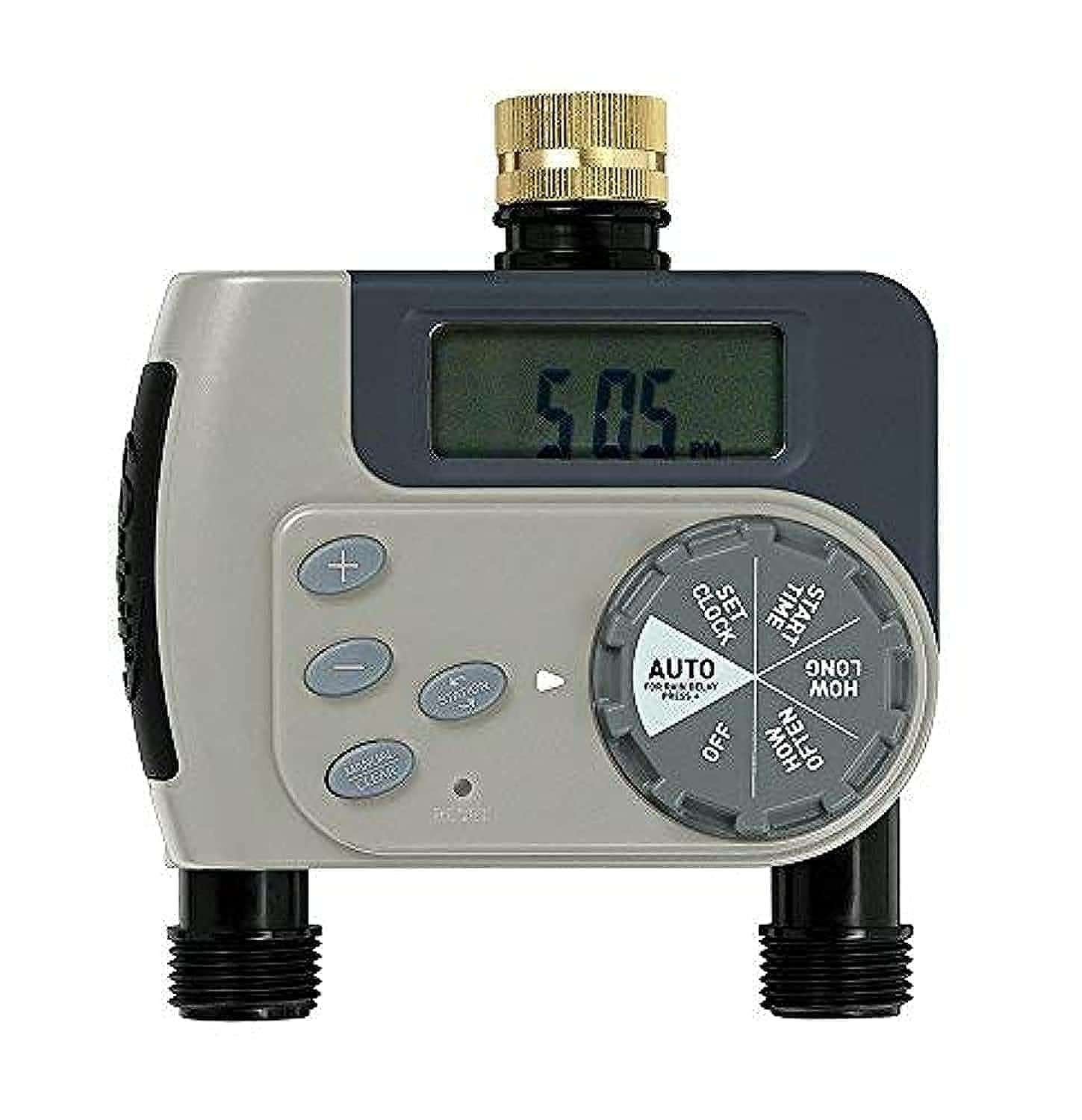
Əməliyyat Təlimatları
The Orbit 94148 Buddy II offers both automatic programming and manual watering options.
Avtomatik Proqramlaşdırma
To program the timer for automatic watering:
- Cari vaxtı təyin edin: Use the dial to set the current time of day.
- Başlama vaxtını təyin edin: Choose the desired time for watering to begin.
- Suvarma Müddətini Təyin Edin: Select the length of each watering cycle, ranging from 1 to 240 minutes.
- Tezliyi təyin edin: Determine how often watering occurs. Options include every 6 hours, every 12 hours, or daily intervals from 1 to 7 days.
- Avtomatik rejimi aktivləşdirin: Turn the dial to the "Auto" position to enable the programmed watering schedule.
Each of the two outlets can be programmed independently, allowing for different watering schedules for separate areas of your garden.
Əl ilə suvarma
Proqramlaşdırılmış cədvəlinizə təsir etmədən əl ilə sulamaq üçün:
- Turn the dial to the "Manual" position.
- Select the desired watering duration.
- The water will flow for the selected duration and then automatically shut off.
- To stop manual watering early, turn the dial back to the "Off" or "Auto" position.
Baxım
Regular maintenance ensures optimal performance and longevity of your watering timer.
- Batareyanın dəyişdirilməsi: When the battery indicator shows low power, replace the AA batteries promptly. Always use fresh batteries.
- Təmizləmə: Periodically check the filter washer at the faucet connection for debris and clean if necessary to maintain proper water flow.
- Qışlama: Before the first frost, disconnect the timer from the faucet, remove batteries, and store the unit indoors in a dry, protected area to prevent freeze damage.
Problemlərin aradan qaldırılması
If you encounter issues with your watering timer, consider the following:
- Su axını yoxdur:
- Check if the faucet is fully open.
- Ensure batteries are correctly installed and have sufficient power.
- Verify that the timer is set to "Auto" or a manual watering cycle is active.
- Inspect the filter washer for clogs.
- Timer Not Programming:
- Confirm batteries are fresh and properly inserted.
- Ensure the dial is firmly clicked into each setting position during programming.
- Sızma:
- Sıxlıq üçün bütün əlaqələri yoxlayın.
- Ensure rubber washers are properly seated at all connection points.
- Do not overtighten connections, as this can damage washers.
Spesifikasiyalar
| Model nömrəsi | 94148 |
| Ölçülər (U x G x Y) | 12 x 18.5 x 20 sm |
| Çəki | 460 qram |
| Güc mənbəyi | AA batareyaları (daxil deyil) |
| Material | qatran |
| Parametrlərin sayı | 10 |
| Rəng | Yaşıl |
| İstehsalçı | Orbit Irrigation Products, Inc. |
Zəmanət və Dəstək
The Orbit 94148 Buddy II Battery-Operated Two-Outlet Watering Timer comes with a 2 il zəmanət satın alındığı tarixdən. Bu zəmanət normal istifadə zamanı material və işlənmə qüsurlarını əhatə edir.
For warranty claims or technical support, please refer to the contact information provided on the product packaging or the official Orbit websayt.


