Giriş
Thank you for choosing the Baseus Encok True Wireless Earbuds W06. This manual provides detailed instructions on how to set up, operate, and maintain your earbuds to ensure optimal performance and longevity. Please read this manual thoroughly before using the product.
Paketin məzmunu
Lütfən, qutudan çıxararkən paketin məzmununu yoxlayın. Hər hansı əşyalar əskik və ya zədələnmişsə, satıcınızla əlaqə saxlayın.
- Baseus Encok True Wireless Earbuds (L/R)
- Doldurma qutusu
- USB-C şarj kabeli
- Silicone Eartips (various sizes)
- İstifadəçi təlimatı
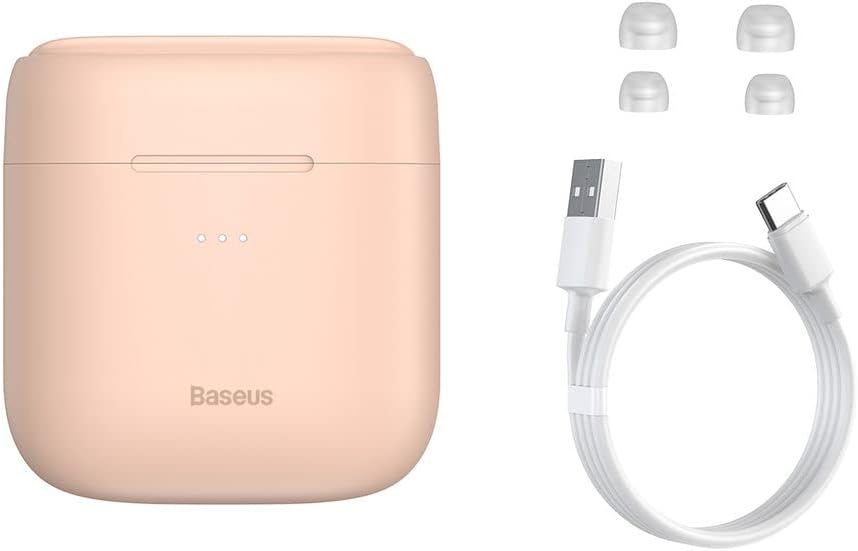
Image: The package contents, showing the charging case, two earbuds, a USB-C charging cable, and several pairs of silicone eartips.
Quraşdırma
1. Qulaqlıqların və qutunun doldurulması
Before first use, fully charge the earbuds and the charging case. Place the earbuds into the charging case. Connect the USB-C cable to the charging case and a power source, or place the charging case on a compatible wireless charging pad.
- Korpusdakı göstərici işıqları şarj vəziyyətini göstərəcək.
- Tam doldurulması adətən təxminən 1.5 saat çəkir.
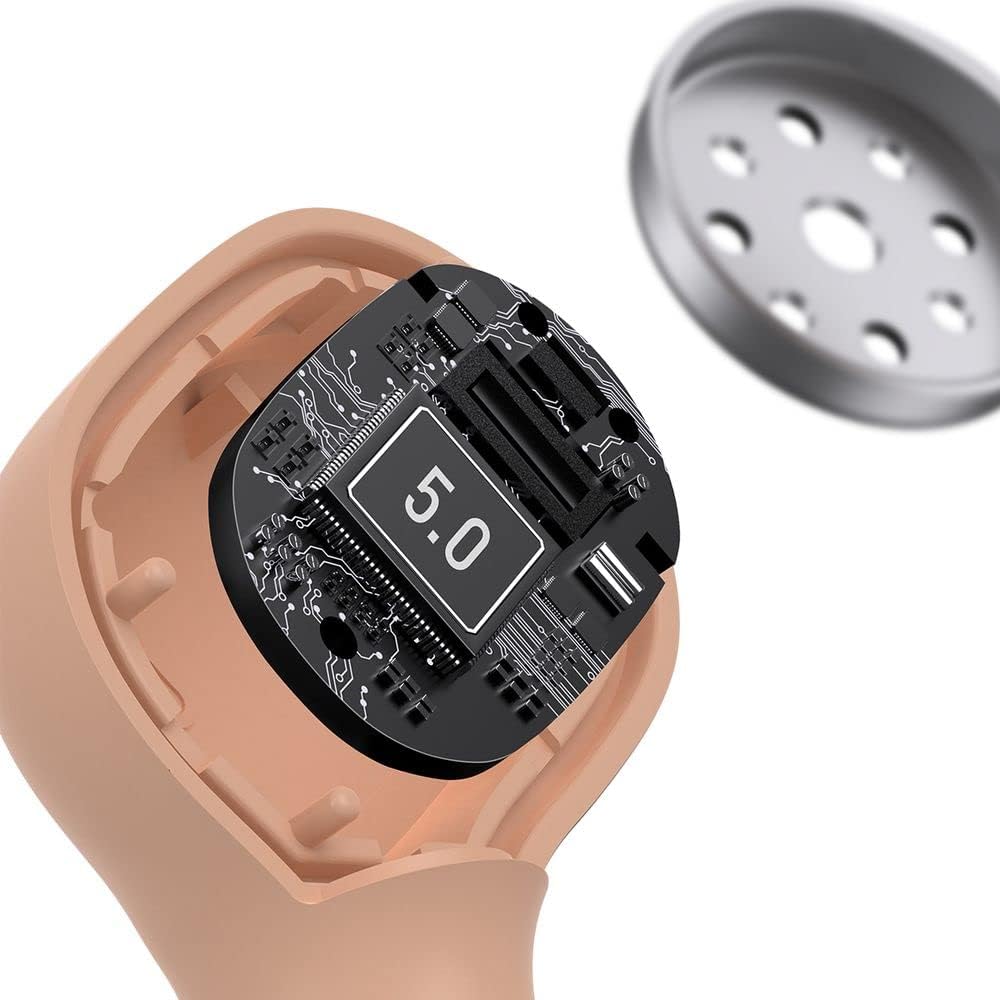
Image: The Baseus Encok W06 earbuds resting inside their open charging case, indicating they are ready for charging or use.

Image: Two Baseus Encok W06 charging cases, one connected via a USB-C cable and another placed on a wireless charging pad, demonstrating charging methods.
2. Bluetooth Cütləşdirmə
- Qulaqlıqların doldurulduğundan əmin olun.
- Şarj qutusunu açın. Qulaqlıqlar avtomatik olaraq qulaqcıqlarda yanıb-sönən işıqla göstərilən qoşalaşma rejiminə keçəcək.
- Cihazınızda (smartfon, planşet və s.) Bluetooth-u aktiv edin.
- axtarın "Baseus Encok W06" in the list of available Bluetooth devices.
- Select it to connect. Once connected, the indicator light on the earbuds will stop flashing.
Cihazda Bluetooth aktivləşdirilərsə, qulaqlıqlar qutudan çıxarıldıqda avtomatik olaraq sonuncu qoşalaşmış cihaza yenidən qoşulacaq.
3. Qulaqcıqların taxılması
Choose the silicone eartips that provide the best fit and seal for your ears. Insert the earbuds gently into your ear canal and rotate them slightly until they feel secure and comfortable.

Image: A person wearing a Baseus Encok W06 earbud, illustrating how the earbud sits comfortably and securely in the ear.
Əməliyyat Təlimatları
The Baseus Encok W06 earbuds feature touch controls for various functions.
- Güc Aktivdir: Open the charging case, or press and hold the touch panel for 3 seconds if earbuds are out of case.
- Söndürmək: Place earbuds back into the charging case and close the lid, or press and hold the touch panel for 5 seconds.
- Oynat/Pauza: Double-tap the touch panel on either earbud.
- Növbəti trek: Sağ qulaqcığa üç dəfə toxunun.
- Əvvəlki Track: Sol qulaqcığa üç dəfə toxunun.
- Zəngə Cavab Vermək/Bitirmək: Double-tap the touch panel on either earbud during an incoming call.
- Zəngi rədd edin: Press and hold the touch panel on either earbud for 2 seconds during an incoming call.
- Səs köməkçisini aktivləşdirin: Press and hold the touch panel on either earbud for 3 seconds.
Əsas Xüsusiyyətlər
- Double-sided Wireless Charging: The charging case supports wireless charging from both sides, allowing flexible placement on a wireless charging pad.
- APT-X Audio Decoding: Provides high-quality audio transmission for a superior listening experience.
- CVC Noise Canceling: Clear Voice Capture technology reduces background noise during calls for clearer communication.
- Uzadılmış Batareya Ömrü: Offers up to 300 hours of standby time.
- Bluetooth 5.0: Sabit və səmərəli simsiz bağlantı təmin edir.

Image: A visual representation of the Baseus Encok W06 earbuds and charging case, accompanied by text detailing key features such as two-sided wireless charging, APT-X audio decoding, CVC noise canceling, and 300 hours of battery life.

Şəkil: ətraflı view of the internal circuitry of a Baseus Encok W06 earbud, prominently displaying '5.0', signifying its Bluetooth 5.0 connectivity.
Baxım
Təmizləmə
- Qulaqlıqları və şarj qutusunu mütəmadi olaraq yumşaq, quru, tüysüz parça ilə təmizləyin.
- Qulaq uclarını çıxarın və yumşaq sabun və su ilə təmizləyin, sonra yenidən taxmazdan əvvəl yaxşıca qurudun.
- Aşındırıcı təmizləyicilər, spirt və ya kimyəvi həlledicilərdən istifadə etməyin.
- Həm qulaqlıqda, həm də qutuda şarj kontaktlarının təmiz və zibil olmadığından əmin olun.
Saxlama
- Qulaqlıqları qorumaq və doldurulmuş vəziyyətdə saxlamaq üçün istifadə edilmədikdə onları doldurma qutusunda saxlayın.
- Həddindən artıq temperaturda (isti və ya soyuq) və ya yüksək rütubətdə saxlamaqdan çəkinin.
Batareyaya qulluq
- Batareyanın ömrünü qorumaq üçün, tez-tez istifadə edilməsə belə, qulaqcıqları və korpusu müntəzəm olaraq doldurun.
- Batareyanın uzun müddət tamamilə boşaldılmasından çəkinin.
Problemlərin aradan qaldırılması
| Problem | Həll |
|---|---|
| Qulaqlıqlar cihazla birləşdirilmir. |
|
| Bir və ya hər iki qulaqcıqdan səs çıxmır. |
|
| Doldurma qutusu doldurulmur. |
|
Spesifikasiyalar
| Xüsusiyyət | Detal |
|---|---|
| Brend | Baseus |
| Model Adı | NGJW06-04 (W06) |
| Element Model nömrəsi | B00F2ZIDTS |
| Bağlantı texnologiyası | Simsiz (Bluetooth 5.0) |
| Qulaqlıq Forma Faktoru | Qulaqdaxili |
| Kabel Xüsusiyyəti | Simsiz |
| Maddə Çəkisi | 50 qram |
| Məhsul Ölçüləri | 10 x 3 x 2 sm |
| İstehsalçı | Baseus |
| Simsiz Doldurma | Supported (Double-sided) |
| Audio deşifrə | APT-X |
| Səs-küyün ləğvi | CVC (for calls) |
| Batareya Ömrü (Gözləmə rejimi) | 300 saata qədər |
Təhlükəsizlik Məlumatı
- Məhsulu sökməyin, təmir etməyin və ya dəyişdirməyin.
- Məhsulu sudan, nəmdən və həddindən artıq temperaturdan uzaq saxlayın.
- Eşitmə qabiliyyətinə zərər verməmək üçün yüksək səs səviyyələrinə uzun müddət məruz qalmaqdan çəkinin.
- Məhsulu və onun batareyasını yerli qaydalara uyğun olaraq tullayın.
- Uşaqların və ev heyvanlarının əli çatmayan yerdə saxlayın.
Zəmanət və Dəstək
Baseus products typically come with a limited warranty. For specific warranty terms and conditions, please refer to the warranty card included in your package or visit the official Baseus website. For technical support, product inquiries, or warranty claims, please contact Baseus customer service or your local retailer.
You can visit the official Baseus store for more information: Baseus Store


