1. Giriş
This manual provides detailed instructions for the proper installation, operation, and maintenance of your Sony MEX-N4200BT Single-Din Car Stereo Receiver. Please read this manual thoroughly before using the unit to ensure correct usage and to prevent damage. Keep this manual for future reference.
2. Təhlükəsizlik Məlumatı
- Sürücülük Təhlükəsizliyi: Always operate the unit safely. Distracted driving can lead to accidents.
- Səs səviyyəsi: Səs səviyyəsini hələ də təcili yardım avtomobilləri kimi kənar səsləri eşidə biləcəyiniz səviyyədə saxlayın.
- Güc mənbəyi: Cihazı yalnız mənfi torpaqla 12V DC avtomobil akkumulyatoruna qoşun.
- Naqillər: Ensure all wiring is correctly connected to prevent short circuits or damage. Refer to the wiring diagram carefully.
- Professional quraşdırma: If you are unsure about installation, consult a qualified professional.
- Nəmdən qaçın: Yanğın və ya elektrik şokunun qarşısını almaq üçün cihazı yağışa və ya nəmə məruz qoymayın.
3. Paketin məzmunu
Bütün əşyaların paketdə olduğunu yoxlayın:
- Sony MEX-N4200BT Car Stereo Receiver
- Məftil qoşqu
- Xarici Mikrofon
- Uzaqdan İdarəetmə
- Installation Hardware (Screws, Mounting Sleeve)
- İstifadəçi Təlimatı (bu sənəd)
4. Quraşdırma və Quraşdırma
Proper installation is crucial for optimal performance. Disconnect the vehicle's negative battery terminal before starting installation.
4.1 Naqil sxemi
Refer to the diagram below for correct wiring connections. Ensure all connections are secure and insulated.

Şəkil 4.1: Arxa view of the Sony MEX-N4200BT receiver, illustrating the wiring harness connection points, RCA pre-outputs for front, rear, and subwoofer, the external microphone input, and the 10A fuse. The multi-colored wires of the harness are visible, indicating connections for power, ground, speakers, and accessories.
- Güc (Sarı): Sabit 12V gücə qoşun.
- Aksessuar (Qırmızı): 12V güc açarına (alovlanma) qoşun.
- Yer (Qara): Təmiz şassinin torpaq nöqtəsinə qoşun.
- Dinamik telləri: Connect to vehicle's speaker wires, observing polarity.
- Pultla Yandırma (Mavi/Ağ): -a qoşulun amplifier remote input (if applicable).
- Mikrofon: Plug the external microphone into the designated input on the rear panel. Position the microphone in a clear area for optimal voice pickup.
- Əvvəlcədən Çıxışlar: Use RCA cables to connect to external amplifiers for front, rear, and subwoofer channels.
4.2 Quraşdırma
Insert the mounting sleeve into the dashboard opening. Bend the tabs to secure it. Slide the receiver into the mounting sleeve until it locks into place.
4.3 İlkin işə salınma
After all connections are made and the unit is mounted, reconnect the vehicle's negative battery terminal. Turn on the vehicle's ignition. The unit should power on. Follow any on-screen prompts for initial setup, such as language selection or clock setting.
5. Əməliyyat
5.1 Əsas idarəetmə vasitələri
Familiarize yourself with the front panel controls for easy operation.

Şəkil 5.1: Front panel of the Sony MEX-N4200BT receiver, displaying the main rotary knob (volume/enter), source button, call buttons, seek buttons, display button, and numbered preset buttons. The unit features blue illumination around the main controls.
- Rotary Knob (Volume/Enter): Turn to adjust volume. Press to select menu items or confirm actions.
- SRC (Mənbə) düyməsi: Press to cycle through available audio sources (Tuner, CD, USB, Bluetooth Audio, AUX).
- CALL Buttons: Use for hands-free calling (answer/end calls).
- SEEK +/- Buttons: Use to change radio stations, tracks, or navigate menus.
- MENU düyməsi: Access the main menu for settings and adjustments.
- Nömrələnmiş Düymələr (1-6): Used for radio station presets, direct track selection, or menu navigation.
- DSPL (Display) Button: Changes display information or illumination settings.
5.2 Bluetooth bağlantısı
The MEX-N4200BT features built-in Bluetooth for hands-free calling and audio streaming.
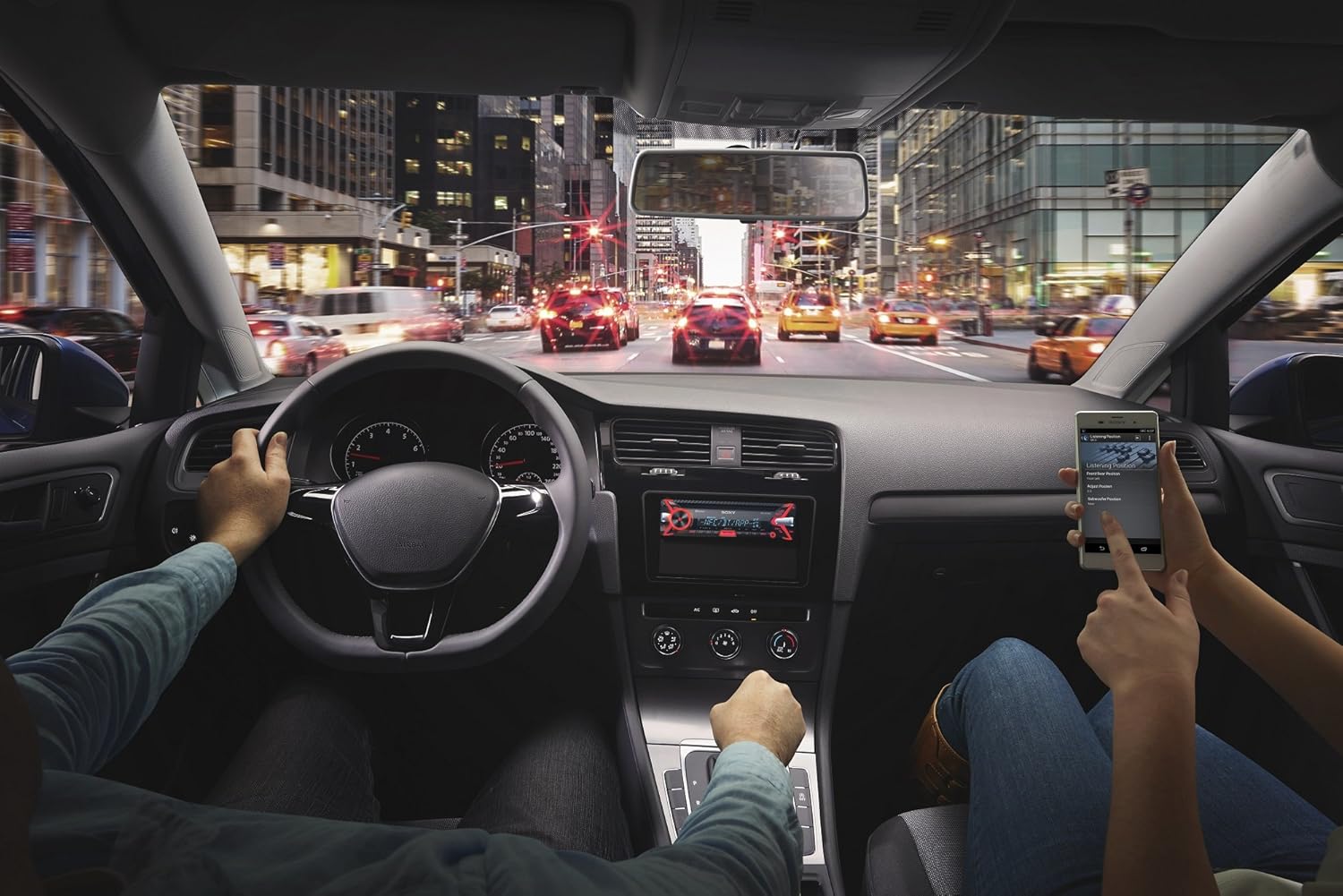
Şəkil 5.2: An in-car scene demonstrating smartphone integration with the car stereo. The driver is focused on the road, while a passenger interacts with a smartphone, likely controlling music or navigation through the Sony MEX-N4200BT receiver.
- Cütləşmə:
- Smartfonunuzda Bluetooth-u yandırın.
- Qəbuledicidə Bluetooth mənbəyini seçin.
- axtarın available devices on your smartphone and select "MEX-N4200BT".
- Tələb olunduqda cütləşdirmə kodunu təsdiqləyin.
- Hands-Free Calling (HFP, PBAP):
- Once paired, you can make and receive calls through the receiver.
- Use the CALL buttons on the front panel.
- The external microphone ensures clear voice transmission.
- The unit supports Phone Book Access Profile (PBAP) to display caller names.
- Audio Streaming (A2DP, AVRCP):
- Stream music wirelessly from your smartphone to the receiver.
- Use the receiver's controls (SEEK buttons) or your smartphone to play, pause, and skip tracks.
- Advanced Audio Distribution Pro-nu dəstəkləyirfile (A2DP) for high-quality audio and Audio/Video Remote Control Profile (AVRCP) for basic remote functions.
- İkiqat Bluetooth Bağlantısı: The unit allows connecting two Bluetooth devices simultaneously. One for full functionality (hands-free, audio streaming) and a second for hands-free calling only.
5.3 USB Oynatma
Connect a USB device (flash drive, smartphone) to the front USB port for audio playback.
- Supported audio formats include MP3, WMA, and FLAC.
- Use the SEEK buttons to navigate folders and tracks.
- The USB port also provides charging for connected devices.
5.4 CD/MP3 Oxutma
Insert a CD into the disc slot. The unit will automatically switch to the CD source and begin playback.
- Supports CD, CD-R, and CD-RW discs.
- Plays MP3/WMA files burned onto CDs.
- Press the EJECT button to remove a disc.
5.5 Radio (AM/FM)
Select the Tuner source to listen to AM/FM radio.
- Əl ilə tənzimləmə: Press and hold SEEK buttons to manually tune.
- Tüninq axtarın: Press SEEK buttons briefly to automatically search for the next strong station.
- Əvvəlcədən: Store your favorite stations using the numbered buttons (1-6). Press and hold a numbered button to save the current station.
5.6 Köməkçi Giriş
Connect external audio devices (e.g., portable music players) to the front 3.5mm auxiliary input jack using a stereo mini-plug cable.
5.7 Səs Parametrləri
Customize your audio experience using the built-in sound adjustment features.

Şəkil 5.3: A smartphone screen showing a graphic equalizer interface, allowing precise adjustment of audio frequencies across 10 bands, from 32 Hz to 16 kHz. This illustrates the detailed sound customization available through the unit or its companion app.
- 10-Band Qrafik Ekvalayzer: Access through the MENU button to fine-tune audio frequencies for optimal sound quality. Adjust bass, mid-range, and treble levels.
- Mega Bass: This feature enhances low-frequency sounds for a more powerful bass response.
- Preamp Çıxışlar: The unit provides 2 sets of preamp outputs (front, rear, and subwoofer) for connecting external amplifiers, allowing for a more powerful and customizable sound system.

Şəkil 5.4: A close-up of the Sony MEX-N4200BT front panel, with a finger pressing the prominent 'MEGA BASS' button, indicating activation of the bass enhancement feature.
5.8 Smartphone Integration
The receiver is compatible with Apple iPhone (iOS) and Android devices, offering control over various applications.
- Proqrama Nəzarət: Use compatible apps like Pandora, Spotify, and iHeartRadio directly through the receiver's controls or via the Sony SongPal app (if installed on your smartphone).
- Səslə Nəzarət: Utilize your smartphone's voice assistant (e.g., Siri, Google Assistant) through the receiver for hands-free commands, navigation, and communication.
6. Baxım
- Cihazın təmizlənməsi: Ön paneli silmək üçün yumşaq, quru parça istifadə edin. İnadkar kir üçün dampsu ilə parça. Aşındırıcı təmizləyicilərdən və ya həlledicilərdən çəkinin.
- Detaching the Faceplate: The faceplate is detachable for theft deterrence. Press the release button (usually near the top left of the faceplate) and gently pull the faceplate off. Store it in the provided case.
- CD Yuvası: Keep the CD slot free of dust and debris. Do not insert anything other than standard CDs.
7. Giderme
If you encounter issues, refer to the table below for common problems and solutions before contacting support.
| Problem | Mümkün Səbəb | Həll |
|---|---|---|
| Güc yoxdur | Yanmış qoruyucu; səhv naqillər; avtomobilin akkumulyatoru boşalıb. | Check and replace fuse (10A); verify wiring connections; charge vehicle battery. |
| Səs yoxdur | Volume too low; mute activated; speaker wires disconnected; incorrect source selected. | Səs səviyyəsini artırın; səssiz rejimi söndürün; dinamiklərin bağlantısını yoxlayın; düzgün səs mənbəyini seçin. |
| Bluetooth not connecting/pairing | Bluetooth off on phone/receiver; device out of range; pairing mode not active. | Ensure Bluetooth is on; bring devices closer; activate pairing mode on receiver. |
| CD error | Dirty or scratched disc; disc inserted incorrectly. | Clean disc; ensure disc is inserted correctly with label side up. |
| USB cihazı tanınmadı | Dəstəklənmir file format; damaged USB device; improper connection. | təmin etmək files are MP3/WMA/FLAC; try a different USB device; re-insert USB device. |
8. Spesifikasiyalar
| Xüsusiyyət | Detal |
|---|---|
| Model nömrəsi | MEX-N4200BT |
| Şassi Ölçüsü | Tək DIN |
| Power Output (Peak) | 55 vatt x 4 kanal |
| Enerji Çıxışı (RMS) | 20 vatt x 4 kanal |
| Preamp Cildtage | 2 volt |
| Preamp Çıxışlar | 2 Sets (Front, Rear, Subwoofer) |
| Ekran növü | LCD |
| Bağlantı texnologiyası | Köməkçi, Bluetooth, USB |
| Bluetooth versiyası | 3.0 + EDR certified |
| Bluetooth Profiles dəstəklənir | HFP, PBAP, A2DP, AVRCP, SPP |
| Media Oynatma Dəstəklənir | CD, CD-R/RW, MP3, WMA, WAV, AAC, FLAC (via USB) |
| Ekvalayzer | 10 diapazonlu qrafik ekvalayzer |
| USB giriş | Ön USB |
| Köməkçi Giriş | Qabaq 3.5 mm |
| Uyğun Cihazlar | Smartfon (Android, iOS) |
| Maddə Çəkisi | 2.64 funt (təqribən 1.2 kq) |
| Məhsul Ölçüləri | 9.82 x 9.5 x 9.07 düym (təxminən 24.9 x 24.1 x 23.0 sm) |
9. Zəmanət və Dəstək
9.1 İstehsalçı zəmanəti
This Sony MEX-N4200BT receiver comes with a 1 illik istehsalçı zəmanətiZəmanət tələbləri üçün satın alma sənədinizi saxlayın. Zəmanət normal istifadə zamanı materiallarda və işçilikdə yaranan qüsurları əhatə edir. Zəmanət sui-istifadə, qəza, icazəsiz modifikasiya və ya düzgün olmayan quraşdırma nəticəsində yaranan zərəri əhatə etmir.
9.2 Müştəri dəstəyi
For technical assistance, troubleshooting beyond this manual, or warranty service, please contact Sony customer support. Refer to the official Sony webtelefon nömrələri və onlayn dəstək resursları daxil olmaqla ən aktual əlaqə məlumatı üçün sayt.