Giriş
Thank you for choosing the Altec Lansing iMW475 Mini Life Jacket Bluetooth Speaker. This speaker is designed for portability and durability, featuring a rugged, compact, waterproof, dustproof, and shockproof design. It also floats, making it ideal for outdoor and water-related activities. This manual provides essential information for setting up, operating, and maintaining your speaker.
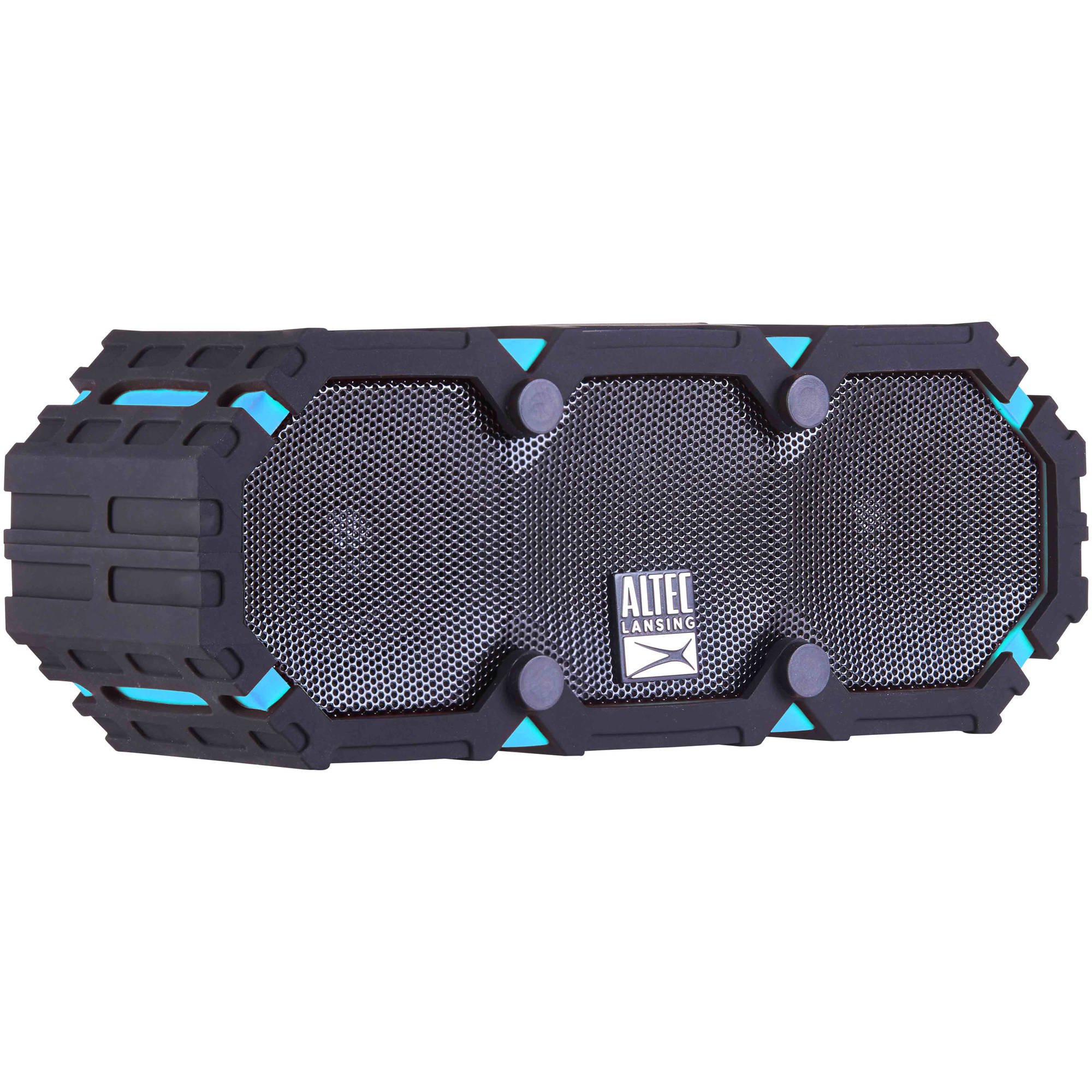
Image: The Altec Lansing iMW475 Mini Life Jacket Bluetooth Speaker, showcasing its compact, rugged design in black and blue.
Paketin məzmunu
- Altec Lansing iMW475 Mini Life Jacket Bluetooth Speaker
- Quraşdırma mötərizəsi
- USB Şarj Kabeli (Note: Specific cable type not detailed in product data, typically Micro-USB or USB-C)
- Auxiliary Cable (Note: Not explicitly listed but common for such speakers)
- Tez Başlanğıc Bələdçisi (Not explicitly listed but common)
Please ensure all items are present before proceeding with setup.
Nəzarət və Göstəricilər
The speaker features intuitive controls for power, volume, and Bluetooth pairing. Specific button layouts may vary slightly, but common functions include:
- Güc düyməsi: Dinamiki yandırmaq və ya söndürmək üçün basıb saxlayın.
- Səs artırma/Növbəti trek düyməsi: Press to increase volume. Hold to skip to the next track.
- Səs azaltma/Əvvəlki trek düyməsi: Press to decrease volume. Hold to go to the previous track.
- Oxutma/Dayandırma/Zəng Düyməsi: Press to play or pause audio. Press to answer or end a phone call. Hold to activate voice assistant (if supported by your device).
- Bluetooth cütləşdirmə düyməsi: Bluetooth cütləşdirmə rejiminə daxil olmaq üçün basıb saxlayın.
- LED Göstərici: Displays power status, charging status, and Bluetooth connection status.
Refer to the quick start guide included with your product for a detailed diagram of button placement.
Quraşdırma
1. Dinamikin doldurulması
Before first use, fully charge your Altec Lansing iMW475 speaker. A full charge provides approximately 10 hours of battery life.
- Locate the charging port, usually protected by a waterproof flap.
- Verilən USB şarj kabelini dinamikin şarj portuna qoşun.
- USB kabelinin digər ucunu USB enerji adapterinə (daxil deyil) və ya kompüterin USB portuna qoşun.
- The LED indicator will show the charging status (e.g., solid red while charging, off or green when fully charged).
- Once fully charged, disconnect the cable and ensure the waterproof flap is securely closed.
2. Bluetooth Cütləşdirmə
Dinamikinizi Bluetooth aktiv cihaza qoşmaq üçün:
- Dinamikin doldurulduğundan və söndürüldüyündən əmin olun.
- Press and hold the Power button to turn on the speaker. The LED indicator will flash, indicating it's in pairing mode.
- Mobil cihazınızda (smartfon, planşet, noutbuk) Bluetooth parametrlərinə keçin.
- axtarın available devices. You should see "iMW475" or a similar name in the list.
- Select "iMW475" to connect. The LED indicator will turn solid when successfully paired.
- A voice prompt may confirm "You are now connected."
- Once paired, the speaker will automatically connect to the last paired device when turned on, if the device is within range (up to 30 feet or 9.14 meters).
Əməliyyat Təlimatları
Audio çalınır
- After successful Bluetooth pairing, open your preferred music application on your connected device.
- Start playing audio. The sound will be routed through your Altec Lansing iMW475 speaker.
- Use the Volume Up/Down buttons on the speaker or your connected device to adjust the audio level.
- Press the Play/Pause button to pause or resume playback.
- Hold the Volume Up/Down buttons to skip tracks forward or backward.
Əllər Sərbəst Zəng
The speaker features an onboard microphone for hands-free communication.
- When a call comes in, the music will pause, and you will hear a ringtone through the speaker.
- Press the Play/Pause/Call button once to answer the incoming call.
- Speak clearly into the speaker's microphone.
- To end the call, press the Play/Pause/Call button once again.
- To reject an incoming call, press and hold the Play/Pause/Call button.
Köməkçi Girişdən istifadə
For devices without Bluetooth, you can connect via the auxiliary input.
- Locate the auxiliary input port, usually protected by a waterproof flap.
- Connect one end of a 3.5mm auxiliary cable (not included) to the speaker's AUX port.
- Digər ucunu səs cihazınızın qulaqlıq yuvasına qoşun.
- The speaker will automatically switch to AUX mode, or you may need to press the Mode button (if available).
- Qoşulmuş audio cihazınızdan oxutma və səs səviyyəsinə nəzarət edin.
Baxım
- Təmizləmə: Dinamiki yumşaq bir şəkildə silin, damp parça. Aşındırıcı təmizləyicilərdən və ya həlledicilərdən istifadə etməyin.
- Suya davamlı Qulluq: Ensure all port covers are securely closed before exposing the speaker to water to maintain its waterproof integrity. After exposure to saltwater or chlorinated water, rinse the speaker with fresh water and allow it to air dry completely.
- Yaddaş: Dinamiki birbaşa günəş işığından və həddindən artıq temperaturdan uzaq sərin, quru yerdə saxlayın.
- Batareyaya qulluq: Batareyanın ömrünü uzatmaq üçün tez-tez batareyanı tam boşaltmaqdan çəkinin. Uzun müddət istifadə edilməsə belə, dinamiki müntəzəm olaraq doldurun.
Problemlərin aradan qaldırılması
| Problem | Həll |
|---|---|
| Dinamik açılmır. | Ensure the battery is charged. Connect the speaker to a power source using the USB charging cable. |
| Dinamikdən səs yoxdur. |
|
| Bluetooth qoşması alınmadı. |
|
| Poor audio quality or distortion. |
|
Spesifikasiyalar
- Model Adı: iMW475 Mini Life Jacket
- Dinamik növü: Çöldə
- Xüsusi Xüsusiyyətlər: Waterproof, Dustproof, Shockproof, Floats
- Bağlantı: Bluetooth
- Bluetooth Aralığı: 30 fut (9.14 metr) qədər
- Batareyanın ömrü: 10 saata qədər
- Güc mənbəyi: Battery and AC (via USB charging)
- Səs Çıxış Rejimi: Stereo
- Dinamikin Maksimum Çıxış Gücü: 10 Vt
- Nəzarət metodu: Səs, Düymələr
- Daxil olan komponentlər: Quraşdırma mötərizəsi
- Məhsul Ölçüləri: 7 x 3 x 4.5 düym
- Maddə çəkisi: 1 funt (16 unsiya)
- Suya davamlılıq səviyyəsi: Suya davamlı
- UPC: 021331205841
Zəmanət və Dəstək
Altec Lansing products are designed for reliability and performance. For specific warranty information regarding your iMW475 Mini Life Jacket Bluetooth Speaker, please refer to the warranty card included with your purchase or visit the official Altec Lansing websayt.
For technical support, frequently asked questions, or to register your product, please visit the Altec Lansing support page or contact their customer service directly. Contact details are typically available on the manufacturer's websayt.
Note: Warranty terms and conditions may vary by region and retailer. Keep your proof of purchase for warranty claims.