Giriş
Thank you for choosing the JBL Flip 3 Splashproof Portable Bluetooth Speaker. This manual provides essential information for setting up, operating, and maintaining your speaker to ensure optimal performance and longevity. Please read this manual thoroughly before using your device.
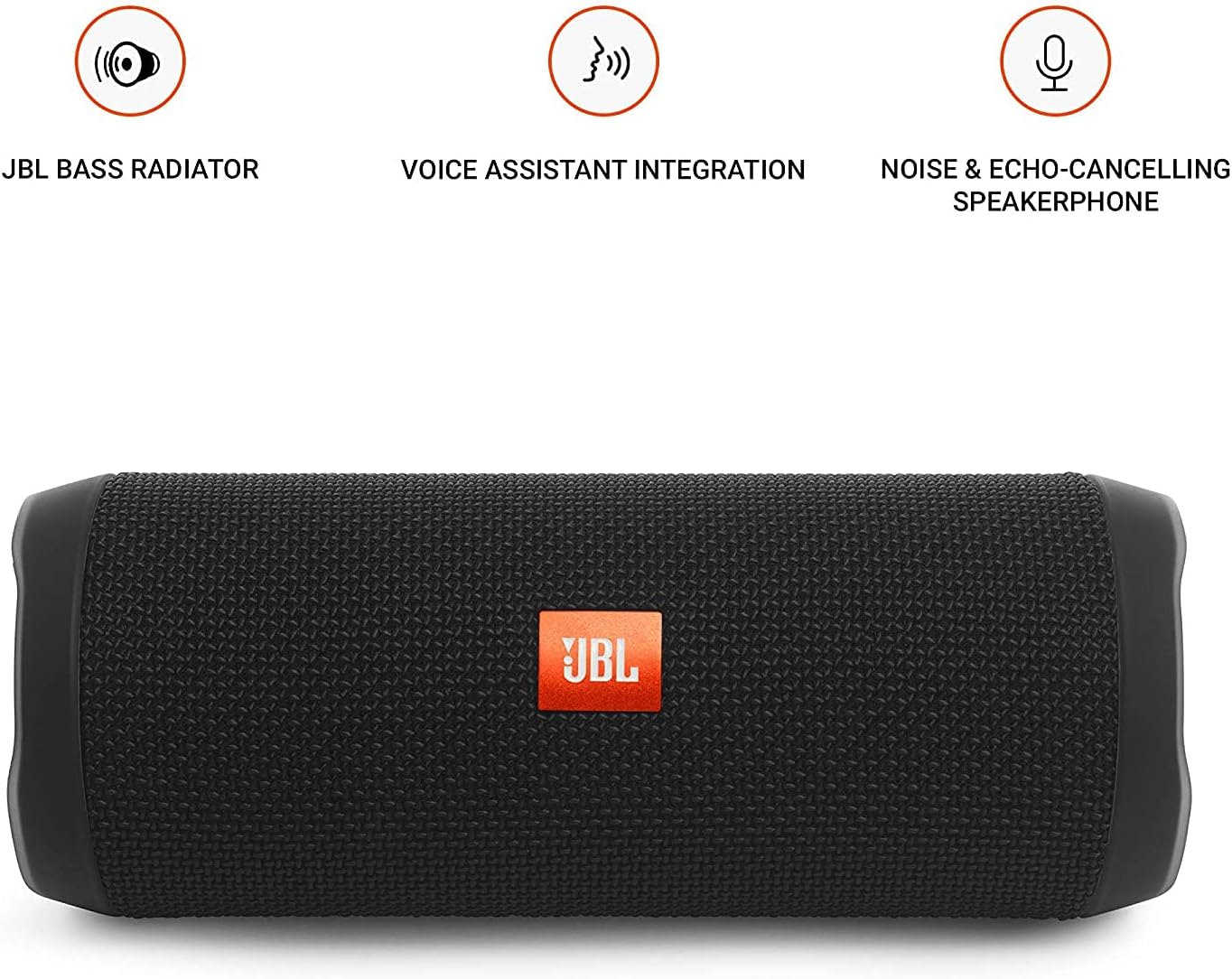
Image: JBL Flip 3 highlighting key features like the bass radiator, voice assistant integration, and noise & echo-cancelling speakerphone.
Qutuda nə var
- JBL Flip 3 Splashproof Portable Speaker
- USB Charging Cable (orange)
- Tez Başlanğıc Bələdçisi (bu təlimata daxil deyil)
- Təhlükəsizlik vərəqi (bu təlimata daxil deyil)
- Zəmanət kartı (bu təlimata daxil deyil)
Quraşdırma
1. Batareyanın doldurulması
Before first use, fully charge your JBL Flip 3 speaker. The built-in 3000mAh Li-ion battery supports up to 10 hours of playtime and takes approximately 3.5 hours to fully charge.
- Locate the charging port on the side of the speaker, usually protected by a rubber flap.
- Connect the orange USB charging cable to the speaker's charging port.
- USB kabelin digər ucunu uyğun USB güc adapterinə (daxil deyil) və ya kompüterin USB portuna qoşun.
- The LED indicators on the speaker will illuminate to show the charging status. All five LEDs will be solid white when fully charged.

Image: The JBL Flip 3 speaker connected to a charging cable, with its battery indicator LEDs lit.
2. Açma / Söndürmə
- Yandırmaq üçün düyməsini basın Güc düyməsi (usually indicated by a circle with a vertical line). The power indicator light will illuminate.
- Söndürmək üçün düyməsini basıb saxlayın Güc düyməsi again until the indicator light turns off.
Əməliyyat Təlimatları
1. Bluetooth Cütləşdirmə
The JBL Flip 3 can wirelessly connect up to 3 smartphones or tablets simultaneously.
- JBL Flip 3 dinamikini yandırın.
- düyməsini basın Bluetooth düyməsi (usually indicated by the Bluetooth logo) on the speaker. The Bluetooth indicator light will flash, indicating it's in pairing mode.
- On your smartphone or tablet, go to the Bluetooth settings and select "JBL Flip 3" from the list of available devices.
- Qoşulduqdan sonra Bluetooth göstərici işığı sabit şəkildə yanacaq.
- To connect additional devices, repeat steps 2-3. The speaker will automatically switch between connected devices when music is played.
2. Musiqinin Çalınması
- Oynat/Pauza: düyməsini basın Oynat/Pause düyməsi (usually indicated by a triangle or two vertical bars).
- Səs səviyyəsinə nəzarət: istifadə edin Səs artırma (+) və Səsin azaldılması (-) buttons on the speaker or your connected device.
- İzləməyi keç: düyməsini iki dəfə basın Oynat/Pause düyməsi növbəti treki keçmək üçün.
3. Dinamik funksiyası
The JBL Flip 3 features a noise and echo-cancelling speakerphone for clear calls.
- Zəngə Cavab Vermək/Bitirmək: düyməsini basın Telefon düyməsi (usually indicated by a phone icon) to answer an incoming call or end an ongoing call.
- Zəngi rədd edin: basın və saxlayın Telefon düyməsi gələn zəngi rədd etmək.
4. JBL Connect
Amplify your listening experience by wirelessly connecting multiple JBL Connect enabled speakers together.
- Ensure both JBL Connect enabled speakers are powered on.
- düyməsini basın JBL Connect button (usually indicated by an hourglass or infinity symbol) on both speakers.
- The speakers will automatically connect to each other. Once connected, they will play audio in sync.

Image: The JBL Flip 3 speaker shown vertically, highlighting its compact and portable design.
Baxım
Təmizləmə
The JBL Flip 3 is splashproof, meaning it can withstand splashes and light rain. You can clean it with running tap water. Important: Do not submerge the speaker in water. Ensure the rubber flap covering the ports is securely closed before cleaning or exposing to water.
Batareyaya qulluq
- To prolong battery life, fully charge the speaker at least once every 3 months.
- Batareyanın işinə təsir göstərə biləcəyi üçün dinamiki həddindən artıq temperaturlara (isti və ya soyuq) məruz qoymaqdan çəkinin.
Problemlərin aradan qaldırılması
| Problem | Mümkün Həll |
|---|---|
| Dinamik işə düşmür. | Batareyanın doldurulduğundan əmin olun. USB kabelindən istifadə edərək dinamiki enerji mənbəyinə qoşun. |
| Dinamikdən səs yoxdur. | Həm dinamikdə, həm də qoşulmuş cihazınızda səs səviyyəsini yoxlayın. Dinamikin Bluetooth vasitəsilə düzgün şəkildə qoşulduğundan əmin olun. |
| Bluetooth bağlantısı uğursuz olur və ya qeyri-sabitdir. | Move the speaker closer to your device. Ensure no other devices are interfering with the Bluetooth signal. Try unpairing and re-pairing the speaker. |
| JBL Connect not working. | Ensure both speakers are JBL Connect enabled and are within range. Press the JBL Connect button on both speakers simultaneously. |
If you encounter issues not listed here, please refer to the official JBL support websayt və ya əlavə yardım üçün müştəri xidməti ilə əlaqə saxlayın.
Spesifikasiyalar
- Model Adı: JBLFLIP3BLK
- Brend: JBL
- Ölçülər (Y x G x D): 7.5 x 4.5 x 3.9 düym
- Maddə çəkisi: 16 unsiya (1 funt)
- Material: Parça
- Dinamik növü: Çöldə
- Bağlantı texnologiyası: Bluetooth, Simsiz
- Simsiz Rabitə Texnologiyası: Bluetooth
- Bluetooth Aralığı: 10 Metr
- Güc mənbəyi: Batareya ilə işləyir
- Batareya növü: 1 Litium Polimer batareya tələb olunur
- Batareya tutumu: 3000 mAh
- Oyun vaxtı: 10 saata qədər
- Doldurma vaxtı: 3.5 saat
- Dinamikin Maksimum Çıxış Gücü: 16 Vt
- Tezliyə cavab: 20 KHz (Note: This is likely the upper limit, typical range is broader)
- Siqnal-səs-küy nisbəti: 80 dB
- Empedans: 4 Ohm
- Səs Çıxış Rejimi: Stereo
- Xüsusi Xüsusiyyət: Built-in Microphone, Echo-certified
- Suya davamlılıq səviyyəsi: Water Resistant (Splashproof, do not submerge)
- Uyğun Cihazlar: Smartfon, Planşet
- Tövsiyə olunan istifadələr: For Smartphones or Tablets, outdoor activities, parties, travel, portable usage
Zəmanət və Dəstək
JBL Flip 3 ilə birlikdə gəlir Məhdud Zəmanət. For detailed warranty information, please refer to the warranty card included with your product or visit the official JBL websayt.
For technical support, troubleshooting, or service inquiries, please visit the JBL Dəstəyi Websayt və ya birbaşa müştəri xidmətləri ilə əlaqə saxlayın.