Giriş
The LAUNCH CRP123 V2.0 Elite OBD2 Scanner is a powerful and user-friendly diagnostic tool designed for automotive professionals and enthusiasts. It provides comprehensive diagnostics for four main vehicle systems: Engine, Anti-lock Braking System (ABS), Supplemental Restraint System (SRS), and Transmission. This manual provides detailed instructions on how to set up, operate, maintain, and troubleshoot your device to ensure optimal performance and accurate vehicle diagnostics.
Quraşdırma
Qutuda nə var:
- 1pc x Launch CRP123 Main unit
- 1pc x OBDII cable
- 1 ədəd x USB Kabel
- 1pc x USB Sticker
- 1 ədəd x İstifadəçi Təlimatı
İlkin Quraşdırma və Bağlantı:
1. Locate your vehicle's OBDII port, typically found under the dashboard on the driver's side.
2. Connect the provided OBDII cable to the CRP123 V2.0 main unit and then to the vehicle's OBDII port. The device will power on automatically.
3. Turn the vehicle's ignition to the 'ON' position (engine off) or start the engine as required by the diagnostic function.
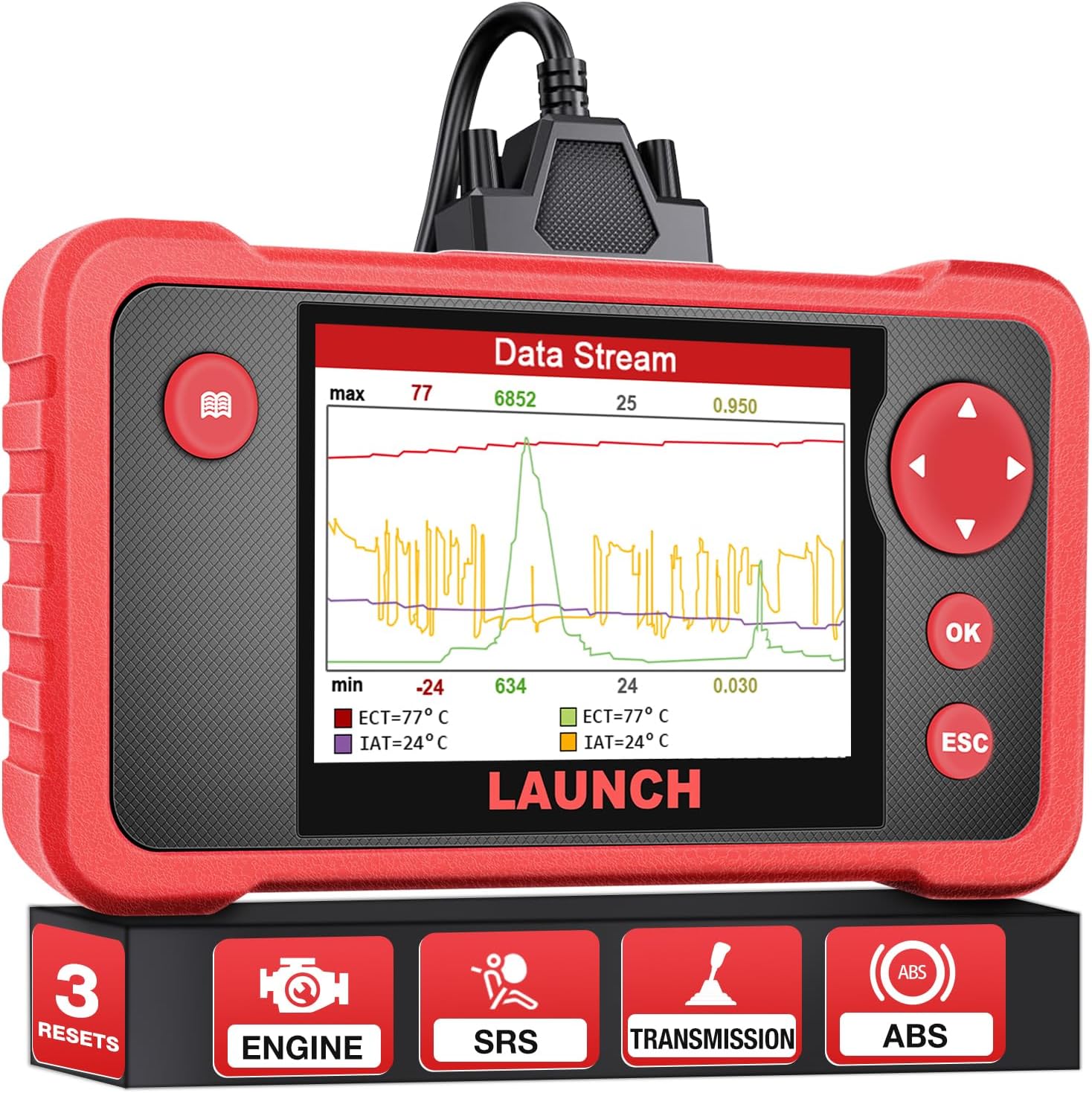
Figure 1: LAUNCH CRP123 V2.0 Elite OBD2 Scanner Main Unit.

Şəkil 2: Arxa view of the CRP123 V2.0 showing the OBDII cable connection port.
Initial Device Boot-up:
Upon successful connection, the device will boot up and display the main menu. Ensure the TF card is properly initialized for full functionality.
Video: LAUNCH CRP123 Open box and How to Use it? (Source: Kingbolen)
Video: Launch crp123 scan tool demonstration. (Source: Kingbolen)
Əməliyyat Təlimatları
4-Sistem Diaqnozu:
The CRP123 V2.0 provides diagnostic capabilities for four core vehicle systems: Engine, Transmission, ABS, and SRS. This allows for comprehensive fault code reading and clearing across these critical areas.

Şəkil 3: bitdiview of the 4-System Diagnosis capabilities.
3 Hot Reset Services:
The device includes three commonly used reset functions for efficient maintenance:
- Yağ sıfırlaması: Yağ dəyişikliyindən sonra yağ ömrü sistemini sıfırlayır.
- Qaz Uyğunlaşması: Optimizes engine performance by adapting the throttle position.
- SAS (Steering Angle Sensor) Relearn: Enhances vehicle handling and safety by recalibrating the steering angle sensor.

Figure 4: Illustration of the three hot reset services.
Video: How to Reset Airbag Dash Light for VW golf? (Source: Kingbolen)
Comprehensive OBDII Functions:
The CRP123 V2.0 supports all 10 modes of OBDII, providing detailed diagnostic capabilities:
- DTC-ləri oxuyun və silin: Reads and erases diagnostic trouble codes.
- I/M Hazırlığı: Checks emission system readiness for inspection.
- Məlumat axını: Displays live PCM data in text or graph format.
- Çərçivəni dondurun: Xəta kodu təyin edildikdə, nəqliyyat vasitəsinin vəziyyətinin anlıq görüntüsünü çəkir.
- O2 Sensor Testi: Monitors oxygen sensor performance.
- Gəmidə Monitorinq: Tests components and systems.
- EVAP Sistem Testi: Checks the evaporative emission control system.
- Nəqliyyat vasitəsi haqqında məlumat: Retrieves VIN, CIN, and CVN.

Figure 5: Display of full OBDII diagnostic functions.
Intuitive Live Data Stream:
The device allows for real-time viewing of live data streams from the Engine, AT, ABS, and SRS systems. Data can be displayed graphically, recorded, played back, and printed for detailed analysis.

Şəkil 6: Məsələnample of live data stream display.

Figure 7: Smart Diagnostics interface for monitoring system status.
Baxım
Ömürlük Pulsuz Proqram Təminatı Yeniləmələri:
The LAUNCH CRP123 V2.0 OBD2 scanner supports lifetime software updates, ensuring continuous improvement with the latest vehicle data and functions. Updates are performed via connection to a Windows PC.
Figure 8: Illustration of the software update process using a PC.
Problemlərin aradan qaldırılması
Ümumi Problemlər və Həll Yolları:
- Cihaz doldurulmur: Check the charging cable. If the issue persists, it may indicate a product problem.
- Slow loading: This may be due to a network problem. Try switching to a more stable network connection.
- Proqram təminatı yeniləmələri: The CRP123 V2.0 can only be connected with Windows systems for downloading software or updates, not iOS systems.
- Sistem məhdudiyyətləri: This is a four-system tool and cannot scan other systems beyond Engine, ABS, SRS, and Transmission.
- Avtomatik tarama funksiyası: The auto scan function is only for OBD2 vehicles after 2006, not all vehicles or all years.
- Avtomobil uyğunluğu: Does not work with trucks.
Spesifikasiyalar
| Brend | BAŞLAYIN |
| Məhsul Ölçüləri | 9"U x 8"W x 2"H |
| Əməliyyat sistemi | Windows |
| Ekran Çözünürlüğü | 320 x 480 |
| Avtomobil uyğun növü | Universal Fit |
| Maddə Çəkisi | 1.47 funt sterlinq |
| Mənşə ölkəsi | Çin |
| Model nömrəsi | CRP123 |
| Batareyalar | 1 litium-ion batareya tələb olunur. |
Zəmanət və Dəstək
The LAUNCH CRP123 V2.0 OBD2 scanner comes with 5 years of backup support. For any technical assistance, 24/7/365 technical support is available. Additionally, a 90-day no-questions-asked return/refund policy is offered.


