KEYSIGHT U1242C Handheld Digital Multimeter User Manual
Model: U1242C
1. Giriş
The KEYSIGHT U1242C is a robust and reliable handheld digital multimeter (DMM) designed for professional and industrial use. It offers high accuracy, durability, and advanced features for various electrical measurements. This manual provides essential information for the safe and efficient operation, maintenance, and troubleshooting of your U1242C DMM.
Əsas xüsusiyyətlərə aşağıdakılar daxildir:
- 50,000 counts resolution on dual display
- 0.03% basic DC voltage dəqiqlik
- True RMS AC measurement
- Data logging to DMM (max. 200 points) & PC with software bundle
- IP 67 certified for dust and water resistance
- Withstands up to 3-meter (10 feet) drop
- Daxili LED fənər
2. Təhlükəsizlik Məlumatı
WARNING: Read and understand all safety instructions before operating this device. Failure to follow these instructions may result in injury or damage to the meter.
- Bu məhsul yalnız peşəkar istifadə üçün nəzərdə tutulub.
- Həmişə yerli və milli təhlükəsizlik qaydalarına əməl edin.
- Zədələnmiş görünürsə və ya izolyasiya pozulursa, sayğacdan istifadə etməyin.
- Ensure test leads are in good condition and properly connected before making measurements.
- Heç bir funksiya üçün maksimum giriş limitlərini aşmayın.
- Vol ilə işləyərkən ehtiyatlı oluntag30V AC RMS, 42V pik və ya 60V DC-dən yuxarı. Bu cildtagşok təhlükəsi yaradır.
- Həmişə dövrə gücünü söndürün və bütün yüksək gərginlikli cihazları boşaldıntagMüqavimət, davamlılıq və ya diod testlərini aparmazdan əvvəl e kondensatorlarını yoxlayın.
- Batareyanı və qoruyucuları yalnız göstərilən tip və reytinqlə dəyişdirin.
3. Məhsul bitdiview
3.1 Ön View

This image displays the front of the KEYSIGHT U1242C Digital Multimeter, showing its large orange casing, the dual display screen, the rotary dial for function selection, and the input jacks for test leads. Various buttons for functions like Max/Min, Hz, Log, Hold, and Range are visible around the display.
3.2 Yan View
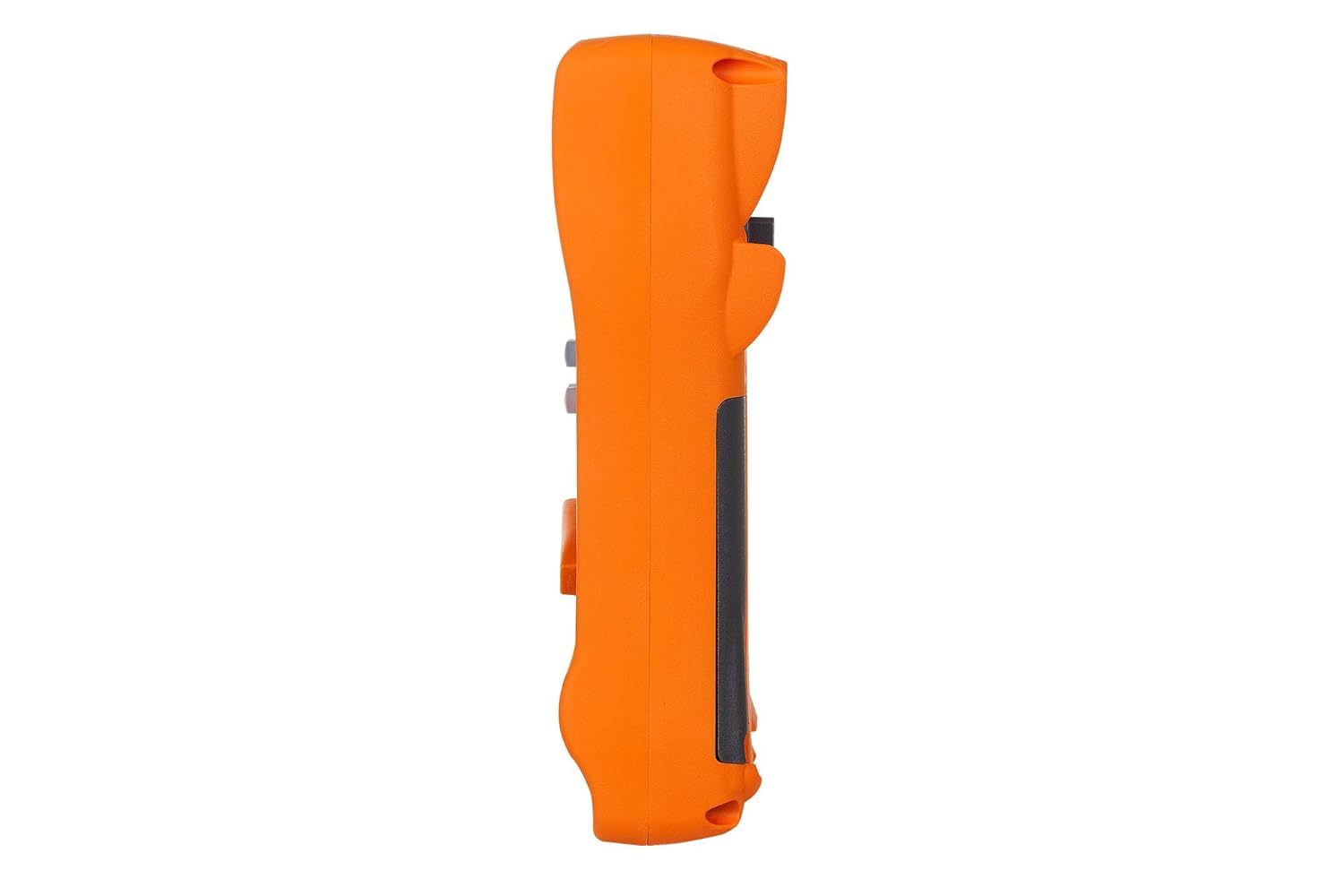
Bu şəkil yan tərəfi göstərirfile of the KEYSIGHT U1242C Digital Multimeter, highlighting its ergonomic design and the textured grip on the orange casing. The side view emphasizes the compact and robust build of the device.
3.3 Geri View

This image presents the back of the KEYSIGHT U1242C Digital Multimeter, revealing the battery compartment cover, the kickstand for hands-free operation, and the product label with model and serial number information. The robust construction of the casing is also evident.
3.4 İdarəetmə elementləri və birləşdiricilər
- Ekran: Large dual display for primary and secondary readings.
- Dönər açar: Ölçmə funksiyalarını seçir (Cildtage, Cərəyan, Müqavimət və s.).
- Funksiya Düymələri: Max/Min, Hz, Log, Hold, Range, View, Shift.
- Giriş yuvaları:
- VΩHz: Cild üçün giriştage, resistance, frequency, capacitance, and diode tests.
- COM: Bütün ölçmələr üçün ümumi giriş.
- mAµA: Milli üçün girişampere və mikroampcari ölçmələrdən əvvəl.
- 10A MAX FUSED: Input for high current measurements (up to 10A).
4. Quraşdırma
4.1 Batareyanın quraşdırılması
- Multimetrin söndürüldüyünə əmin olun.
- Sayğacın arxasındakı batareya bölməsini tapın.
- Batareya qapağını təmin edən vintini boşaltmaq üçün tornavida istifadə edin.
- Batareyanın qapağını çıxarın.
- Insert the specified batteries (e.g., 4 x AAA batteries) observing the correct polarity (+/-).
- Batareyanın qapağını dəyişdirin və vinti etibarlı şəkildə sıxın.
4.2 Sınaq qurğusu bağlantısı
Always connect the test leads to the appropriate input jacks for the measurement you intend to perform. Incorrect connection can lead to damage to the meter or personal injury.
- Əksər ölçmələr üçün (Cildtage, Resistance, Continuity, Diode, Capacitance, Frequency), connect the black test lead to the COM jack and the red test lead to the VΩHz jak.
- For current measurements (mA/µA), connect the black test lead to the COM jack and the red test lead to the mAµA jak.
- For high current measurements (up to 10A), connect the black test lead to the COM jack and the red test lead to the 10A MAX FUSED jak.
5. Əməliyyat Təlimatları
This section outlines the basic steps for performing common measurements with your U1242C DMM.
5.1 AC/DC-nin ölçülməsi Voltage
- Fırlanan açarı istədiyiniz səsə çevirintage range (V~ for AC, V- for DC). The meter may have an auto-ranging feature.
- Qara test ucunu COM jack and the red test lead to the VΩHz jak.
- Test zondlarını ölçüləcək dövrə və ya komponent boyunca paralel olaraq birləşdirin.
- Cild oxuyuntagEkranda e dəyəri.
5.2 Measuring AC/DC Current
DİQQƏT: Heç vaxt sayğacı bir voltla paralel olaraq qoşmayıntagCərəyanı ölçərkən e mənbəyi. Bu, qoruyucunu yandıra və ya sayğaca zərər verə bilər.
- Turn the rotary switch to the desired current range (A~ for AC, A- for DC, or mA/µA ranges).
- Qara test ucunu COM jak.
- For mA/µA measurements, connect the red test lead to the mAµA jack. For 10A measurements, connect the red test lead to the 10A MAX FUSED jak.
- Open the circuit where current is to be measured and connect the meter in series with the circuit.
- Ekranda cari dəyəri oxuyun.
5.3 Müqavimətin ölçülməsi
- Turn the rotary switch to the Ω (Ohms) range.
- Qara test ucunu COM jack and the red test lead to the VΩHz jak.
- Müqaviməti ölçməzdən əvvəl dövrə və ya komponentin enerjisiz olduğundan əmin olun.
- Test problarını ölçüləcək komponent üzərində birləşdirin.
- Ekrandakı müqavimət dəyərini oxuyun.
5.4 Davamlılıq Testi
- Dönər açarı davamlılıq simvoluna (dinamik işarəsi) çevirin.
- Qara test ucunu COM jack and the red test lead to the VΩHz jak.
- Dövrənin enerjisiz olduğundan əmin olun.
- Sınaq zondlarını dövrə və ya komponent üzərində birləşdirin.
- The meter will beep if continuity is detected (resistance below a certain threshold).
5.5 Məlumatların qeyd edilməsi
The U1242C supports data logging. Refer to the detailed user manual for specific instructions on activating and managing data logging functions, including connecting to a PC with the software bundle for extended logging capabilities.
6. Baxım
6.1 Təmizləmə
Sayğacın c-ni silinasinreklam ilə gamp parça və yumşaq yuyucu vasitə. Aşındırıcı maddələr və ya həlledicilərdən istifadə etməyin. İstifadədən əvvəl sayğacın tamamilə quruduğundan əmin olun.
6.2 Batareyanın dəyişdirilməsi
When the battery indicator appears on the display, replace the batteries as described in Section 4.1. Prompt battery replacement ensures accurate readings and proper operation.
6.3 Sigortanın dəyişdirilməsi
WARNING: Always replace blown fuses with fuses of the exact same type and rating to maintain safety and performance.
- Multimetrin SÖNDÜRÜLÜB və bütün test naqillərinin ayrıldığından əmin olun.
- Batareya bölməsini 4.1-ci bölmədə təsvir edildiyi kimi açın.
- Locate the fuse(s) inside the compartment.
- Gently remove the blown fuse.
- Insert a new fuse of the correct rating (e.g., 10A/1000V for the 10A input).
- Batareyanın qapağını dəyişdirin və vinti etibarlı şəkildə sıxın.
6.4 Kalibrləmə
The U1242C is factory calibrated. For continued accuracy, periodic calibration by a qualified service center is recommended. Refer to KEYSIGHT's official support channels for calibration services.
7. Giderme
| Problem | Mümkün Səbəb | Həll |
|---|---|---|
| Sayğac açılmır | Ölü və ya səhv quraşdırılmış batareyalar | Batareyaları dəyişdirin, polariteyi yoxlayın |
| No reading or "OL" (Overload) displayed | Incorrect function selected; Open circuit; Input exceeds range | Select correct function; Check circuit continuity; Select higher range or auto-range |
| Səhv oxunuşlar | Low battery; Dirty test leads; Environmental interference; Needs calibration | Replace battery; Clean leads; Move away from interference; Consider calibration |
| Cari ölçmə işləmir | Blown fuse; Incorrect lead connection; Meter not in series | Check/replace fuse; Verify lead connection; Ensure meter is in series with circuit |
8. Spesifikasiyalar
| Xüsusiyyət | Spesifikasiya |
|---|---|
| Model nömrəsi | U1242C |
| Sayları göstərin | 50,000 |
| Basic DC Voltage Dəqiqlik | 0.03% |
| AC Ölçmə | Əsl RMS |
| Girişdən qorunma (IP) reytinqi | IP 67 |
| Düşmə Mühafizəsi | 3 metrə qədər (10 fut) |
| Güc mənbəyi | Batareya ilə işləyir |
| Maddə Çəkisi | 1 funt (16 unsiya) |
| İstehsalçı | ƏSAS GÖRÜŞ |
| İlk Əlçatan Tarix | 22 may 2018-ci il |
9. Zəmanət və Dəstək
9.1 Hüquqi İmtina
Keysight Technologies products are classified as industrial monitoring and control equipment designed exclusively for professional or industrial use and related training programs. Keysight products are designed and certified to meet national industrial safety standards (such as Electrical Equipment for Measurement, Control and Laboratory Use) where products are sold solely for use by trained professionals. Keysight products are not intended for consumer use in a residential setting and may not meet consumer level standards for EMC and other regulated radiated emissions. Keysight products are intended for use in the country where the product was originally sold.
9.2 Texniki Dəstək
For technical assistance, service, or warranty claims, please contact KEYSIGHT customer support through their official website or authorized service centers. Provide your product model number (U1242C) and serial number when seeking support.


