1. Giriş
This instruction manual provides detailed information on the installation, operation, and maintenance of your StarTech.com USB-C to DisplayPort Adapter (Model: CDP2DP). This adapter allows you to connect a DisplayPort monitor to a USB Type-C port on your laptop or other compatible device, enabling high-resolution video and audio output.
Lütfən, məhsulun düzgün işləməsini təmin etmək və zərərin qarşısını almaq üçün istifadə etməzdən əvvəl bu təlimatı diqqətlə oxuyun.
2. Məhsul bitdiview
The StarTech.com USB-C to DisplayPort Adapter is a compact and portable solution for extending your display. It supports high resolutions, including 4K at 60Hz and 8K at 30Hz, leveraging the DisplayPort Alternate Mode (Alt Mode) functionality of USB-C.
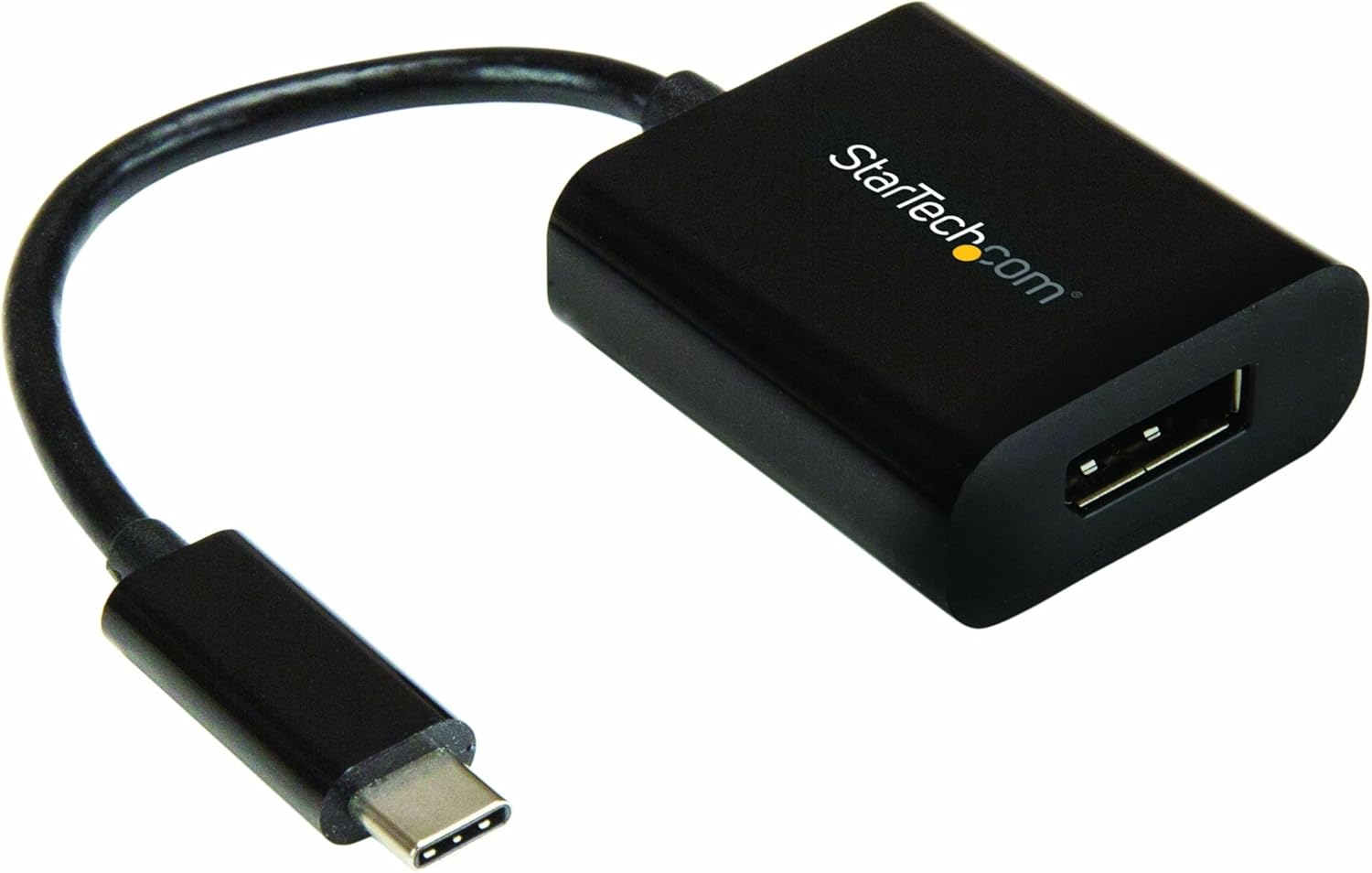
Image: The StarTech.com USB-C to DisplayPort Adapter, featuring a black compact dongle with a short cable and a USB-C connector.
2.1 Paketin məzmunu
- (1) USB-C to DisplayPort Adapter (CDP2DP)
2.2 Məhsulun Ölçüləri
- Məhsul Ölçüləri: 7.1 x 1.5 x 0.6 düym (18.03 x 3.81 x 1.52 sm)
- Maddə çəkisi: 0.64 unsiya (18.14 qram)

Image: The product packaging displaying the adapter and its physical dimensions: 1.6 inches (4.1 cm) length, 1.5 inches (3.8 cm) width, 0.67 inches (1.7 cm) height for the adapter body, and a cable length of 5.5 inches (14 cm).
3. Xüsusiyyətlər
- Yüksək Performans: Supports DisplayPort 1.4, DisplayPort Alt Mode, HBR2, DSC, and 32.4Gbps bandwidth. Connects to a single DP display supporting 8K 30Hz UHD (7680x4320) and 2-channel audio. Compatible with HDCP 2.2/1.4 and Thunderbolt 3.
- Geniş Uyğunluq: Tested for peak performance at 8K 30Hz with various DP monitors from brands like Dell UltraSharp, Samsung, Asus ProArt, Acer, and LG. Backward compatible with 4K and 1080p displays.
- Təkmilləşdirilmiş Şəkil Keyfiyyəti: Features a unique video signal booster that amplifies the signal, ensuring reliable performance even with lower quality cables. This amplifier also increases the maximum supported DisplayPort cable length compared to standard adapters.
- İstifadəsi asan: Supports driverless plug-and-play setup. Compatible with macOS, Windows 10, Ubuntu, and Chrome OS. Works with any USB Type-C (DisplayPort over USB-C) or Thunderbolt 3 device.
- Portativ dizayn: Compact and lightweight, making it easy to carry in a laptop bag. Ideal for mobile professionals and BYOD (Bring Your Own Device) environments.
4. Quraşdırma
The StarTech.com USB-C to DisplayPort Adapter is designed for simple plug-and-play operation, requiring no additional drivers for most operating systems.
4.1 Sistem Tələbləri
- A host device with an available USB Type-C port that supports DisplayPort Alternate Mode (DP Alt Mode) or Thunderbolt 3.
- A DisplayPort enabled monitor or display.
- A DisplayPort cable (not included).
- Supported Operating Systems: Windows 10, macOS, Ubuntu, Chrome OS.
4.2 Adapterin qoşulması
- Connect the USB-C male connector of the CDP2DP adapter to an available USB Type-C port on your laptop, computer, or other compatible device. Ensure the USB-C port supports DisplayPort Alt Mode or is a Thunderbolt 3 port.
- Connect one end of a DisplayPort cable (not included) to the DisplayPort female port on the CDP2DP adapter.
- Connect the other end of the DisplayPort cable to the DisplayPort input on your monitor or display.
- Your display should automatically detect the signal from your device. If not, you may need to manually select the DisplayPort input on your monitor.

Image: A laptop connected to an external monitor via the USB-C to DisplayPort adapter, illustrating the plug-and-play setup and compact design.

Image: A diagram showing the connection flow from a USB Type-C (Host) device to a DisplayPort monitor via the StarTech.com adapter.
5. Əməliyyat Təlimatları
Once connected, the adapter functions as a direct video and audio pass-through from your USB-C enabled device to your DisplayPort monitor.
5.1 Ekran rejimi
- Genişləndirilmiş Masaüstü: Allows you to extend your desktop across multiple monitors, providing more screen space for multitasking.
- Mirrored Display (Duplicate): Duplicates your primary display onto the connected DisplayPort monitor, ideal for presentations or sharing content.
- Əsas Ekran: Sets the connected DisplayPort monitor as your main display.
These display modes can be configured through your operating system's display settings (e.g., Display Settings in Windows, System Preferences > Displays in macOS).
5.2 Dəstəklənən Qətnamələr
The adapter supports resolutions up to 8K (7680x4320) at 30Hz and 4K (3840x2160) at 60Hz. The actual resolution and refresh rate will depend on the capabilities of your source device, DisplayPort cable, and connected monitor.
6. Baxım
To ensure the longevity and optimal performance of your StarTech.com USB-C to DisplayPort Adapter, follow these maintenance guidelines:
- Adapteri təmiz və tozdan təmiz saxlayın. Təmizləmək üçün yumşaq, quru bir parça istifadə edin.
- Adapteri həddindən artıq temperatura, rütubətə və ya birbaşa günəş işığına məruz qoymayın.
- Do not bend or crimp the cable excessively.
- İstifadə edilmədikdə adapteri sərin, quru yerdə saxlayın.
6.1 Mühüm Təhlükəsizlik Xəbərdarlığı
Please observe the following safety warnings to prevent injury or damage to the product:
- Elektrik təhlükələri: Do not use damaged or frayed cables. Exposed wires can lead to electric shocks. Always ensure cables are properly seated and undamaged.
- Heat Buildup: Overloaded or tightly bundled cables can overheat and pose a fire hazard. Ensure adequate ventilation and avoid bundling too many cables.
- Zərər: Always unplug adapters by holding the plug, not the cable. Pulling by the cable can expose live wires, which could lead to electrical shocks or burns.

Image: A warning label from StarTech.com detailing electrical hazards, heat buildup, and damage prevention in multiple languages.
7. Giderme
If you encounter issues with your USB-C to DisplayPort adapter, refer to the following common problems and solutions:
7.1 Ekran çıxışı yoxdur
- Bağlantıları yoxlayın: Ensure both the USB-C connector and the DisplayPort cable are securely plugged into their respective ports. Try unplugging and re-plugging them.
- Verify USB-C Port Compatibility: Confirm that your laptop's USB-C port supports DisplayPort Alternate Mode (DP Alt Mode) or is a Thunderbolt 3 port. Not all USB-C ports support video output.
- Monitor Input Selection: Make sure your monitor is set to the correct DisplayPort input source.
- Test with Another Cable/Monitor: If possible, try using a different DisplayPort cable or connecting to another monitor to rule out cable or monitor issues.
- Cihazları yenidən başladın: Restart your laptop and monitor.
7.2 Low Resolution or Incorrect Refresh Rate
- Check Display Settings: Adjust the resolution and refresh rate in your operating system's display settings.
- Kabel keyfiyyəti: Ensure you are using a high-quality DisplayPort cable that supports the desired resolution and refresh rate (e.g., DP 1.4 for 8K 30Hz).
- Source Device Capability: Confirm that your source device's graphics card supports the desired resolution and refresh rate.
7.3 Intermittent Connection / Signal Drops
- Təhlükəsiz Bağlantılar: Ensure all connections are firm and not loose.
- Kabel bütövlüyü: Inspect the DisplayPort cable for any damage or kinks. A damaged cable can cause signal instability.
- Güc idarəetməsi: Check your laptop's power settings to ensure it's not entering a low-power state that affects video output.
- Adapter Position: Ensure the adapter is not being stressed or bent at the connection points.
7.4 Adapter Not Recognized
- Try Another USB-C Port: If your device has multiple USB-C ports, try connecting the adapter to a different one.
- Sürücüləri Yeniləyin: Ensure your graphics drivers and USB-C controller drivers are up to date on your computer.
8. Spesifikasiyalar
| Atribut | Dəyər |
|---|---|
| Məhsulun Model nömrəsi | CDP2DP |
| Məhsulun Ölçüləri (U x G x Y) | 7.1 x 1.5 x 0.6 düym (18.03 x 3.81 x 1.52 sm) |
| Maddə Çəkisi | 0.64 unsiya (18.14 qram) |
| Rəng | Qara |
| Bağlayıcı növü | USB-C Male to DisplayPort Female |
| Max Resolution Supported | 8K (7680x4320) @ 30Hz, 4K (3840x2160) @ 60Hz |
| DisplayPort Standard | DisplayPort 1.4 (HBR2, DSC) |
| Audio dəstəyi | 2 kanallı Audio |
| HDCP dəstəyi | HDCP 2.2 / 1.4 |
| Thunderbolt 3 Uyğundur | Bəli |
| USB Enerji Çatdırılması | Not supported (for model CDP2DP) |
| Uyğun Cihazlar | Audio/Video Device, Chromebook, Laptop, MacBook Pro, Monitor, iPad Pro |
| İstehsalçı | StarTech.com |
| İlk Əlçatan Tarix | 15 fevral 2017-cü il |
9. Zəmanət və Texniki Dəstək
9.1 Məhsul Zəmanəti
This StarTech.com USB-C to DisplayPort Adapter (CDP2DP) is backed by a 3-year StarTech.com warranty. For specific warranty terms and conditions, please refer to the official StarTech.com websaytına daxil olun və ya müştəri dəstəyi ilə əlaqə saxlayın.
9.2 Texniki Dəstək
StarTech.com offers comprehensive technical support to assist you with any questions or issues regarding your product. You can find support resources, FAQs, and contact information on their official websayt.
ziyarət edin StarTech.com Store on Amazon əlavə məlumat və dəstək üçün.
For additional product information, including the latest drivers and manuals, please visit the product page on the StarTech.com webaşağıdakı linkdən istifadə edərək sayt: http://www.StarTech.com/Q/CDP2DP


