Giriş
This user manual provides comprehensive instructions for the VTech VM3252-2 Digital Video Baby Monitor. Please read this manual thoroughly before using the product to ensure proper operation and safety. Keep this manual for future reference.
Paketin məzmunu
Your VTech VM3252-2 package includes:
- One (1) Parent Unit with 2.8-inch color LCD screen
- Two (2) Baby Units (cameras)
- Three (3) Power Adapters (one for Parent Unit, two for Baby Units)
- One (1) Rechargeable Battery (pre-installed in Parent Unit)
- İstifadəçi Təlimatı (bu sənəd)

Image: The VTech VM3252-2 Digital Video Baby Monitor system, showing the parent unit and two baby units.
Quraşdırma
1. Charging the Parent Unit Battery
The parent unit operates on a rechargeable battery or AC power. To maximize battery life, charge the parent unit for at least 12 hours before initial use. The battery icon on the screen indicates the charge level.
- Connect the small plug of the parent unit power adapter to the power jack on the side of the parent unit.
- Connect the large end of the power adapter to a wall outlet.
2. Connecting the Baby Units (Cameras)
The baby units operate on AC power only. Ensure they are placed within range of the parent unit and have a clear line of sight to the baby.
- Connect the small plug of the baby unit power adapter to the power jack on the back of the baby unit.
- Connect the large end of the power adapter to a wall outlet.
- Position the baby unit at least 3 feet (1 meter) away from the baby.
- Adjust the camera angle manually to get the desired view.

Image: A hand demonstrates adjusting the camera angle of the baby unit.
3. Açma / Söndürmə
- To turn on the parent unit, press and hold the GÜC button until the VTech logo appears.
- To turn off the parent unit, press and hold the GÜC ekran sönənə qədər düyməsini basın.
- To turn on a baby unit, slide the ON/OFF -ə keçin ON mövqe.
- To turn off a baby unit, slide the ON/OFF -ə keçin OFF mövqe.
Əməliyyat
1. Monitoring Your Baby
Once both units are powered on and linked, the parent unit will automatically display video from the baby unit. If you have two cameras, the parent unit will cycle between them or allow manual selection.

Image: The parent unit's 2.8-inch color LCD screen showing a clear view körpənin.
2. Two-Way Talk Intercom
You can speak to your baby through the baby unit from the parent unit.
- basın və saxlayın DANIŞIN valideyn bölməsindəki düymə.
- Valideyn bölməsindəki mikrofona aydın danışın.
- buraxın DANIŞIN button to stop speaking and hear your baby.

Image: A user interacting with the parent unit, demonstrating the two-way talk feature.
3. Sakitləşdirici Səslər və Ninnilər
The baby unit can play pre-set lullabies and soothing sounds to help calm your baby.
- Access the menu on the parent unit.
- Navigate to the Lullaby/Sound option.
- Select a melody or sound to play.
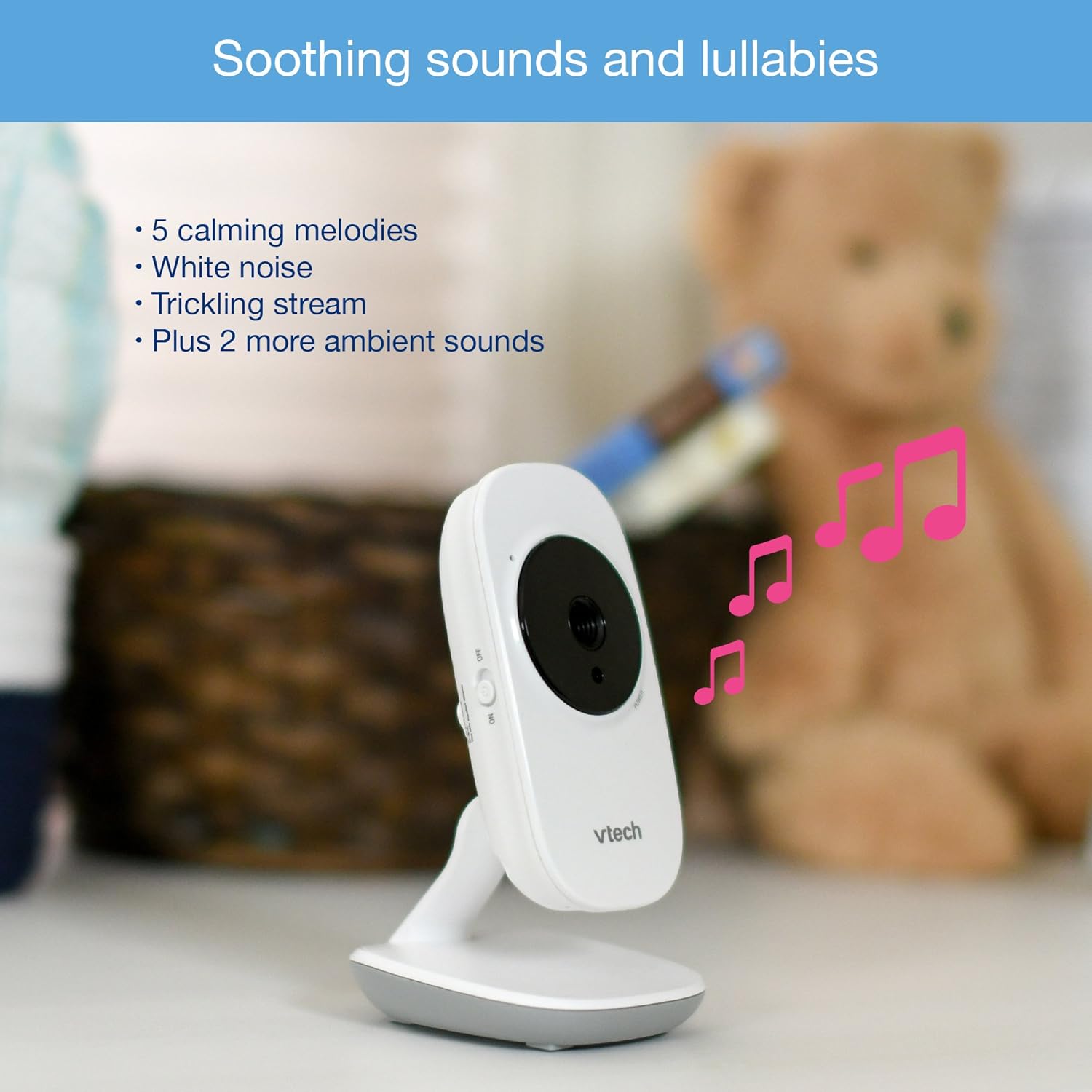
Image: The baby unit, illustrating its ability to play soothing sounds and lullabies.
4. Səs səviyyəsinə nəzarət
Adjust the listening volume on the parent unit using the volume buttons.
- düyməsini basın SƏSİ ARTIRIN səsi artırmaq üçün düymə.
- düyməsini basın SƏSİ AŞAĞI səsi azaltmaq üçün düymə.
- The parent unit features a 6-level sound indicator to visually represent the sound level detected by the baby unit.
Əsas Xüsusiyyətlər
- High-Resolution 2.8-inch Color LCD Screen: Provides a clear video feed of your baby.
- Avtomatik İnfraqırmızı Gecə Görünüşü: Automatically activates in low-light conditions for clear viewqaranlıqda.
- Temperatur Sensoru: Monitors the room temperature around the baby unit and displays it on the parent unit. Alerts can be set for temperature fluctuations.
- Tənzimlənən Kamera Bucağı: Manually adjust the baby unit's camera to achieve the optimal viewbucaq.
- 2x Rəqəmsal Zoom: Zoom in on your baby for a closer look.
- Up to 1,000 feet of Range: Stay connected to your baby from various rooms in your home.

Image: A visual summary of key features including temperature monitoring, night vision, adjustable camera, and sound indicators.
Baxım
Monitorun təmizlənməsi
- Wipe the surfaces of the parent unit and baby units with a soft, damp parça.
- Təmizləyici spreylər və ya maye təmizləyicilərdən istifadə etməyin.
- Ensure the units are dry before reconnecting to power.
Batareyaya qulluq
- The parent unit uses a rechargeable battery. If the battery life significantly decreases, it may need replacement.
- Only use the specified replacement battery type.
- Do not dispose of batteries in fire. Check local regulations for proper battery disposal.
Problemlərin aradan qaldırılması
Bağlantı yoxdur / əhatə dairəsindən kənar
If the parent unit displays "No Link" or "Out of Range":
- Ensure both the parent unit and baby units are powered on.
- Valideyn bölməsini körpə bölməsinə yaxınlaşdırın.
- Relocate the baby unit to a position with fewer obstructions (e.g., walls, furniture).
- Avoid placing the monitor near other electronic devices that may cause interference (e.g., Wi-Fi routers, cordless phones).
Poor Picture Quality / Blurry Night Vision
- Kamera obyektivinin təmiz və toz və ya ləkələrdən təmiz olduğundan əmin olun.
- Check for adequate lighting in the room during daytime use.
- During night vision, ensure there are no direct light sources near the baby unit that could interfere with the infrared sensors.
- Adjust the position of the baby unit for a clearer view.
Short Battery Life on Parent Unit
- Ensure the parent unit is fully charged for at least 12 hours before use.
- Batareyaya qənaət etmək üçün ekran parlaqlığını azaldın.
- If the battery life remains significantly short after full charging, the rechargeable battery may need to be replaced.
- Keep the parent unit plugged into the power adapter for continuous use.
Monitor Randomly Turns Off
- Check if the parent unit battery is low. Recharge the unit.
- Ensure the power adapter is securely connected to both the parent unit and the wall outlet.
- Problem davam edərsə, müştəri dəstəyi ilə əlaqə saxlayın.
Spesifikasiyalar
| Xüsusiyyət | Detal |
|---|---|
| Model nömrəsi | VM3252-2 |
| Ekran Ölçüsü | 2.8 düym |
| Video çəkiliş həlli | 720p |
| Kameraların sayı | 2 |
| Bağlantı texnologiyası | Simsiz |
| Güc mənbəyi | AC Powered (Baby Units), Rechargeable Battery / AC Powered (Parent Unit) |
| Gecə Görünüşü | Automatic Infrared Night Vision |
| Rəqəmsal yaxınlaşma | 2x |
| İnterkom | İkitərəfli söhbət |
| Temperatur Sensoru | Bəli |
| Lullabies/Sounds | Bəli |
| Element Ölçüləri | 4.89 x 4.77 x 2.83 düym |
| Maddə Çəkisi | 1.88 funt sterlinq |
| Rəng | Ağ |
Zəmanət Məlumatı
VTech products are designed with quality and reliability in mind. For detailed warranty information, please refer to the warranty card included in your product packaging or visit the official VTech websayt. Satınalma qəbzini alışın sübutu olaraq saxlayın.
Müştəri dəstəyi
If you have any questions or require assistance with your VTech VM3252-2 Digital Video Baby Monitor, please contact VTech customer support:
- Websayt: www.vtechbabycare.com
- E-poçt: support@vtechbabycare.com
For additional resources and FAQs, please visit the VTech support page online.
Məhsul Bitdiview Video
Video: An official VTech overview of the VM3252-2 Digital Video Baby Monitor, highlighting its features and ease of use.


