1. Giriş
Thank you for choosing the Vandlion V8 Keychain Voice Recorder. This compact and versatile device is designed for high-quality audio recording in various environments, offering ease of use and portability. It also functions as an MP3 player and a USB storage device. Please read this manual thoroughly to understand the features and proper operation of your new device.
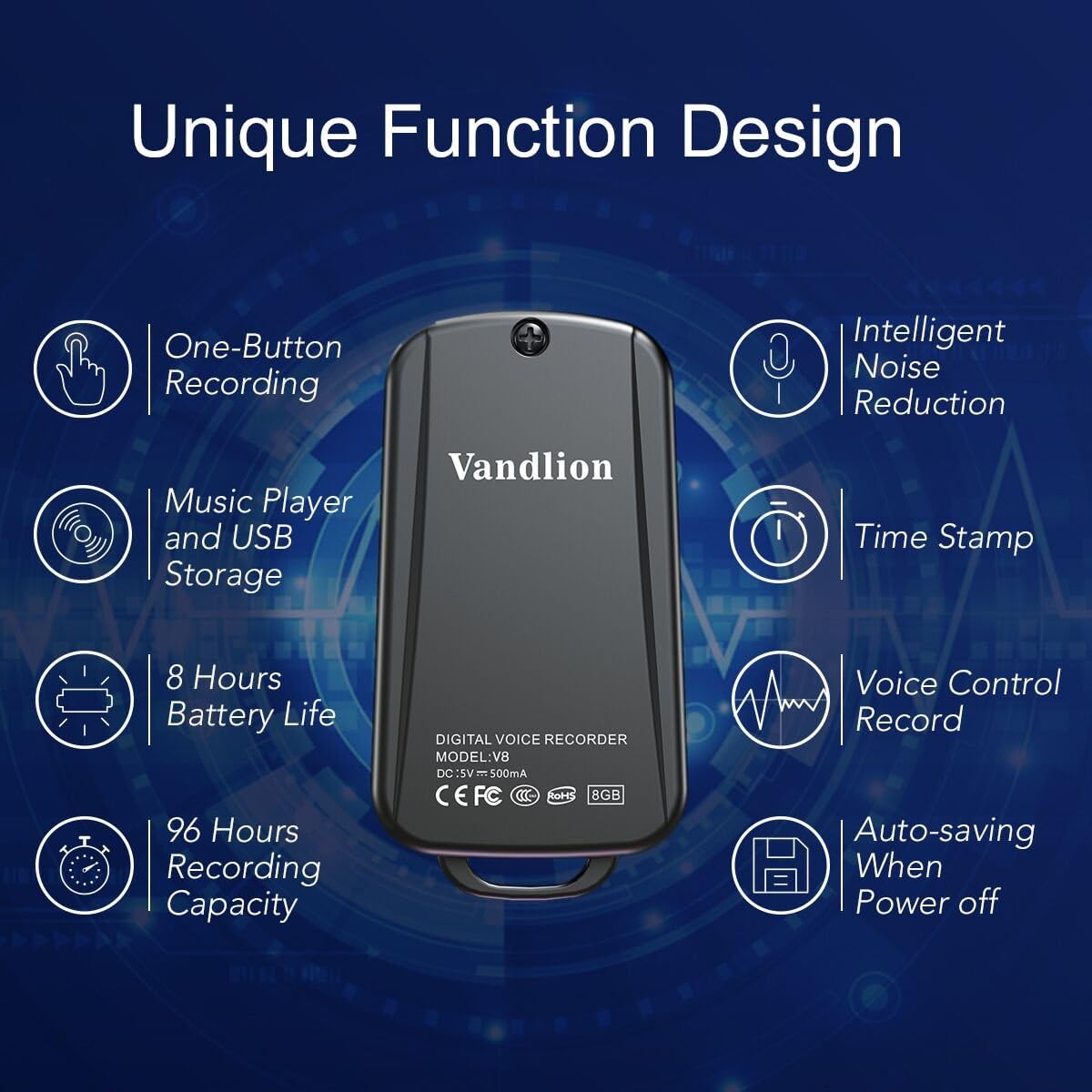
Image 1: Vandlion V8 Keychain Voice Recorder highlighting features like one-button recording, intelligent noise reduction, time stamp, voice control record, auto-saving, music player, USB storage, 8 hours battery life, and 96 hours recording capacity.
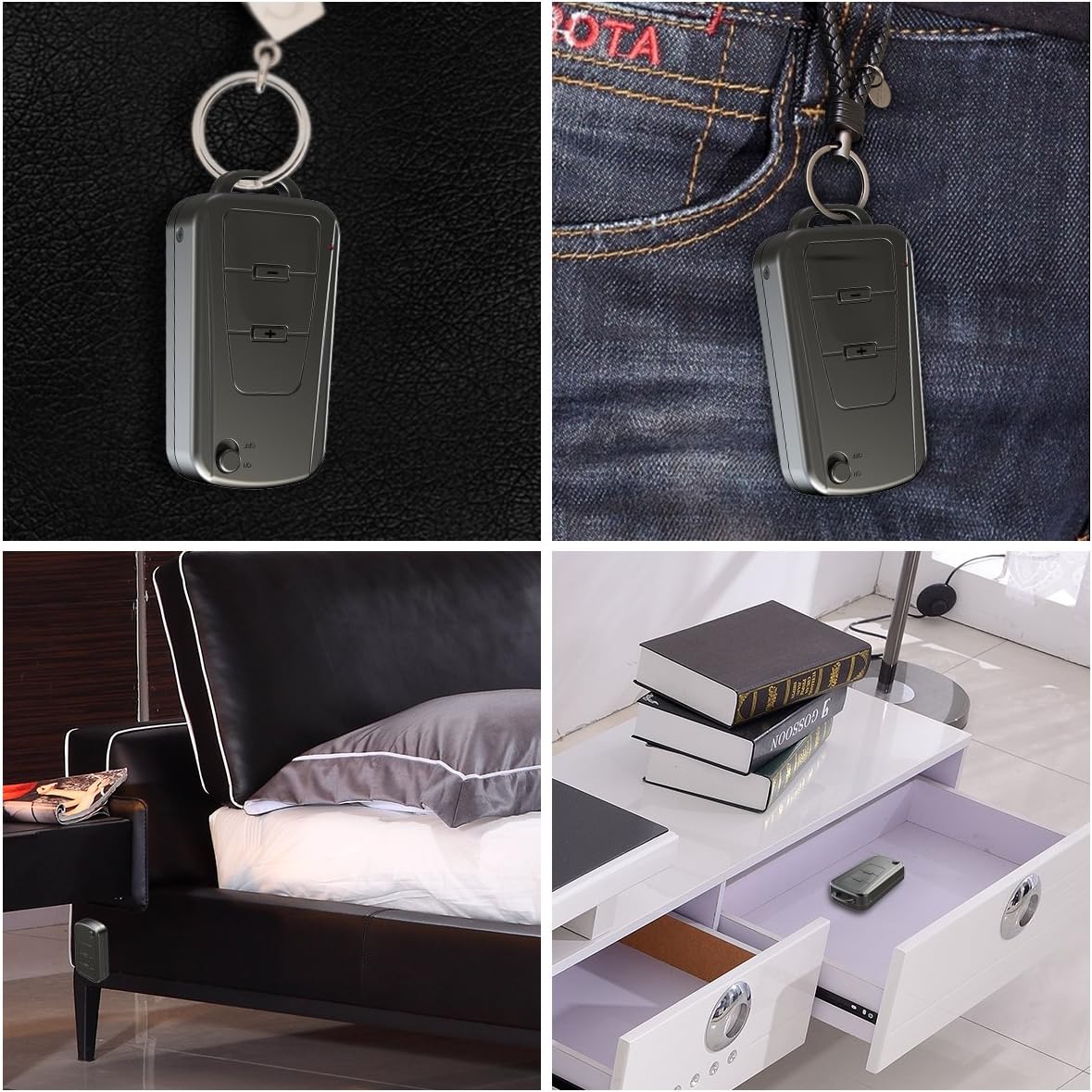
Image 2: The Vandlion V8 recorder shown in various discreet usage scenarios, including attached to a keychain, clipped to trousers, placed beside a bed, and hidden in a drawer.

Image 3: The Vandlion V8 recorder depicted in various application scenarios such as classes, meetings, speeches, concerts, interviews, and for forensic purposes.
2. Paketin məzmunu
- 1 x Vandlion V8 Voice Recorder
- 1 x USB kabel
- 1 x İstifadəçi Təlimatı (bu sənəd)
3. Cihaz bitdiview
Səs yazıcınızın fiziki komponentləri ilə tanış olun.
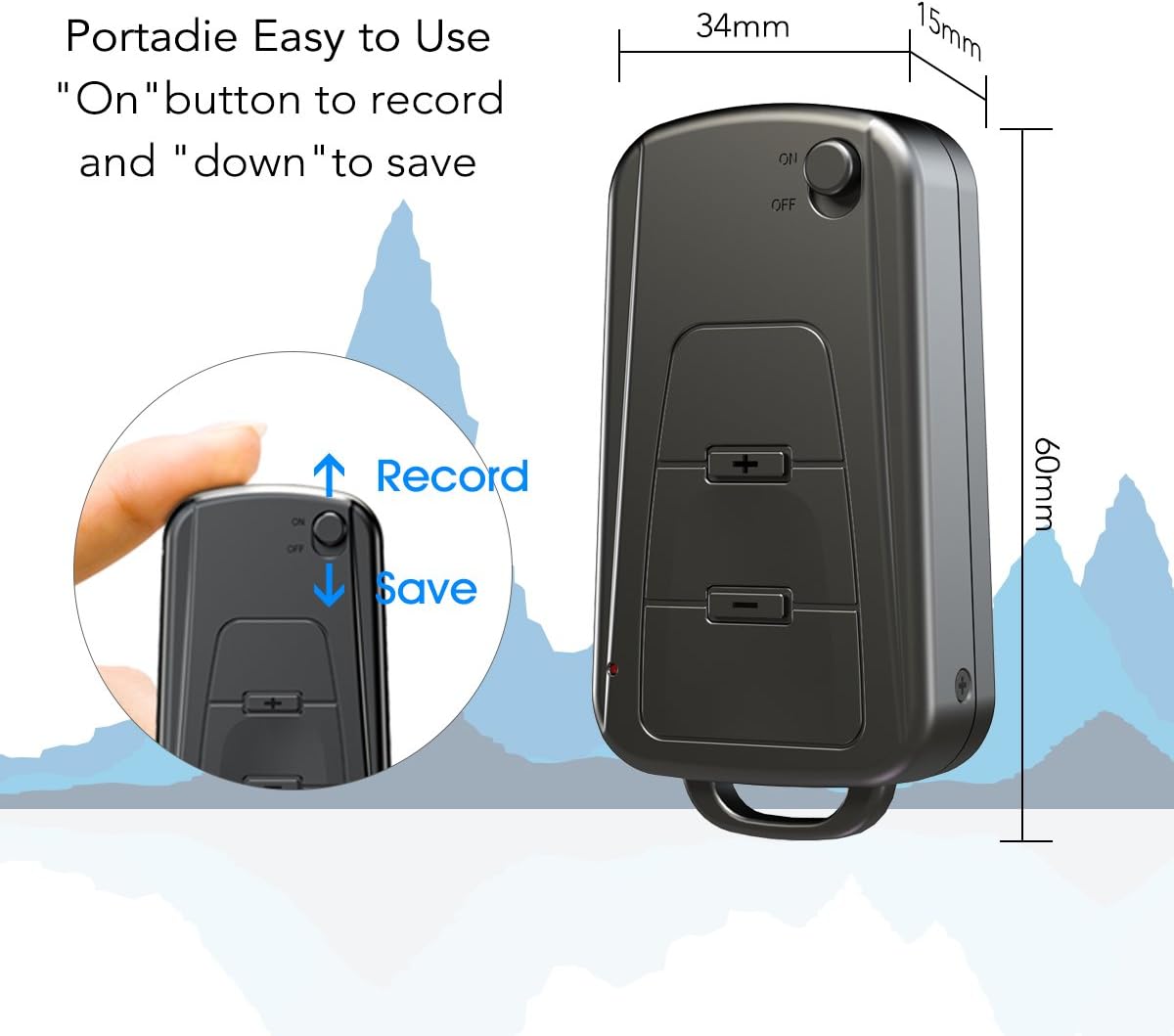
Şəkil 4: Yan view of the Vandlion V8 recorder, illustrating the ON/OFF switch for recording and saving, along with volume control buttons. Dimensions are also shown: 60mm length, 34mm width, 15mm thickness.
- ON/OFF açarı: Used to start and stop recording, and to power the device.
- USB Port: Kompüteri doldurmaq və ona qoşulmaq üçün.
- Qulaqlıq Jack: Audio oxutma üçün.
- Mikrofon: Integrated for audio capture.
- Göstərici işığı: Status rəyi verir (məsələn, qeyd, doldurma).
4. Quraşdırma
4.1. Cihazın doldurulması
Before first use, fully charge the voice recorder. Connect the device to a computer's USB port or a USB wall adapter using the provided USB cable. The indicator light will typically show a specific color (e.g., red) during charging and change (e.g., blue or off) when fully charged. A full charge provides approximately 20 hours of operation.
4.2. İlkin işə salın
Slide the ON/OFF switch to the "ON" position to power on the device. The indicator light will briefly illuminate.
5. Əməliyyat Təlimatları
5.1. One-Button Recording
- Yazmağa başlamaq üçün AÇIQ/SÖNDÜRÜCÜ düyməsini sürüşdürün "AÇIQ" position. The device will automatically begin recording. The indicator light will not flicker during recording to ensure discreet operation.
- To save the recording, slide the ON/OFF switch to the "SÖNDÜRÜLMÜŞ" position. The device will save the current recording and power off.
Image 5: Close-up of the Vandlion V8 recorder demonstrating the simple "ON" to record and "OFF" to save operation.
5.2. Voice Activated Recording (VOR)
The device features a smart voice-activated system. When enabled, the recorder will only record when sound is detected, conserving storage space and battery life. Refer to the full user guide (if available from manufacturer) for detailed instructions on enabling/disabling VOR, as this feature may require specific button presses or software settings not covered by the basic one-button operation.
5.3. Yazıların səsləndirilməsi
- Connect headphones to the headphone jack on the device.
- Power on the device by sliding the ON/OFF switch to "ON".
- Use the volume buttons (if present) to navigate through recordings and adjust playback volume.
Alternatively, connect the device to a computer to play back recordings.
5.4. köçürmə FileKompüterə
- Ensure the recorder is powered off.
- Connect the recorder to your computer using the supplied USB cable. The device will be recognized as a removable storage drive.
- Open the drive, locate the recording files (typically in WAV format), and drag them to your computer.
- Note for Mac users: You may need to use VLC Media Player or similar software to play WAV files recorded by this device.
5.5. Using as an MP3 Player
The device supports WAV, WMA, and MP3 audio formats. You can transfer music files to the device's storage via USB connection, similar to transferring recordings. Once music files are on the device, connect headphones and power on the device to listen to your music.
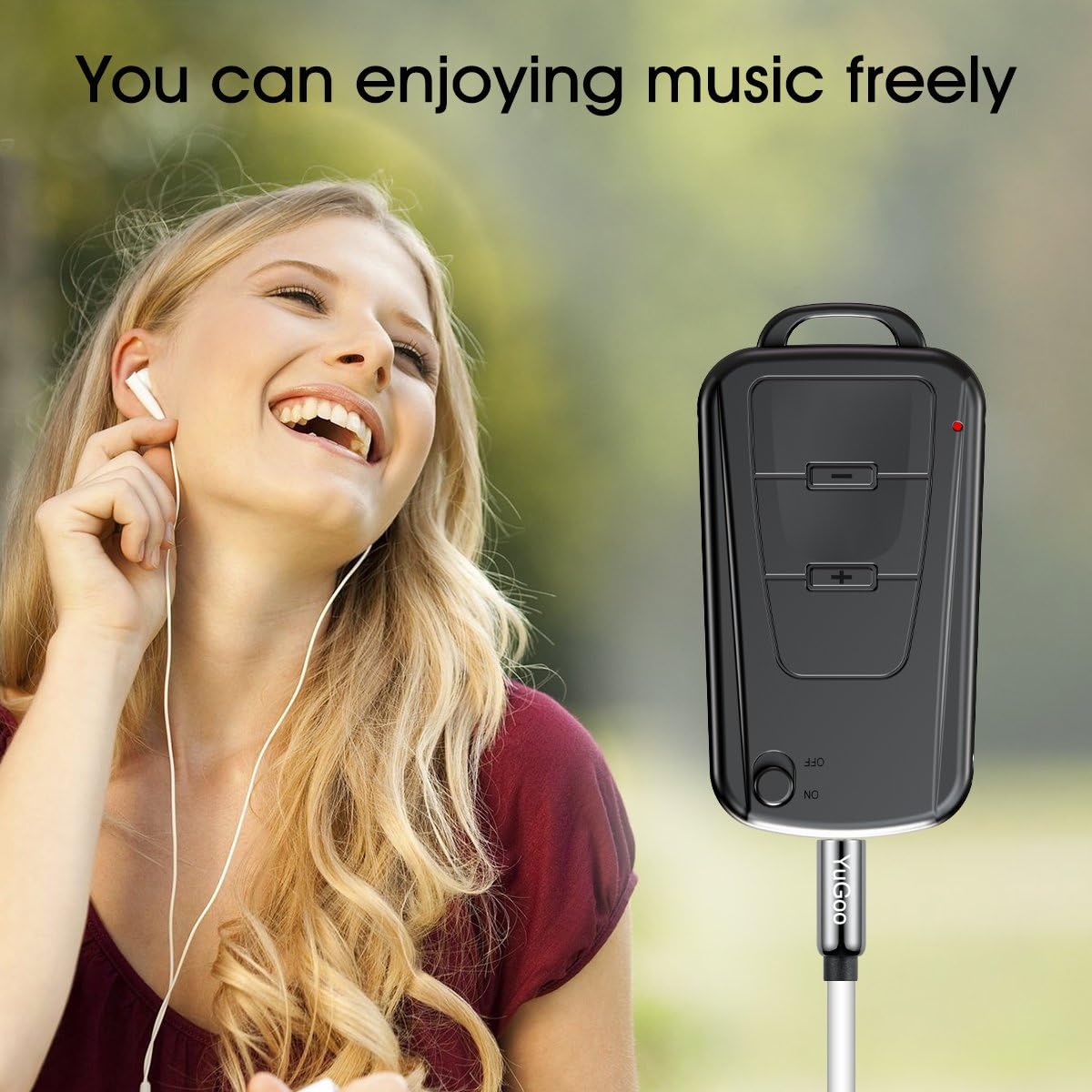
Image 6: The Vandlion V8 recorder connected to earphones, demonstrating its capability as an MP3 player for enjoying music.
6. Baxım
- Cihazı quru saxlayın. Nəm və ya maye ilə təmasdan çəkinin.
- Cihazı yumşaq, quru parça ilə təmizləyin. Sərt kimyəvi maddələr və ya aşındırıcı təmizləyicilərdən istifadə etməyin.
- Cihazı birbaşa günəş işığından və həddindən artıq temperaturdan uzaq sərin, quru yerdə saxlayın.
- Charge the battery regularly, even if not in use, to maintain battery health. Avoid fully discharging the battery for extended periods.
7. Giderme
- Cihaz açılmır:
- Batareyanın doldurulduğundan əmin olun. Enerji mənbəyinə qoşulun və yenidən cəhd edin.
- Qeyd etmək mümkün deyil:
- Check if the device has sufficient storage space. Ensure the ON/OFF switch is in the "ON" position.
- Səsyazma keyfiyyəti aşağıdır:
- Ensure the microphone is not obstructed. Record in a quiet environment. The device features DSP noise reduction for clear audio.
- Cihaz kompüter tərəfindən tanınmır:
- Try a different USB port or cable. Ensure the device is powered off before connecting. Restart your computer.
- Oynamaq olmaz files on Mac:
- Mac users are advised to use VLC Media Player for optimal playback of recorded WAV files.
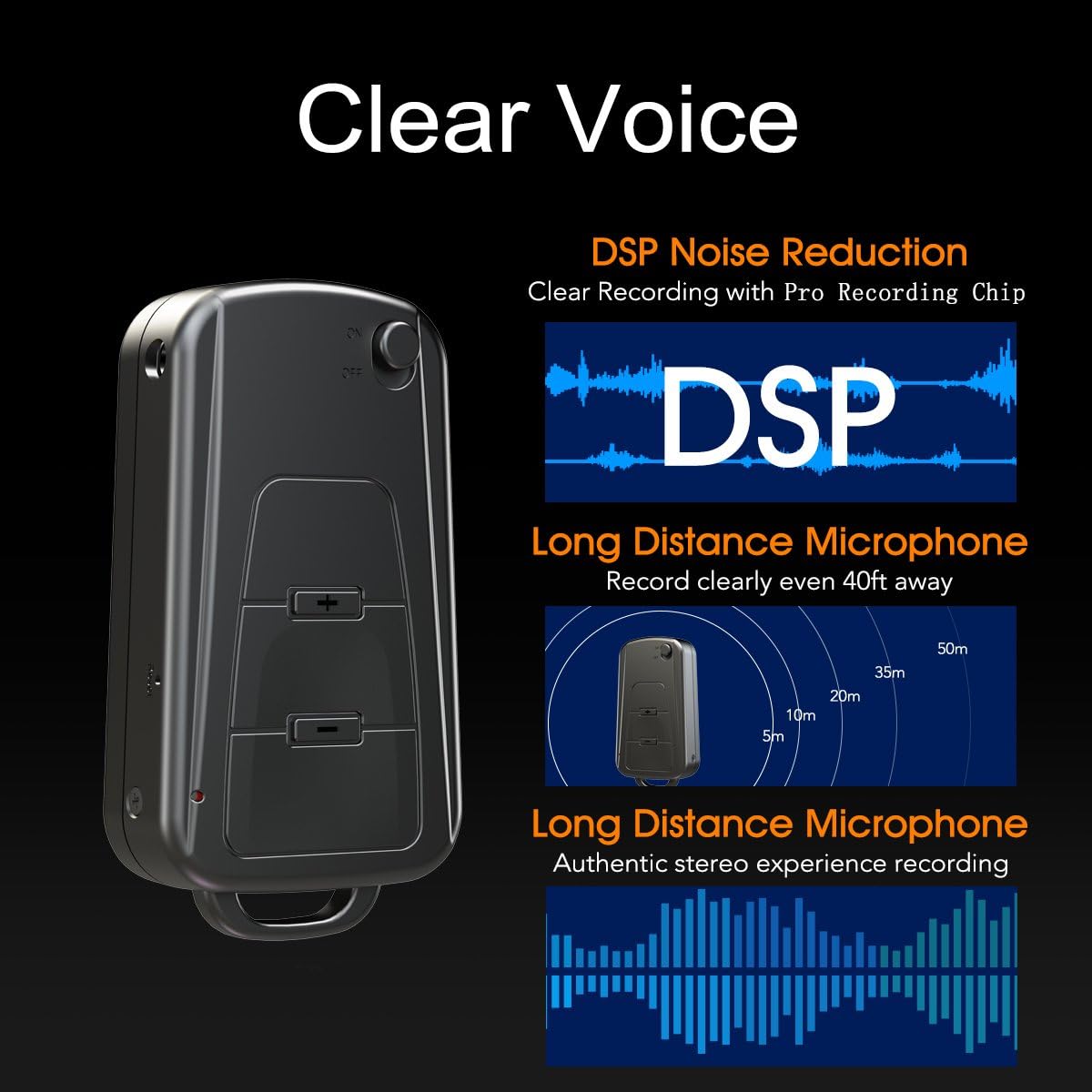
Image 7: Diagram illustrating the Vandlion V8's DSP noise reduction technology for clear recording and its long-distance microphone, capable of capturing sound clearly from up to 40 feet away, providing an authentic stereo experience.
8. Spesifikasiyalar
| Xüsusiyyət | Spesifikasiya |
|---|---|
| Model | V8 |
| Saxlama Tutumu | 8GB (approx. 96 hours recording capacity) |
| Batareya Ömrü (Qeyd) | təqribən. 20 saat |
| Qeyd Format | WAV |
| Musiqi Format | WAV, WMA, MP3 |
| Sampling dərəcəsi | 192Kbps |
| Ölçülər | 60 x 34 x 15 mm (2.36 x 1.33 x 0.59 düym) |
| Çəki | 27 q (1.46 unsiya) |
| İnterfeys | USB |
| Uyğun Cihazlar | MP3 pleyer, fərdi kompüter |
| Mikrofonun İşləmə Rejimi | Stereo |
9. Zəmanət və Dəstək
9.1. İstehsalçı Zəmanəti
This Vandlion V8 Keychain Voice Recorder comes with a Six Months Manufacturer's Warranty satın alındığı tarixdən. Bu zəmanət normal istifadə zamanı material və işlənmə qüsurlarını əhatə edir. Bu, sui-istifadə, qəzalar, icazəsiz dəyişikliklər və ya normal köhnəlmə nəticəsində dəyən zərəri əhatə etmir.
9.2. Müştəri dəstəyi
For further assistance, technical support, or warranty claims, please contact Vandlion customer service through the retailer where the product was purchased or refer to the official Vandlion website for contact information. Additional resources, such as a PDF version of the user manual and updated user guides, may be available for download from the manufacturer's support page.
10. Əhəmiyyətli Təhlükəsizlik Məlumatı
- Cihazı sökməyə və ya dəyişdirməyə çalışmayın.
- Uşaqların əli çatmayan yerdə saxlayın.
- Cihazı və onun batareyasını yerli qaydalara uyğun olaraq məsuliyyətlə atın.
- Həddindən artıq temperaturdan və birbaşa günəş işığından çəkinin.


