Giriş
This manual provides comprehensive instructions for the Amazon Fire 7 Tablet (2019 Release). It covers device setup, operational procedures, maintenance guidelines, troubleshooting tips, and detailed product specifications. Please read this manual thoroughly to ensure proper use and care of your device.
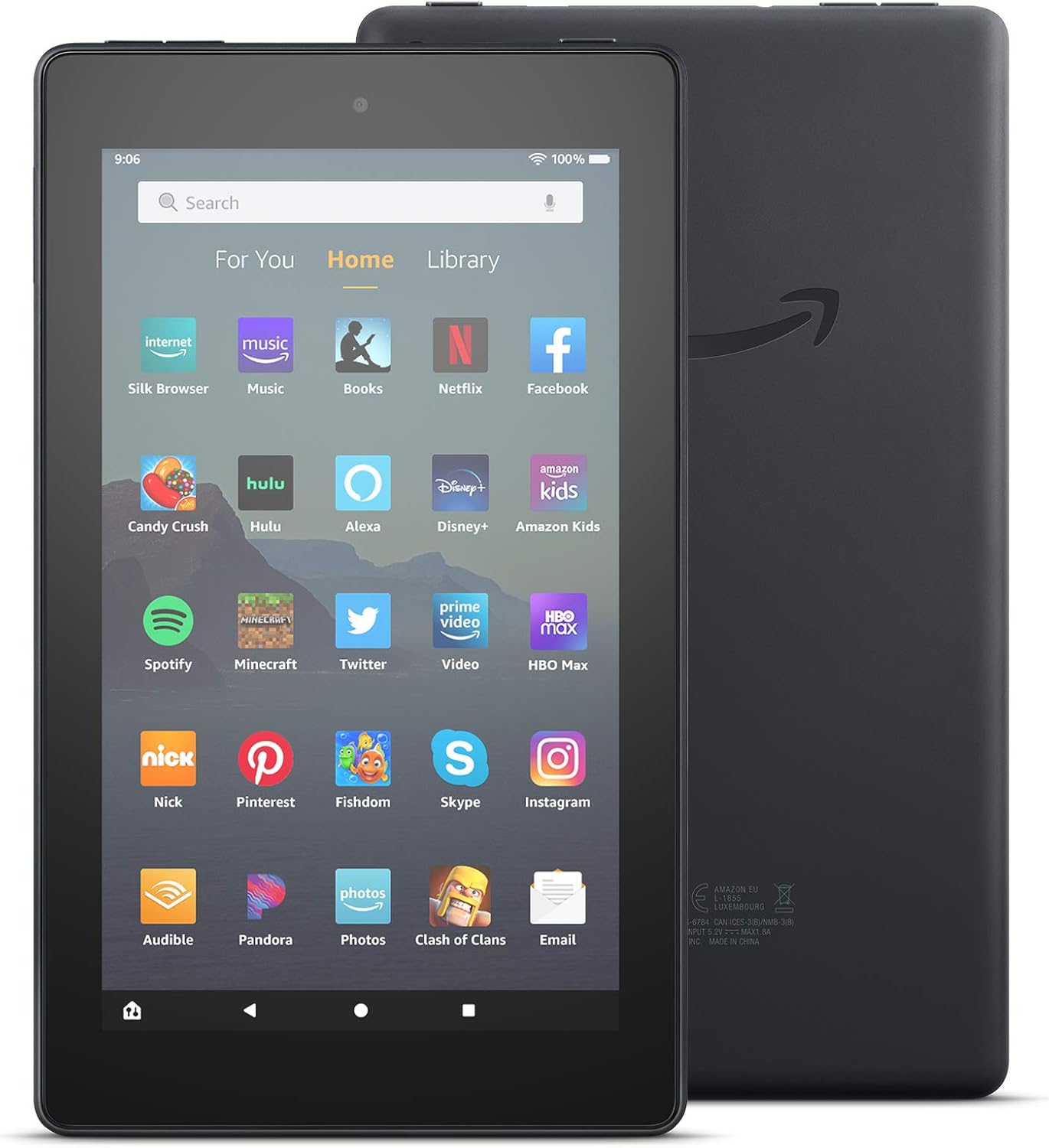
Şəkil: Ön və arxa view of the Amazon Fire 7 Tablet (2019 Release), showcasing its design and the Amazon logo on the rear.
Qutuda nə var
Upon unboxing your Amazon Fire 7 Tablet, verify that the following items are included:
- Fire 7 tablet
- USB 2.0 cable (micro-B connector)
- 5W güc adapteri
- Tez Başlanğıc Bələdçisi
Quraşdırma
1. Planşetinizi doldurun
Before initial use, fully charge your Fire 7 tablet. Connect the included USB 2.0 cable to the tablet's micro-B port and the 5W power adapter. Plug the adapter into a wall outlet. A full charge typically takes approximately 4 hours.
2. Açma / Söndürmə
- Yandırmaq üçün: Amazon loqosu görünənə qədər planşetin yan tərəfində yerləşən güc düyməsini basıb saxlayın.
- Söndürmək üçün: Güc düyməsini basıb saxlayın, sonra ekrandakı seçimlərdən "Söndür" seçin.
3. İlkin Quraşdırma və Wi-Fi Bağlantısı
Follow the on-screen prompts to complete the initial setup. This includes selecting your language, connecting to a Wi-Fi network, and registering your device with an Amazon account. The tablet supports dual-band 802.11a/b/g/n Wi-Fi networks.
4. Inserting a microSD Card
To expand storage, insert a microSD card into the designated slot. The Fire 7 tablet supports up to 512 GB of additional storage. Some applications may require installation on internal storage.
Operating Your Fire 7 Tablet
Əsas Naviqasiya
The Fire 7 tablet features a 7-inch IPS touchscreen display. Navigate by tapping, swiping, and pinching gestures. The home screen provides access to your apps, content, and settings.

Image: Several Amazon Fire 7 Tablets in different colors, showcasing their home screens filled with various application icons like Netflix, Spotify, and Zoom.
Alexa istifadə
Your Fire 7 tablet includes hands-free Alexa. To activate, simply say "Alexa" followed by your command. You can also toggle Alexa on or off in the device settings.

Image: An Amazon Fire 7 Tablet playing music, with a speech bubble at the bottom indicating an Alexa voice command: "Alexa, play Shawn Mendes."
Tətbiqlər və Məzmun
Access and download applications from the Amazon Appstore. The tablet supports popular apps for streaming, social media, and productivity. Note that Google Play is not supported.
- Email and Productivity: Check email, make video calls, update shopping lists, and set reminders. Use apps like Zoom, Outlook, and OneNote.
- Əyləncə: Enjoy apps like Netflix, Facebook, Hulu, Instagram, TikTok, and more.
- Oxu: Utilize the tablet for reading e-books.

Image: An Amazon Fire 7 Tablet displaying an email inbox, showing several unread messages.

Image: A person holding an Amazon Fire 7 Tablet, reading an e-book titled "Where the Crawdads Sing."
Kamera Funksionallığı
The Fire 7 tablet is equipped with 2 MP front and rear-facing cameras, capable of 720p HD video recording.
Audio
The device includes an integrated speaker and a 3.5 mm stereo jack for headphones. Bluetooth is built-in, supporting A2DP compatible stereo headphones, speakers, microphones, and LE accessories.
Əlçatanlıq Xüsusiyyətləri
The Fire 7 tablet offers various accessibility options:
- SəsView ekran oxuyucusu: Görmə qabiliyyəti zəif olan istifadəçilər üçün mətndən nitqə və ya yenilənə bilən brayl ekranına girişi təmin edir.
- Ekran böyüdücü: Allows zooming in and out, and panning around the screen.
- Parametrlər: Includes options for Closed Captioning, Font Size, High Contrast Text, Color Inversion, Color Correction, and Convert Stereo to Mono audio.
Baxım
Batareyanın ömrünün optimallaşdırılması
The tablet offers up to 7 hours of use for reading, web browsing, video watching, and music listening. Battery life varies based on device settings, usage patterns, and other factors. To optimize battery performance:
- Ekran parlaqlığını tənzimləyin.
- İstifadə edilməmiş proqramları bağlayın.
- İstifadə edilmədikdə Wi-Fi və ya Bluetooth-u söndürün.
Saxlama İdarəetmə
The tablet comes with 16 GB (9.4 GB available to user) or 32 GB (23.6 GB available to user) of internal storage. Utilize a microSD card for additional storage. Regularly review və lazımsızları silin files or applications to free up space.
Proqram təminatı yeniləmələri
Ensure your tablet's software is up to date to benefit from the latest features and security enhancements. Updates are typically downloaded automatically when connected to Wi-Fi. You can check for updates manually in the device settings.
Problemlərin aradan qaldırılması
If you encounter issues with your Fire 7 tablet, consider the following common solutions:
- Cihaz cavab vermir: Yenidən başlamağa məcbur etmək üçün güc düyməsini 20-30 saniyə basıb saxlayın.
- Wi-Fi Bağlantı Problemləri:
- Ensure Wi-Fi is enabled in settings.
- Wi-Fi routerinizi yenidən başladın.
- Şəbəkəni unudun və yenidən qoşulun.
- Batareyanın tez tükənməsi: Refer to the "Battery Life Optimization" section. Reduce screen brightness and close background apps.
- Yavaş Performans: Clear app caches, uninstall unused apps, or restart the device.
- Apps Not Downloading/Installing: Check available storage. Ensure a stable Wi-Fi connection.
Əlavə yardım üçün rəsmi Amazon dəstəyinə müraciət edin website or consult the Quick Start Guide included with your device.
Spesifikasiyalar
| Ekran | 7” sensor ekran, 171 ppi-də 1024 x 600 təsvir ölçüsü, SD video oxutma, IPS (müstəvidə keçid) texnologiyası və təkmil polarizasiya filtri |
| Ölçü | 7.6” x 4.5” x 0.4” (192 x 115 x 9.6 mm) |
| Çəki | 10.1 unsiya (286 qram) |
| CPU & RAM | 1.3 GB RAM ilə dörd nüvəli 1 GHz |
| Saxlama | 16 GB (9.4 GB available) or 32 GB (23.6 GB available) internal storage. Expandable up to 512 GB with microSD card. |
| Batareya Ömrü | Up to 7 hours of reading, web browsing, video, and music playback. |
| Doldurma vaxtı | Daxil olan 5 Vt güc adapteri ilə təxminən 4 saat. |
| Prosessor | MediaTek 8163 |
| Wi-Fi Bağlantısı | Single-antenna dual-band Wi-Fi (802.11a/b/g/n). Supports WEP, WPA, WPA2. Does not support ad-hoc networks or Wi-Fi 6. |
| Limanlar | USB 2.0 (micro-B connector), microSD slot. |
| Audio | 3.5 mm stereo jack, integrated speaker. |
| Sensorlar | Akselerometr. |
| Kamera Xüsusiyyətləri | 720p HD video çəkilişi ilə 2 MP ön və arxa kameralar. |
| Məkan Xidmətləri | Wi-Fi vasitəsilə yerləşmə əsaslı xidmətlər. |
| Əlavə Xüsusiyyətlər | External volume controls, built-in Bluetooth (A2DP, LE support). |
| Nəsil | 9-cü nəsil - 2019 buraxılışı. |
Zəmanət və Dəstək
The Amazon Fire 7 Tablet (2019 Release) includes a 90-day Limited Warranty and service. Optional 1-Year, 2-Year, and 3-Year Extended Warranties are available for U.S. customers and are sold separately. Use of the Fire 7 tablet is subject to Amazon's Conditions of Use and associated terms.
For detailed warranty information and customer support, please refer to the official Amazon support resources.