1. Giriş
This manual provides essential information for setting up, operating, and maintaining your TCL 43P30FS 43-inch Full HD LED Android Smart TV. Please read it thoroughly before using the product to ensure safe and optimal performance. Keep this manual for future reference.
2. Qutuda nə var
Açdıqdan sonra aşağıda sadalanan bütün əşyaların mövcudluğunu və yaxşı vəziyyətdə olduğunu yoxlayın:
- 1 LED televizor
- 1 Masa Üstü Stend
- 1 Divara montaj mötərizəsi
- 1 istifadəçi təlimatı
- 1 Zəmanət Kartı
- 1 Uzaqdan İdarəetmə
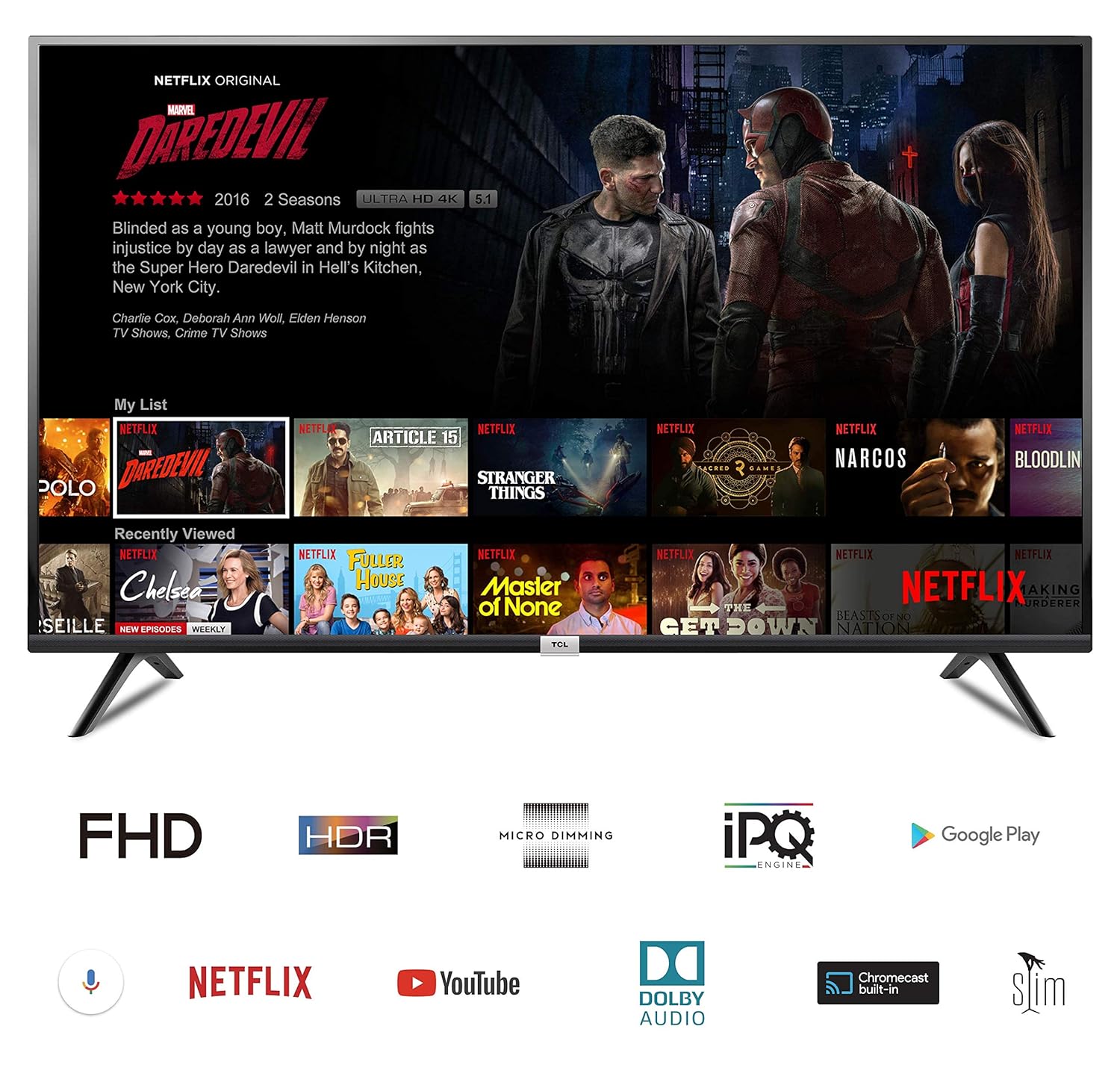
Image: The TCL 43P30FS Smart TV displaying its Android interface, with icons for Full HD, HDR, Micro Dimming, IPQ Engine, Google Play, Voice Search, Netflix, YouTube, Dolby Audio, Chromecast built-in, and Slim Design.
3. Quraşdırma
3.1. Stendin quraşdırılması
To install the table top stand:
- Zərərlərin qarşısını almaq üçün TV ekranını diqqətlə yumşaq, düz bir səthə qoyun.
- Attach the stand bases to the bottom of the TV using the provided screws. Ensure they are securely fastened.
3.2. Divar montajı
If you prefer wall mounting, use the included wall mount bracket. Professional installation is recommended for safety.
- Refer to the separate wall mount installation guide for detailed instructions.
- Ensure the wall can support the weight of the TV and the mount.

Image: Diagram showing the dimensions of the TCL 43P30FS TV: 97.00 cm width, 62.30 cm height, 18.70 cm depth (with stand), and 109.22 cm diagonal screen size.
3.3. Bağlantı
Mövcud portlardan istifadə edərək xarici cihazlarınızı televizora qoşun:
- HDMI Portları: 2 HDMI ports are available to connect set-top boxes, Blu-Ray players, and gaming consoles.
- USB Port: 1 USB port is available to connect hard drives and other USB devices.
- Wi-Fi: Built-in Wi-Fi for internet connectivity.

Şəkil: Yaxından view of the rear panel of the TCL 43P30FS TV, highlighting the various connectivity ports including HDMI, USB, LAN, and antenna input.
4. Televizorun istismarı
4.1. Əsas əməliyyatlar
Use the provided remote control to navigate the TV's features. The remote includes navigation keys for easy access to functions.
4.2. Smart TV Features (Android OS)
Your TCL 43P30FS TV runs on Android O (Certified by Google), offering a wide range of smart features:
- Daxili Wi-Fi: İnternetə çıxış üçün ev şəbəkənizə qoşulun.
- Dual Core MALI 470 Graphics Processor: Ensures smooth performance for apps and games.
- Səslə Nəzarət: Use voice commands for search and navigation (requires compatible remote).
- Daxili Chromecast: Mobil cihazlarınızdan məzmunu birbaşa TV-yə yayımlayın.
- Access to Apps: Download and enjoy various applications from the Google Play Store, including Netflix, YouTube, and more.
4.3. Şəkil Parametrləri
The TV features advanced picture technologies for an enhanced viewtəcrübə:
- Qətnamə: Full HD (1920 x 1080 pixels) for clear and detailed images.
- Yeniləmə dərəcəsi: Hamar hərəkət üçün 60 hertz.
- A+ Grade LED Panel: High-quality display panel.
- Dynamic Picture Enhancement: Optimizes picture quality in real-time.
- İdman rejimi: Enhances sports content for a more immersive experience.
- Mikro Qaralma: Analyzes TV content in hundreds of separate zones to adjust brightness and darkness independently, improving contrast.
4.4. Səs Ayarları
- Səs Çıxışı: 20 Watts Output.
- Natiqlər: 2 Channel speakers.
- Dolby Audio: Zəngin, aydın və güclü səs təmin edir.
4.5. Məhsul Xüsusiyyətləri Bitdiview Video
Video: This video demonstrates key features of the TCL Smart TV, including HDR, Micro Dimming, Android TV interface, Google Play Store for apps and games, voice control, Chromecast functionality, Google Play Music, Netflix, and YouTube integration.
5. Baxım
Televizorunuzun uzunömürlülüyünü və optimal işləməsini təmin etmək üçün bu texniki xidmət təlimatlarına əməl edin:
- Təmizləmə: Use a soft, dry cloth to clean the screen and TV cabinet. Do not use liquid cleaners or sprays directly on the screen.
- Havalandırma: Ensure adequate ventilation around the TV to prevent overheating. Do not block ventilation openings.
- Güc: Unplug the TV from the power outlet during lightning storms or when it will be unused for extended periods.
- Məkan: Avoid placing the TV in direct sunlight, near heat sources, or in environments with high humidity.
6. Giderme
Televizorunuzla bağlı problemlərlə qarşılaşsanız, aşağıdakı ümumi problemlərin aradan qaldırılması addımlarına baxın:
| Problem | Mümkün Həll |
|---|---|
| Güc yoxdur | Check if the power cord is securely plugged into the TV and the wall outlet. Ensure the wall outlet is functioning. |
| Şəkil yoxdur, amma səs var | Giriş mənbəyini yoxlayın. Xarici cihazların düzgün qoşulduğundan və işə salındığından əmin olun. |
| Səs yoxdur, amma şəkil var | Check the volume level and mute settings. Ensure audio cables are correctly connected. |
| Pult işləmir | Pultdakı batareyaları dəyişdirin. Pultla televizorun IR sensoru arasında heç bir maneə olmadığından əmin olun. |
| Wi-Fi bağlantısı problemləri | Routerinizi və modeminizi yenidən başladın. Parametrlər menyusunda televizoru Wi-Fi şəbəkəsinə yenidən qoşun. |
Daha mürəkkəb məsələlər üçün müştəri dəstəyi ilə əlaqə saxlayın.
7. Spesifikasiyalar
| Xüsusiyyət | Detal |
|---|---|
| Brend | TCL |
| Model | 43P30FS |
| Ekran Ölçüsü | 43 düym (107.86 sm) |
| Qətnamə | Tam HD (1920 x 1080 Piksel) |
| Ekran Texnologiyası | LED |
| Yeniləmə dərəcəsi | 60 Hz |
| Əməliyyat sistemi | Android O (Certified by Google) |
| Qrafik koprosessor | Dual Core MALI 470 |
| Bağlantı | 2 HDMI, 1 USB, Wi-Fi |
| Səs Çıxışı | 20 Watts (2 Channel speakers) |
| Şəklin Aspekt nisbəti | 16:9 |
| Viewaçı | 178 dərəcə |
| Məhsul Ölçüləri (UxGxY) | 97 x 18.7 x 62.3 sm |
| Maddə Çəkisi | 7.5 kq |
| Batareyalar | 2 AAA batareya (daxildir) |
8. Zəmanət və Dəstək
Your TCL 43P30FS TV comes with a manufacturer's warranty:
- Zəmanət Məlumatı: 1 Year Warranty on Product + 1 Year Additional on Panel from the date of purchase.
- Asan Qaytarılmalar: This product is eligible for replacement within 10 days of delivery in case of any product defects, damage, or features not matching the description provided.
- Ödənişsiz Dəstək: 18004190622, 18001020622
- E-poçt Dəstəyi: Indiasupport@tcl.com
For further assistance or to claim warranty services, please contact TCL customer support using the details above.


