Giriş
This manual provides essential instructions for the safe operation, setup, and maintenance of your Protocol Director HD Foldable Drone. Please read this manual thoroughly before operating the drone to ensure proper function and to prevent damage or injury.
The Protocol Director HD is a foldable drone equipped with a live streaming HD camera, designed for capturing aerial video and photos. It features an intuitive 2.4 GHz remote control, an altitude sensor for stable flight, and a free downloadable app for enhanced camera control and flight path drawing.
Təhlükəsizlik tədbirləri
- Always operate the drone in open, unobstructed areas, away from people, animals, and obstacles.
- Do not operate near airports, restricted airspace, or sensitive facilities.
- Maintain a safe distance from power lines, trees, and water bodies.
- Hər uçuşdan əvvəl bütün pervanelərin etibarlı şəkildə bərkidildiyinə və zədələnmədiyinə əmin olun.
- Güclü küləklərdə və ya əlverişsiz hava şəraitində uçmayın.
- Barmaqlarınızı və saçlarınızı fırlanan pərvanələrdən uzaq tutun.
- Adult supervision is recommended for users under 18 years of age. Recommended age for operation is 14 years and up.
- Only use original Protocol replacement parts and accessories.
- Dronu və ya onun komponentlərini dəyişdirməyə çalışmayın.
- Turn off the drone and remote control when not in use.
Paketin məzmunu
Bütün əşyaların paketdə olduğunu yoxlayın:
- Protocol Director HD Foldable Drone with Camera
- Remote Control with Phone Mount
- USB şarj kabeli
- 2 x Dron Batareyaları
- Səyahət çantası
- Təlimat kitabçası (bu sənəd)
- Spare Parts: Blades, Screwdriver

Image: The Protocol Director HD Foldable Drone, showcasing its compact design with propellers extended and camera visible at the front.
Quraşdırma
1. Dron batareyasının doldurulması
- Insert one of the drone batteries into the USB charging cable.
- Connect the USB charging cable to a USB power source (e.g., computer USB port, USB wall adapter).
- USB kabelindəki şarj göstərici işığı şarj zamanı yanacaq və tam şarj edildikdə sönəcək.
- Doldurma adətən təxminən 60-90 dəqiqə çəkir. Həddindən artıq doldurmayın.
2. Uzaqdan İdarəetmə Batareyalarının Quraşdırılması
- Pultun arxasındakı batareya bölməsini açın.
- Düzgün polariteyi (+/-) təmin edərək 4 AA batareyasını (daxil deyil) daxil edin.
- Batareya bölməsini etibarlı şəkildə bağlayın.

Image: The drone's remote control with a smartphone securely mounted, displaying a live feed from the drone's camera.
3. Dronu açmaq
- Gently unfold each of the four rotor arms until they click into place.
- Ensure all arms are fully extended and locked before flight.
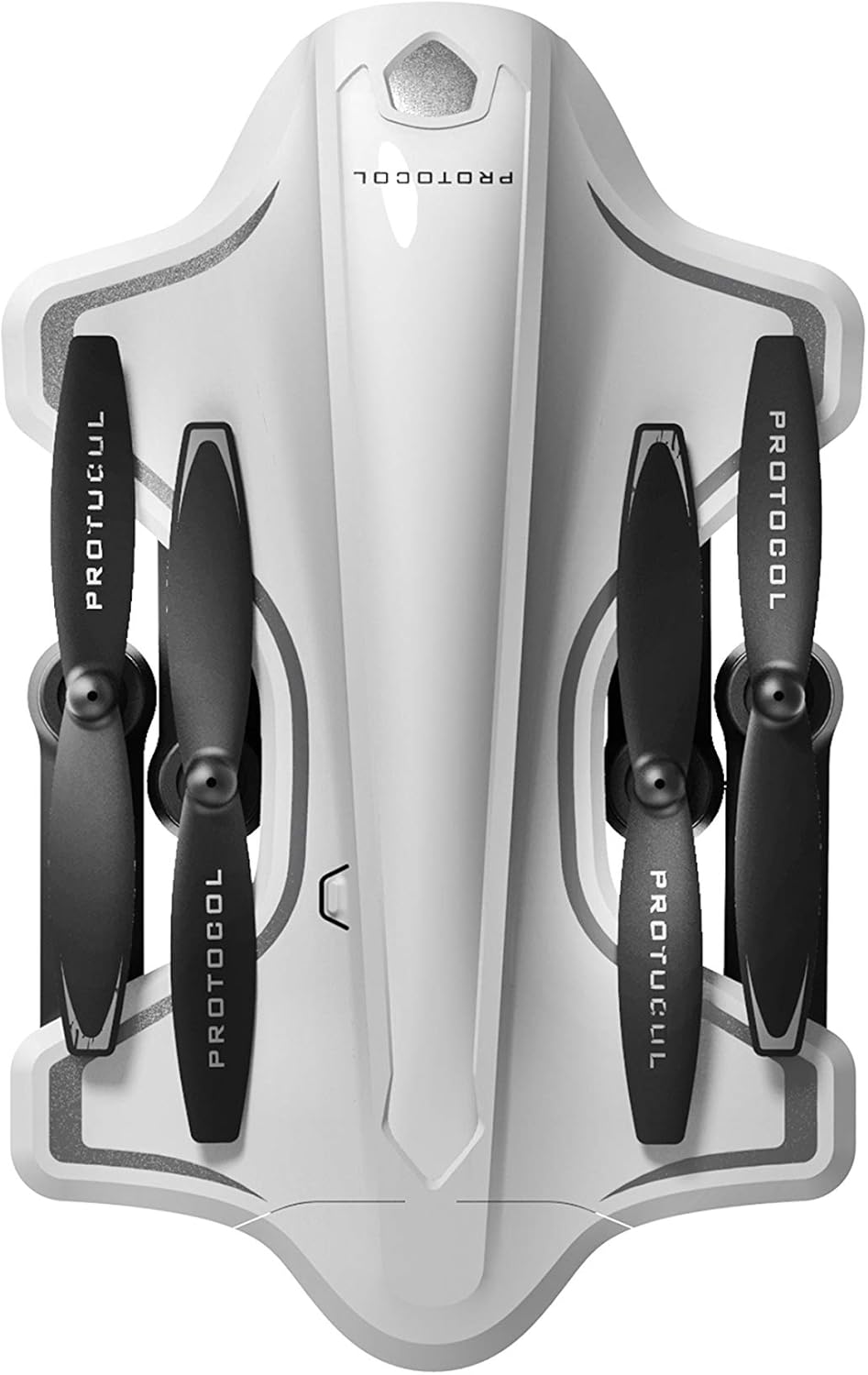
Image: The Protocol Director HD Foldable Drone in its compact, folded configuration, ready for transport.
4. Installing the Drone Battery
- Dronda batareya bölməsini tapın.
- Insert the fully charged drone battery, ensuring it is securely seated.
- Batareya bölməsinin qapağını bağlayın.
5. Downloading the App (Optional for Camera Features)
- axtarın the "Protocol Director HD" app in your smartphone's app store (iOS or Android).
- Download and install the free application.
- Mount your smartphone onto the remote control's phone mount.
Əməliyyat Təlimatları
1. Yandırma və Cütləşdirmə
- Dronu düz, düz bir səthə qoyun.
- Turn on the drone by pressing the power button. The drone's lights will flash.
- Pultu yandırın.
- Push the left joystick (throttle) all the way up, then all the way down. The drone's lights will become solid, indicating successful pairing.
2. Calibrating the Gyroscope
After pairing, it is recommended to calibrate the gyroscope for stable flight:
- With the drone on a flat surface, push both joysticks down and to the right simultaneously for a few seconds.
- The drone's lights will flash rapidly and then become solid, indicating calibration is complete.
3. Əsas Uçuş İdarəetmələri
The Protocol Director HD features auto launch, hover, and land functions due to its altitude sensor.
- Auto Launch: Press the dedicated auto launch button on the remote. The drone will ascend to a stable hovering altitude.
- Drossel (Sol Joystik):
- Push up: Increase altitude
- Push down: Decrease altitude
- Push left/right: Rotate drone left/right (yaw)
- İstiqamətləndirici İdarəetmə (Sağ Joystik):
- Push up: Fly forward
- Push down: Fly backward
- Push left: Fly left (strafe)
- Push right: Fly right (strafe)
- Auto Land: Press the dedicated auto land button. The drone will slowly descend and land.
- Sürət seçimi: Use the speed button on the remote to cycle through three selectable speeds (low, medium, high).
4. Camera and App Features
Connect your smartphone to the drone's Wi-Fi network (usually named "Protocol_Drone_XXXXXX") to access live streaming and advanced camera functions via the app.
- Canlı yayım: View the drone's camera feed in real-time on your smartphone.
- Video Qeydiyyatı: Initiate and stop video recording (480p resolution) through the app.
- Foto çəkiliş: Take still images through the app.
- Multiple Camera Angles: The app supports three different camera angles (Aerial, POV, Selfie) for varied content creation.
- Audio Qeyd: The app allows for audio recording alongside video.
- Draw Your Own Flight Path: Utilize the app's feature to draw a flight path on your screen, and the drone will follow it.
- VR Capability: The app is VR capable; VR goggles are sold separately.
Baxım
- Pervane yoxlanışı: Regularly check propellers for cracks, bends, or damage. Replace any damaged propellers using the provided spare parts and screwdriver.
- Təmizləmə: Use a soft, dry cloth to clean the drone and remote control. Avoid using liquids or harsh chemicals.
- Batareyaya qulluq:
- Batareyaları həddindən artıq doldurmayın.
- Batareyaları sərin, quru yerdə saxlayın.
- Remove batteries from the drone and remote control during long periods of non-use.
- Yaddaş: Fold the drone arms for compact storage in the provided travel bag when not in use. Store in a cool, dry environment.
Problemlərin aradan qaldırılması
| Problem | Mümkün Səbəb | Həll |
|---|---|---|
| Dron işə düşmür. | Batareya doldurulmayıb və ya səhv quraşdırılıb. | Batareyanın tam doldurulduğundan və düzgün daxil edildiyindən əmin olun. |
| Remote control does not power on. | AA batteries are dead or incorrectly installed. | Replace AA batteries, checking polarity. |
| Drone and remote do not pair. | Pairing sequence not followed correctly. | Ensure drone is on, then remote. Push left joystick up then down completely. |
| Uçuş zamanı dron sürüşür. | Gyroscope needs calibration; uneven surface at launch. | Land the drone, place on a flat surface, and recalibrate the gyroscope (both joysticks down and right). |
| One propeller does not spin. | Propeller damaged or motor issue. | Check for obstructions. Replace damaged propeller. If issue persists, contact support. |
| No live video feed on smartphone. | Not connected to drone's Wi-Fi; app not open. | Ensure smartphone is connected to the drone's Wi-Fi network and the app is running. |
Spesifikasiyalar
| Brend | Protokol |
| Model Adı | Director HD |
| Model nömrəsi | 6182-7RCHA |
| Ölçülər (Qatlanmış) | Təxminən 4.75 düym (uzunluq) |
| Ölçülər (Genişləndirilmiş) | Approximately 9 inches (length, including blades) |
| Çəki | 0.94 Kiloqram (940 q) |
| Kamera Çözünürlüğü | 480p (Video Capture) |
| Bağlantı | Wi-Fi (for app control and live streaming), 2.4 GHz (for remote control) |
| Stabilləşmə | 6-axis motion-sensitive auto stabilizers, Altitude sensor |
| Sürət rejimləri | Three selectable speeds |
| Pilotsuz Batareya | Doldurula bilən (2 ədəd daxildir) |
| Uzaqdan İdarəetmə Batareyası | 4 x AA batareyaları (daxil deyil) |
| Material | Plastic (Crash-resistant) |
| Tövsiyə olunan Yaş | 14 yaş və yuxarı |
Zəmanət və Dəstək
For warranty information, technical support, or to purchase replacement parts, please visit the official Protocol websaytına daxil olun və ya müştəri xidməti şöbəsi ilə əlaqə saxlayın. Satınalma qəbzini alışın sübutu olaraq saxlayın.
Websayt: www.protocolny.com (Misamplink, faktiki link fərqli ola bilər)
Əlaqə: Refer to the Protocol website for contact details, including phone numbers or email support.


