1. Giriş
This manual provides detailed instructions for the setup, operation, and maintenance of your One For All URC4811 Universal Replacement Learning Remote Control. This remote is designed to be compatible with all LG Televisions, including LCD, LED, OLED, and Plasma models, offering a seamless replacement for your original LG remote.
2. Məhsul bitdiview
The One For All URC4811 remote control is engineered for ease of use and broad compatibility with LG televisions. Key features include:
- Birbaşa Uyğunluq: Functions like your original LG television remote. For most LG TVs, no setup is required; simply insert batteries and it is ready to use.
- Öyrənmə xüsusiyyəti: Allows customization of the remote to your specific needs by copying functions from your original remote.
- Tətbiq Qısayol Düymələri: Provides direct access to your favorite streaming services.
- Açarların sayı: 50.
- Uzaqdan İdarəetmə Texnologiyası: Infrared (IR).
Məhsul Şəkilləri




3. Quraşdırma
3.1. Batareyanın quraşdırılması
The remote requires 2 AAA batteries (not included). To install the batteries:
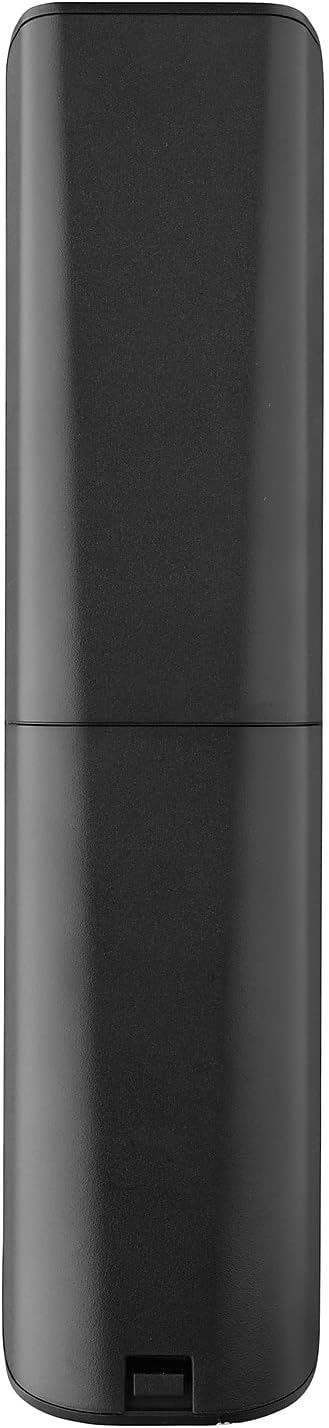
- Remove the battery compartment cover located on the back of the remote.
- Insert 2 AAA batteries, ensuring correct polarity (+ and - terminals).
- Batareya bölməsinin qapağını yerinə etibarlı şəkildə oturana qədər bağlayın.
3.2. Initial Pairing / Codeless Setup
For most LG Televisions, the One For All URC4811 remote control is ready to use immediately after battery installation, requiring no additional setup. Simply point the remote at your LG TV and begin using it. If your TV does not respond, refer to the 'Learning Feature' section for advanced setup options.
4. Əməliyyat Təlimatları
4.1. Əsas funksiyalar
The remote provides all standard functions of an LG TV remote, including:
- Yandırma/Söndürmə: Use the dedicated power button to turn your TV on or off.
- Səs səviyyəsinə nəzarət: Adjust volume up or down using the +/- buttons.
- Kanal naviqasiyası: Change channels using the CH +/- buttons or direct number input.
- Tətbiq Qısayolları: Dedicated buttons provide quick access to popular streaming services.
4.2. Learning Feature
The learning feature allows you to copy specific functions from your original LG remote control to your One For All URC4811 remote. This is useful if a particular function is not pre-programmed or if you prefer a custom button layout. Refer to the Quick Setup Guide included with your remote for detailed steps on using the learning feature.
4.3. Rəsmi Məhsul Videosu
5. Baxım
Pultunuzun uzunömürlülüyünü və optimal işləməsini təmin etmək üçün:
- Təmizləmə: Wipe the remote with a soft, dry cloth. Avoid using liquid cleaners or abrasive materials.
- Batareyaya qulluq: Pultun performansı aşağı düşdükdə batareyaları dəyişdirin. Pult uzun müddət istifadə olunmayacaqsa, sızmanın qarşısını almaq üçün batareyaları çıxarın.
- Yaddaş: Pultu sərin, quru yerdə, birbaşa günəş işığından və həddindən artıq temperaturdan uzaq saxlayın.
6. Giderme
Pultunuzla bağlı problemlərlə qarşılaşsanız, aşağıdakı addımları sınayın:
- Pult Cavab Vermir: Batareyaların düzgün daxil edilib-edilmədiyini və kifayət qədər doldurulduğunu yoxlayın. Lazım gələrsə, onları dəyişdirin.
- Görmə xətti: Pultla televizorun IR qəbuledicisi arasında heç bir maneə olmadığından əmin olun.
- Xüsusi funksiyalar işləmir: Use the learning feature to re-program the affected buttons from your original LG remote.
- TV Not Responding After Battery Change: For some LG models, the remote may require re-pairing or a quick setup process after battery replacement. Refer to the Quick Setup Guide.
7. Spesifikasiyalar
| Xüsusiyyət | Spesifikasiya |
|---|---|
| Məhsul Ölçüləri | 8.03 x 2.01 x 0.94 düym |
| Maddə Çəkisi | 2.72 unsiya |
| Element Model nömrəsi | Urc4811 |
| Batareyalar Tələb olunur | 2 AAA batareya (daxil deyil) |
| Brend | Hamı üçün Bir |
| Xüsusi Xüsusiyyət | Universal, Learning Function |
| Rəng | Qara |
| Dəstəklənən Cihazların Maks. Sayı | 1 (specifically for LG TVs) |
| Uyğun Cihazlar | LG Televisions (LCD, LED, OLED, Plasma) |
8. Zəmanət və Dəstək
For warranty information and technical support, please refer to the documentation included with your product or visit the official One For All websayt. Satınalma qəbzinizi hər hansı zəmanət iddiaları üçün satınalmanın sübutu kimi saxlayın.