1. Giriş
Aldığınız üçün təşəkkür edirikasing the ELECTROPRIME Digital Voice Recorder. This device is designed for high-quality audio recording and playback, functioning as both a dictaphone and an MP3 music player. Please read this manual carefully to ensure proper use and optimal performance.
Paketin tərkibi:
- ELECTROPRIME Digital Voice Recorder (Model: ASHA20BEBUBEB16153)
- USB kabel
- İstifadəçi təlimatı
2. Məhsul bitdiview
Familiarize yourself with the device's components and controls.
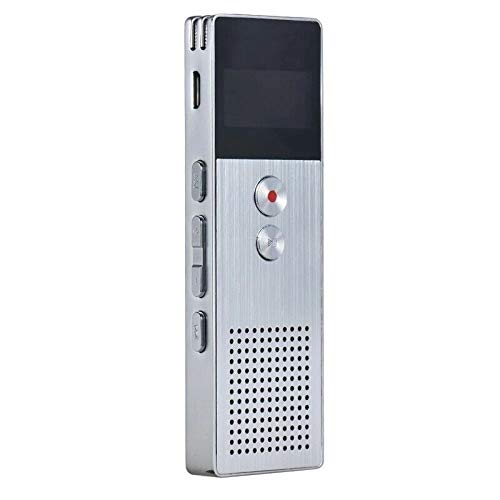
Şəkil 2.1: Ön view of the ELECTROPRIME Digital Voice Recorder. This image displays the device's screen, the prominent red record button, and other control buttons on the front panel, along with the speaker grille at the bottom.
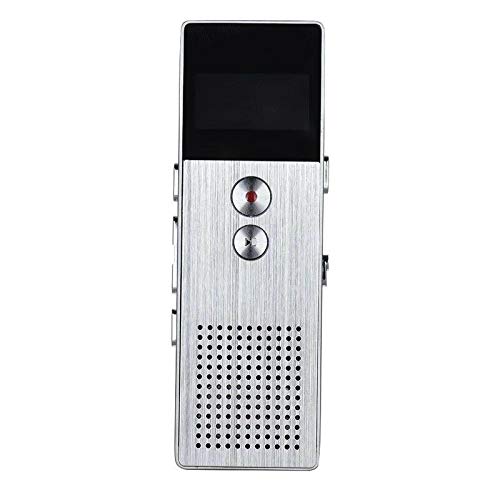
Şəkil 2.2: Yan view of the ELECTROPRIME Digital Voice Recorder. This image highlights the side controls, including the power switch, volume buttons, and the USB charging/data transfer port. The device's compact design is visible.
Cihaz komponentləri:
- Ekran Ekranı: Qeyd statusunu, vaxtı, batareya səviyyəsini və menyu seçimlərini göstərir.
- Qeyd düyməsi: Initiates and stops audio recording.
- Oynat/Pauza düyməsi: Starts and pauses playback of audio files.
- Səs düymələri (+/-): Oxutma səsini tənzimləyir.
- Menyu/Rejim düyməsi: Navigates through menus and switches operating modes.
- USB Port: For charging and data transfer to a computer.
- Mikrofon: Built-in stereo microphone for audio input.
- Natiq: For direct audio playback.
- Qulaqlıq Jack: Şəxsi dinləmək üçün.
- Güc dəyişdiricisi: Cihazı yandırır və ya söndürür.
3. Quraşdırma
3.1 Cihazın doldurulması
Before first use, fully charge the device. Connect the recorder to a computer's USB port or a USB wall adapter (not included) using the provided USB cable. The battery indicator on the screen will show charging status. A full charge typically takes 2-3 hours.
3.2 Yandırma/Söndürmə
- Yandırmaq üçün sürüşdürün Güc açarı ON mövqeyinə.
- Söndürmək üçün sürüşdürün Güc açarı OFF vəziyyətinə.
3.3 İlkin Parametrlər
Upon first power-on or after a reset, you may need to set the date, time, and language. Use the navigation buttons to select options and confirm with the Play/Pause button.
4. Əməliyyat Təlimatları
4.1 Səs yazma
The device supports high-quality stereo recording in .WAV format, offering up to 23 hours of continuous recording with its 8GB internal memory.
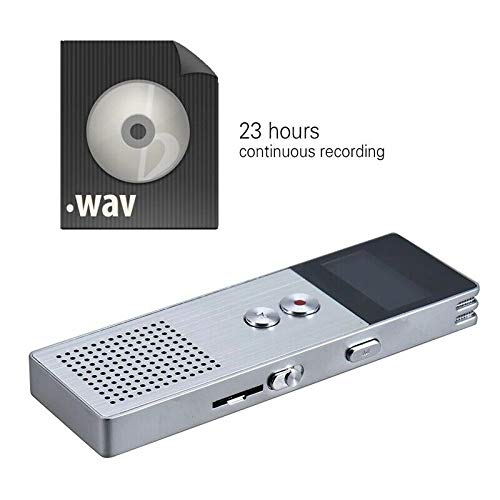
Şəkil 4.1: The recorder's capability to record in .WAV format and its impressive 23-hour continuous recording capacity are highlighted in this image, alongside the device itself.
- Cihazın işə salındığından əmin olun.
- düyməsini basın Qeyd düyməsi (red circle) to start recording. The screen will display a recording indicator and elapsed time.
- Yazmağı dayandırmaq üçün düyməsini basın Oynat/Pause düyməsi. Davam etmək üçün yenidən basın.
- Yazmağı dayandırmaq və saxlamaq üçün file, düyməsini basın Qeyd düyməsi yenidən. The file avtomatik saxlanacaq.
İpucu: For best recording quality, ensure the microphone is not obstructed and the device is placed on a stable surface.
4.2 Oynatma
- In the main menu, navigate to the "Recordings" or "Music" folder using the navigation buttons.
- İstədiyinizi seçin file və basın Oynat/Pause düyməsi oxutmaya başlamaq üçün.
- Oynatma zamanı istifadə edin Səs Düymələri (+/-) səs səviyyəsini tənzimləmək üçün.
- düyməsini basın Oynat/Pause düyməsi to pause playback, and again to resume.
- Oynatmağı dayandırmaq üçün düyməsini basın Stop düyməsi (if available, otherwise navigate out of playback mode).
4.3 MP3 Music Player Functionality
Cihaz MP3 pleyer kimi də fəaliyyət göstərə bilər. Mp3 köçürmək files to the device via USB connection to your computer.
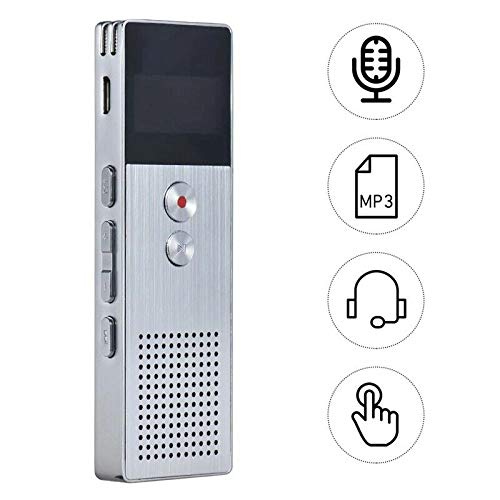
Şəkil 4.2: This image illustrates the multi-functional capabilities of the device, including its use as a voice recorder (microphone icon), an MP3 player (MP3 icon), and its compatibility with headphones (headphone icon). The touch icon suggests ease of interaction.
- USB kabeldən istifadə edərək cihazı kompüterinizə qoşun.
- The device will appear as a removable disk. Copy your MP3 files into the "Music" folder on the device.
- Safely eject the device from your computer.
- On the recorder, navigate to the "Music" menu and select your desired MP3 file oynatma üçün.
4.4 File Management (Connecting to PC)
To transfer, delete, or organize files, connect the recorder to your computer using the USB cable. The device will be recognized as a mass storage device. You can then drag and drop files as you would with any USB drive.
5. Baxım
- Keep the device dry. Moisture can damage internal circuits.
- Həddindən artıq temperaturdan çəkinin.
- Cihazı yerə atmayın və ya güclü zərbələrə məruz qoymayın.
- Clean the device with a soft, dry cloth. Do not use harsh chemicals or detergents.
- Regularly back up important recordings to your computer.
6. Giderme
Cihaz yanmır:
- Batareyanın doldurulduğundan əmin olun. Enerji mənbəyinə qoşulun və yenidən cəhd edin.
- Güc açarının ON vəziyyətində olub olmadığını yoxlayın.
Qeyd etmək mümkün deyil:
- Check available memory. If full, transfer files to a computer and delete them from the device.
- Mikrofonun örtülmədiyinə əmin olun.
- Verify the device is in recording mode.
Oynatma zamanı səs yoxdur:
- Adjust the volume using the Volume Buttons.
- Ensure headphones are properly connected if using them.
- Səsin olub olmadığını yoxlayın file xarab olur.
Cihaz kompüter tərəfindən tanınmır:
- Fərqli bir USB portu və ya USB kabeli sınayın.
- Cihaz qoşulduqda işə salındığından əmin olun.
- Kompüterinizi yenidən başladın.
7. Spesifikasiyalar
| Brend | ELEKTROPRIME |
| Model nömrəsi | ASHA20BEBUBEB16153 |
| Yaddaş Saxlama | 8 GB |
| Qeyd Format | WAV |
| Oynatma formatları | MP3, WAV |
| Mikrofon | Stereo |
| Davamlı qeyd | 23 saata qədər |
| Bağlantı | USB |
8. Zəmanət və Dəstək
For warranty information or technical support, please refer to the product packaging or contact ELECTROPRIME customer service through their official website or the retailer where the product was purchased. Please have your model number (ASHA20BEBUBEB16153) and purchase details ready.