1. Giriş
This user manual provides detailed instructions for the DOOGEE S68 Pro rugged smartphone. It covers essential information regarding device setup, operation, maintenance, and troubleshooting to ensure optimal performance and longevity of your device. Please read this manual thoroughly before using your new smartphone.
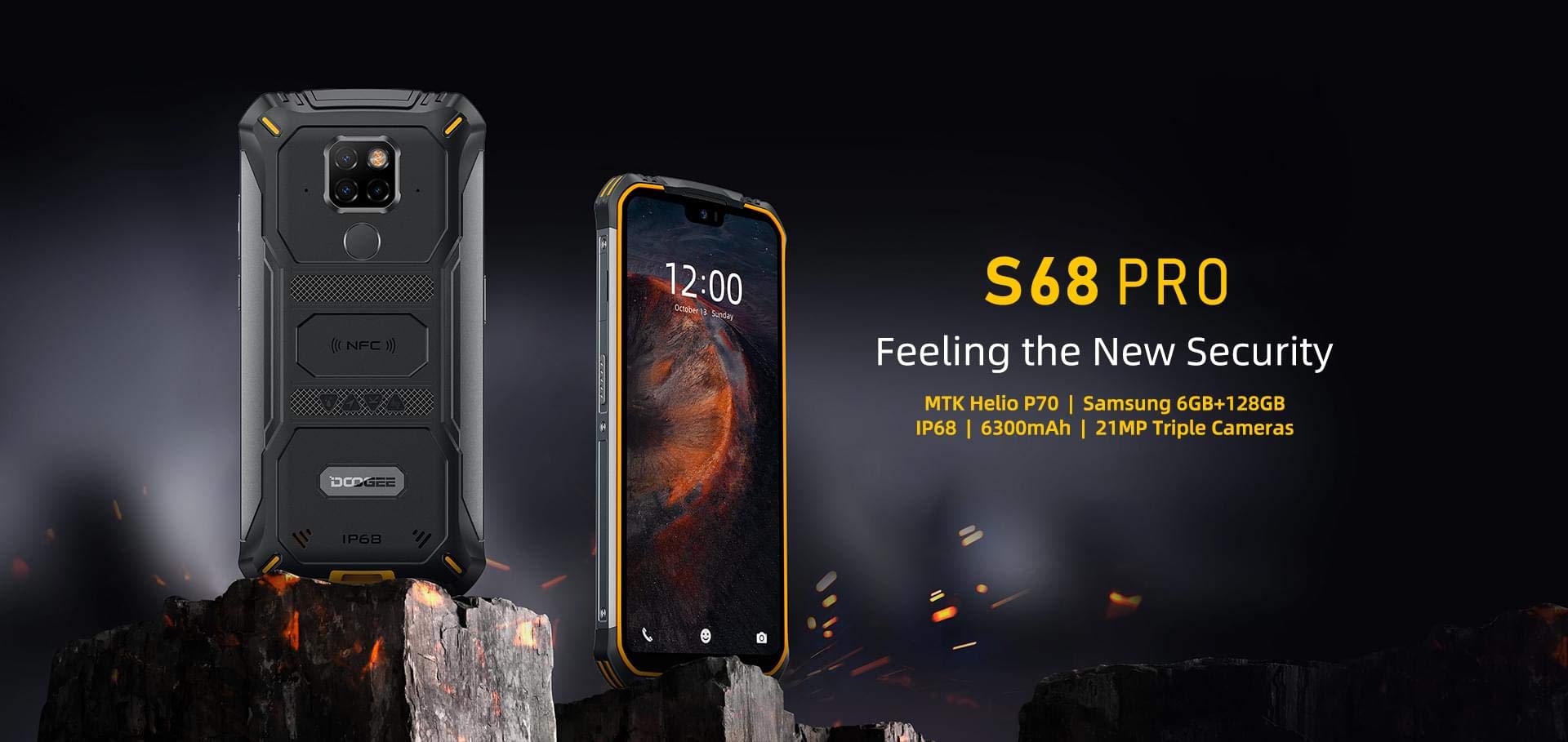
Image: The DOOGEE S68 Pro rugged smartphone, showcasing onun möhkəm dizaynı.
2. Məhsul bitdiview
The DOOGEE S68 Pro is a rugged smartphone designed for durability and high performance. It features a 5.9-inch FHD+ display, a powerful Helio P70 Octa Core processor, 6GB RAM, and 128GB internal storage. The device is equipped with a triple rear camera system, NFC for payments, and a large 6300mAh battery with wireless charging capabilities. Its robust construction ensures resistance to water, dust, and drops.

Şəkil: Artıqview of the DOOGEE S68 Pro's key features, including its display, processor, memory, battery, and camera.
2.1 Fiziki Xüsusiyyətlər
- Ekran: 5.9-inch FHD+ Notch Screen (1080*2280 pixels, ~428 ppi density).
- Arxa Kamera Sistemi: Triple camera setup including a 21MP standard lens, 8MP telephoto lens, and 8MP 130° wide-angle lens, accompanied by a dual flash.
- Ön kamera: 16MP wide-angle lens.
- NFC: Integrated for contactless payments and data transfer.
- Doldurma Portu: Type-C USB.
- Sensorlar: G-sensor, Proximity sensor.
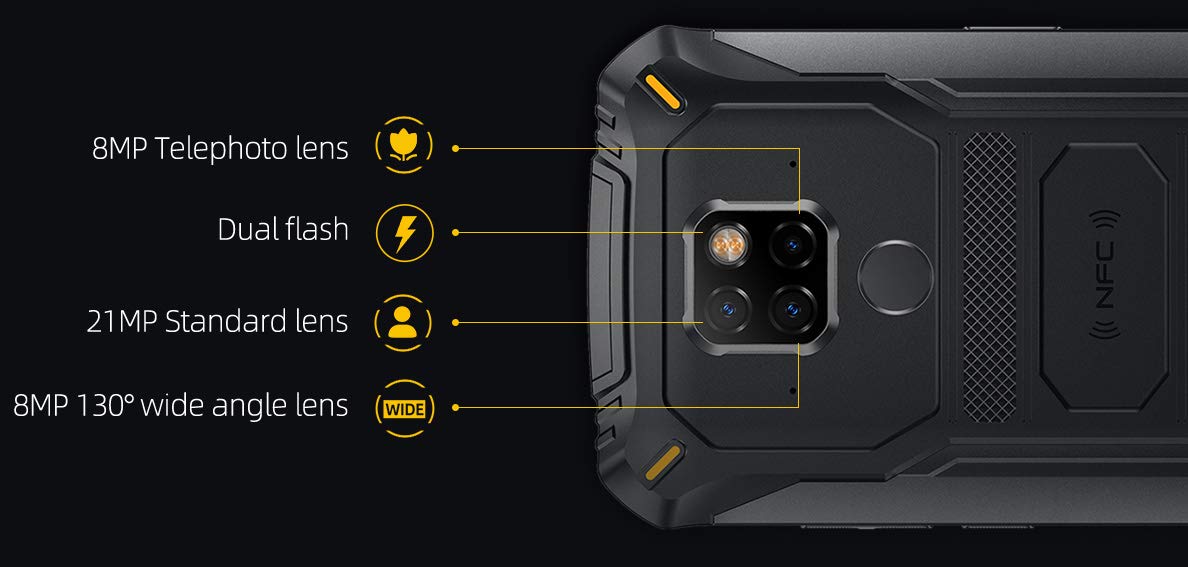
Şəkil: Ətraflı view of the DOOGEE S68 Pro's triple rear camera system, highlighting the telephoto, standard, and wide-angle lenses, along with the dual flash and NFC area.
3. Quraşdırma
3.1 SIM Card and TF Card Installation
- Cihazın yan tərəfində SİM kart tepsisini tapın.
- SİM ejektor alətini nimçənin yanındakı kiçik çuxura daxil edin və qab çıxana qədər yumşaq bir şəkildə itələyin.
- Place your Nano SIM card(s) and/or TF card (microSD, up to 128GB) into the designated slots on the tray. Ensure the gold contacts are facing down.
- Yerinə oturana qədər qabı ehtiyatla telefona daxil edin.
3.2 İlkin işə salınma
- Press and hold the Power button (usually on the right side) until the DOOGEE logo appears on the screen.
- Dil seçimi, Wi-Fi bağlantısı, Google hesabına giriş və təhlükəsizlik parametrləri daxil olmaqla, ilkin quraşdırmanı tamamlamaq üçün ekrandakı təlimatları izləyin.
4. Əməliyyat Təlimatları
4.1 Əməliyyat sistemi
The DOOGEE S68 Pro runs on Android 9.0 Pie, offering a user-friendly interface and access to a wide range of applications through the Google Play Store.
4.2 Performans
The device is powered by a Helio P70 Octa Core processor (4xCortex-A53 up to 2.0GHz, 4xCortex-A73 up to 2.0GHz) and an ARM Mali-G72-MP2 700MHz GPU, providing efficient performance for multitasking and gaming.

Image: The DOOGEE S68 Pro being used for gaming, demonstrating its processing capabilities.
4.3 Yaddaş və Saxlama
İlə gəlir 6 GB RAM for smooth operation and 128 GB ROM for storing your files and applications. Storage can be expanded up to 128GB via a microSD card.
4.4 Bağlantı
- Wi-Fi: İnternetə çıxış üçün simsiz şəbəkələrə qoşulun.
- Bluetooth: Qulaqlıqlar və ya dinamiklər kimi digər Bluetooth dəstəkli cihazlarla qoşun.
- NFC: Use for quick pairing, data exchange, and mobile payments.
- GPS: For navigation and location services.
- OTG (Yolda): Connect USB devices such as flash drives or keyboards.
4.5 Kamera Funksiyaları
The triple rear camera system allows for versatile photography, including standard shots, wide-angle landscapes, and telephoto close-ups. The 16MP front camera is suitable for selfies and video calls. The LED flash assists in low-light conditions.
4.6 Batareya və şarj
Cihaz a ilə təchiz edilmişdir 6300 mAh batareya, providing extended usage time. It supports 12V2A fast charging və 10W simsiz şarj. Additionally, it features 5W tərs simsiz şarj, allowing you to charge other compatible devices.
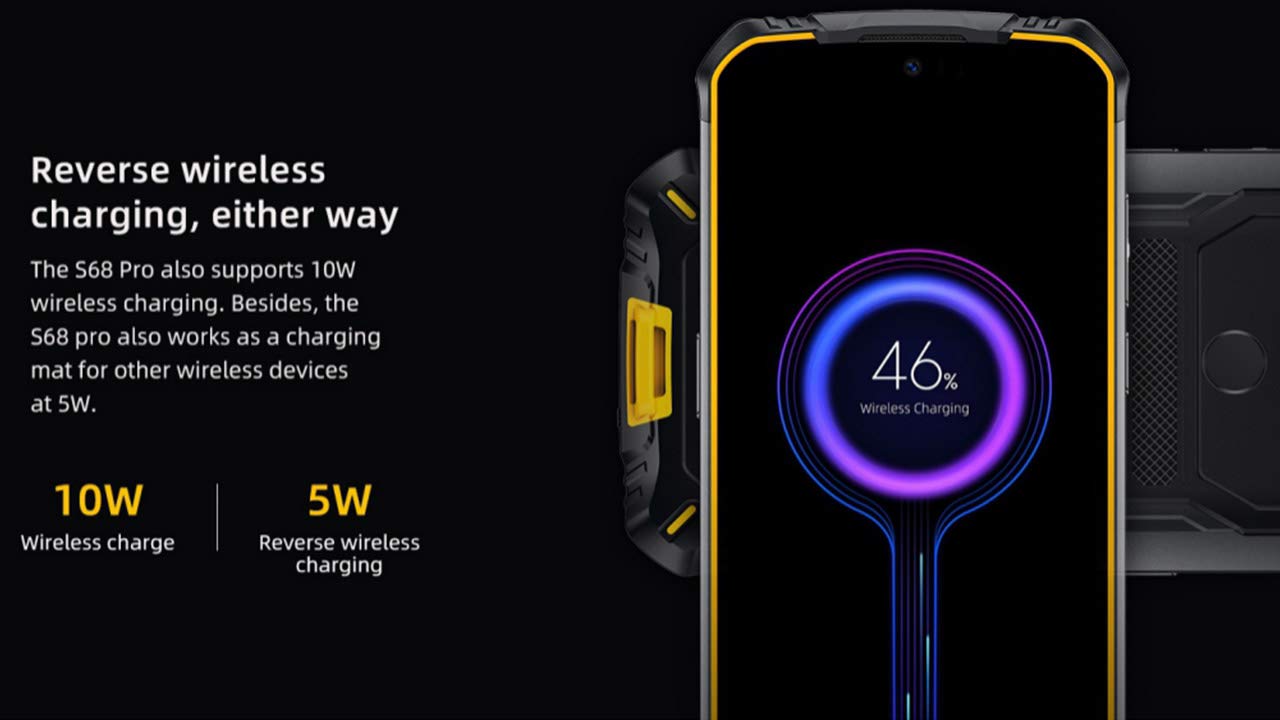
Image: The DOOGEE S68 Pro demonstrating its reverse wireless charging capability, charging another device.
4.7 Möhkəm Xüsusiyyətlər
The DOOGEE S68 Pro is designed to withstand harsh environments. It boasts an IP68 reytinqi for water and dust resistance and is built to be drop-proof, making it suitable for outdoor activities and demanding work conditions.

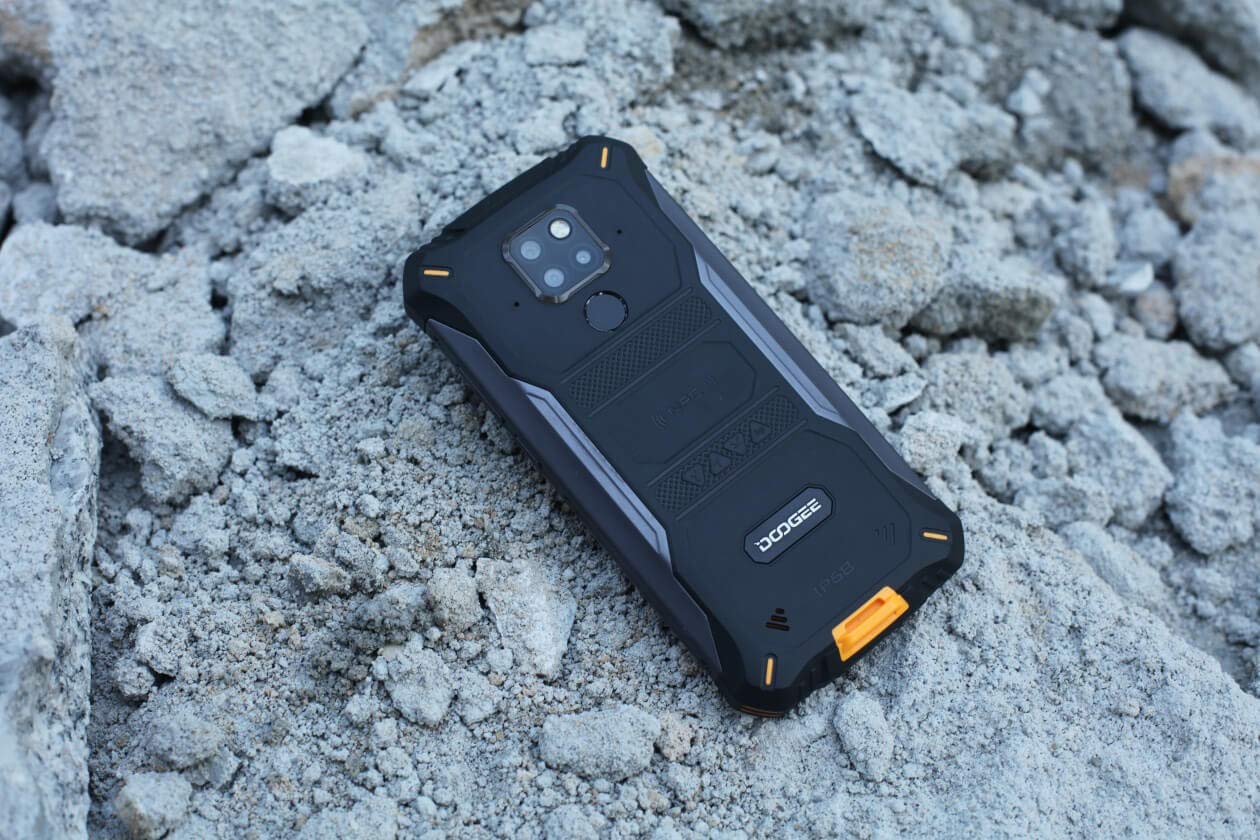
Images: The DOOGEE S68 Pro demonstrating its ruggedness by being submerged in mud and resting on rough terrain.
5. Baxım
To maintain your DOOGEE S68 Pro in optimal condition, follow these guidelines:
- Təmizləmə: Yumşaq istifadə edin, damp cloth to clean the device. For stubborn dirt, especially after exposure to mud or dust, rinse gently with clean water and ensure all ports are dry before charging.
- Həddindən artıq temperaturdan çəkinin: Do not expose the phone to excessively high or low temperatures for prolonged periods.
- Liman Mühafizəsi: Ensure all port covers are securely closed when the phone is exposed to water or dust.
- Proqram təminatı yeniləmələri: Regularly update your device's software to benefit from the latest security patches and performance improvements.
6. Giderme
If you encounter issues with your DOOGEE S68 Pro, refer to the following common solutions:
- Cihaz açılmır: Batareyanın doldurulduğundan əmin olun. Telefonu şarj cihazına qoşun və yenidən yandırmağa cəhd etməzdən əvvəl bir neçə dəqiqə gözləyin.
- Doldurma Problemləri: Check the charging cable and adapter for damage. Ensure the Type-C port is clean and free of debris. Try a different charger if available.
- Zəif Şəbəkə Siqnalı: Move to an area with better network coverage. Check if your SIM card is properly inserted.
- Applications Crashing: Problemli tətbiqin keş yaddaşını və məlumatlarını Parametrlər > Tətbiqlər bölməsindən təmizləyin. Problem davam edərsə, tətbiqi silin və yenidən quraşdırın.
- Toxunma ekranı cavab vermir: Restart the device. If the issue continues, perform a factory reset (note: this will erase all data).
7. Spesifikasiyalar
| Xüsusiyyət | Spesifikasiya |
|---|---|
| Əməliyyat sistemi | Android 9.0 Pie |
| Prosessor | Helio P70 Octa Core (4xCortex-A53, 4xCortex-A73) |
| RAM | 6 GB |
| Daxili Yaddaş (ROM) | 128 GB |
| Genişləndirilə bilən yaddaş | 128GB qədər microSD |
| Ekran Ölçüsü | 5.9 inch FHD+ Notch Screen |
| Ekran Çözünürlüğü | 1080*2280 pixels (~428 ppi) |
| Arxa Kamera | 21MP + 8MP + 8MP Üçqat Kamera |
| Ön kamera | 16 MP |
| Batareya Tutumu | 6300 mAh |
| Doldurulur | 12V2A Fast Charge, 10W Wireless Charge, 5W Reverse Wireless Charge |
| Bağlantı | Wi-Fi, Bluetooth, NFC, GPS, OTG |
| Möhkəmlik | IP68 Water & Dust Resistant, Drop-proof |
| Ölçülər | 16.35 x 8 x 1.64 sm |
| Çəki | 260 q |
8. Zəmanət və Dəstək
Your DOOGEE S68 Pro comes with a standard brand warranty. For detailed warranty information, service, and support, please refer to the official DOOGEE website or the product detail page on the retailer's websayt.
For further information, visit the product detail page: DOOGEE S68 Pro Product Page
9. Məhsul Videosu Bitdiview
Video: Məmur bitdiview of the DOOGEE S68 Pro Rugged Phone, highlighting its key features and specifications.


