Giriş
This manual provides essential instructions for the safe and efficient use of your Redmi 10000mAh Power Bank (Model PB100LZm). Please read this manual thoroughly before using the product and retain it for future reference.
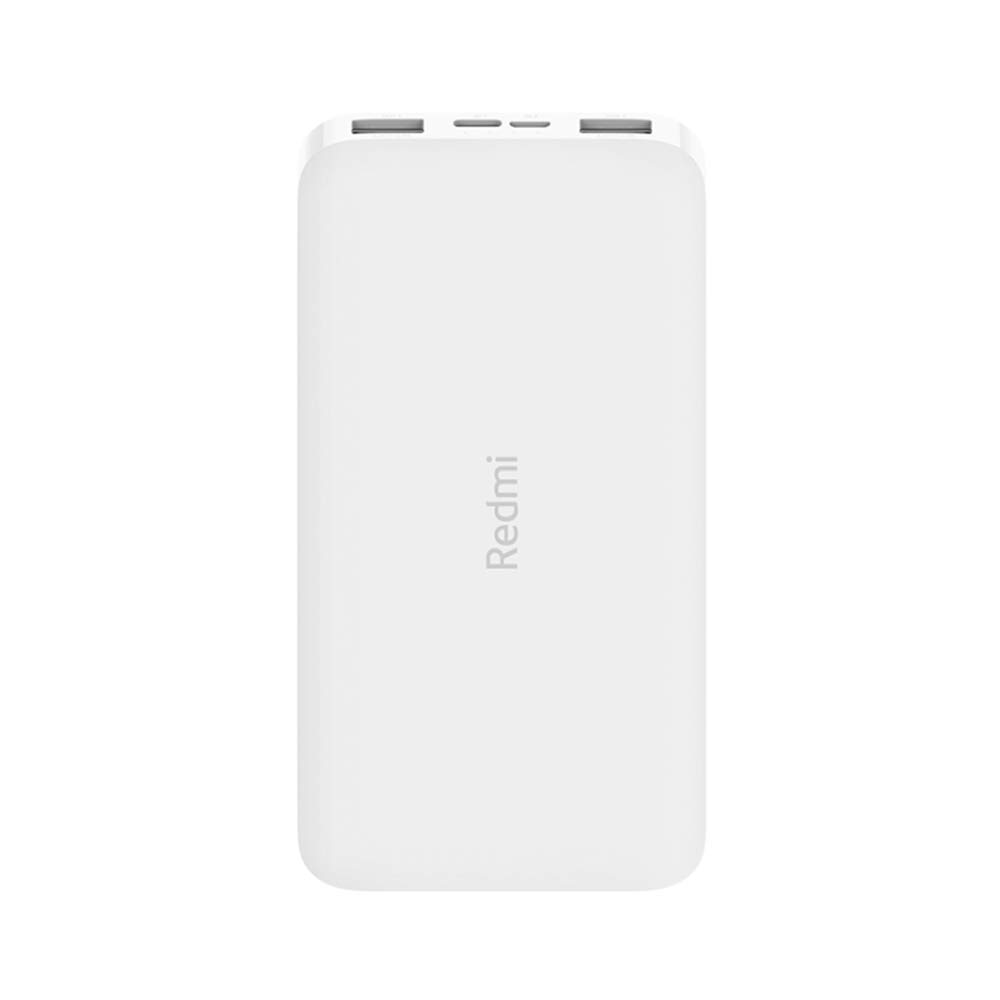
Şəkil: Bucaqlı view of the white Redmi 10000mAh Power Bank.
Təhlükəsizlik Məlumatı
To prevent injury, damage to the product, or damage to property, observe the following safety precautions:
- Powerbankı sökməyin, təmir etməyin və ya dəyişdirməyin.
- Do not expose the power bank to fire, high temperatures, or direct sunlight.
- Su və ya digər mayelərlə təmasdan çəkinin.
- Powerbankı yerə salmayın, zərbə endirməyin və ya güclü titrəmələrə məruz qoymayın.
- Uşaqların əli çatmayan yerdə saxlayın.
- Yalnız uyğun şarj kabelləri və adapterlərdən istifadə edin.
- Enerji bankını yerli qaydalara uyğun olaraq atın.
Məhsul Bitdiview
Familiarize yourself with the components of your Redmi 10000mAh Power Bank.

Image: Close-up of the power bank's top edge showing two USB-A output ports (OUT1, OUT2), one Micro-USB input port (IN1), one USB-C input port (IN2), and four LED battery level indicators.
- USB-A Çıxış Portları (OUT1, OUT2): Xarici cihazları doldurmaq üçün istifadə olunur.
- Micro-USB Input Port (IN1): Powerbankı doldurmaq üçün istifadə olunur.
- USB-C Input Port (IN2): Powerbankı doldurmaq üçün istifadə olunur.
- LED göstəriciləri: Four small lights indicating the remaining battery level.
- Güc düyməsi: Located on the side, used to check battery level or activate charging.

Şəkil: Yan view of the power bank highlighting the power button.
Quraşdırma
Power Bankın ilkin doldurulması
Before first use, fully charge your Redmi 10000mAh Power Bank.
- Connect a compatible USB cable to either the Micro-USB (IN1) or USB-C (IN2) input port on the power bank.
- Kabelin digər ucunu USB güc adapterinə (daxil deyil) və ya kompüterin USB portuna qoşun.
- The LED indicators will light up, showing the charging progress. All four LEDs will be solid when fully charged.
Qurğuları birləşdirən
The power bank is compatible with mobile phones and other USB-powered devices.
- Use the appropriate charging cable for your device.
- Connect one end of the cable to one of the USB-A output ports (OUT1 or OUT2) on the power bank.
- Kabelin digər ucunu cihazınızın şarj portuna qoşun.
Əməliyyat Təlimatları
Xarici Cihazların Doldurulması
Once a device is connected, the power bank should automatically begin charging. If not, press the power button once to initiate charging.

Image: The power bank connected via a USB cable to charge a mobile phone, resting on a wooden table.
- The LED indicators will show the power bank's remaining battery level during charging.
- You can charge two devices simultaneously using both USB-A output ports.
Batareya səviyyəsinin yoxlanılması
Press the power button once to check the remaining battery level. The LED indicators will light up for a few seconds:
- 1 LED: 0-25% qalan batareya
- 2 LED: 25-50% qalan batareya
- 3 LED: 50-75% qalan batareya
- 4 LED: 75-100% qalan batareya
Baxım
- Təmizləmə: Powerbankı yumşaq, quru parça ilə silin. Sərt kimyəvi maddələr və ya aşındırıcı materiallar istifadə etməyin.
- Yaddaş: Enerji bankını birbaşa günəş işığından və həddindən artıq temperaturdan uzaq sərin, quru yerdə saxlayın.
- Batareyaya qulluq: For optimal battery life, avoid fully discharging the power bank frequently. Recharge it when the battery level is low. If not used for extended periods, charge it to about 50% every three months.
Problemlərin aradan qaldırılması
| Problem | Mümkün Həll |
|---|---|
| Power bank doldurulmur. |
|
| Cihaz enerji bankından doldurulmur. |
|
| Yavaş doldurma. |
|
Spesifikasiyalar
| Brend | Xiaomi |
| Model nömrəsi | PB100LZm |
| Tutum | 10000 mAh |
| Rəng | Ağ |
| Batareya növü | Litium Polimer |
| Giriş Portları | 1x Micro-USB, 1x USB-C |
| Çıxış Portları | 2x USB-A (5.1V=2.4A each) |
| Uyğun Cihazlar | Mobile Phones and other USB-powered devices |
| Ölçülər | 15.8 x 8 x 2 sm |
| Çəki | 276 qram |
Zəmanət və Dəstək
Based on the provided product information, this product is indicated as having zəmanət yoxdur. For any product-related inquiries or technical support, please refer to the official Xiaomi support channels or your point of purchase.