Giriş
This manual provides essential instructions for the installation, operation, and maintenance of your Swann Master-Series 4K HD 8 Camera 8 Channel NVR Security System, model SWNVK-876808-US. This system is designed to provide high-definition surveillance for your property, featuring 4K resolution cameras and an 8-channel Network Video Recorder (NVR) for reliable recording and monitoring.
Please read this manual thoroughly before setting up and using your security system to ensure proper functionality and to maximize its performance and longevity.
Qutuda nə var
Carefully unpack all components and verify that you have received all items listed below. If any items are missing or damaged, please contact Swann customer support.
- Swann 8-Channel Network Video Recorder (NVR)
- 8 x 4K HD Security Cameras
- Ethernet Cables (for camera connection)
- Power Adapters (for NVR and cameras)
- USB Siçan
- Montaj Vintləri və Tıxacları
- Security Warning Stickers
- HDMI Kabel
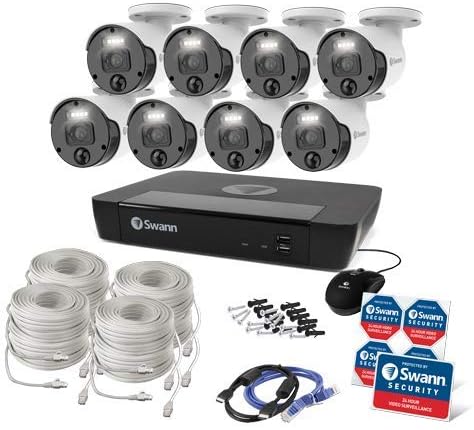
Şəkil 1: Complete contents of the Swann Master-Series 4K HD 8 Camera 8 Channel NVR Security System kit, including the NVR, eight cameras, various cables, a USB mouse, and security stickers.
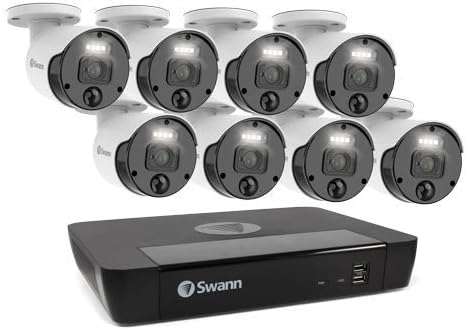
Şəkil 2: The Swann Network Video Recorder (NVR) unit, which serves as the central recording and management hub for the security system.
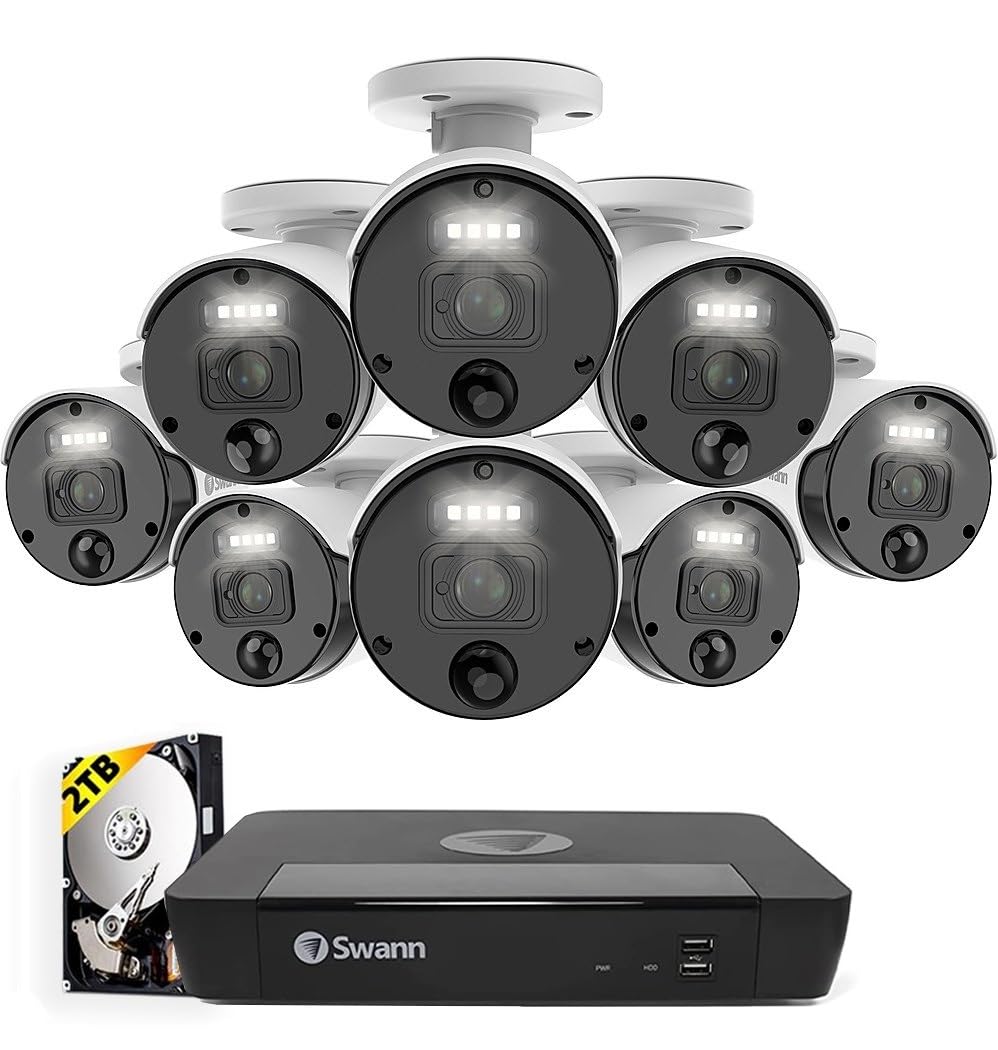
Şəkil 3: The Swann Master-Series NVR unit shown with eight 4K HD security cameras, illustrating the core components of the surveillance system.
Quraşdırma
1. NVR Bağlantısı
- Monitora qoşulun: Use the provided HDMI cable to connect the NVR's HDMI output port to a monitor or TV.
- USB siçanı birləşdirin: USB siçanını NVR-dəki USB portlarından birinə qoşun.
- Şəbəkəyə qoşulun: Connect an Ethernet cable from the NVR's LAN port to your router or network switch for internet access and remote viewimkanları.
- Güc bağlayın: Plug the NVR's power adapter into the DC IN port and then into a power outlet. The NVR will power on automatically.
2. Kamera Quraşdırılması
- Kameraların quraşdırılması: Kameralarınız üçün uyğun yerləri seçin və onların aydın bir sahəyə sahib olduğundan əmin olun. view and are protected from direct weather exposure. Use the provided screws and plugs to securely mount each camera.
- Kameraları NVR-ə qoşun: Connect each camera to an available Ethernet port on the NVR using the provided Ethernet cables. The NVR will automatically detect and power the cameras (Power over Ethernet - PoE).
3. İlkin Konfiqurasiya
- First-Time Setup Wizard: Upon first power-up, the NVR will display a setup wizard on the connected monitor. Follow the on-screen prompts to configure basic settings such as language, date/time, and network settings.
- Administrator Şifrəsini Təyin Edin: Create a strong, unique password for the administrator account. This is crucial for system security.
- Sərt diskin işə salınması: The wizard may prompt you to initialize the hard drive. Confirm to prepare it for recording.
Sistemin İşlənməsi
Canlı View
İlkin quraşdırmadan sonra NVR canlı yayımı göstərəcək view monitordakı bütün qoşulmuş kameralardan. Tək kameralılar arasında keçid edə bilərsiniz view, çoxkameralı şəbəkə view, and sequence view using the NVR's interface and mouse.
Səsyazma
- Davamlı qeyd: The system is typically configured for continuous recording by default.
- Hərəkət Algılama Qeydləri: Configure specific cameras to record only when motion is detected within their field of view. Adjust sensitivity and detection zones as needed.
- Planlaşdırılmış Qeyd: Set specific times for recording, allowing for customized surveillance schedules.
Oynatma
Access the playback menu on the NVR to review foo qeyd etditage. You can search by date, time, and event type (e.g., motion detection). Use the timeline and controls to navigate through recordings.
Remote Access (Swann Security App)
Uzaqdan üçün viewing and management, download the official Swann Security app on your smartphone or tablet. Follow the in-app instructions to pair your NVR system. This allows you to view live feeds, play back recordings, and receive alerts from anywhere with an internet connection.
Baxım
- Kamera Təmizləmə: Kamera linzalarını vaxtaşırı yumşaq, damp aydın görüntü keyfiyyətini təmin etmək üçün parça. Aşındırıcı təmizləyicilərdən çəkinin.
- NVR Ventilation: Ensure the NVR unit has adequate ventilation to prevent overheating. Keep vents clear of obstructions.
- Firmware Güncellemeleri: Regularly check for and install firmware updates for your NVR and cameras. Updates often include security enhancements and new features. Refer to the Swann support webən son proqram təminatı üçün sayt.
- Sərt Disk İdarəetmə: The NVR's hard drive will automatically overwrite the oldest footage when it becomes full. Ensure your recording settings (e.g., continuous, motion detection) align with your storage needs.
- Şifrə Təhlükəsizliyi: Change your administrator password periodically and use strong, unique passwords to protect your system from unauthorized access.
Problemlərin aradan qaldırılması
No Video Display on Monitor
- Check if the NVR is powered on and its power adapter is securely connected.
- Verify the HDMI cable connection between the NVR and the monitor.
- Ensure the monitor is set to the correct input source (e.g., HDMI 1).
Cameras Not Showing Live View / No Recording
- Check that each camera is securely connected to the NVR's Ethernet port.
- Ensure the Ethernet cables are not damaged.
- Verify that the NVR's hard drive is initialized and has sufficient space.
- Check camera settings within the NVR interface to ensure they are enabled and configured for recording.
Remote Access Issues
- Ensure the NVR is connected to your router and has an active internet connection.
- Verify your smartphone or tablet has an active internet connection.
- Confirm that the NVR is correctly paired with the Swann Security app.
- Check your router's firewall settings; some may block NVR access.
Gecə Görünüşü İşləmir
- Ensure there are no obstructions directly in front of the camera lens blocking the infrared (IR) LEDs.
- Check camera settings to ensure night vision (IR) is enabled.
- Verify the camera is receiving adequate power.
Spesifikasiyalar
| Xüsusiyyət | Spesifikasiya |
|---|---|
| Brend | Swann |
| Model nömrəsi | SWNVK-876808-US |
| Bağlantı texnologiyası | Wired (Ethernet/PoE) |
| Video çəkiliş həlli | 2160p (4K Ultra HD) |
| Xüsusi Xüsusiyyət | Gecə Görünüşü |
| Kanalların sayı | 8 |
| Güc mənbəyi | Kabelli Elektrik |
| NVR Ölçüləri (U x G x Y) | 10 x 2 x 2.7 düym |
| Uyğun Cihazlar | Swann IP Cameras |
| Aşağı İşıq Texnologiyası | Gecə Görünüşü |
| Çərçivə Tezliyi | 15, 24, 30 fps (variable by resolution/settings) |
| Qeyd rejimi | Continuous, Event (Motion Detection), Scheduled |
| Video Girişi | Ethernet (for IP Cameras) |
| Maddə Çəkisi | 21.2 funt (ümumi paket) |
| UPC | 840236127788 |
Note: While the provided data listed 'BNC' for Video Input, this NVR system primarily uses Ethernet for IP cameras. Please refer to the product packaging or Swann's official website for the most accurate and up-to-date specifications.
Zəmanət və Dəstək
Your Swann Master-Series 4K HD 8 Camera 8 Channel NVR Security System is covered by a manufacturer's warranty. For specific warranty terms, duration, and conditions, please refer to the warranty card included with your product or visit the official Swann websayt.
For technical support, troubleshooting assistance, or to access the latest software and firmware updates, please visit the Swann support portal on their official websayt. Müştəri xidmətləri üçün əlaqə məlumatlarını da orada tapa bilərsiniz.


