GOKOO Smart Watch B08FMBHSWD User Manual
Giriş
This manual provides essential information for the proper setup, operation, and maintenance of your GOKOO Smart Watch B08FMBHSWD. Please read it thoroughly before using the device to ensure optimal performance and longevity.
The GOKOO Smart Watch is a versatile fitness tracker and smartwatch designed to monitor various health metrics and assist with daily activities. It features a full touch screen, heart rate and blood oxygen monitoring, sleep tracking, multiple sports modes, and notification capabilities.
Məhsul Bitdiview
The GOKOO Smart Watch B08FMBHSWD is equipped with advanced features to support your active lifestyle and health monitoring needs.
- All-day Activity Tracking: Records steps, calories, and mileage. Supports 10 sports modes including walking, running, yoga, and swimming.
- Hərtərəfli Sağlamlıq Monitorinqi: Continuously monitors heart rate and blood oxygen levels. Features automatic sleep tracking, breathing training, and sedentary reminders.
- Davamlı və Suya Davamlı Dizayn: IP68 waterproof rating suitable for daily use and swimming.
- Fərdiləşdirilə bilən Ekran: 1.3-inch round high-definition screen with personalized UI interfaces.
- Ağıllı Bildirişlər: Synchronizes messages and allows management of incoming calls.
- Uzun Batareya Ömrü: Up to 10 days of usage on a single charge (200MA battery).
- Geniş Uyğunluq: Works with Android 5.0+ and iOS 9.0+ devices.

Figure 1: GOKOO Smart Watch highlighting its design and core functionalities.
Quraşdırma
1. Cihazın doldurulması
Before initial use, fully charge your GOKOO Smart Watch. Connect the magnetic charging cable to the charging contacts on the back of the watch and plug the USB end into a power adapter (not included) or a computer's USB port. The watch display will indicate charging status.
A full charge typically takes approximately 2 hours and provides up to 10 days of usage, depending on individual use patterns.

Figure 2: Illustration of the watch's IP68 waterproof capability and its extended battery life.
2. Tətbiqin Quraşdırılması və Qoşulması
- Proqramı yükləyin: axtarın the official GOKOO companion app in your smartphone's app store (Apple App Store for iOS, Google Play Store for Android).
- Install and Register: Tətbiqi quraşdırın və hesab yaratmaq və ya daxil olmaq üçün ekrandakı təlimatları izləyin.
- Bluetooth-u aktivləşdirin: Smartfonunuzda Bluetooth-un aktiv olduğundan əmin olun.
- Saatı qoşun: Open the GOKOO app, navigate to the device pairing section, and select your GOKOO Smart Watch from the list of available devices. Confirm the pairing request on both your phone and the watch if prompted.
- İcazələr verin: Allow necessary permissions (e.g., notifications, location, health data) for the app to function correctly.
The watch will synchronize its language with your phone upon successful connection.
Əməliyyat Təlimatları
1. Əsas Naviqasiya
- Toxunma Ekranı: The watch features a full touch screen for interaction.
- Yuxarı/Aşağı sürüşdürün: Menyular və bildirişlər arasında sürüşdürün.
- Sola/Sağa sürüşdürün: Müxtəlif vidjetlərə və ya sürətli funksiyalara daxil olun.
- Klikləyin: Element seçin və ya hərəkəti təsdiqləyin.
- Yan Düymə: Typically used to return to the home screen or activate/deactivate the display.

Figure 3: The watch interface displaying multiple functions and touch screen interaction methods.
2. Fəaliyyətin İzlənməsi
The watch automatically tracks your daily steps, calories burned, and distance traveled. For specific activities, you can select from 10 sports modes:
- Gəzinti
- Qaçış
- Yoqa
- Üzgüçülük
- Velosiped sürmək
- Dırmanma
- Basketbol
- Futbol
- Badminton
- Atlama
To start a workout, navigate to the 'Sports' menu on your watch, select the desired activity, and tap to begin. The watch will record your exercise data, which can be reviewyoldaş tətbiqində redaktə edilib.

Figure 4: The watch interface showing available sports monitoring modes.

Figure 5: The watch tracking an outdoor run, displaying distance, calories, and a trajectory map.
3. Sağlamlığın monitorinqi
- Ürək dərəcəsi: Saat ürək döyüntüsünüzü davamlı olaraq izləyir. View saatda real vaxt məlumatları və ya tətbiqdəki ətraflı tarixi məlumatlar.
- Qan oksigeni (SpO2): Monitor your blood oxygen levels throughout the day.
- Yuxunun İzlənməsi: The watch automatically records your sleep quality, including deep sleep, light sleep, and wake times. Review sleep patterns in the app to help adjust your habits.
- Nəfəs alma təlimi: Access guided breathing exercises on the watch to help reduce stress and improve relaxation.
- Oturaq xatırlatmalar: Set reminders in the app to prompt you to move after periods of inactivity.

Figure 6: The watch displaying real-time heart rate and blood oxygen data during exercise.
4. Notifications and Smart Features
Once paired with your smartphone, the GOKOO Smart Watch can display notifications for incoming calls, messages, and various app alerts. You can read messages directly on your wrist and manage incoming calls (answer/reject) without reaching for your phone.
- Zəng İdarəetmə: Swipe on the watch screen to accept or reject incoming calls.
- Mesajın Göstərilməsi: View text messages and app notifications.
- Hava proqnozu: Access current weather information.
- Musiqiyə nəzarət: Smartfonunuzda musiqinin səsləndirilməsinə nəzarət edin.
- Kamera məsafəsi: Saatı telefonunuzun kamerası üçün uzaqdan deklanşör kimi istifadə edin.
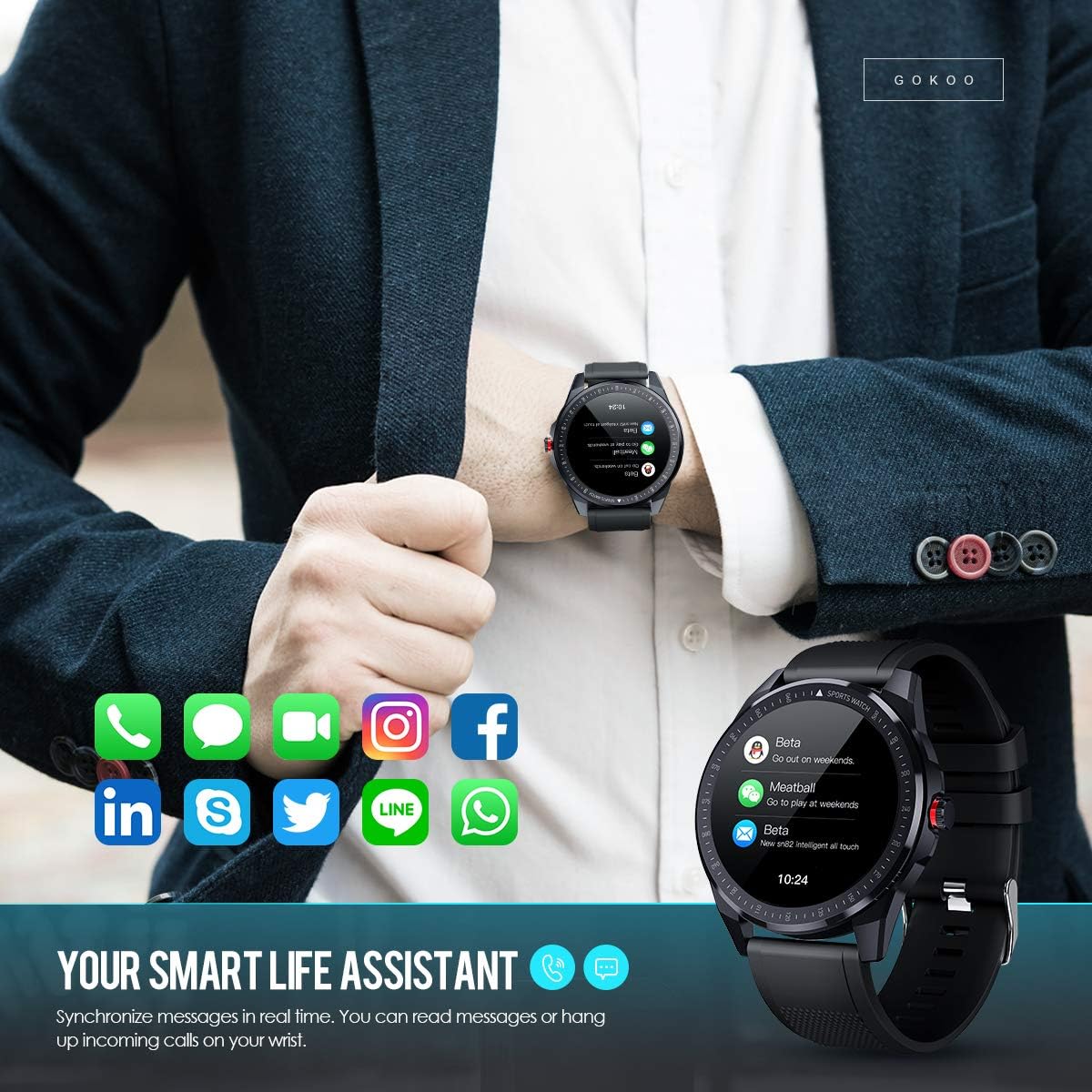
Figure 7: The watch showing synchronized notifications from a smartphone.
5. Fərdiləşdirmə
The GOKOO Smart Watch allows for personalization of its interface. You can select from various pre-installed watch faces or download additional styles through the companion app to match your preference.
Baxım
1. Təmizləmə
Dəri qıcıqlanmasının qarşısını almaq və cihazın gigiyenasını qorumaq üçün saatınızı və qayışınızı müntəzəm olaraq təmizləyin. Yumşaq, tüksüz parça istifadə edin. Lazım gələrsə, bir az təmizləyin.ampParçanı su ilə yuyun. Sərt kimyəvi maddələrdən, aşındırıcı təmizləyicilərdən və ya aerozol spreylərindən istifadə etməkdən çəkinin.
2. Suya davamlılıq qaydaları
The GOKOO Smart Watch has an IP68 waterproof rating, meaning it is resistant to dust and can withstand immersion in water up to 1.5 meters for 30 minutes. It is suitable for daily use, hand washing, rain, and swimming.
Əhəmiyyətli: Do not use the watch in hot water baths, saunas, or during diving. High temperatures and high pressure can compromise the waterproof seals and cause damage.
3. Batareyaya qulluq
- Tez-tez batareyanı tam boşaltmaqdan çəkinin.
- Saatı verilən maqnit şarj kabelindən istifadə edərək doldurun.
- Uzun müddət istifadə edilmədikdə saatı sərin, quru yerdə saxlayın.
Problemlərin aradan qaldırılması
- Saat yandırılmır: Saatın tam doldurulduğundan əmin olun. Ən azı 30 dəqiqə şarj cihazına qoşun.
- Telefonla qoşalana bilmir:
- Telefonunuzda Bluetooth-un aktiv olduğundan əmin olun.
- Saatın telefonunuzun Bluetooth diapazonunda olduğundan əmin olun.
- Həm telefonu, həm də saatı yenidən başladın.
- Check if the app has necessary permissions.
- Qeyri-dəqiq sağlamlıq məlumatları: Saatın biləyinizə möhkəm taxıldığından, bilək sümüyünün üzərində təxminən bir barmaq enində olduğundan əmin olun. Saatın arxasındakı sensoru təmizləyin.
- Bildirişlər görünmür:
- Verify that notification permissions are granted in the app and your phone's settings.
- Saatın Bluetooth vasitəsilə qoşulduğundan əmin olun.
- Check if 'Do Not Disturb' mode is active on either the watch or phone.
- Qısa batareya ömrü: Reduce screen brightness, disable continuous heart rate monitoring if not needed, and limit the number of active notifications.
Spesifikasiyalar
| Xüsusiyyət | Detal |
|---|---|
| Brend | GOKOO |
| Model | B08FMBHSWD |
| Ekran Ölçüsü | 1.3 düym |
| Əməliyyat sistemi | Android 5.0 və ya daha yüksək, iOS 9.0 və ya daha yüksək |
| Uyğun Cihazlar | Smartfon |
| Batareya Ömrü | 10 günə qədər (istifadədən asılı olaraq) |
| Batareya növü | Litium Polimer |
| Suya davamlılıq | IP68 |
| Simsiz Bağlantı | Bluetooth |
| İnsan İnterfeysi Girişi | Sensorlu ekran |
| Məhsul Ölçüləri | 27 x 5 x 1.08 sm; 168 q |

Figure 8: Detailed product dimensions of the GOKOO Smart Watch.
Zəmanət və Dəstək
For warranty information or technical support, please refer to the contact details provided with your purchase or visit the official GOKOO website. If you require a copy of this manual or have any questions regarding your GOKOO Smart Watch B08FMBHSWD, please contact customer service.