Giriş
The Meross Smart Dimmer Switch (MSS560) is designed to provide intelligent control over your lighting. This single-pole dimmer switch allows you to remotely control, dim, and schedule your lights using the Meross app, Apple HomeKit, Amazon Alexa, or Google Assistant. It requires a neutral wire for installation and operates on a 2.4GHz Wi-Fi network.
Təhlükəsizlik Məlumatı
- Tələb olunan neytral naqil: Ensure your electrical box has a neutral wire (typically white) before installation. If unsure, consult a qualified electrician.
- Quraşdırmadan əvvəl gücü söndürün: Always turn off power at the circuit breaker before installing or servicing the switch to prevent electrical shock.
- Single Pole Setup Only: This switch is designed for single pole configurations only. It is not compatible with 3-way or multi-way switch setups.
- Lampanın Uyğunluğu: Works with non-smart dimming bulbs. Maximum wattage: 400W for incandescent (INC), 150W for CFL & LED bulbs. Do not use with smart bulbs.
- Wi-Fi Tələbləri: Supports 2.4GHz Wi-Fi networks only. 5GHz Wi-Fi is not supported. No hub is required.
- Yanğına davamlı material: The switch housing is made of PC+ABS fire-retardant material for safety.
- Həddindən artıq yükdən qorunma: Certified by FCC/ETL, the device includes protection against electrical overload.
Qutuda nə var
- Meross Smart Dimmer Switch (MSS560)
- Sürətli Quraşdırma Bələdçisi
- Tel qoz-fındıq
- Montaj vintləri
- Faceplate (standard size)
Quraşdırma
Quraşdırmadan əvvəl yoxlama siyahısı
- Verify your electrical box has a neutral wire (white).
- Ensure you have a 2.4GHz Wi-Fi network.
- Confirm your setup is single pole (not 3-way).
- Check bulb compatibility (non-smart dimmable LED/CFL/INC).

Image: Diagram illustrating the necessity of a neutral wire and compatible bulb types (LED, CFL, INC) with wattage limits, and incompatibility with smart bulbs.

Image: Important notes on switch compatibility, including single pole setup, 2.4GHz Wi-Fi, neutral wire, and non-smart dimming bulb support.
Aparat Quraşdırması
- Gücü söndürün: Avtomatik açarınızı tapın və dəyişdirdiyiniz açarın enerji təchizatını söndürün. Güc göstəricisindən istifadə edərək enerji təchizatının söndürüldüyünü yoxlayın.tage tester.
- Köhnə açarı çıxarın: Carefully remove the faceplate and unscrew the existing switch from the electrical box. Pull the switch outward without touching any wires.
- Telləri müəyyənləşdirin: Identify the Live (black/red), Load (brown/black), Neutral (white), and Ground (green/bare copper) wires. Label them if necessary.
- Yeni açarı qoşun: Use the provided wire nuts to connect the corresponding wires of the Meross Smart Dimmer Switch to your home's electrical wires. Ensure all connections are secure.
- Təhlükəsiz keçid: Carefully push the wires and the new switch into the electrical box. Screw the switch to the box and attach the faceplate.
- Gücü bərpa edin: Turn on the power at your circuit breaker.
Video: Official Meross guide on how to install the HomeKit smart dimmer switch, demonstrating the wiring process and safety precautions.
App Setup & Pairing
- Meross Tətbiqini Yükləyin: Meross tətbiqini App Store və ya Google Play-dən yükləyin.
- Cihaz əlavə edin: Open the Meross app, tap the '+' icon to add a new device, and select the Smart Dimmer Switch. Follow the in-app instructions.
- Wi-Fi-a qoşulun: Connect the switch to your 2.4GHz Wi-Fi network.
- HomeKit Setup (Optional): If using Apple HomeKit, scan the HomeKit setup code located on the device or its packaging. You may need to manually enter the 8-digit code.
- Calibrate Dimming Range: Use the app to set the maximum and minimum light levels for optimal dimming performance with your specific bulbs.
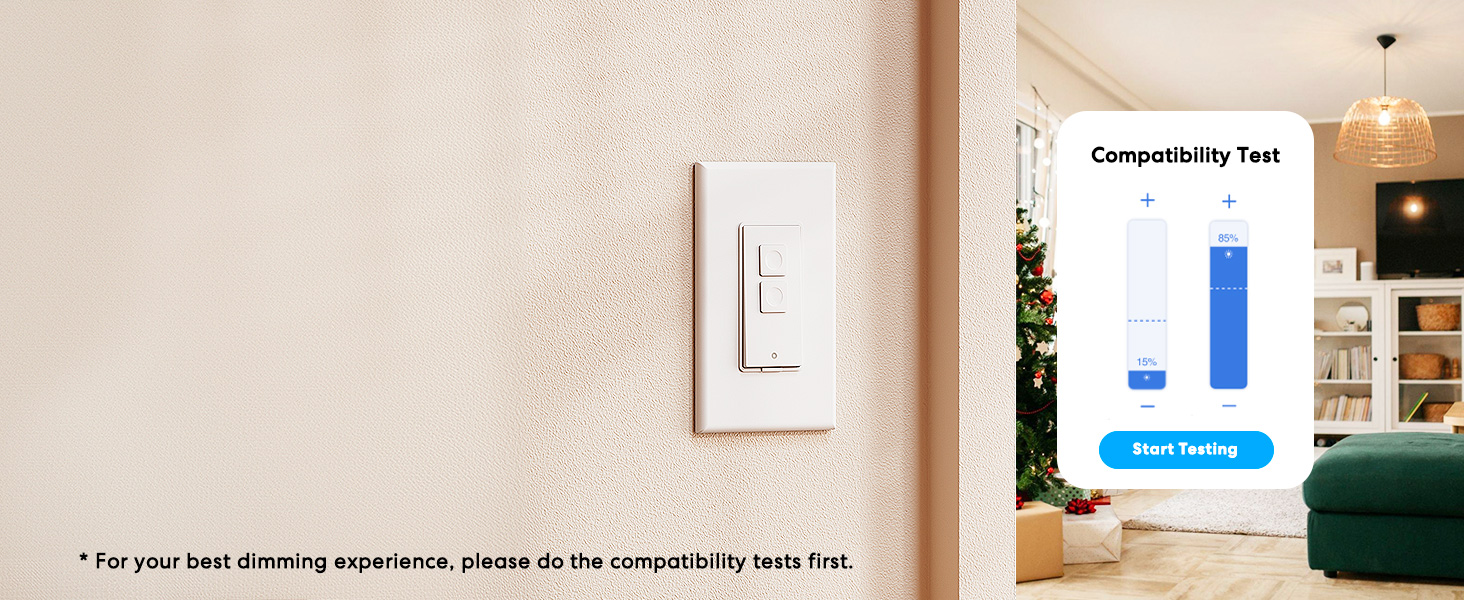
Image: Meross app interface demonstrating the dimming compatibility test to optimize light levels.
Əməliyyat Təlimatları
Manual Control
The Meross Smart Dimmer Switch features physical buttons for direct control:
- Açma/Söndürmə düyməsi: İşıqları yandırmaq və ya söndürmək üçün əsas düyməni basın.
- Qaralma Düymələri: Use the smaller up/down buttons to adjust brightness levels.
Proqrama Nəzarət
Control your lights from anywhere with internet access using the Meross app:
- Uzaqdan Yandırma/Söndürmə: Tap the switch icon in the app to toggle lights.
- Qaralma: Use the slider in the app to precisely adjust brightness from 0% to 100%.

Image: A user controlling lights remotely via the Meross app on a smartphone.
Səslə Nəzarət
The Meross Smart Dimmer Switch is compatible with leading voice assistants:
- Apple HomeKit/Siri: Say "Hey Siri, turn on the light" or "Hey Siri, dim the light to 50%".
- Amazon Alexa: Say "Alexa, turn on the light" or "Alexa, dim the light to 20%".
- Google köməkçisi: Say "Hey Google, turn on the light" or "Hey Google, dim the light to 90%".

Image: Visual representation of voice commands for Siri, Alexa, and Google Assistant to control light brightness.
Scheduling & Scenes
Automate your lighting to suit your lifestyle:
- Cədvəllər: Set specific times for lights to turn on/off or dim automatically. Supports sunrise and sunset settings.
- Səhnələr: Create custom scenes for different moods or activities (e.g., "Movie Night" with dimmed lights).

Image: Meross app interface displaying options for setting scenes, timers, and schedules for automated lighting control.
Baxım
- Təmizləmə: Wipe the switch and faceplate with a soft, dry cloth. Do not use liquid cleaners or aerosols.
- Firmware Güncellemeleri: Regularly check the Meross app for firmware updates to ensure optimal performance and security.
Problemlərin aradan qaldırılması
- Keçid Cavab Vermir: If the switch is unresponsive or the indicator light is red, try pressing the small power reset button located at the bottom of the switch.
- Wi-Fi Bağlantı Problemləri: Ensure your smartphone is connected to a 2.4GHz Wi-Fi network during setup. If the switch loses connection, verify your router is functioning correctly and the switch is within range.
- Qaralma Problemləri: If lights flicker or do not dim correctly, re-calibrate the dimming range in the Meross app. Ensure you are using compatible non-smart dimmable bulbs.
- HomeKit Remote Control: For remote control via HomeKit, an additional networked Apple device (HomePod, Apple TV 4K/HD, or iPad) must be set up as a HomeKit bridge and remain online.
Spesifikasiyalar
| Xüsusiyyət | Spesifikasiya |
|---|---|
| Əməliyyat rejimi | YANDIRIB-SÖNDÜRMƏ |
| Cari Reytinq | 4 Amps |
| Əməliyyat Voltage | 120 volt |
| Əlaqə Növü | Normalda Açıq |
| Bağlayıcı növü | Clamp |
| Terminal | Bıçaq |
| Element Ölçüləri (U x G x Y) | 4.7 x 2.8 x 1.5 düym |
| Dövrə Növü | 1 istiqamətli (Tək dirəkli) |
| Aktuator növü | Düyməni basın |
| Əlaqə materialı | Mis |
| Beynəlxalq Qoruma Reytinqi | IP00 |
| Vəzifələrin sayı | 1 |
| Üst Temperatur Reytinqi | 40 dərəcə Selsi |
| Nəzarətçi növü | Amazon Alexa, Apple HomeKit, Google Assistant |
| Nəzarət metodu | Səs, Proqram |
| Bağlantı Protokolu | Wi-Fi (yalnız 2.4 GHz) |
| Rəng | Ağ |
| Wattage | 400 watts (INC), 150 watts (CFL & LED) |
| Material | Plastic (PC+ABS fire-retardant) |
Zəmanət və Dəstək
Zəmanət
The Meross Smart Dimmer Switch typically comes with a 1-year warranty. Please refer to your product packaging or the Meross webxüsusi zəmanət şərtləri və şərtləri üçün sayt.
Dəstək
If you have any questions regarding your switch type, installation, or Wi-Fi connections, please contact Meross customer support. You can usually find contact information within the Meross app or on the official Meross websayt.
Əlavə məlumat
Video: Bitdiview of Meross smart home products, showcasing various features and benefits of integrating smart devices into your home.


