Giriş
This manual provides essential information for setting up, operating, and maintaining your SAMSUNG Galaxy Tab S7+ Wi-Fi tablet. This device is a renewed product, professionally inspected and tested to function like new, offering a premium tablet experience with a 12.4-inch Super AMOLED display and S Pen support.
Quraşdırma
1. Cihazın doldurulması
Connect the provided USB-C cable to the tablet's charging port and a compatible power adapter. The device supports up to 45W fast charging for quicker power-ups. Ensure the tablet is adequately charged before initial use.

Şəkil 1: Ön view of the Galaxy Tab S7+ with S Pen attached.
2. Açma / Söndürmə
- To power on: Press and hold the Power button until the Samsung logo appears.
- Söndürmək üçün: Güc düyməsini basıb saxlayın, sonra seçimlərdən "Söndür" seçin.
3. İlkin Quraşdırma və Wi-Fi Bağlantısı
Follow the on-screen prompts to complete the initial setup. This includes selecting your language, connecting to a Wi-Fi network (this is a Wi-Fi only model), and signing in with your Samsung or Google account.
4. S Pen Attachment and Charging
The S Pen magnetically attaches to the back of the tablet, near the camera module, for storage and charging. Ensure it is securely attached to maintain charge and functionality.

Şəkil 2: Geri view of the Galaxy Tab S7+ showing S Pen magnetic attachment.
5. Fingerprint Scanner Setup
The tablet features an under-display fingerprint scanner for secure unlocking. Navigate to Parametrlər > Biometrika və təhlükəsizlik > Barmaq izləri barmaq izlərinizi qeydiyyatdan keçirmək üçün.
Əməliyyat Təlimatları
1. Ekran Xüsusiyyətləri
Your Galaxy Tab S7+ features a vibrant 12.4-inch Super AMOLED display with a 2800 x 1752 (WQXGA+) resolution and a 120Hz refresh rate for smooth visuals. This display is ideal for media consumption, browsing, and productivity tasks.
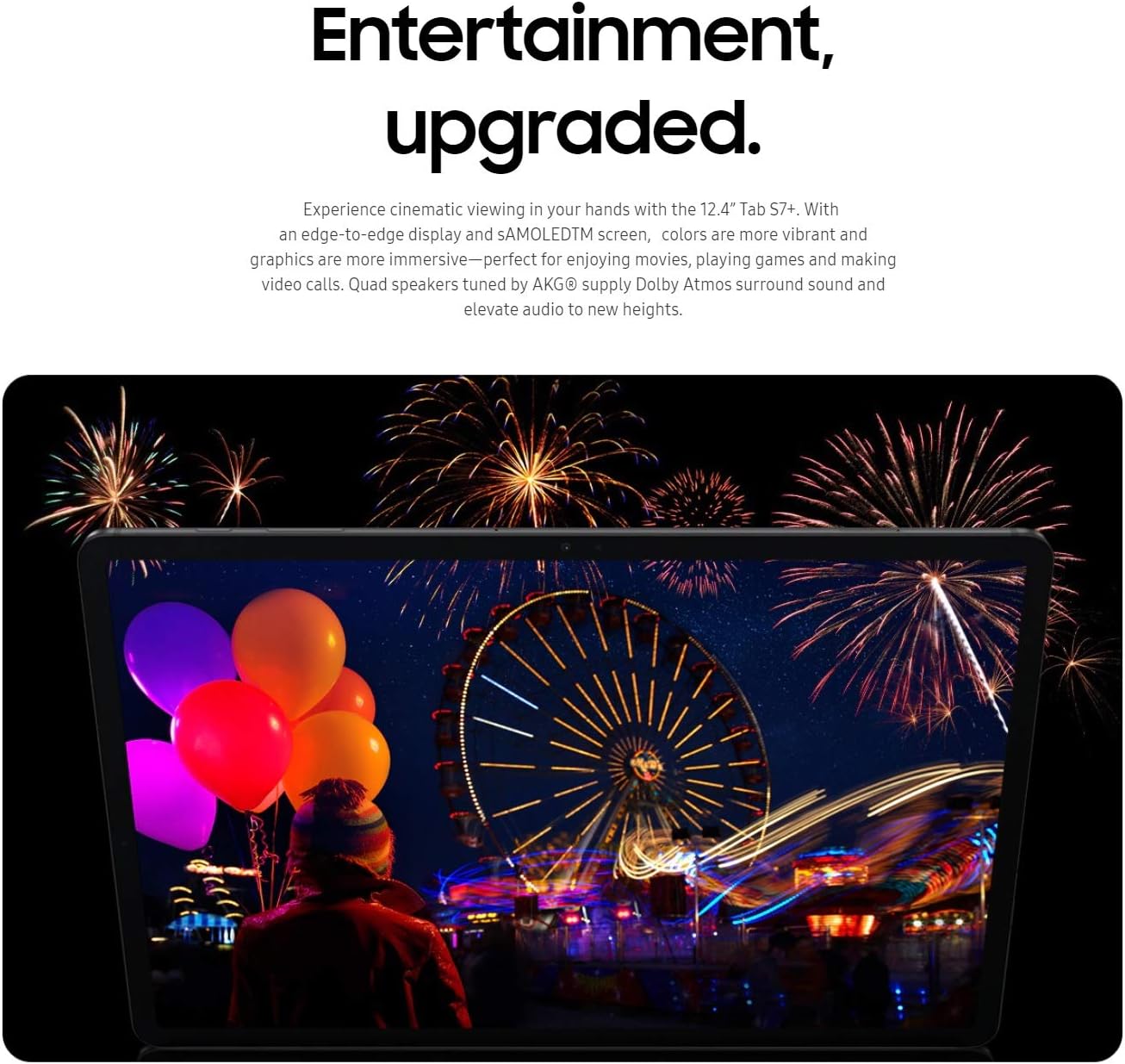
Figure 3: The tablet's Super AMOLED display showcasing canlı rənglər.
2. Naviqasiya və istifadəçi interfeysi
The tablet runs on Android 10 (upgradable to Android 11 with One UI 3.1). Navigate using gestures or the traditional navigation bar. The taskbar at the bottom allows for quick switching between apps, enhancing multitasking efficiency.
3. Using the S Pen
The included S Pen offers precise input for drawing, note-taking, and navigating the UI. It features low latency for a natural writing experience. Air actions allow for remote control of certain functions by pressing the S Pen button.

Figure 4: S Pen in use for creative tasks on the tablet.
4. Multitasking with Samsung DeX
Transform your tablet into a desktop-like experience with Samsung DeX. Connect an external keyboard and mouse (sold separately) for enhanced productivity. DeX allows you to open multiple apps in resizable windows, similar to a PC environment.
Video 1: Demonstrating multitasking and DeX mode on the Galaxy Tab S7+ with an external keyboard. This video shows the tablet being used for productivity, including typing on a keyboard and using split-screen for notes and video playback.
5. Media Consumption and Audio
Enjoy movies, music, and games with the tablet's immersive display and quad speakers tuned by AKG with Dolby Atmos. The audio experience is rich and clear, enhancing your entertainment.
6. Oyun
The Qualcomm SM8250 Snapdragon 865+ Octa-core processor and Adreno 650 GPU provide robust performance for gaming. Connect a Bluetooth controller for an optimized gaming experience on the large screen.
Video 2: Yenidənview highlighting the gaming capabilities of the Galaxy Tab S7+. The video shows gameplay footage and discusses the tablet's performance for various games.
7. Kameralar
The tablet features a dual rear camera setup (13MP + 5MP) and an 8MP front camera. It supports up to 4K video recording. These cameras are suitable for video calls, scanning documents, and casual photography.
Baxım
1. Batareyaya qulluq
The 10090mAh battery provides approximately 16 hours of average use. To prolong battery life, avoid extreme temperatures and fully discharging the device regularly. Use the original or certified charging accessories.

Figure 5: The tablet displaying its charging status.
2. Proqram təminatı yeniləmələri
Keep your tablet's software updated to ensure optimal performance and security. Updates are typically delivered over Wi-Fi. Check for updates in Parametrlər > Proqram təminatı yeniləməsi.
3. Cihazın təmizlənməsi
Use a soft, lint-free cloth to clean the screen and body of the tablet. Avoid abrasive materials or harsh chemicals that could damage the finish.
Problemlərin aradan qaldırılması
1. Ümumi Performans Məsələləri
- If the device is slow or unresponsive, try restarting it.
- For persistent issues, consider a factory reset (Parametrlər > Ümumi idarəetmə > Sıfırla > Zavod məlumatlarının sıfırlanması). Back up your data before resetting.
2. S Pen Malfunction
If your S Pen is not responding correctly, ensure it is properly attached to the charging area on the back of the tablet. If issues persist, check the S Pen tip for wear and consider replacing it if necessary.
3. Wi-Fi Bağlantı Problemləri
As this is a Wi-Fi only model, ensure your Wi-Fi network is active and the tablet is within range. Try restarting your router or forgetting and re-connecting to the network in Parametrlər > Bağlantılar > Wi-Fi.
Spesifikasiyalar
| Xüsusiyyət | Detal |
|---|---|
| Model Adı | Galaxy Tab S7+ (Wifi) SM-T970NZKAXAR |
| Ekran Ölçüsü | 12.4 düym Super AMOLED |
| Ekran həlli | 2800 x 1752 Pixels (WQXGA+) |
| Prosessor | Qualcomm SM8250 Snapdragon 865+ (Octa-core, 2.42 GHz) |
| RAM | 6 GB |
| Daxili yaddaş | 128 GB (microSD vasitəsilə 1 TB-a qədər genişləndirilə bilər) |
| Qrafik koprosessor | Adreno 650 |
| Əməliyyat sistemi | Android 10 (upgradable to Android 11, One UI 3.1) |
| Batareya Tutumu | 10090mAh (Average Battery Life: 16 Hours) |
| Arxa Kamera | 13MP + 5MP |
| Ön kamera | 8 MP |
| Simsiz Bağlantı | 802.11a/b/g/n/ac, Bluetooth (Wi-Fi Only Model) |
| Ölçülər (UxGxY) | 11.2 x 7.28 x 0.22 düym |
| Maddə Çəkisi | 1.27 funt sterlinq |
| Rəng | Mistik Qara |
Zəmanət və Dəstək
This is an Amazon Renewed product. Renewed products are eligible for replacement or refund under the Amazon Renewed Guarantee if you are not satisfied with your purchase. The return policy offers a 90-day duration for refund or replacement.
For further assistance, please refer to the Amazon Renewed support page or contact the seller directly.


