Giriş
Thank you for choosing COBY True Wireless Sport Earbuds. These earbuds are designed to provide a seamless audio experience with advanced features like Bluetooth 5.3 connectivity, automatic pairing, and intuitive controls, perfect for active lifestyles. This manual will guide you through the setup, operation, maintenance, and troubleshooting of your new earbuds to ensure optimal performance and longevity.
1. Paketin məzmunu
Başlamazdan əvvəl, bütün elementlərin paketdə olduğundan əmin olun:
- COBY True Wireless Sport Earbuds
- Doldurma qutusu
- Doldurma kabeli
- 2 Extra Pairs of Ear Gels (S/M)
- İstifadəçi Təlimatı (bu sənəd)
2. Quraşdırma Bələdçisi
2.1 Qulaqlıqların və qutunun doldurulması
For first-time use, fully charge the earbuds and the charging case. The charging case holds two extra charges, providing up to 15 hours of total battery life.
- Place the earbuds into their respective slots in the charging case. Ensure they are seated correctly.
- Connect the charging cable to the charging port on the case and the other end to a USB power source (e.g., wall adapter, computer USB port).
- The LED indicators on the case and earbuds will show charging status. Once fully charged, the indicators will change or turn off.

Image: Earbuds securely placed within the charging case, ready for charging.

Image: The earbuds displayed alongside their open charging case, illustrating how they fit.
2.2 Initial Pairing (Auto-Pairing)
Your COBY earbuds feature auto-pairing for convenience.
- Qulaqlıqların doldurulduğundan əmin olun.
- Şarj qutusunu açın. Qulaqlıqlar avtomatik olaraq cütləşdirmə rejiminə keçəcək.
- Cihazınızda (smartfon, planşet və s.) Bluetooth parametrlərinə keçin və Bluetooth-u aktivləşdirin.
- axtarın available devices and select "COBY CETW570WH" (or similar name) from the list.
- Qoşulduqdan sonra təsdiq tonunu eşidəcəksiniz və qulaqlıqlar istifadəyə hazır olacaq.
- After the initial pairing, the earbuds will automatically connect to your last paired device when removed from the case.
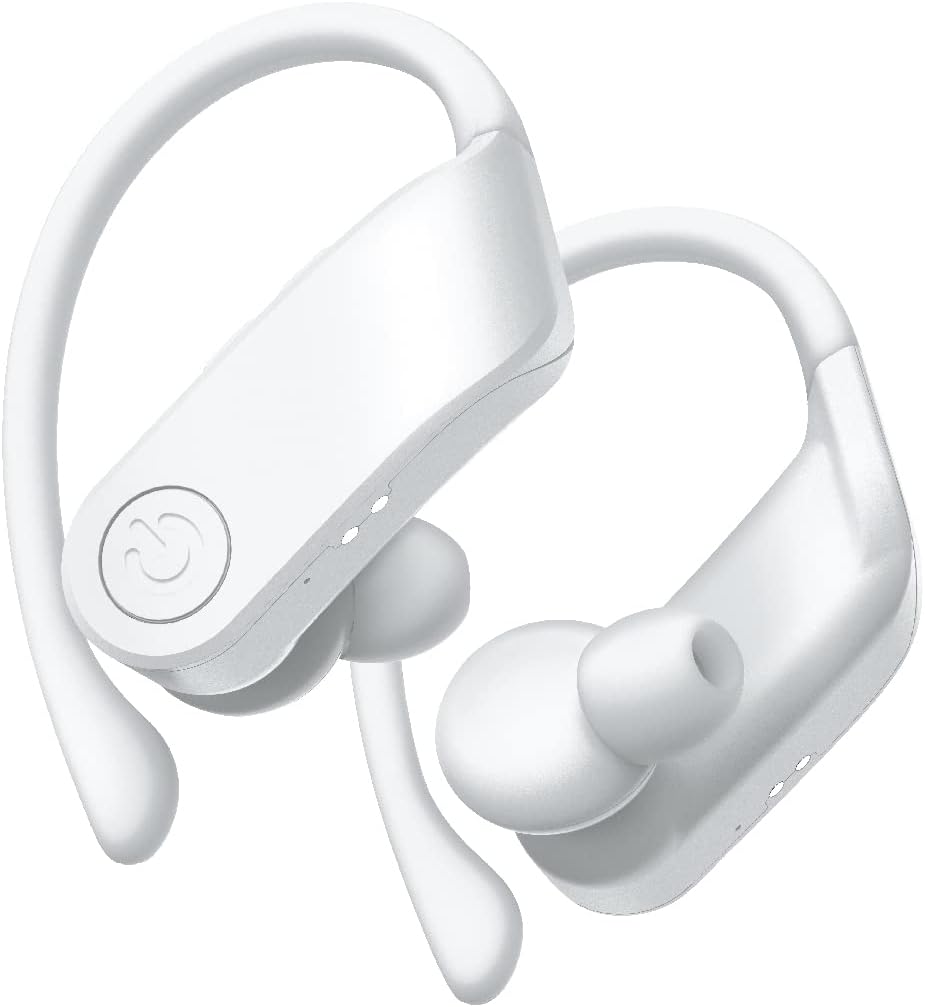
Şəkil: Yaxın plan view of the white COBY True Wireless Sport Earbuds, highlighting their design.
3. Əməliyyat Təlimatları
3.1 Qulaqlıqların taxılması
These earbuds are designed with rubberized ear hooks for a secure and comfortable fit, especially during sports and exercise.
- Sol (L) və sağ (R) qulaqcıqları müəyyənləşdirin.
- Qulaqcığı qulaq kanalınıza yumşaq bir şəkildə daxil edin.
- Adjust the ear hook over the top of your ear until it feels snug and stable.
- Ensure a good seal in your ear canal for optimal sound quality and bass response.
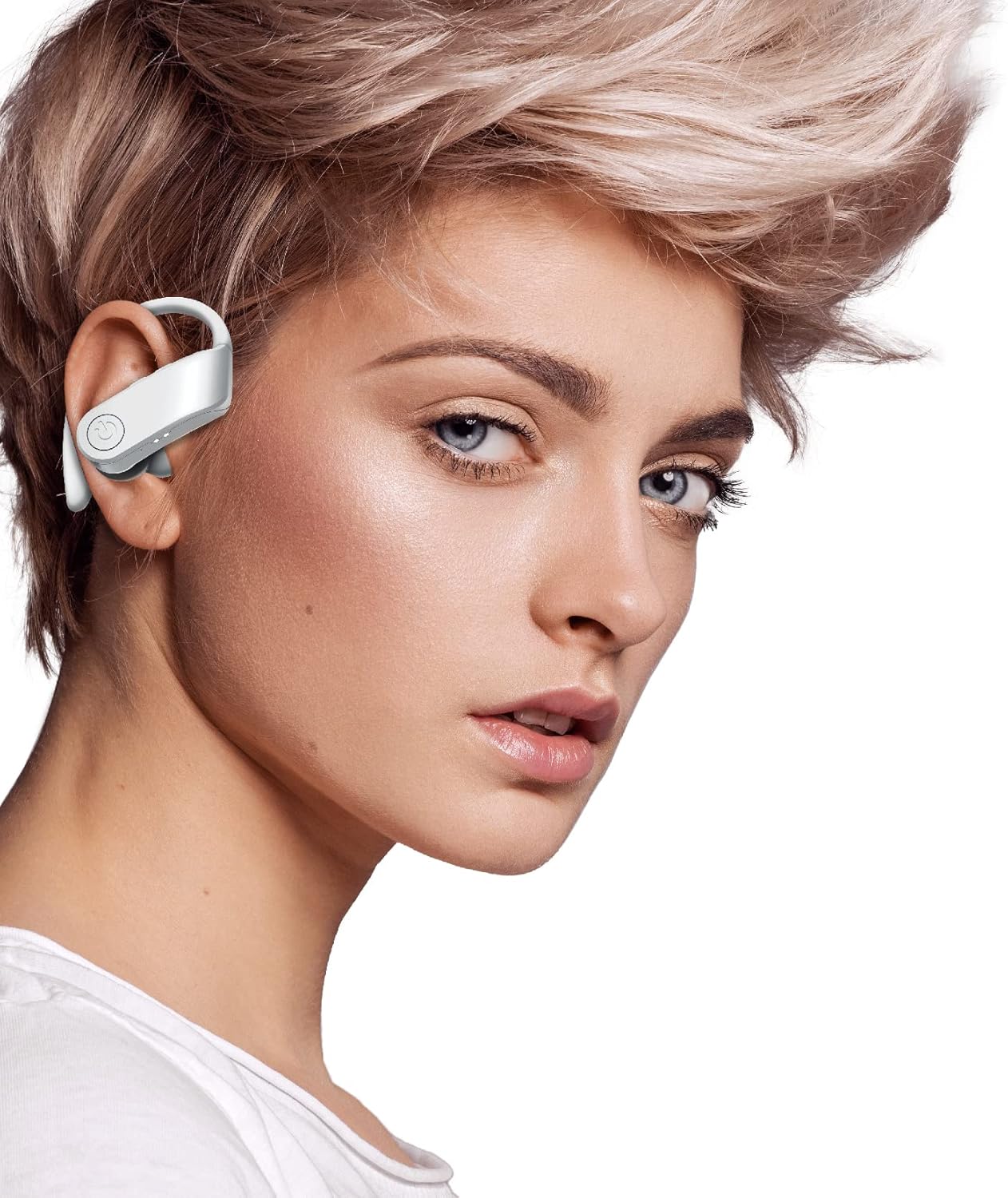
Image: A person wearing one of the COBY True Wireless Sport Earbuds, demonstrating the secure fit with the ear hook.
3.2 Playback and Call Controls
The earbuds feature intuitive button controls for managing your audio and calls:
| Fəaliyyət | Nəzarət |
|---|---|
| Musiqi çalın/pauza verin | Single press on either earbud button |
| Növbəti Track | Double press on the Right earbud button |
| Əvvəlki Track | Double press on the Left earbud button |
| Zəngə Cavab Vermək/Bitirmək | Single press on either earbud button |
| Zəngi rədd et | Press and hold either earbud button for 2 seconds |
| Səs köməkçisini aktivləşdirin (Siri/Google köməkçisi) | Triple press on either earbud button |
3.3 Automatic Disconnection
To disconnect the earbuds from your device and begin charging, simply place them back inside the charging case and close the lid. They will automatically power off and start charging.
4. Baxım və qulluq
Proper care will extend the life of your earbuds and ensure consistent performance.
- Təmizləmə: Use a soft, dry, lint-free cloth to clean the earbuds and charging case. Do not use abrasive cleaners, alcohol, or chemical solvents. Regularly clean the ear tips and charging contacts to prevent debris buildup.
- Yaddaş: İstifadə edilmədikdə, qulaqcıqları tozdan, çirkdən və zədələrdən qorumaq üçün həmişə şarj qutusunda saxlayın.
- Batareyaya qulluq: Batareyanın ömrünü qorumaq üçün qulaqcıqları və qutunu tez-tez tam boşaltmaqdan çəkinin. Daimi istifadədə olmasa belə, onları müntəzəm olaraq doldurun. Sərin və quru yerdə, həddindən artıq temperaturdan uzaq saxlayın.
- Suya davamlılıq: While designed for sport, these earbuds are sweat-proof. Avoid submerging them in water or exposing them to heavy rain.
5. Giderme
If you encounter any issues with your earbuds, please refer to the following common solutions:
| Problem | Həll |
|---|---|
| Qulaqlıqlar cihazla birləşdirilmir |
|
| Bir və ya hər iki qulaqlıqdan səs yoxdur |
|
| Doldurma qutusu qulaqcıqları doldurmur |
|
| Poor sound quality or intermittent connection |
|
6. Spesifikasiyalar
| Xüsusiyyət | Detal |
|---|---|
| Model Adı | CETW570WH |
| Bağlantı texnologiyası | Simsiz (Bluetooth) |
| Bluetooth versiyası | 5.3 |
| Wireless Range | 33 fut (10 metr) qədər |
| Batareya Ömrü (Qulaqcıqlar) | Şarj başına 5 saata qədər |
| Ümumi Oyun Vaxtı (Keys ilə) | 15 saata qədər |
| Nəzarət növü | Button Control, Siri, Google Assistant |
| Qulaqların Yerləşdirilməsi | In Ear with Hook |
| Material | Akrilonitril Butadien Stirol (ABS) |
| Məhsul Ölçüləri | 5 x 2.24 x 6.46 düym |
| Maddə Çəkisi | 10 unsiya |
| UPC | 643620020470 |
7. Zəmanət və Dəstək
COBY products are designed for reliability and performance. For information regarding warranty coverage, please refer to the warranty card included in your product packaging or visit the official COBY websayt. Zəmanət iddiaları üçün satınalma sübutunuzu saxlayın.
For technical support, troubleshooting assistance, or to inquire about replacement parts, please contact COBY customer service through their official websayt və ya məhsul sənədlərinizdə göstərilən əlaqə məlumatı.
Qeyd: Texniki şərtlər xəbərdarlıq edilmədən dəyişdirilə bilər.


