1. Giriş
Thank you for choosing the KLARSTEIN VapoAir Opal Smart Humidifier. This device is designed to improve air quality and comfort in your home by adding moisture to dry air. It features smart control via an app, an ionizer, a large 5-liter water tank, and multiple mist levels. Please read this manual carefully before use to ensure proper operation and maintenance.
2. Təhlükəsizlik Təlimatları
- Always place the humidifier on a firm, flat, waterproof surface away from direct sunlight and heat sources.
- Do not place the humidifier near furniture or appliances that are sensitive to moisture.
- Cihazı uşaqların və ev heyvanlarının əli çatmayan yerdə saxlayın.
- Cihazı suya və ya digər mayelərə batırmayın.
- Nəmləndiricini doldurmazdan, təmizləməzdən və ya daşımazdan əvvəl onu elektrik rozetkasından ayırın.
- Yalnız təmiz, sərin kran suyundan istifadə edin. Mineralların yığılmasının qarşısını almaq üçün distillə edilmiş və ya mineralsızlaşdırılmış su tövsiyə olunur.
- Do not add essential oils directly into the water tank; use the designated aroma diffuser tray.
- Elektrik kabeli zədələnibsə, təhlükənin qarşısını almaq üçün istehsalçı, onun xidmət agenti və ya oxşar ixtisaslı şəxslər tərəfindən dəyişdirilməlidir.
- Duman çıxışını bağlamayın.
3. Paketin məzmunu
Zəhmət olmasa paketi aşağıdakı maddələr üçün yoxlayın:
- KLARSTEIN VapoAir Opal Smart Humidifier
- Uzaqdan İdarəetmə
- Təlimat kitabçası
- Cleaning Brush (may be included)
4. Məhsul bitdiview və Komponentlər
Familiarize yourself with the main parts of your humidifier:

Şəkil: Ön view of the KLARSTEIN VapoAir Opal Smart Humidifier, showcasinzərif dizaynı və LED displeyi ilə.
- Duman çıxışı: Where the mist is released into the air.
- Su çəni: Removable tank for water storage.
- Baza vahidi: Contains the ultrasonic transducer and heating element.
- İdarəetmə Paneli/LED Ekran: Touch-sensitive buttons and digital display for settings.
- Ətir Diffuzoru Qabı: Small tray for essential oils (located at the bottom/side).
- Elektrik kabeli: Elektrik rozetkasına qoşulmaq üçün.

Image: The KLARSTEIN VapoAir Opal Smart Humidifier with its dimensions labeled: 23cm (depth), 18cm (width), 37cm (height).
5. Quraşdırma
5.1 Qabın açılması
Carefully remove all packaging materials. Retain the packaging for future storage or transport.
5.2 Yerləşdirmə
Place the humidifier on a flat, stable surface at least 15 cm away from walls and furniture. Ensure the mist outlet is not directed towards any objects or walls.
5.3 Su çəninin doldurulması
- Nəmləndiricinin elektrik şəbəkəsindən çıxarıldığından əmin olun.
- Carefully lift the water tank from the base unit.
- Invert the water tank and unscrew the cap at the bottom.
- Fill the tank with clean, cool tap water. Distilled or demineralized water is recommended to minimize mineral residue. Do not fill past the MAX line.
- Qapağı yenidən möhkəm bağlayın.
- Place the filled water tank back onto the base unit, ensuring it is seated correctly. The auto-stop function will prevent operation if the tank is not properly placed or if water is absent.
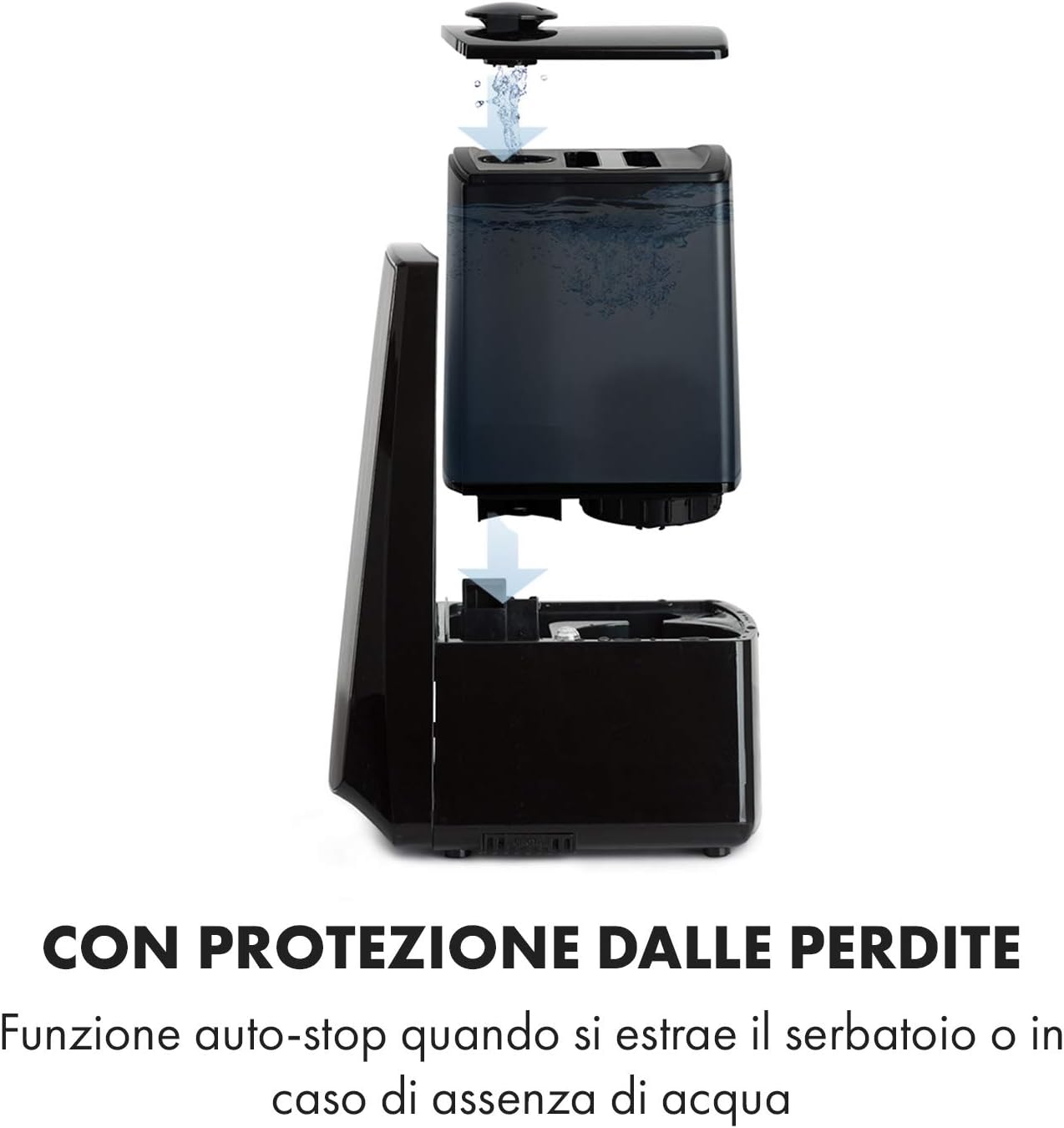
Image: Diagram illustrating the removal and refilling process of the water tank, highlighting the auto-stop feature when the tank is removed or empty.
5.4 Enerji Bağlantısı
Elektrik kabelini uyğun elektrik rozetkasına (230V) qoşun.
6. Əməliyyat Təlimatları
6.1 İdarəetmə Paneli Bitdiview

Şəkil: Yaxın plan view of the humidifier's LED display and touch controls, showing a hand interacting with the buttons.
The LED display shows current humidity, temperature, and selected settings. The touch buttons allow control over various functions.
6.2 Yandırma/Söndürmə
düyməsini basın ON/OFF cihazı yandırmaq və ya söndürmək üçün idarəetmə panelində və ya pultda düyməni basın.
6.3 Duman səviyyəsinin tənzimlənməsi
The humidifier offers 7 levels of mist output. Press the DUMAN button repeatedly to cycle through the mist intensity levels. The current level will be displayed on the screen.
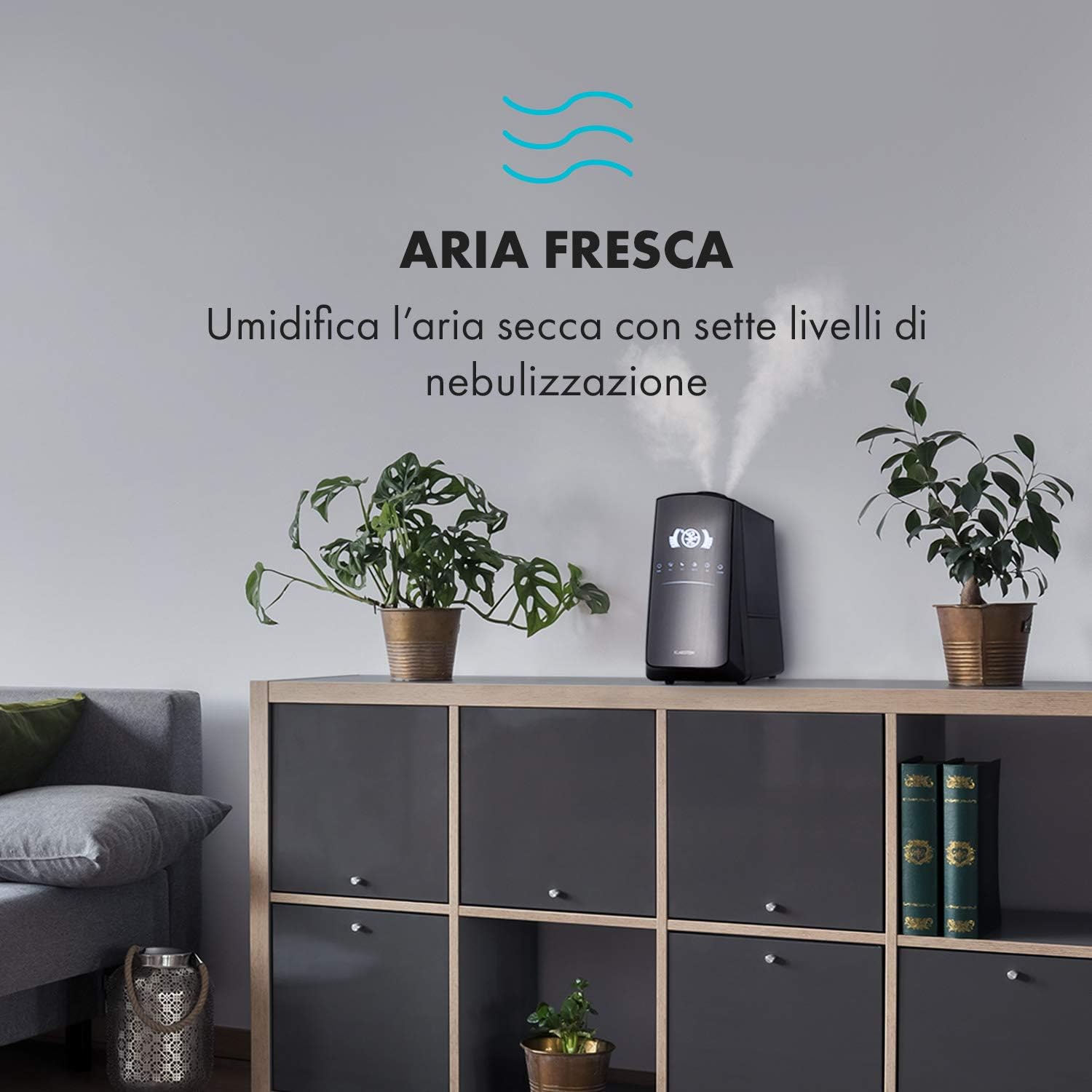
Image: The humidifier operating in a room, releasing mist to humidify the air.
6.4 Humidity Setting (Humidistat)
düyməsini basın NƏTLİK button to set your desired humidity level (e.g., 40% to 80% RH). The unit will automatically maintain this level, turning on and off as needed.
6.5 Warm/Cool Mist
düyməsini basın İSTİQ button to activate the warm mist function. Press again to switch back to cool mist. Warm mist can help raise room temperature slightly and is often preferred in colder climates.

Image: A close-up shot of the mist output, illustrating the option for either cool or warm mist.
6.6 Taymer funksiyası
düyməsini basın TAYMER button to set an operating duration from 1 to 12 hours. The unit will automatically turn off after the set time.
6.7 İonlaşdırıcı funksiyası
düyməsini basın ION button to activate the ionizer. This function releases negative ions to help purify the air by attracting dust and other particles.
6.8 Aroma Diffuzor
Pull out the aroma diffuser tray located at the bottom of the unit. Add a few drops of essential oil onto the sponge pad. Slide the tray back in. The mist will carry the aroma into the air.

Image: The integrated aroma diffuser tray, shown pulled out with an essential oil bottle and lemon slices nearby, indicating its use for adding scents.
6.9 Gecə rejimi
düyməsini basın GECE button to dim the LED display and reduce operational noise for undisturbed sleep.

Image: The humidifier in a modern living space, illustrating its versatile functions like auto mode, heating, health, baby, night mode, and timer.
7. Proqrama nəzarət
The KLARSTEIN VapoAir Opal Smart Humidifier can be controlled via a dedicated smartphone application.

Image: A person using a smartphone with the Klarstein app open, showing controls for the humidifier's settings and current humidity levels.
7.1 Proqramın yüklənməsi
axtarın the 'Klarstein App Experience' in your smartphone's app store (available for Android and iOS).
7.2 Wi-Fi şəbəkəsinə qoşulma
- Ensure your humidifier is plugged in and turned on.
- Open the Klarstein App and follow the on-screen instructions to add a new device.
- The humidifier requires a 2.4 GHz Wi-Fi şəbəkəsi for connection. It is not compatible with 5 GHz networks. Ensure your router is configured to support 2.4 GHz or that your phone is connected to the 2.4 GHz band during setup.
- Once connected, you can control all humidifier functions remotely via the app.

Image: A smartphone displaying the Klarstein app interface, indicating smart home control via WiFi for Android and iOS devices.
8. Baxım və Təmizləmə
Optimal performans və gigiyena üçün müntəzəm təmizlik vacibdir.
8.1 Gündəlik Baxım
- Su çənini hər gün boşaldın və yuyun.
- Wipe the inside of the water tank with a clean cloth.
8.2 Həftəlik Təmizlik
- Cihazı elektrik şəbəkəsindən ayırın təmizləmədən əvvəl.
- Su çənini çıxarın və həm çəndən, həm də əsas blokdan qalan suyu boşaltın.
- Su çəninin təmizlənməsi: Fill the tank with a mixture of water and white vinegar (1:1 ratio). Let it sit for 30 minutes, then rinse thoroughly.
- Cleaning the Base Unit: Gently wipe the ultrasonic transducer (the small disc in the center of the base) with a soft brush or cloth to remove mineral deposits. Do not scrape or use abrasive cleaners. You can use a cotton swab dipped in vinegar for hard-to-reach areas.
- Ətir Diffuzoru Qabı: Remove and clean the sponge pad with mild soap and water. Allow it to dry completely before reinserting.
- Wipe all external surfaces with a soft, damp parça.
8.3 Saxlama
If the humidifier will not be used for an extended period, clean it thoroughly, ensure all parts are dry, and store it in its original packaging in a cool, dry place.
9. Giderme
| Problem | Mümkün Səbəb | Həll |
|---|---|---|
| Duman və ya aşağı duman çıxışı yoxdur |
|
|
| Cihaz açılmır |
|
|
| Xoşagəlməz qoxu |
|
|
| Cihazın ətrafında ağ toz | Hard water with high mineral content | Use distilled or demineralized water. Clean the unit regularly. |
| Wi-Fi bağlantısı problemləri |
|
|
10. Spesifikasiyalar
| Xüsusiyyət | Spesifikasiya |
|---|---|
| Brend | KLARŞTEYN |
| Model nömrəsi | XJ3-VapoAirOpalSmart |
| Rəng | Qara |
| Ölçülər (U x G x Y) | 23 x 18 x 37 sm |
| Çəki | 2.5 kq |
| Güc | 110 Vt |
| Cildtage | 230 volt |
| Su Anbarının Tutumu | 5 litr |
| Əməliyyat vaxtı | Up to 2 hours (continuous, depending on mist level) |
| Xüsusi Xüsusiyyətlər | Remote Control, Timer, App Control, Ionizer, LED Display, 7 Mist Levels, Warm/Cool Mist, Aroma Diffuser |
| Otaq Tipi | Qonaq otağı |
11. Zəmanət və Dəstək
KLARSTEIN products are covered by a manufacturer's warranty. For detailed warranty information, please refer to the warranty card included with your product or visit the official KLARSTEIN website. For technical support, spare parts, or service inquiries, please contact KLARSTEIN customer service through their official channels.
Zəmanət iddiaları üçün satınalma sübutunuzu özündə saxlayın.


