Giriş
Aldığınız üçün təşəkkür edirikasing the DELTACO GAMING Chair, Model GAM-080. This ergonomic gaming chair is designed to provide comfort and support during long gaming sessions, featuring adjustable components and integrated RGB lighting. Please read this manual carefully before assembly and use to ensure proper operation and longevity of your chair.
Təhlükəsizlik Məlumatı
- İstifadədən əvvəl bütün komponentlərin etibarlı şəkildə bağlandığından əmin olun.
- Kresloda dayanmayın.
- Hər hansı bir hissə zədələnmiş və ya yoxdursa, kreslodan istifadə etməyin.
- Tənzimləmə zamanı əlləri və barmaqları hərəkət edən hissələrdən uzaq tutun.
- This chair is designed for a maximum weight of 120 kg (264 lbs). Exceeding this limit may cause damage or injury.
- The RGB lighting requires a USB power source. Ensure the cable is not pinched or damaged.
Paketin məzmunu
Quraşdırmaya başlamazdan əvvəl bütün hissələrin mövcud olduğunu və zədələnmədiyini yoxlayın. Hər hansı hissə əskik və ya zədələnmişsə, müştəri dəstəyi ilə əlaqə saxlayın.
- arkalık
- Oturacaq bazası
- Qol dayaqları (2)
- Ulduz bazası
- Təkərlər (5)
- Qaz qaldırıcı silindr
- Qaz Lift Qapağı
- Mexanizm lövhəsi
- Bel Yastığı
- Başlıq Yastığı
- Yığım Avadanlığı (vintlər, şaybalar, Alt qıfıllı açar)
- RGB Uzaqdan İdarəetmə
- USB Power Cable for RGB
Quraşdırma və montaj
Please follow these steps carefully for proper assembly. It is recommended to assemble the chair on a soft, clean surface to prevent damage.
- Təkərləri Ulduz Bazasına Qoşun: Beş təkərin hər birini ulduz əsasının ucundakı dəliklərə, yerində möhkəm oturana qədər daxil edin.
- Qaz Liftini Taxın: Place the gas lift cylinder into the center hole of the star base. Cover it with the gas lift cover.
- Mexanizm lövhəsini oturacaq altlığına bərkidin: Align the mechanism plate with the pre-drilled holes on the underside of the seat base. Ensure the front of the mechanism plate faces the front of the seat. Secure with screws.
- Qol dayaqlarını oturacaq altlığına bərkidin: Secure the armrests to the sides of the seat base using the provided screws. Ensure they are firmly attached.
- Arxa dayağı oturacaq altlığına bərkidin: Align the backrest with the mounting brackets on the seat base. Secure with screws.
- Oturacağı Qaz Liftinə Qoşun: Yığılmış oturacağı və arxa dayağı diqqətlə qaz qaldırıcı silindrə yerləşdirin, mərkəzləşdirilmiş və sabit olduğundan əmin olun.
- Attach Headrest and Lumbar Cushions: Secure the headrest pillow and lumbar cushion to the chair using their respective straps.

Image: The DELTACO GAMING Chair fully assembled, showcasing its ergonomic design and RGB lighting strips along the edges.
Əməliyyat Təlimatları
Hündürlük tənzimlənməsi
To adjust the chair's height, pull the lever located on the right side of the seat upwards. While seated, lift your weight off the chair to raise it, or remain seated to lower it. Release the lever to lock the height.
Arxa oturacaq
The backrest can be reclined between 90 and 180 degrees. Pull the recline lever, typically located on the right side of the chair, and lean back or forward to achieve your desired angle. Release the lever to lock the backrest in position.

Image: An illustration demonstrating the chair's ability to recline from an upright position to a nearly flat position, indicated by an orange arrow.
RGB Lighting Operation
The chair features integrated RGB lighting with 332 LED modes. To activate the lighting, connect the chair's USB cable to a 5V USB power source (e.g., a power bank, computer USB port, or USB wall adapter). Use the included remote control to change colors, modes, and brightness.
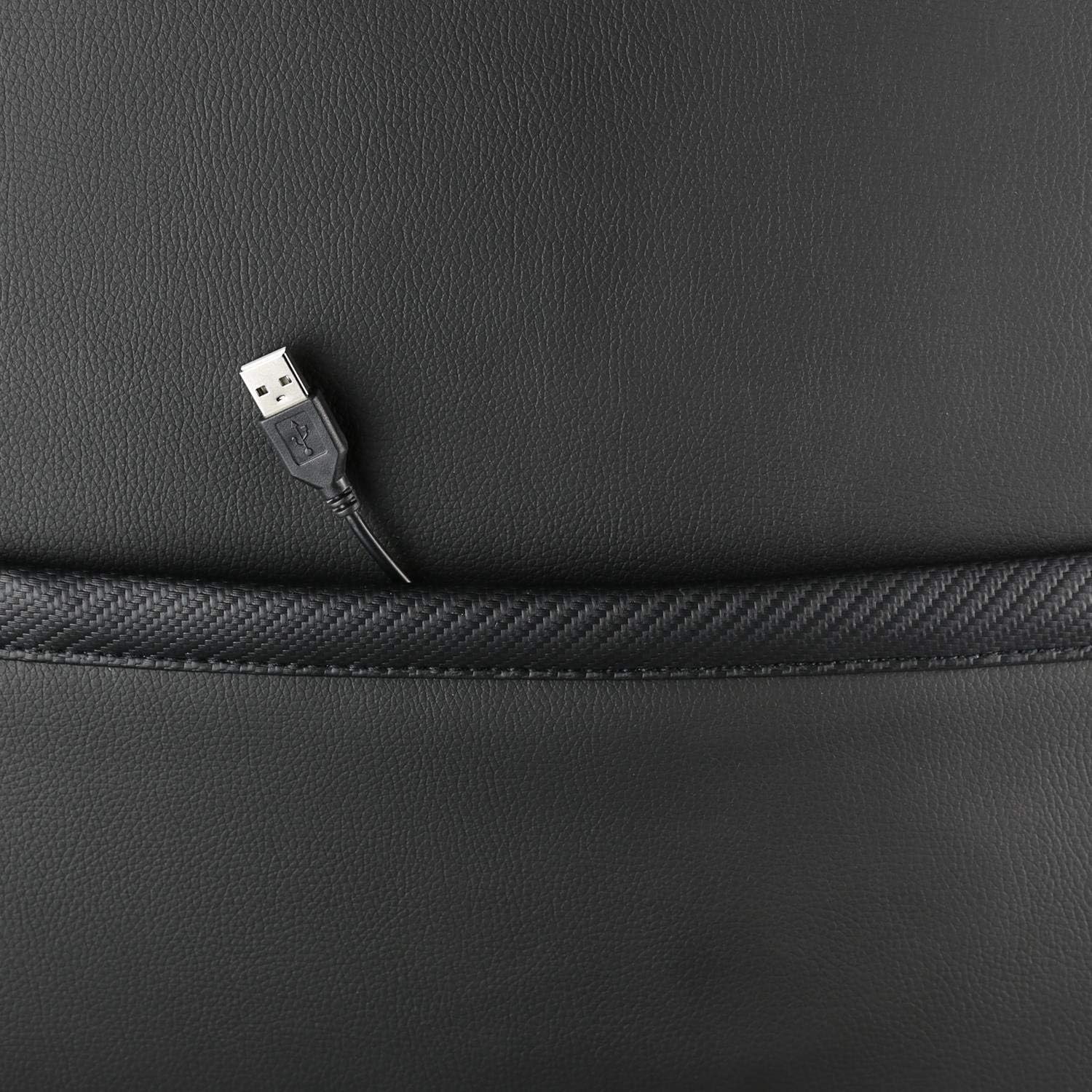
Şəkil: Yaxın plan view showing the USB power cable emerging from a pocket on the chair, used to power the RGB lighting.

Şəkil: Artıqview image of the DELTACO GAMING RGB Gaming Chair highlighting features such as remote control for RGB lights, adjustable headrest, included lumbar cushion, and adjustable backrest from 90-180 degrees, along with 332 LED modes.
Baxım və Qulluq
- Təmizləmə: Reklamla təmizləyinamp cloth. Do not use harsh chemicals or abrasive cleaners, as this may damage the faux leather.
- Yoxlama: Bütün vintlər və boltlar sıx olduğundan əmin olmaq üçün vaxtaşırı yoxlayın. Lazım gələrsə, yenidən sıxın.
- Yaddaş: Store the chair in a cool, dry place away from direct sunlight to prevent material degradation.
- USB kabel: Ensure the USB power cable for the RGB lighting is not kinked or damaged.
Problemlərin aradan qaldırılması
| Problem | Mümkün Səbəb | Həll |
|---|---|---|
| Kreslo hündürlüyü tənzimləmir. | Qaz qaldırıcı silindrinin nasazlığı və ya qolu işə düşməməsi. | Hündürlük tənzimləmə qolunun tam çəkildiyinə əmin olun. Problem davam edərsə, qaz liftinin dəyişdirilməsi tələb oluna bilər. |
| Arxa dayaq əyilmir və ya kilidlənmir. | Əyilmiş mexanizm ilişib qalıb və ya ling işə düşməyib. | Check for obstructions around the recline mechanism. Ensure the recline lever is fully engaged. |
| RGB işıqlandırma işləmir. | USB power not connected, cable damaged, or remote control battery low. | Verify the USB cable is securely connected to a working 5V power source. Check the cable for damage. Replace remote control battery if necessary. |
| Chair is wobbly. | Loose screws or casters not fully inserted. | Tighten all assembly screws. Ensure all casters are fully inserted into the star base. |
Spesifikasiyalar
| Xüsusiyyət | Detal |
|---|---|
| Model Adı | GAM-080 |
| Brend | DELTACO GAMING |
| Rəng | Qara |
| Material | Faux leather, Foam |
| Maksimum Çəki Tövsiyəsi | 120 Kiloqram (264 funt) |
| Məhsulun Ölçüləri (U x G x Y) | 22.44 x 26.77 x 57.87 düym |
| Maddə Çəkisi | 46.2 funt sterlinq |
| Xüsusi Xüsusiyyətlər | RGB Lighting, Adjustable Backrest (90-180°), Adjustable Height, Lumbar Cushion, Headrest Pillow |
| Power Source for RGB | USB 5V |
Zəmanət və Dəstək
This DELTACO GAMING Chair (Model GAM-080) comes with a 1-year spare part availability duration within the EU, as per manufacturer specifications.
For technical support, warranty claims, or inquiries regarding spare parts, please contact DELTACO GAMING customer support. Refer to your purchase documentation for specific contact details or visit the official DELTACO GAMING websayt.
Note: Proof of purchase may be required for warranty services.


