Giriş
This manual provides comprehensive instructions for the installation, setup, and operation of your IBRIGHT Smart Light Switch. Please read this manual carefully before installation and use to ensure proper functionality and safety. This smart switch offers convenient control of your lighting through voice commands, remote access via a mobile application, and scheduled automation.
Nə Daxildir
Paketdə aşağıdakı komponentlər var:
- 1 x Wall plate
- 1 x Montaj çərçivəsi
- 1 x Smart switch
- 2 x Inner frame screws
- 2 x Mounting screws (preinstalled)
Xüsusiyyətlər
The IBRIGHT Smart Light Switch is designed with several features to enhance your home lighting experience:
- Səslə Nəzarət: Səssiz işləmə üçün Amazon Alexa və Google Assistant ilə uyğun gəlir.
- Uzaqdan İdarəetmə: Manage your lights from anywhere using the IBRIGHT mobile application.
- Planlaşdırma və Taymer: Avtomatik işıq idarəetməsi üçün xüsusi cədvəllər və taymerlər təyin edin.
- 3 Yollu Funksionallıq: Supports both single-pole and 3-way wiring configurations.
- Təhlükəsizlik Sertifikatı: ETL & FCC certified, featuring PC V0 flame retardant material and overheat protection.
- Hub tələb olunmur: Birbaşa 2.4GHz Wi-Fi şəbəkənizə qoşulur.

Şəkil: Bitdiview of the IBRIGHT Smart Light Switch highlighting its multifunction capabilities including voice control, remote control, time setting, group control, device sharing, safety guarantee, 2.4G WiFi connection, and no hub requirement.
Quraşdırma və Quraşdırma
Proper installation is crucial for the safe and effective operation of your smart switch. If you are unsure about any steps, consult a qualified electrician.
1. Quraşdırmadan əvvəl yoxlanışlar
- Söndürmək: Hər hansı bir elektrik işinə başlamazdan əvvəl həmişə elektrik açarını söndürün.
- Tələb olunan neytral naqil: This smart switch requires a neutral wire for operation. Verify that your switch box has a neutral wire (typically white) before proceeding. If not, this switch will not work, and professional installation may be required.
- Wi-Fi Şəbəkəsi: Ensure you have a 2.4GHz Wi-Fi network available. The switch is not compatible with 5GHz Wi-Fi.
Image: Diagram illustrating how to identify a neutral wire in a switch box. It shows the steps: turn off power, remove wall plate, remove screws, pull out existing switch, and look for a white wire. A tip advises loosening screws before inserting wires.
2. Naqillərin çəkilməsi üzrə təlimatlar
After confirming the presence of a neutral wire and turning off power:
- Carefully remove your existing switch from the wall box.
- Identify the Line (Live), Load, Neutral, and Ground wires.
- Connect the corresponding wires from your wall box to the IBRIGHT Smart Light Switch terminals. Ensure all screws on the side of the switch are loosened before inserting wires to prevent slippage.
- Bütün tel birləşmələrini etibarlı şəkildə bağlayın.
- Mount the smart switch into the wall box and attach the wall plate.
- Elektrik açarında gücü bərpa edin.
3. Proqramın yüklənməsi və qoşulması
To control your smart switch via your mobile device, download the IBRIGHT app and follow these steps:
- yükləyin IBRIGHT app Apple App Store və ya Google Play Store-dan.
- Open the IBRIGHT app and tap "Add device" or the "+" icon to add a new smart device.
- Select "Electrician" > "Switch (Wi-Fi)".
- Press and hold the power button on the smart switch for 5-10 seconds until the indicator light flashes quickly. This puts the switch into pairing mode.
- In the app, select your 2.4GHz Wi-Fi network and enter the Wi-Fi password.
- Wait for the connection process to complete (100%).
- Once connected, you can edit the name of your lights for easy identification.
Əməliyyat Təlimatları
1. Səslə idarəetmə
Integrate your IBRIGHT Smart Light Switch with Amazon Alexa or Google Assistant for convenient voice control. Once connected to your smart home ecosystem, you can use simple voice commands such as:
- "Alexa, qonaq otağının işıqlarını yandır."
- "Hey Google, yataq otağının işığını söndür."
- "Alexa, set the kitchen light to 50%." (If dimmer functionality is supported by your bulb and setup)
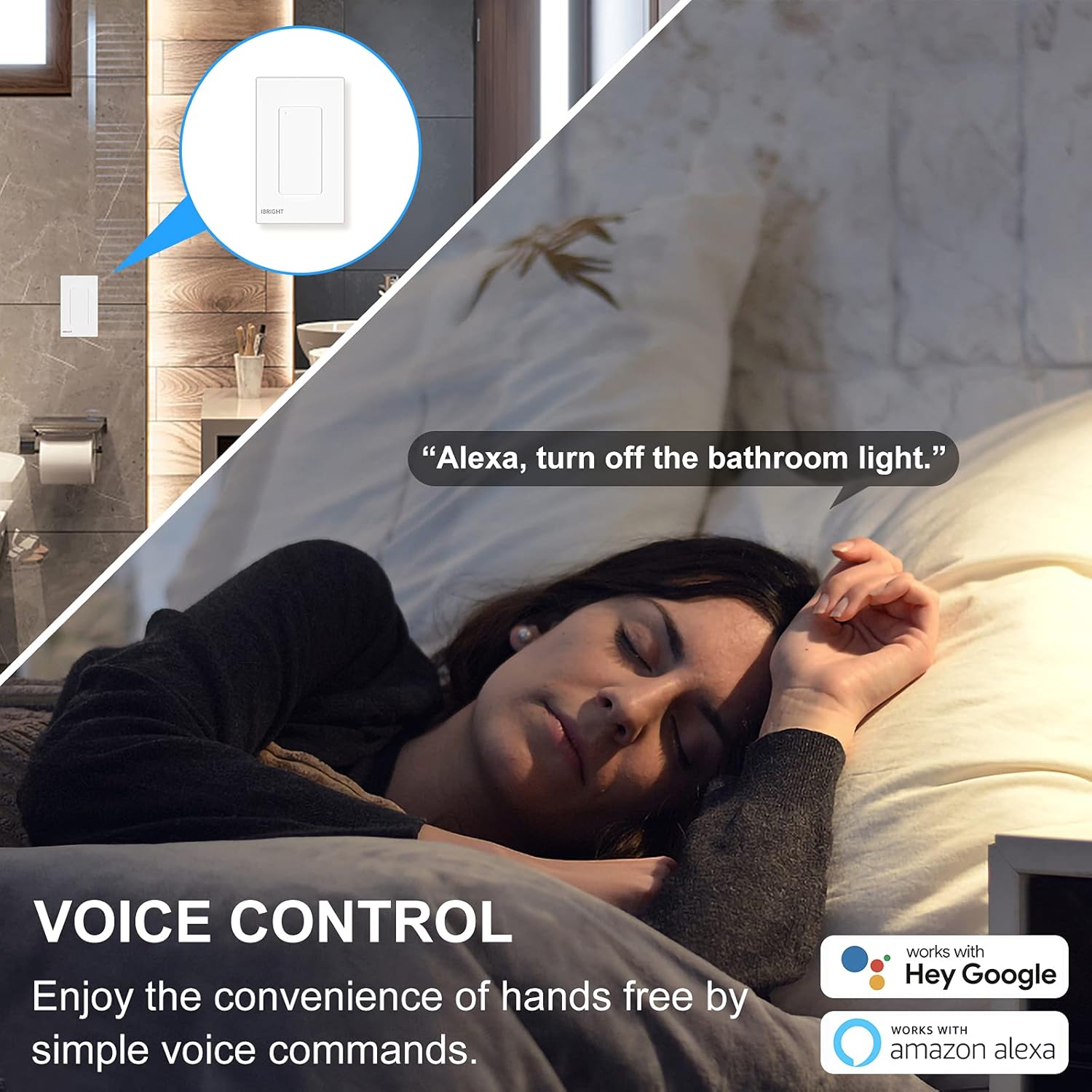
Image: A person sleeping in bed with a speech bubble saying "Alexa, turn off the bathroom light." The image highlights the convenience of voice control with Alexa and Google Home.
2. Uzaqdan idarəetmə
The IBRIGHT app allows you to control your lights from anywhere with an internet connection. This feature is useful for turning lights on before arriving home or ensuring they are off when you leave.
- Open the IBRIGHT app on your smartphone.
- Select the desired light switch from your device list.
- İşığı yandırmaq və ya söndürmək üçün toxunun.

Image: A hand holding a smartphone displaying the IBRIGHT Home app interface, showing various smart devices and their on/off status. The background shows a house at dusk, emphasizing remote control capabilities.
3. Planlaşdırma və Taymer Funksiyaları
Automate your lighting to fit your daily routine using the scheduling and timer features in the IBRIGHT app.
- Cədvəl: Set specific times for your lights to turn on or off automatically. For example, schedule lights to turn on at 7:00 AM.
- Taymer: Set a countdown timer for lights to turn off after a specified duration, such as 10 minutes.

Image: Two scenes depicting the timer and schedule functions. The top scene shows a mother and child with text "Timer Auto-off 10 mins". The bottom scene shows a child sleeping with text "Schedule Auto-on 7:00 AM", illustrating automated lighting based on personal routines.
4. 3-Way Switch Operation
The IBRIGHT Smart Light Switch can be used in 3-way applications, allowing control of a single light fixture from two different locations. Only one IBRIGHT 3-way Smart Switch is needed in a 3-way circuit, working in conjunction with a regular 3-way switch.
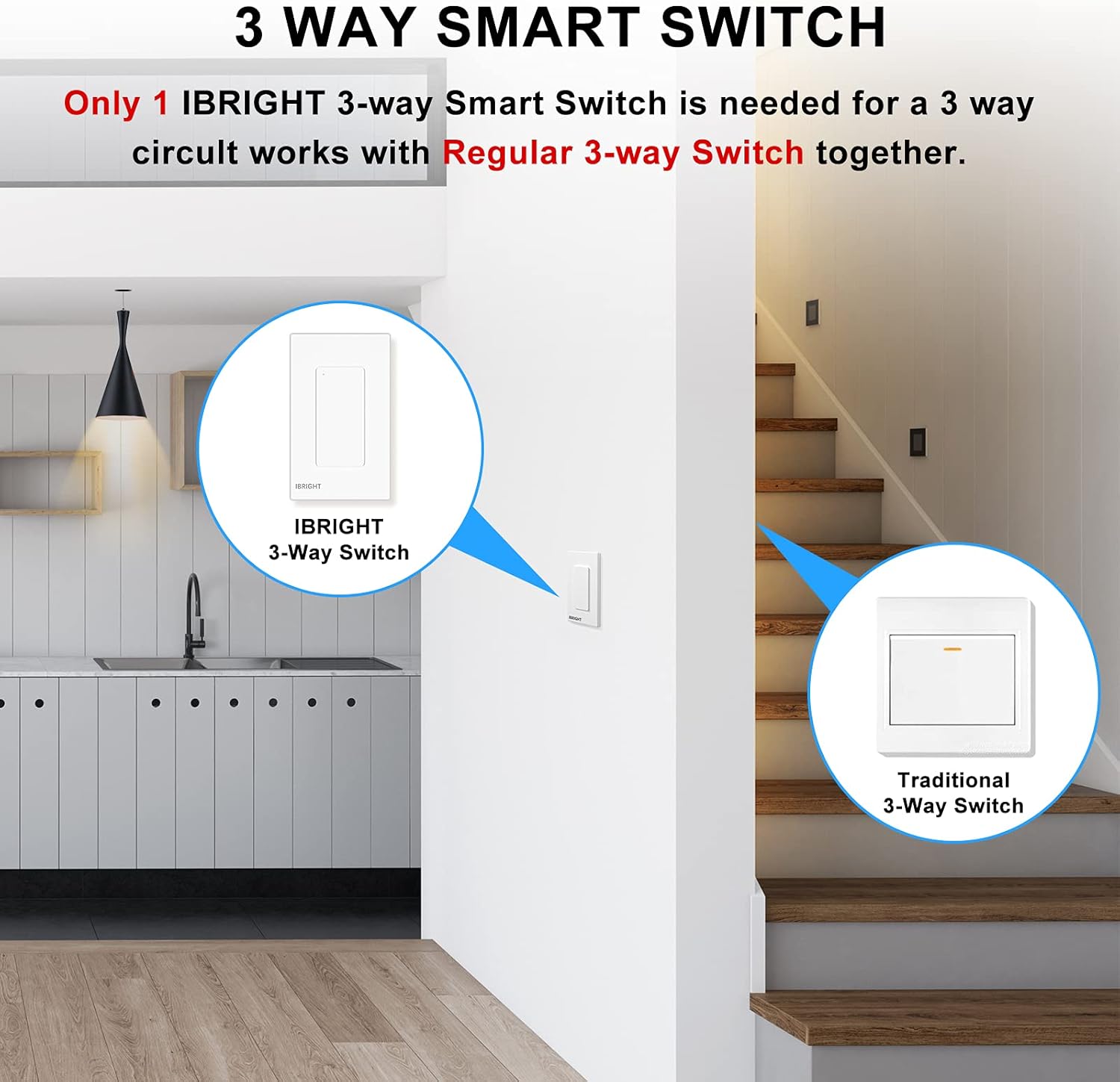
Image: A diagram showing an IBRIGHT 3-way Smart Switch installed at one location (e.g., kitchen) and a Traditional 3-Way Switch at another location (e.g., staircase), both controlling the same light fixture.

Image: Diagrams illustrating single-pole, 3-way, and 3-way (one traditional switch) wiring configurations for the IBRIGHT smart switch. Key requirements are listed: install on the live side, compatible with single-pole and 3-way, neutral wire needed, and 2.4G WiFi required with no hub.
Uyğunluq
The IBRIGHT Smart Light Switch is designed for optimal performance with specific bulb types and devices:
- LED lampalar: Provides best performance with LED bulbs, up to 150 Watts.
- Incandescent/Halogen Bulbs: Compatible with incandescent or halogen bulbs, up to 720 Watts.
- Azarkeşlər: Can be used to control ceiling fans.
- Vacib Qeyd: Smart bulbs are uyğun deyil bu məhsulla.
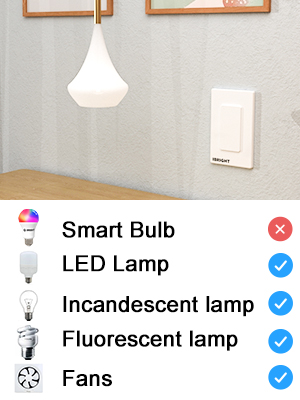
Image: A visual chart indicating compatibility. It shows checkmarks for LED Lamp, Incandescent lamp, Floresan lamp, and Fans, but an 'X' for Smart Bulb, clarifying what devices are compatible with the switch.
Spesifikasiyalar
| Model nömrəsi | SS-02-Y |
| Ölçülər (U x G x Y) | 4.52 x 1.71 x 2.75 düym |
| Əməliyyat Voltage | 120 Volt (AC) |
| Cari Reytinq | 6 Amps |
| Maks Wattage (LED) | 150 Vt |
| Maks Wattage (Közərmə/Halojen) | 720 Vt |
| İşləmə temperaturu | 32°F - 104°F (0°C - 40°C) |
| Bağlantı | Yalnız 2.4GHz Wi-Fi |
| Dövrə Növü | 3 tərəfli |
| Material | Acrylonitrile Butadiene Styrene (PC V0 flame retardant) |
| Sertifikatlar | ETL, FCC |
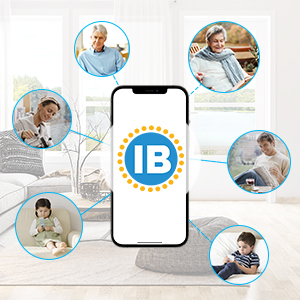
Image: Technical drawing showing the dimensions of the IBRIGHT Smart Light Switch in millimeters, along with the ETL and FCC certification logos.
Təhlükəsizlik və Sertifikatlar
Your IBRIGHT Smart Light Switch is designed with safety in mind and meets industry standards:
- ETL & FCC Certified: Ensures compliance with safety and electromagnetic compatibility standards.
- Alov gecikdirici material: The wall panel is constructed from PC V0 flame retardant material.
- Həddindən artıq istidən qorunma: Built-in overheat protection provides overload protection, automatically cutting off power if the current load becomes excessive.
- Quraşdırma Təhlükəsizliyi: Always ensure power is turned off at the circuit breaker before any installation or maintenance.
Problemlərin aradan qaldırılması
If you encounter issues with your IBRIGHT Smart Light Switch, refer to the following common problems and solutions:
- Switch not connecting to Wi-Fi or app:
- Wi-Fi şəbəkənizin 2.4GHz olduğundan əmin olun. Kommutator 5GHz şəbəkələri dəstəkləmir.
- Verify that the Wi-Fi password entered in the app is correct.
- Make sure the switch is in pairing mode (indicator light flashing quickly).
- Check your router's signal strength near the switch.
- Wi-Fi routerinizi yenidən başladın və yenidən qoşulmağa çalışın.
- Lights not responding to switch or app:
- Confirm that power is restored at the circuit breaker.
- Check all wiring connections to ensure they are secure and correct (Line, Load, Neutral, Ground).
- Verify that the bulb is compatible (not a smart bulb) and functioning correctly.
- If using voice control, ensure the switch is properly linked to Alexa or Google Home.
- Switch appears unresponsive in the app:
- İnternet bağlantınızı yoxlayın.
- Ensure the switch has power and its indicator light is on (not flashing).
- Try restarting the IBRIGHT app.
- If the issue persists, try re-pairing the switch with the app.
Zəmanət və Dəstək
The IBRIGHT Smart Light Switch comes with a limited 2-year warranty. You may register your product for an additional 1-year warranty. For technical assistance or warranty claims, IBRIGHT offers 7*24 hour online support. Please refer to the contact information provided with your product or visit the official IBRIGHT webdəstək detalları üçün sayt.


