1. Giriş
This manual provides essential information for the safe and efficient operation of your ACROJOY D501 Native 1080P Mini Projector. Please read it thoroughly before using the product and retain it for future reference.
2. Təhlükəsizlik Məlumatı
- l olduqda proyektorun obyektivinə birbaşa baxmayınamp aktivdir. Güclü işıq gözə zərər verə bilər.
- Proyektorun ətrafında düzgün havalandırma təmin edin. Havalandırma dəliklərini bağlamayın.
- Proyektoru sudan, nəmdən və həddindən artıq temperaturdan uzaq tutun.
- Yalnız proyektorla birlikdə verilən enerji adapterindən istifadə edin.
- Proyektoru özünüz təmir etməyə çalışmayın. Bütün xidmətlər üçün ixtisaslı işçilərə müraciət edin.
- Uşaqların əli çatmayan yerdə saxlayın.
3. Paketin məzmunu
Bütün əşyaların paketinizdə olduğunu yoxlayın:
- 1x ACROJOY D501 Projector
- 1x User Manual/Quick Start/Warranty Information
- 1x Cleaning Kit
- 1x HDMI kabeli
- 1x güc kabeli
- 1x Projector Lens Cover
- 1x 120-inch Projector Screen
- 1x Uzaqdan İdarəetmə
4. Məhsul bitdiview
Familiarize yourself with the main components of your ACROJOY D501 projector.

Şəkil 4.1: ACROJOY D501 Projector and included 120-inch screen. The image highlights key features such as native 1080p resolution, 5G+2.4G WiFi, 9500 lumens (as indicated in image), and 4K support.

Şəkil 4.2: Yan view of the projector illustrating its connectivity options, including ports for PS5, Nintendo Switch, TV Stick, Phone/Tablet, USB, Laptop/PC, and Audio output.
5. Quraşdırma
5.1 Proyektorun Yerləşdirilməsi
Position the projector on a stable, flat surface or mount it (ceiling, tripod) according to your preference. Ensure the projector is perpendicular to the projection surface for optimal image quality.
- Proyeksiya məsafəsi: The optimal projection distance ranges from 4 to 40 feet.
- Ekran Ölçüsü: The projector can produce an adjustable display size from 35 inches to 400 inches. A 120-inch screen is included for convenience.

Şəkil 5.1: The ACROJOY D501 Projector in an outdoor setting, demonstrating its portability and the use of the bundled 120-inch projector screen for an enjoyable viewtəcrübə.
5.2 Enerji Bağlantısı
- Elektrik kabelini proyektorun enerji giriş portuna qoşun.
- Plug the other end of the power cord into a suitable electrical outlet (120 Volts).
- Proyektordakı güc göstəricisi işığı yanacaq.
5.3 Fokus və Keystone Tənzimləməsi
Proyektoru işə saldıqdan sonra görüntünün aydınlığı və forması üçün tənzimləyin:
- Fokus üzüyü: Rotate the focus ring on the projector lens until the projected image is sharp and clear.
- Açar daşının düzəldilməsi: Use the keystone correction dial or digital adjustment (if available) to correct trapezoidal distortion, ensuring a rectangular image. The projector supports ±15 degrees keystone correction.
6. Əməliyyat Təlimatları
6.1 Yandırma/Söndürmə
- Güc Aktivdir: Proyektorun və ya pultdakı güc düyməsini basın.
- Söndürmək: Güc düyməsini yenidən basın. Tələb olunarsa, söndürməni təsdiqləyin.
6.2 Daxiletmə Mənbəsinin Seçilməsi
The projector supports multiple input sources. Use the 'Source' button on the projector or remote to select the desired input:
- HDMI: Connect devices like laptops, TV sticks, gaming consoles (PS5, Xbox) via HDMI cables. The projector has 2 HDMI ports.
- USB: Insert a USB drive to play media files birbaşa.
- OF: Connect older devices using an AV cable.
6.3 Simsiz Bağlantı (WiFi və Bluetooth)
6.3.1 WiFi Ekran Güzgüləməsi
The projector features 5G+2.4G dual-band WiFi for fast and stable screen mirroring from your smartphone or tablet.
- Ensure your projector and mobile device are connected to the same WiFi network.
- Select the 'Screen Mirroring' or 'Wireless Display' option on the projector's menu.
- On your iOS device, use 'Screen Mirroring'. On Android, use 'Wireless Projection' or similar.
- Select the projector from the list of available devices.
Qeyd: Due to copyright restrictions, streaming services like Netflix, Amazon Prime Video, and Hulu cannot be wirelessly mirrored directly from your device. Use an HDMI-connected TV stick or similar device for these services.

Şəkil 6.1: Demonstrates 5G WiFi screen mirroring for seamless video streaming from iOS, Android, or Windows devices to the projector.
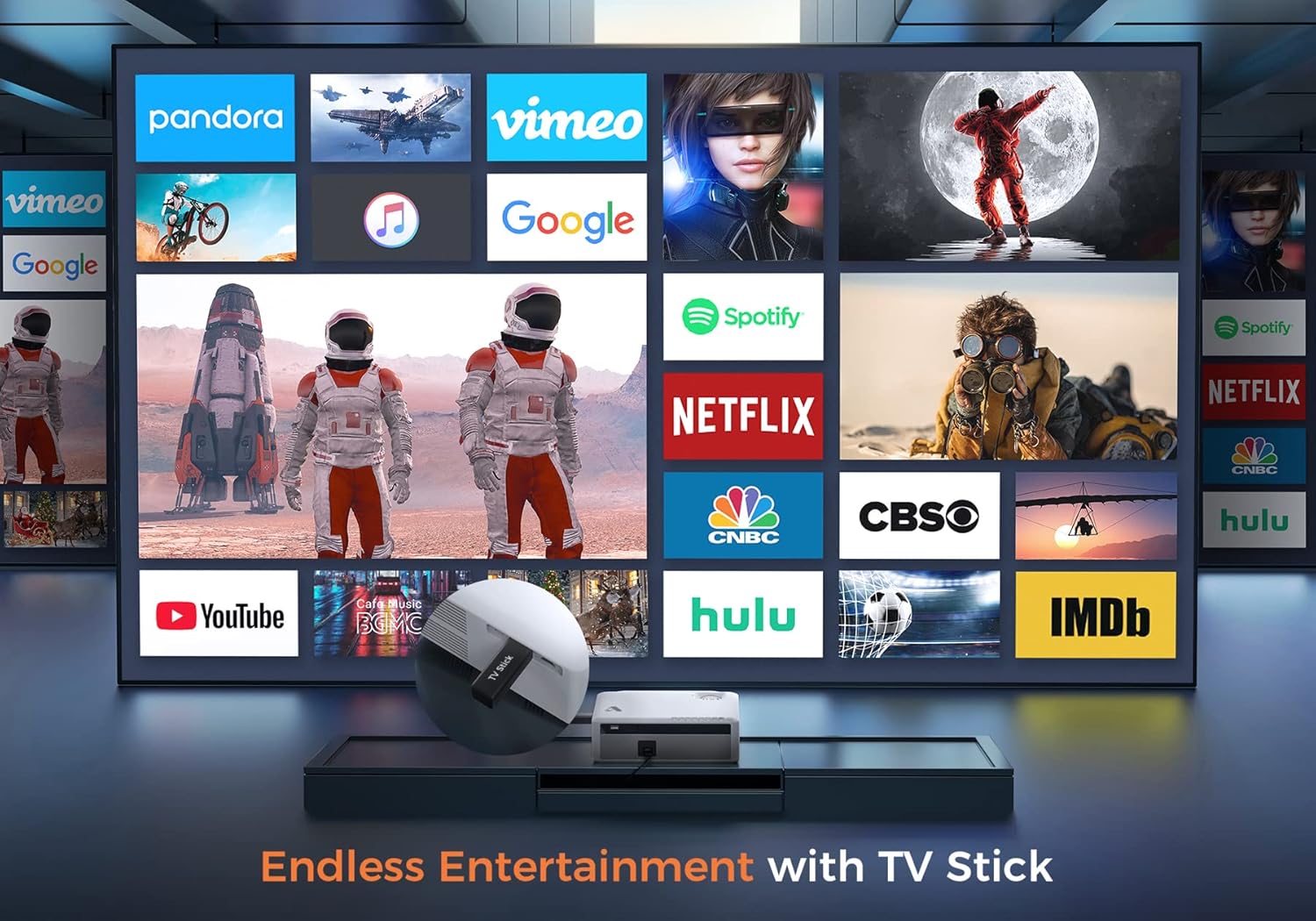
Şəkil 6.2: Illustrates how to access various entertainment apps like YouTube, Netflix, and Hulu by connecting a TV stick to the projector.
6.3.2 Bluetooth bağlantısı
Təkmil audio üçün xarici Bluetooth dinamikləri və ya qulaqlıqları qoşun.
- Enable Bluetooth on your external audio device and set it to pairing mode.
- On the projector's menu, navigate to 'Bluetooth Settings'.
- Cütləşdirmək üçün siyahıdan cihazınızı seçin.
The projector also features a built-in Hi-Fi speaker for direct audio output.
6.4 Böyütmə funksiyası
Adjust the image size without moving the projector using the 50%-100% zoom function, typically found in the projector's display settings menu.
7. Baxım
- Lensin təmizlənməsi: Use the provided cleaning kit or a soft, lint-free cloth specifically designed for optical lenses. Do not use abrasive cleaners.
- Toz Təmizləmə: Regularly clean the projector's exterior with a soft, dry cloth. Use a small brush or compressed air to gently clear dust from ventilation openings.
- Yaddaş: When not in use, store the projector in a cool, dry place, protected from dust and direct sunlight. Always replace the lens cover.
8. Giderme
- Güc yoxdur: Elektrik kabelinin həm proyektora, həm də elektrik rozetkasına etibarlı şəkildə qoşulduğundan əmin olun. Başqa bir rozetkadan istifadə edin.
- Şəkil yoxdur: Check the input source selection. Ensure the connected device is powered on and sending a signal. Verify HDMI/USB cable connections.
- Bulanıq Şəkil: Adjust the focus ring. Ensure the projection distance is within the recommended range.
- Şəkil Trapesiya formasındadır: Əsas daşı düzəlişini tənzimləyin.
- Audio yoxdur: Check the volume settings on both the projector and the source device. If using external speakers, ensure they are properly connected or paired via Bluetooth.
- WiFi Mirroring Issues: Ensure both devices are on the same WiFi network. Some copyrighted content cannot be mirrored wirelessly.
9. Spesifikasiyalar
| Brend | Acrojoy |
| Model nömrəsi | D501 |
| Doğma Qətnamə | 1920 x 1080 (Full HD) |
| Maksimum dəstəklənən qətnamə | 3840 x 2160 (4K) |
| Parlaqlıq | 5500 lümen |
| Kontrast nisbəti | 12000:1 |
| Ekran növü | LCD |
| Bağlantı | 5G+2.4G WiFi, Bluetooth 5.1 |
| Giriş Portları | 2x HDMI, 1x USB, AV |
| Çıxış Portları | 3.5 mm səs çıxışı |
| Proyeksiya ölçüsü | 35" - 400" |
| Proyeksiya məsafəsi | 4 - 40 ft |
| Aspekt nisbəti | 4:3 / 16:9 |
| Açar Düzəltmə | ±15 dərəcə |
| Zoom funksiyası | 50% - 100% |
| Məhsul Ölçüləri | 22.86 x 17.75 x 7.62 sm |
| Maddə Çəkisi | 3.19 kq |
| Güc mənbəyi | Kabelli Elektrik (120 Volt, 600 Vatt) |
10. Zəmanət və Dəstək
ACROJOY provides comprehensive support for your projector:
- Zəmanət: A 3-year warranty covers manufacturing defects and malfunctions.
- Texniki Dəstək: Lifetime professional technical support is available.
- Əlaqə: For any questions or assistance, please refer to the contact information provided in your Quick Start Guide or Warranty Information document.


