1. Əhəmiyyətli Təhlükəsizlik Təlimatları
Please read all instructions carefully before using the Baseus A7 Handheld Vacuum. Keep this manual for future reference.
- Tozsoranı suyun yaxınlığında və ya nəm şəraitdə istifadə etməyin.
- Tezalışan və ya tezalışan materialları, isti külü və ya iti əşyaları tozsoranla təmizləməyin.
- Saçları, boş paltarları, barmaqları və bədənin bütün hissələrini açılışlardan və hərəkət edən hissələrdən uzaq tutun.
- Use only the charging cable provided by the manufacturer.
- Do not operate the vacuum with a damaged cord or plug.
- Ensure the filter is properly installed before use.
- Bu cihaz fiziki, duyğu və ya əqli imkanları zəif olan və ya təcrübəsi və biliyi olmayan şəxslərin (uşaqlar da daxil olmaqla) istifadəsi üçün nəzərdə tutulmayıb, əgər onların təhlükəsizliyinə cavabdeh olan şəxs tərəfindən nəzarət və ya cihazın istifadəsi ilə bağlı təlimat verilməyibsə.
- Uşaqların cihazla oynamamasını təmin etmək üçün onlara nəzarət edilməlidir.
2. Paketin məzmunu
Bütün əşyaların paketdə olduğunu yoxlayın:

Şəkil 2.1: Daxil edilmiş komponentlər
- Baseus A7 Handheld Vacuum Cleaner
- Flagship Flexible Extender Tube
- Silicone Brush / Precision Extensions (2-in-1 Crevice Tool)
- USB-C şarj kabeli
- Storage Cloth Bag
- HEPA Filtri (əvvəlcədən quraşdırılmış və ya ehtiyat)
- İstifadəçi təlimatı
- Zəmanət kartı
3. Məhsul bitdiview
The Baseus A7 is a portable, cordless handheld vacuum designed for efficient cleaning in various environments, including cars, carpets, and other small areas. It features two suction levels and a USB-C rechargeable battery.

Figure 3.1: Suction Power and Runtime
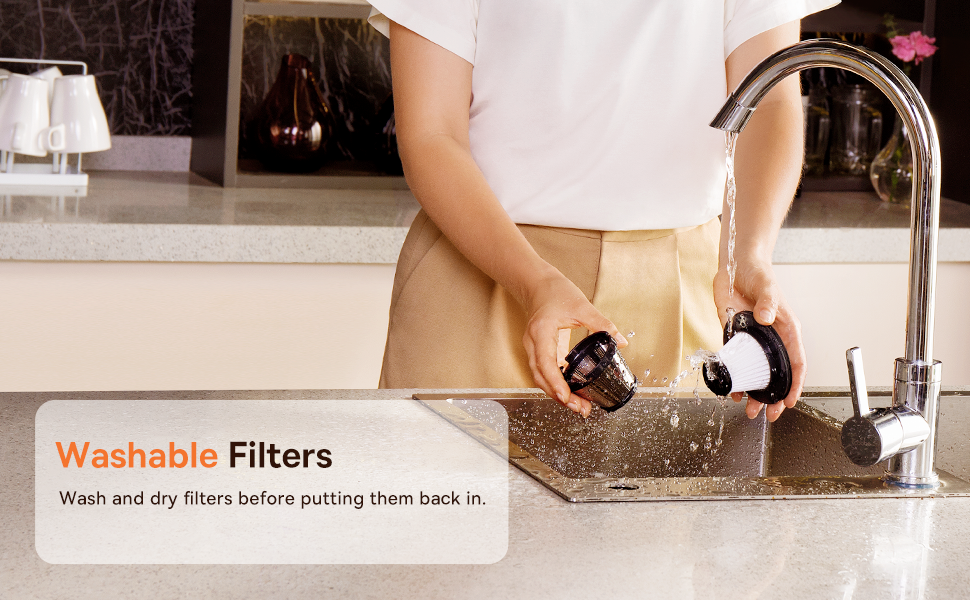
Figure 3.2: Powerful and Portable Design
Əsas Xüsusiyyətlər:
- Simsiz və Portativ: Designed for easy handling and use in various locations.
- İki emiş səviyyəsi: Standard (4500PA) for general cleaning and High (8000PA) for tougher debris.
- Yenidən doldurulan USB-C: Convenient charging with a modern USB-C port.
- HEPA filtrasiyası: Captures fine dust and allergens.
- 500ml Dust Box: Uzadılmış təmizləmə seansları üçün böyük tutum.
4. Quraşdırma və Doldurma
4.1 İlkin ödəniş
Before first use, fully charge the vacuum cleaner. The charging time is approximately 3 to 3.5 hours.
Şəkil 4.1: USB-C Şarjı
- Connect the provided USB-C charging cable to the charging port on the vacuum cleaner.
- Kabelin digər ucunu uyğun USB enerji adapterinə (daxil deyil) və ya USB portuna qoşun.
- The indicator light will show charging status (refer to the device for specific light patterns).
- Once fully charged, disconnect the vacuum from the power source.
4.2 Aksesuarların qoşulması
Select the appropriate attachment for your cleaning task and firmly attach it to the vacuum's suction inlet.
- Flexible Extender Tube: For reaching deep or awkward spaces.
- 2-in-1 Crevice Tool (Silicone Brush/Precision Extensions): Use the narrow end for tight corners and crevices, or slide the brush attachment forward for delicate surfaces.
5. Əməliyyat Təlimatları
5.1 Güc yandırma/söndürmə və emiş səviyyələri
- To turn on the vacuum, press the power button. It will start in Standard suction mode (4500PA).
- Press the power button again to switch to High suction mode (8000PA).
- Vakuumu söndürmək üçün güc düyməsini üçüncü dəfə basın.
5.2 Təmizləmə Tətbiqləri
The Baseus A7 is versatile for various cleaning tasks:

Figure 5.1: Versatile Cleanups

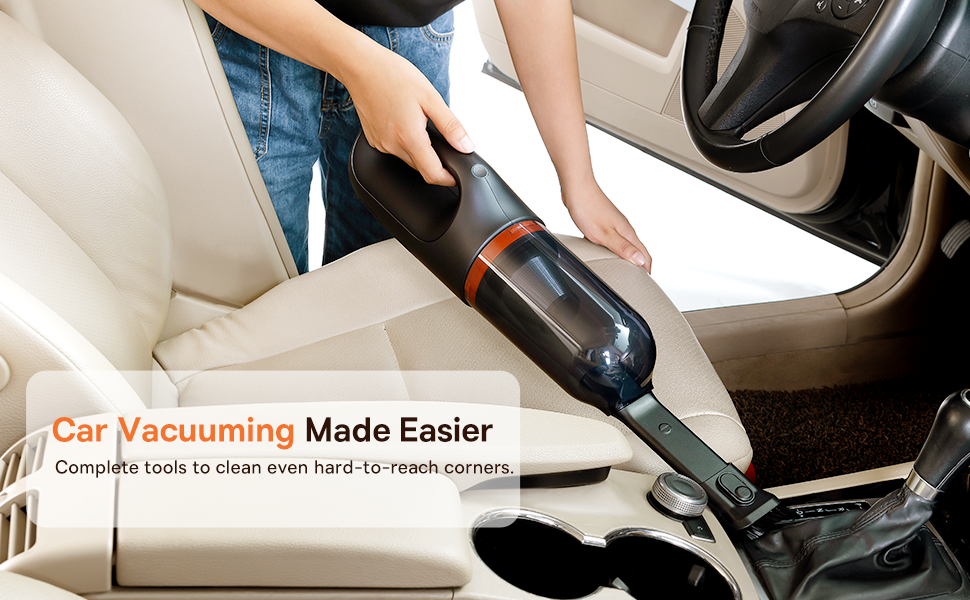
Figure 5.2: Car Vacuuming Made Easier
- Avtomobil salonları: Use the crevice tool for tight spots between seats and the flexible tube for under seats.
- Household Surfaces: Effective for quick cleanups on tables, countertops, and furniture.
- Heyvan saçı: Can be used for light pet hair removal on upholstery.
- Keyboards and Electronics: Use the brush attachment for delicate cleaning.
For optimal performance, ensure the dust box is not overfilled and the filter is clean.
6. Baxım
6.1 Toz Qutusunun Boşaldılması
Empty the dust box regularly to maintain suction power and prevent blockages.
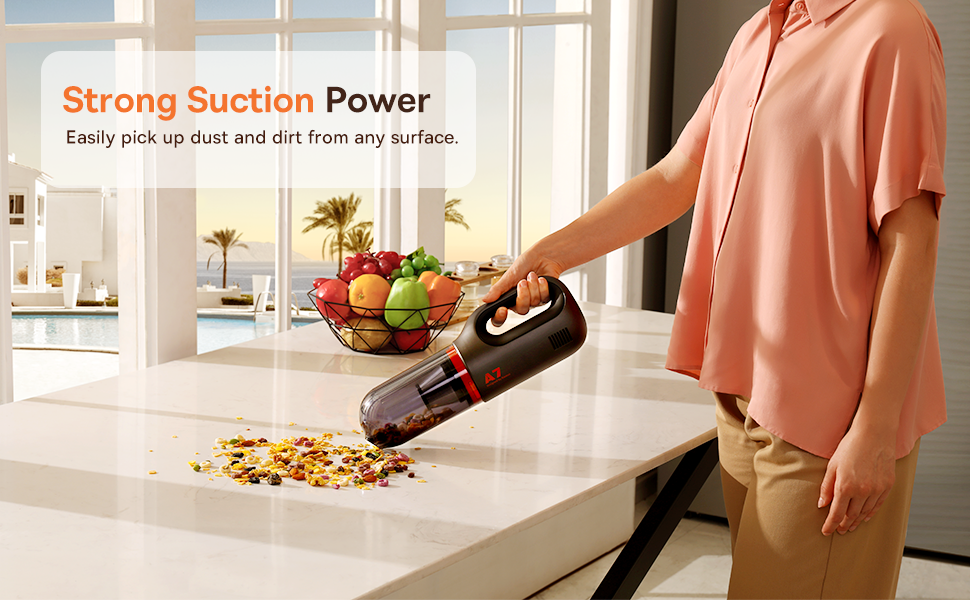
Figure 6.1: Easy to Empty Dust Box
- Vakuumun söndürüldüyünə əmin olun.
- Twist or unlatch the dust box from the main body of the vacuum (refer to device for specific mechanism).
- Carefully empty the collected debris into a trash receptacle.
- Reattach the dust box securely.
6.2 Filtirin təmizlənməsi
The HEPA filter is washable and should be cleaned periodically to ensure efficient filtration and suction.

Figure 6.2: Washing the HEPA Filter
- Remove the dust box and then carefully remove the HEPA filter.
- Rinse the filter under cool, running water until clean. Do not use detergents.
- Yenidən vakuuma daxil etməzdən əvvəl filtrin ən azı 24 saat tamamilə qurumasına icazə verin. Vakuumdan nəm filtrlə istifadə etməyin.
- Ensure the filter is fully dry and properly seated before reassembling the vacuum.
7. Giderme
If you encounter issues with your Baseus A7 vacuum, refer to the following common problems and solutions:
| Problem | Mümkün Səbəb | Həll |
|---|---|---|
| Elektrik yoxdur / Yandırılmır | Batareya bitib. | Charge the vacuum fully (approx. 3-3.5 hours). |
| Zəif emiş gücü | Toz qutusu doludur. Filtr tıxanıb. Attachment is not properly sealed. | Toz qutusunu boşaltın. Clean and dry the HEPA filter. Ensure attachments are firmly connected. |
| Tozsoran gözlənilmədən dayanır | Batareya azdır. Aşırı qızdırmadan qorunma aktivləşdirildi. | Batareyanı doldurun. Turn off the vacuum and let it cool down for 30 minutes before resuming use. |
| Doldurma göstəricisi işləmir | Şarj kabeli və ya adapter problemi. Charging port issue. | Try a different USB-C cable and power adapter. Ensure the cable is fully inserted. If the issue persists, contact customer support. |
If the problem persists after trying these solutions, please contact Baseus customer support.
8. Spesifikasiyalar
| Xüsusiyyət | Detal |
|---|---|
| Brend | Baseus |
| Model Adı | A7 |
| Xüsusi Xüsusiyyət | HEPA, Portable |
| Filtr növü | Kartric (HEPA) |
| Simsiz | Bəli |
| Tutum | 500 mililitr |
| Wattage | 120 vatt |
| Doldurma vaxtı | 3 - 3.5 Hours |
| Tövsiyə olunan istifadələr | Car, Carpet, Household |
| Forma faktoru | Əl |
| Rəng | Qara |
| Məhsul Ölçüləri | 4"U x 3"W x 13"H |
| Batareya növü | Litium-İon (2 batareya daxildir) |
| Səs-küy Səviyyəsi | 75 desibel |
| Amptəmizləmək | 1.4 Amps |
| Sürətlərin sayı | 2 |
| Maddə Çəkisi | 3.43 funt sterlinq |
| Güc mənbəyi | Batareya ilə işləyir |
9. Zəmanət və Dəstək
The Baseus A7 Handheld Vacuum comes with a warranty to ensure your satisfaction.
- Zəmanət: Includes a 1-year warranty card and a 3-year guarantee. Please refer to the warranty card included in your package for specific terms and conditions.
- Müştəri Dəstəyi: For any questions, technical assistance, or warranty claims, please contact Baseus customer support through their official websayt və ya zəmanət kartınızda göstərilən əlaqə məlumatı.
10. Məhsul Videosu
Watch the official product video for a visual guide on the Baseus A7 Handheld Vacuum's features and usage.
Video 10.1: Baseus A7 Handheld Vacuum Overview and Demonstration. This video showcases the vacuum's design, suction capabilities, and how to use its various attachments for different cleaning scenarios.


