Giriş
Thank you for choosing the Nedis SmartLife Wireless Camera System SLNVR201CWT. This system is designed to provide comprehensive home security with advanced features. This manual will guide you through the installation, operation, and maintenance of your new camera system, ensuring optimal performance and security.
The system includes a Network Video Recorder (NVR) and two Full HD (1080p) wireless cameras. Key features include motion and sound detection with adjustable sensitivity, instant smartphone notifications, a wide 180-degree viewing angle, night vision capabilities up to 5 meters, and two-way audio communication. Recordings are stored on a Micro SD card (not included) for convenient playback.
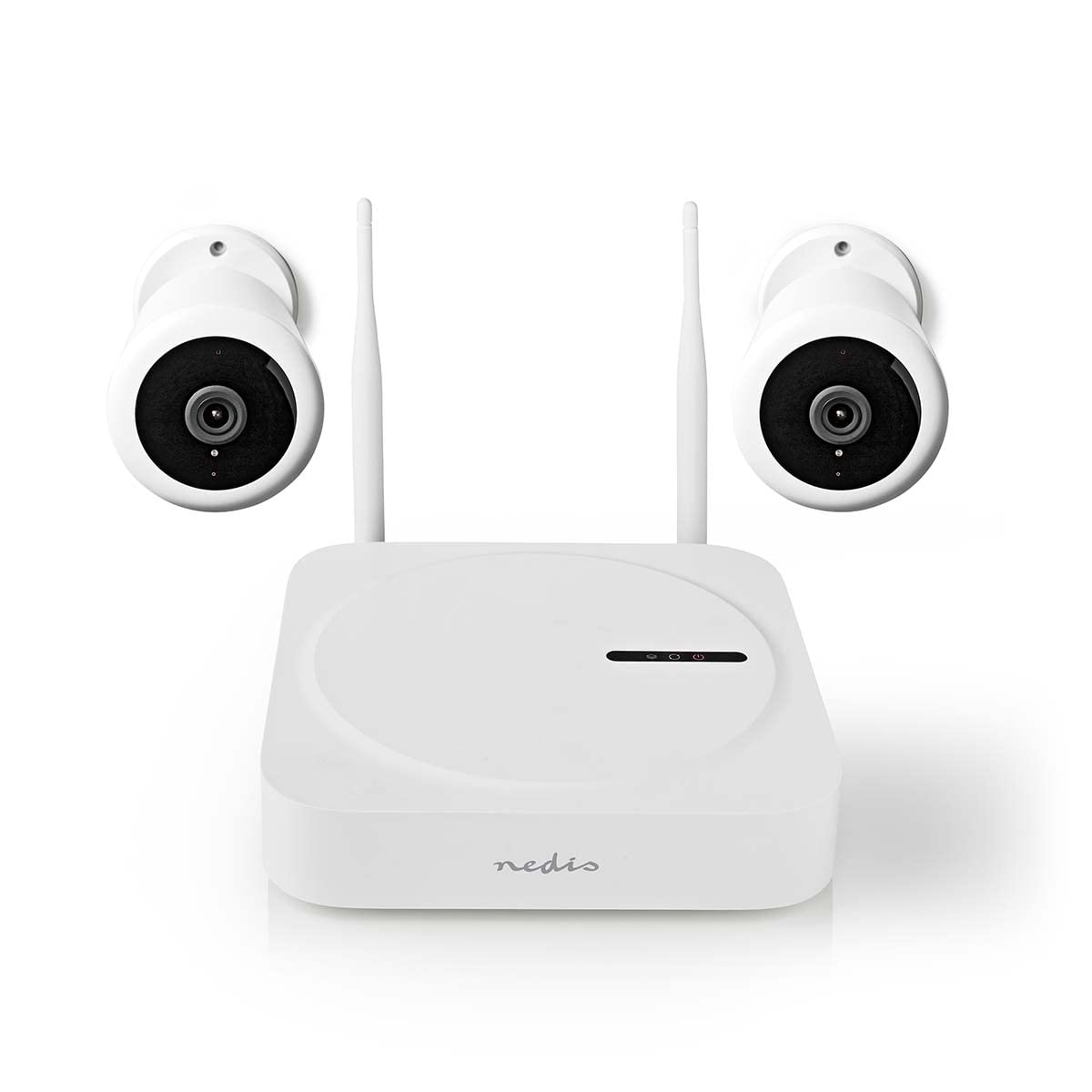
Image: The Nedis SmartLife Wireless Camera System, showing the central NVR unit and two wireless cameras.
Təhlükəsizlik Məlumatı
- İstifadə etməzdən əvvəl bütün təlimatları diqqətlə oxuyun.
- Gələcəkdə istinad üçün bu təlimatı saxlayın.
- Use only the power adapters supplied with the product. Using unauthorized power sources may damage the device and void the warranty.
- Cihazı həddindən artıq temperatura, rütubətə və ya birbaşa günəş işığına məruz qoymayın.
- Ensure proper ventilation around the NVR unit to prevent overheating.
- Avoid placing the cameras in locations where they could be easily tampered with or damaged.
- Bu məhsul oyuncaq deyil. Uşaqların əli çatmayan yerdə saxlayın.
- For indoor and outdoor use. Ensure outdoor cameras are installed in a sheltered location to protect from direct heavy rain.
Paketin məzmunu
Qutunu diqqətlə açın və bütün əşyaların mövcud olduğundan və yaxşı vəziyyətdə olduğundan əmin olun. Hər hansı bir əşya itkin düşərsə və ya zədələnərsə, zəhmət olmasa, satıcınızla əlaqə saxlayın.
- 1 x Nedis SmartLife Wireless NVR Unit
- 2 x Nedis SmartLife Wireless Cameras
- 3 x Power Adapters (for NVR and cameras)
- 1 x USB siçan
- Montaj vintləri və divar tıxacları
- Qazma Şablonları
- İstifadəçi Təlimatı (bu sənəd)
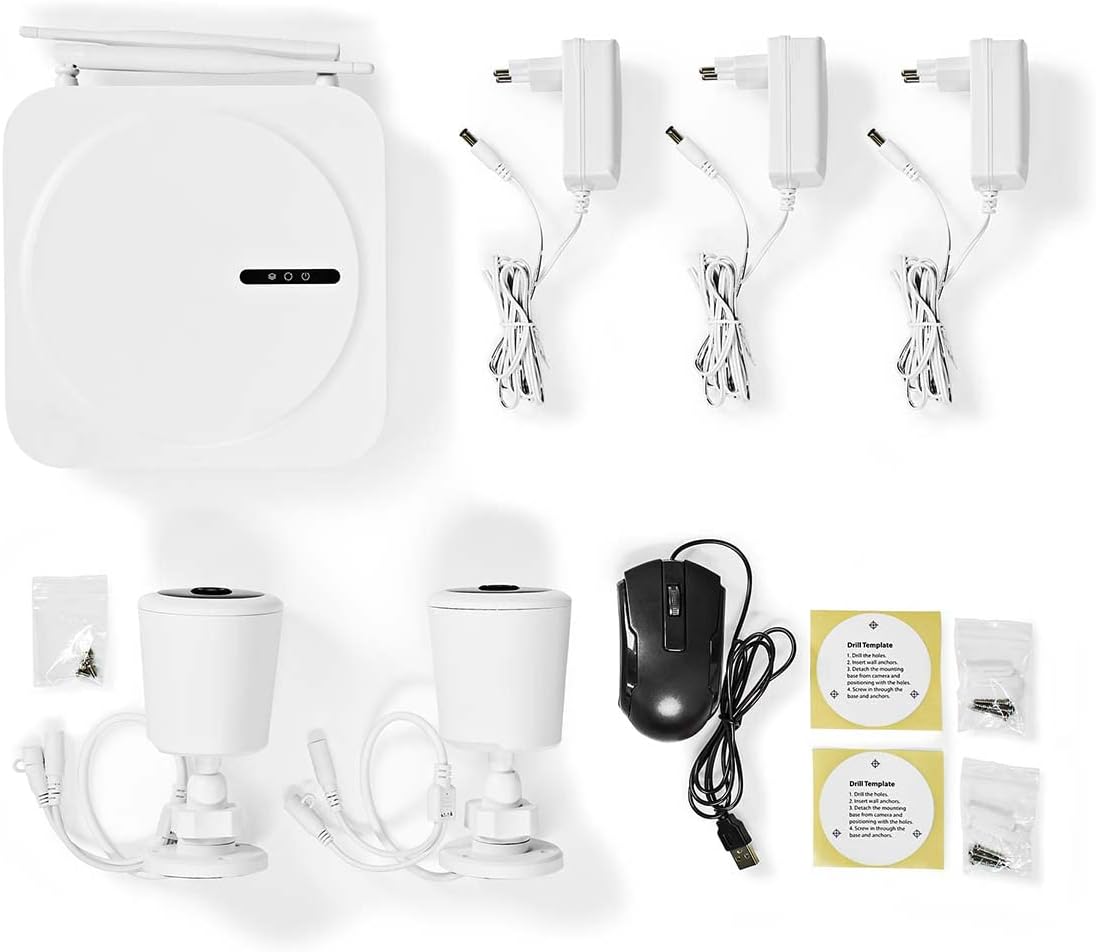
Image: All components included in the Nedis SmartLife Wireless Camera System package.
Quraşdırma
1. NVR Unit Connection
- Place the NVR unit in a central location, ensuring good Wi-Fi signal strength for the cameras.
- Connect the NVR to a power outlet using one of the provided power adapters.
- USB siçanı NVR-nin USB portuna qoşun.
- If desired, connect the NVR to your router via an Ethernet cable for a stable network connection.

Şəkil: Ön view of the Nedis SmartLife NVR unit with indicator lights.
2. Kamera Quraşdırılması
- Choose suitable locations for your cameras, considering the 180-degree viewing angle and night vision range (up to 5 meters).
- Use the drill templates to mark the screw positions on the wall or ceiling.
- Drill holes, insert wall plugs, and secure the camera mounts with screws.
- Attach the cameras to their mounts and adjust the angle as needed.
- Connect each camera to a power outlet using the remaining power adapters.

Image: Close-up of a Nedis SmartLife camera, highlighting the lens and sensor.
3. Tətbiqin Quraşdırılması və Qoşulması
- Download the 'Nedis SmartLife' app from your smartphone's app store (available for Android and iOS).
- Yeni hesab üçün qeydiyyatdan keçin və ya artıq hesabınız varsa daxil olun.
- Follow the in-app instructions to add your NVR system. The app will guide you through the pairing process for the cameras.
- Insert a Micro SD card (up to 128GB, not included) into the NVR for local storage of recordings.
Sistemin İşlənməsi
Canlı View və oxutma
- Open the Nedis SmartLife app on your smartphone.
- Select your camera system to view bütün qoşulmuş kameralardan canlı yayımlar.
- Use the app interface to switch between cameras, access recorded footage, and adjust settings.
- Kimə view foo qeyd etditage, navigate to the playback section in the app and select the desired date and time.
Hərəkət və səsin aşkarlanması
- The system is equipped with motion and sound detection. When triggered, it sends instant notifications to your smartphone.
- Adjust the sensitivity of both motion and sound detection within the Nedis SmartLife app settings for each camera to minimize false alarms.
- You can set specific detection zones for motion detection to focus on critical areas.
İki tərəfli audio
- The cameras feature built-in microphones and speakers, enabling two-way communication.
- Canlıdan view in the app, tap the microphone icon to speak through the camera's speaker. Tap again to end.
- This feature allows you to communicate with visitors or deter intruders remotely.
Gecə Görünüşü
- The cameras automatically switch to night vision mode in low-light conditions.
- Night vision provides clear black-and-white video footage up to 5 meters, ensuring 24-hour surveillance.
Baxım
Təmizləmə
- Təmizləməzdən əvvəl cihazın söndürüldüyünə və elektrik şəbəkəsindən çıxarıldığına əmin olun.
- Use a soft, dry cloth to clean the NVR unit and camera bodies.
- For camera lenses, use a specialized lens cleaning cloth to avoid scratches.
- Do not use liquid or aerosol cleaners, as they may damage the components.
Proqram təminatı güncəlləmələri
- Periodically check the Nedis SmartLife app for available firmware updates.
- Keeping your system's firmware up-to-date ensures optimal performance, security, and access to new features.
- Follow the in-app instructions carefully when performing updates.
Saxlama
- If storing the system for an extended period, ensure it is clean and dry.
- Birbaşa günəş işığından və həddindən artıq temperaturdan uzaq sərin, quru yerdə saxlayın.
Problemlərin aradan qaldırılması
| Problem | Mümkün Səbəb | Həll |
|---|---|---|
| No image/video from camera | Camera not powered on; Wi-Fi signal too weak; Camera not paired. | Check power connection; Move camera closer to NVR/router; Re-pair camera via app. |
| Heç bir bildiriş alınmadı | Notifications disabled in app/phone settings; Detection sensitivity too low. | Enable notifications in Nedis SmartLife app and phone settings; Increase motion/sound sensitivity. |
| Gecə görmə keyfiyyətinin aşağı olması | Obstruction in front of camera; Camera too far from subject. | Clear any obstructions; Ensure subject is within 5-meter night vision range. |
| İki tərəfli audio işləmir | Microphone/speaker permissions not granted; Volume too low. | Check app permissions for microphone; Adjust volume settings in app. |
| System offline in app | NVR not connected to internet; NVR powered off. | Check NVR's internet connection (Ethernet/Wi-Fi); Ensure NVR is powered on. |
Spesifikasiyalar
| Xüsusiyyət | Spesifikasiya |
|---|---|
| Model nömrəsi | SLNVR201CWT |
| Brend | Nedis |
| Video çəkiliş həlli | 1080p (Full HD) |
| Rəng | Ağ |
| Kanalların sayı | 4 |
| Simsiz Texnologiya | Wi-Fi |
| Viewaçı | 180 dərəcə |
| Çərçivə Tezliyi | Saniyədə 30 kadr |
| Cildtage | 220 volt |
| Wattage | 48 Vt |
| Əməliyyat Sistemi Uyğunluğu | Android, iOS |
| Batareyalar Daxildir | yox |
| Tövsiyə olunan istifadələr | Night Vision, Home Security |
| Xüsusi Xüsusiyyətlər | High Definition, Motion Sensor, Two-Way Audio |
| İstifadə mühiti | Daxili, Çöl |
| Uyğun Cihazlar | Smartfon |
| Güc mənbəyi | Kabelli Elektrik |
| Rabitə Protokolu | Wi-Fi |
Zəmanət və Dəstək
Nedis products are manufactured to high quality standards and are covered by a warranty period from the date of purchase. For detailed warranty terms and conditions, please refer to the warranty card included with your product or visit the official Nedis websayt.
For technical support, troubleshooting assistance, or to report any issues with your product, please contact Nedis customer service. Contact information can typically be found on the Nedis websaytda və ya məhsul qablaşdırmasında.
Please have your model number (SLNVR201CWT) and proof of purchase ready when contacting support.


