1. Giriş
Thank you for choosing the PeriPage A6 Mini Portable Thermal Printer. This compact and versatile device allows you to print photos, labels, notes, lists, and more directly from your smartphone or PC. With its high-resolution thermal printing technology, you can enjoy clear and crisp prints without the need for ink cartridges. This manual provides essential information on setting up, operating, maintaining, and troubleshooting your new printer.
3. Paketin məzmunu
Bütün əşyaların paketinizdə olduğunu yoxlayın:
- PeriPage A6 Mini Printer
- Termal kağız rulonu
- USB kabel
- İstifadəçi təlimatı

Image: Contents of the PeriPage A6 Mini Printer package, showing the printer, a roll of thermal paper, a USB charging cable, and the user manual.
4. Məhsul bitdiview
4.1 Əsas Xüsusiyyətlər
- Ultra HD Printing: 304 DPI resolution for clear and detailed prints.
- Mürəkkəbsiz Termal Çap: No ink cartridges required, reducing operating costs.
- Çoxfunksiyalı: Supports printing of photos, labels, notes, lists, QR codes, web səhifələr və daha çox.
- Bluetooth bağlantısı: Seamless wireless connection to iOS and Android smartphones.
- Portativ dizayn: Compact and lightweight with a built-in 1000mAh rechargeable battery.
- Versatile Paper Support: Compatible with various thermal paper types including standard, sticky, transparent, and colorful options.
4.2 Printer Komponentləri
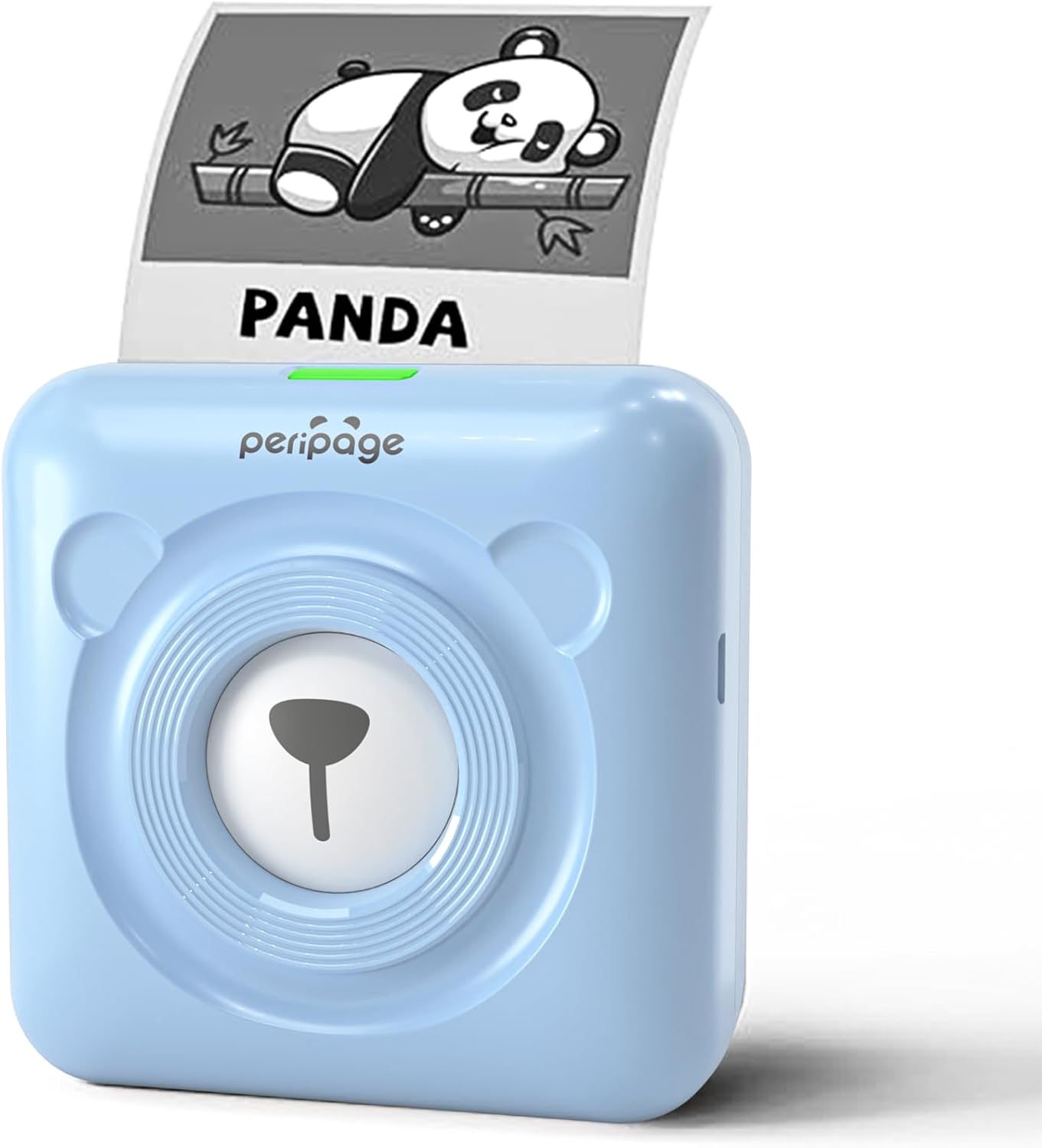
Image: The PeriPage A6 Mini Printer in blue, demonstrating a printed output. The printer features a bear-like design on its front.

Image: A visual comparison highlighting the superior print resolution of the PeriPage A6 Mini Printer (304 DPI) compared to a standard definition printer, showing finer details in the printed image.
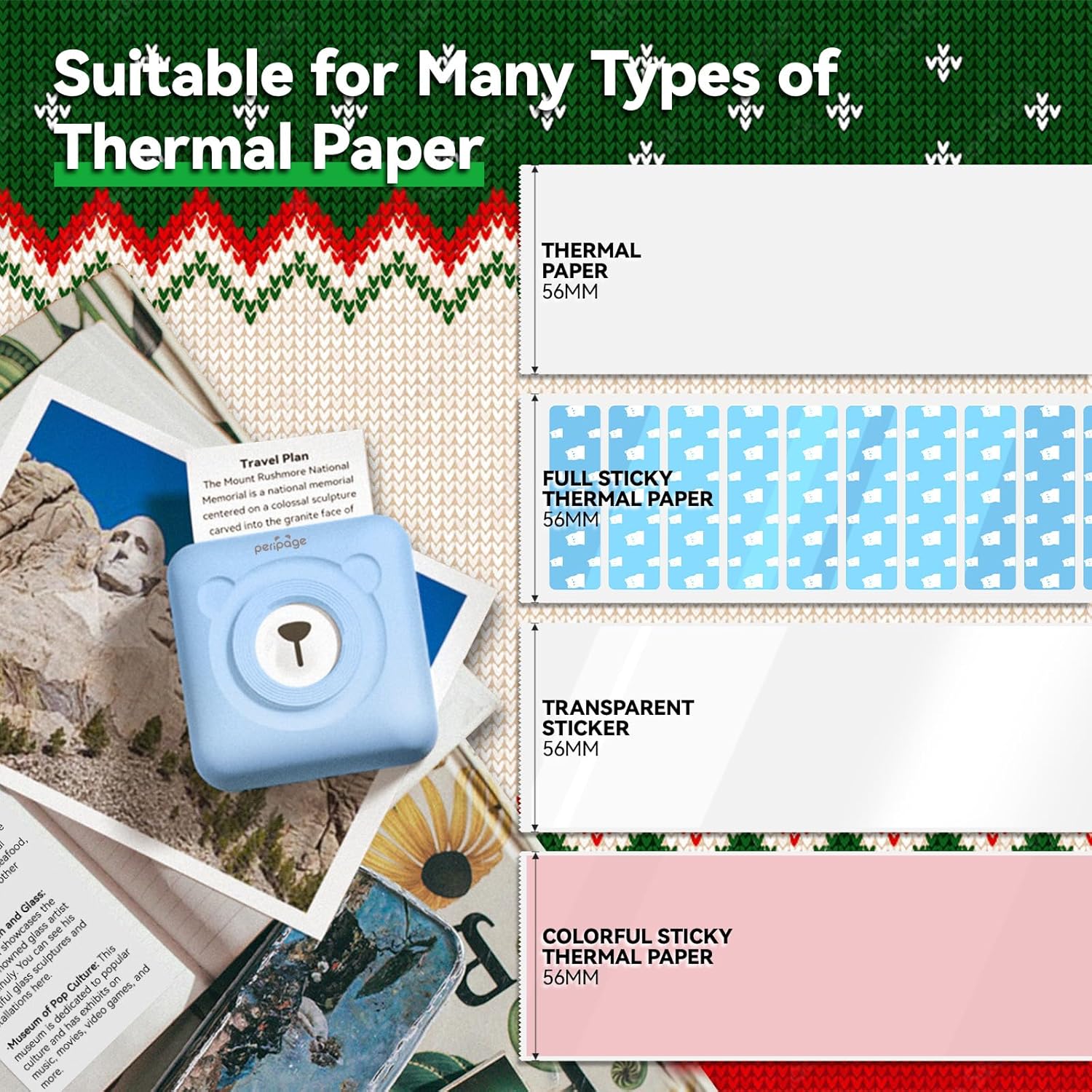
Image: An illustration showing the different types of thermal paper that can be used with the PeriPage A6 Mini Printer, such as standard thermal paper, full sticky thermal paper, transparent stickers, and colorful sticky thermal paper, all 56mm wide.
5. Quraşdırma Bələdçisi
5.1 Printerin doldurulması
Before first use, fully charge the printer using the provided USB cable. Connect the USB cable to the printer's charging port and the other end to a USB power adapter (not included) or a computer's USB port. The indicator light will show charging status.
5.2 Installing Thermal Paper
- Open the printer cover by gently sliding the release button or pressing the designated area.
- Insert the thermal paper roll into the paper compartment, ensuring the printing side faces the print head.
- Pull a small amount of paper out beyond the print head.
- Printer qapağını yerinə oturana qədər möhkəm bağlayın.
5.3 Downloading the PeriPage App
The PeriPage A6 Mini Printer requires the official PeriPage APP for full functionality. You can download it via:
- Searching for "PeriPage" in your device's APP store (Apple App Store for iOS, Google Play Store for Android).
- Scanning the QR code provided in the instruction manual or on the product packaging.
- Visiting the official download page: https://www.ileadtek.com/download/app/peripage.html

Image: A guide illustrating two methods to download the PeriPage App: searching on Google Play or Apple App Store, or scanning a QR code.
5.4 Connecting to Your Device (Bluetooth)
- Ensure your PeriPage A6 printer is turned on.
- Smartfonunuzda Bluetooth-u aktivləşdirin.
- Open the PeriPage App. The app will guide you to connect to the printer.
- Select your printer from the list of available Bluetooth devices within the app. The printer's name usually starts with "PeriPage".
- Qoşulduqdan sonra tətbiq uğurlu bir əlaqəni göstərəcək.

Image: A visual representation of connecting the PeriPage A6 Mini Printer to a smartphone via the PeriPage App, showing the app interface and Bluetooth icon.
6. Əməliyyat Təlimatları
The PeriPage App offers a wide range of functions to maximize your printer's utility.
6.1 Əsas Çap Addımları (Tətbiq vasitəsilə)
- Printeri yandırın: Printerdəki güc düyməsini basın.
- Open the PeriPage App: Ensure your printer is connected via Bluetooth.
- Select Printing Type: On the app's homepage, choose the type of content you wish to print (e.g., Photo Print, Label Print, Notes, Web Page Printing, OCR Text Recognition).
- Import/Create Content: Select the image, text, or template you want to print. The app provides various fonts and themes.
- Parametrləri tənzimləyin (İstəyə görə): Modify print density, size, or other parameters as needed.
- Çap edin: Tap the print button in the app. The printer will begin printing.

Image: A five-step visual guide demonstrating the printing process using the PeriPage App: 1. Press button to boot, 2. Enter PeriPage app, 3. Import file, 4. Connect via Bluetooth, 5. Get printed document.
6.2 İstifadə Ssenariləri
The PeriPage A6 is suitable for a variety of applications:
- Mətbəx: Print labels for jars and containers.
- Tədqiqat: Print study notes, lists, or quick references.
- Şəkillər: Print black and white photos for journaling or scrapbooking.
- DIY Etiketler: Create custom stickers for various purposes.
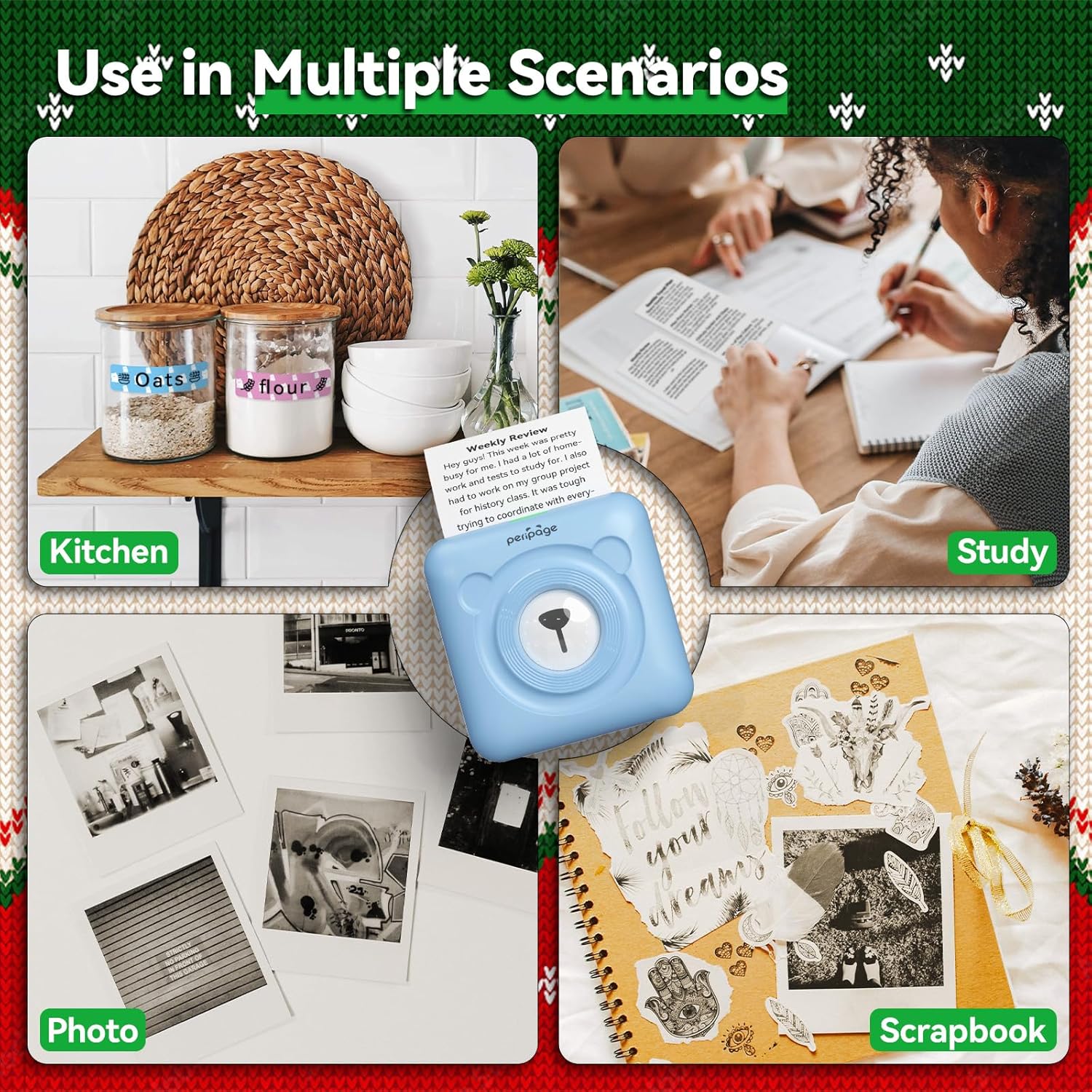
Şəkil: Məsamples of the PeriPage A6 Mini Printer's use in multiple scenarios, including creating kitchen labels, printing study notes, printing photos, and enhancing scrapbooks.
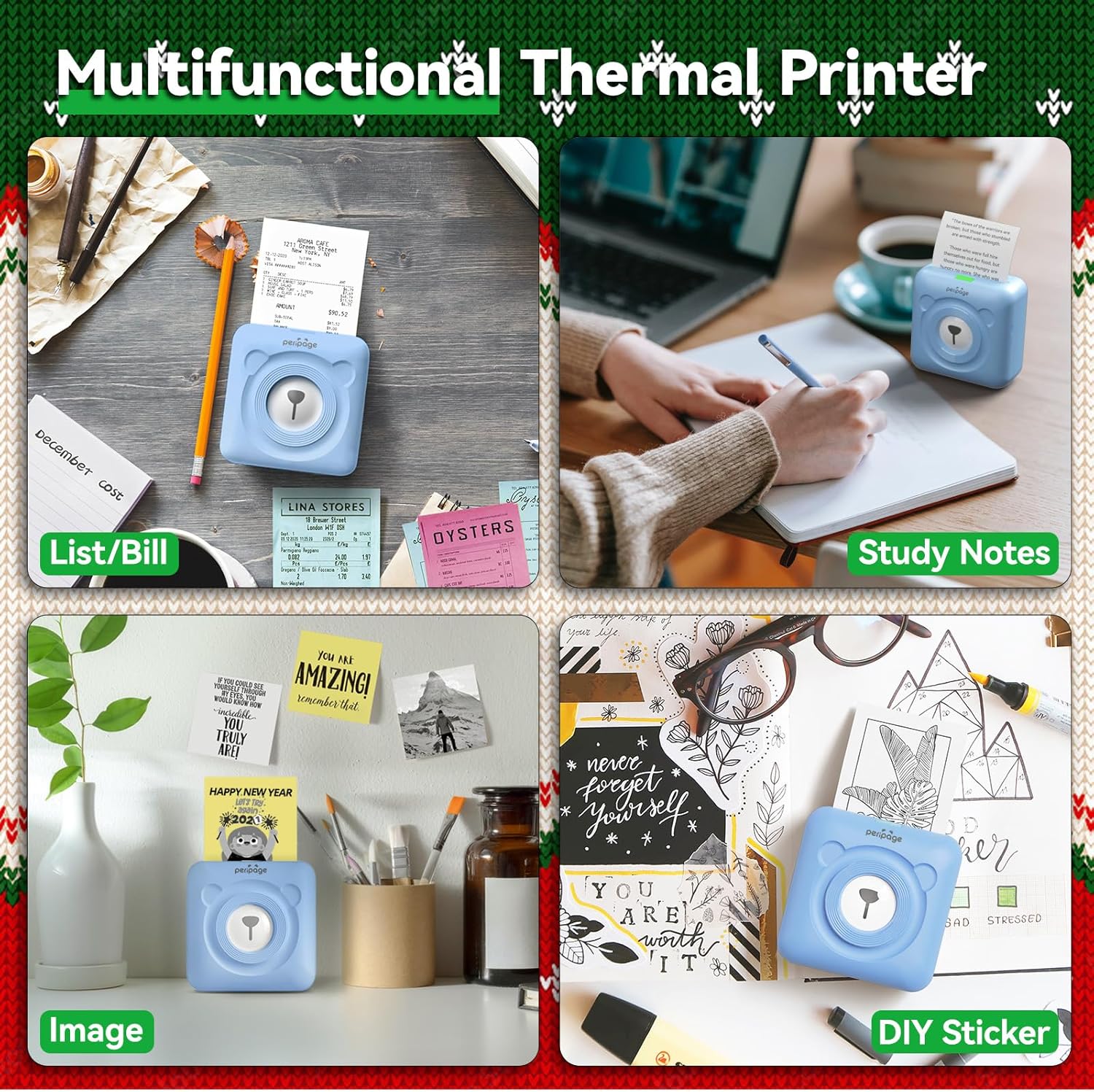
Image: A display of the PeriPage A6 Mini Printer's multifunctional thermal printing capabilities, showing its use for lists/bills, study notes, images, and DIY stickers.
7. Baxım
7.1 Printerin təmizlənməsi
To ensure optimal print quality and prolong the life of your printer, regular cleaning is recommended.
- Turn off the printer and disconnect the power cable before cleaning.
- Printerin xarici hissəsini silmək üçün yumşaq, quru və tüksüz bir parça istifadə edin.
- For the print head, gently wipe it with a cotton swab lightly dampened with isopropyl alcohol. Allow it to dry completely before use.
- Aşındırıcı təmizləyicilərdən və ya həlledicilərdən istifadə etməyin.
7.2 Batareya Baxımı
- Charge the printer regularly, even if not in use, to maintain battery health.
- Tez-tez batareyanı tam boşaltmaqdan çəkinin.
- Printeri uzun müddət istifadə etmədikdə sərin və quru yerdə saxlayın.
8. Giderme
If you encounter issues with your PeriPage A6 Mini Printer, refer to the following common problems and solutions:
| Problem | Mümkün Səbəb | Həll |
|---|
| Printer açılmır | Aşağı batareya; Güc düyməsi düzgün basılmayıb | Charge the printer; Press and hold the power button for a few seconds. |
| Bluetooth vasitəsilə qoşulmaq mümkün deyil | Bluetooth off; Printer not discoverable; App issue | Ensure Bluetooth is enabled on your phone; Restart printer and phone; Reinstall PeriPage App. |
| Poor print quality / Faint prints | Paper installed incorrectly; Low battery; Dirty print head; Expired thermal paper | Reinstall paper with printing side facing up; Charge printer; Clean print head; Use new thermal paper. |
| Kağız sıxması | Paper not inserted straight; Too much paper pulled out | Open cover and carefully remove jammed paper; Reinsert paper correctly. |
| App is buggy or freezes | Software glitch; Outdated app version | Close and reopen the app; Check for app updates; Reinstall the app. |
9. Spesifikasiyalar
| Xüsusiyyət | Detal |
|---|
| Brend | PeriPage |
| Model Adı | PeriPage A6 |
| Çap texnologiyası | Termal |
| Qətnamə | 304 DPI |
| Bağlantı | Bluetooth, USB |
| Uyğun Cihazlar | Smartphones (iOS & Android), PC, Laptops |
| Maksimum Media Ölçüsü | 57mm (width) x 30mm (roll diameter) |
| Batareya | 1000mAh Litium İon (daxildir) |
| Maddə Çəkisi | 5.6 unsiya (160 qram) |
| Məhsul Ölçüləri | 2.95"D x 2.95"W x 1.57"H |
| Daxil olan komponentlər | Kağız |
10. Zəmanət və Dəstək
10.1 Zəmanət Məlumatı
Please note that this product is listed with Zəmanət yoxdur. For specific details regarding returns or defects, please refer to the retailer's policy where the product was purchased.
10.2 Müştəri dəstəyi
For further assistance, technical support, or inquiries not covered in this manual, please contact PeriPage customer service through their official website or the contact information provided by your retailer. Ensure you have your product model number (A6) and purchase details ready when contacting support.


