1. Məhsul bitdiview
The Point Wired Mini Keyboard Pt-350 is a compact and versatile keyboard designed for both gaming and general typing. It features a high-quality build and a modern design, adhering to industry standards for reliable performance. This keyboard is an ideal choice for users seeking a durable and efficient input device.
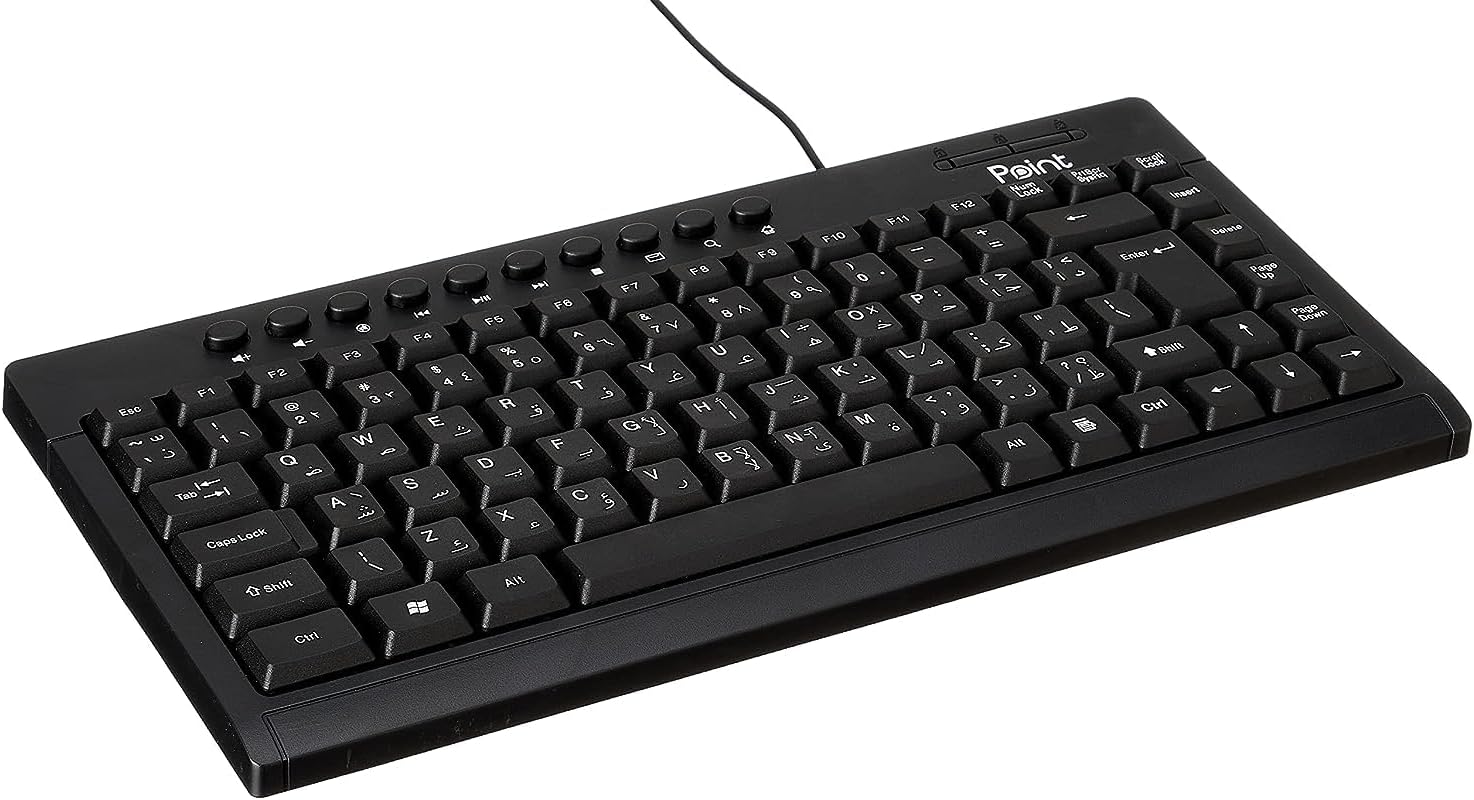
Şəkil 1.1: Bucaqlı view of the Point Wired Mini Keyboard Pt-350, showcasing kompakt dizaynı və açar düzülüşü.
Əsas Xüsusiyyətlər:
- Wired connectivity for stable performance.
- Compact design suitable for various setups.
- Durable construction from high-quality plastic materials.
- Designed for both gaming and typing applications.
2. Paketin məzmunu
Bütün əşyaların mövcud olduğundan əmin olmaq üçün paketi diqqətlə yoxlayın:
- Point Wired Mini Keyboard Pt-350
- İstifadəçi Təlimatı (bu sənəd)
3. Quraşdırma
Follow these steps to set up your Point Wired Mini Keyboard Pt-350:
- Klaviaturanı paketdən çıxarın: Klaviaturanı qablaşdırmasından diqqətlə çıxarın.
- USB konnektorunu müəyyənləşdirin: The keyboard comes with an integrated USB cable.
- Kompüterinizə Qoşulun: Locate an available USB port on your computer (desktop PC, laptop, etc.). Insert the keyboard's USB connector firmly into the USB port.
- Sürücü Quraşdırılması (Qoş və İşlət): The keyboard is plug-and-play compatible. Your operating system (Windows, macOS, Linux) should automatically detect and install the necessary drivers. This process usually takes a few seconds.
- Funksionallığı yoxlayın: Qoşulduqdan sonra, mətn redaktorunu və ya mətn daxiletməsini qəbul edən istənilən proqramı açın və düymələrin düzgün işləməsini təmin etmək üçün onları yoxlayın.

Şəkil 3.1: Yuxarıdan aşağıya view of the keyboard, illustrating the key layout and integrated cable for connection.
4. Əməliyyat Təlimatları
The Point Wired Mini Keyboard Pt-350 operates like a standard computer keyboard. Below are general instructions and tips for use:
Basic Typing:
- Simply press the desired keys to input characters, numbers, and symbols into your active application.
- istifadə edin Shift key for uppercase letters and alternative symbols on keys.
- The Caps Lock key toggles permanent uppercase typing.
- The Backspace key deletes characters to the left of the cursor.
- The Daxil edin key confirms input or moves to the next line.
Funksiya düymələri (F1-F12):
The function keys (F1 through F12) perform various tasks depending on the active program or operating system. Some common uses include:
- F1: Often opens help for the active program.
- F2: Renames a selected item.
- F5: Yeniləyir a web page or document.
- F11: Toggles full-screen mode in many browsers.
Multimedia açarları:
The keyboard may include dedicated multimedia keys or secondary functions on the F-keys (accessed via the Fn key, if present). These typically control:
- Volume control (Mute, Volume Up, Volume Down)
- Media playback (Play/Pause, Stop, Previous Track, Next Track)
5. Baxım
Düzgün texniki xidmət klaviaturanızın uzunömürlülüyünü və optimal işləməsini təmin edir:
- Təmizləmə: Regularly clean the keyboard to prevent dust and debris buildup. Use a soft, lint-free cloth slightly dampsu və ya yumşaq təmizləyici məhlul ilə yuyun. Sərt kimyəvi maddələrdən və ya aşındırıcı materiallardan çəkinin.
- Toz Təmizləmə: Use compressed air to blow out dust and crumbs from between the keys.
- Döküntülərdən çəkinin: Daxili komponentlərə zərər verməmək üçün mayeləri klaviaturadan uzaq tutun. Tökülmə halında, klaviaturanı dərhal ayırın və yenidən qoşmazdan əvvəl tamamilə qurumasına icazə verin.
- Yaddaş: İstifadə edilmədikdə, klaviaturanı təmiz və quru yerdə, həddindən artıq temperaturdan uzaq saxlayın.
6. Giderme
If you encounter issues with your Point Wired Mini Keyboard Pt-350, refer to the following common problems and solutions:
Klaviatura cavab vermir:
- USB bağlantısını yoxlayın: USB kabelinin kompüterinizdəki işləyən USB portuna etibarlı şəkildə qoşulduğundan əmin olun. Başqa bir USB portu sınayın.
- Kompüteri yenidən başladın: Sadə bir yenidən başlatma tez-tez əlaqə problemlərini həll edə bilər.
- Başqa bir kompüterdə test edin: Connect the keyboard to another computer to determine if the issue is with the keyboard or your computer's setup.
- Cihaz Menecerini (Windows) yoxlayın: In Windows, go to Device Manager and check if the keyboard is listed under 'Keyboards' and if there are any error symbols. You might need to update or reinstall the driver.
Keys Not Working or Sticky:
- Təmiz Açarlar: Dust, crumbs, or liquid residue can cause keys to stick or malfunction. Refer to the Maintenance section for cleaning instructions.
- Fiziki zərər: Inspect the keys for any visible physical damage.
Yanlış Simvol Çıxışı:
- Check Language Settings: Ensure your operating system's keyboard language settings match the physical layout of your keyboard.
- Sürücü Problemi: Reinstalling the keyboard driver might resolve this.
Bu addımları sınadıqdan sonra problem davam edərsə, müştəri dəstəyi ilə əlaqə saxlayın.
7. Spesifikasiyalar
Technical specifications for the Point Wired Mini Keyboard Pt-350:

Şəkil 7.1: Yan view of the keyboard, highlighting its profile and compact form factor.
| Xüsusiyyət | Detal |
|---|---|
| Brend adı | Nöqtə |
| Model | Pt-350 |
| Bağlantı texnologiyası | Simli |
| Uyğun Cihazlar | Kompüter |
| Klaviatura Təsviri | Çoxfunksiyalı |
| Tövsiyə olunan istifadələr | PC Oyunu |
| Xüsusi Xüsusiyyətlər | Oyun |
| Rəng | Qara |
| Stil | Müasir |
| Material | plastik |
| Göndərmə Ölçüləri | 34.5 x 26.4 x 3 sm |
| Çəki | 800 qram |
| İlk Mövcud Tarix | 4 sentyabr 2022-ci il |
| ASIN | B0BD2DM9ZJ |
8. Zəmanət və Dəstək
This product is covered by a standard manufacturer's warranty. Please refer to the warranty card included with your purchase for specific terms and conditions, including the warranty period and coverage details.
For technical support, troubleshooting assistance, or warranty claims, please contact Point customer service through the contact information provided on the product packaging or the official Point website. When contacting support, please have your product model (Pt-350) and purchase details ready.


