1. Giriş
Thank you for choosing the Soundcore by Anker Space Q45 Adaptive Active Noise Cancelling Headphones. These headphones are designed to provide an immersive audio experience with advanced noise cancellation, high-resolution sound, and extended battery life. This manual will guide you through the setup, operation, and maintenance of your new headphones.
2. Qutuda nə var
- Soundcore Space Q45 Noise Cancelling Headphones
- USB-C kabeli
- 3.5mm AUX Kabeli
- Səyahət işi

3. Məhsul bitdiview
The Soundcore Space Q45 headphones feature a foldable design for portability and intuitive controls for ease of use. Key components include:
- Güc düyməsi: Located on the right earcup, used for turning the headphones on/off.
- NC düyməsi: Located on the left earcup, cycles through Noise Cancellation, Normal, and Transparency modes.
- Səs artırma / aşağı düymələri: Səs səviyyəsini tənzimləyir.
- Oynat/Pauza düyməsi: Media oxutma və zəng idarəetməsini idarə edir.
- USB-C şarj portu: Qulaqcıqları doldurmaq üçün.
- 3.5 mm AUX Portu: Simli audio bağlantısı üçün.

Video demonstrating the operation and functions of the Soundcore Space Q45 headphones, including button usage and features.
4. Quraşdırma
4.1. Açma / Söndürmə
- Yandırmaq üçün: Güc düyməsini 3 saniyə basıb saxlayın. LED göstəricisi yanacaq.
- Söndürmək üçün: Güc düyməsini 3 saniyə basıb saxlayın. LED göstəricisi sönəcək.
4.2. Bluetooth Cütləşdirmə
- With the headphones powered off, press and hold the Power button for 5 seconds until the LED indicator flashes blue. This indicates pairing mode.
- On your device (smartphone, tablet, laptop), enable Bluetooth and search for "Soundcore Space Q45".
- Select the headphones from the list to connect. Once connected, the LED indicator will turn solid blue.
- The headphones support multipoint connection, allowing simultaneous connection to two devices. To connect a second device, repeat the pairing process.

4.3. Soundcore Tətbiqinin Quraşdırılması
Download the Soundcore app from your device's app store to unlock full features, customize settings, and update firmware.
- axtarın "Soundcore" in the App Store (iOS) or Google Play Store (Android).
- Install the app and follow the on-screen instructions to connect your Space Q45 headphones.
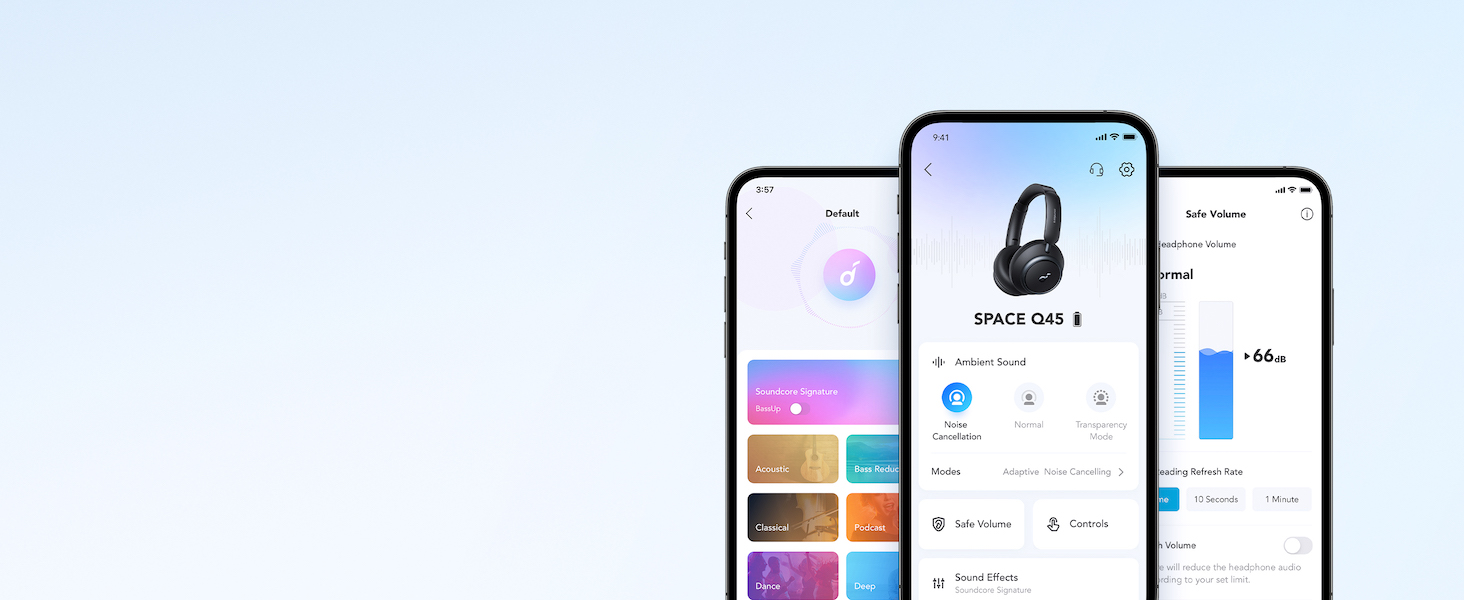
Video şou casing the features and listening controls available through the Soundcore app for the Space Q45 headphones.
5. Əməliyyat Təlimatları
5.1. Əsas Nəzarətlər
- Səs artır/aşağı: '+' və ya '-' düymələrini basın.
- Oynat/Pauza: Play/Pause düyməsini bir dəfə basın.
- Növbəti trek: '+' düyməsini 2 saniyə basıb saxlayın.
- Əvvəlki Track: '-' düyməsini 2 saniyə basıb saxlayın.
5.2. Zənglərin idarə edilməsi
- Zəngə Cavab Vermək/Bitirmək: Play/Pause düyməsini bir dəfə basın.
- Zəngi rədd edin: Play/Pause düyməsini 2 saniyə basıb saxlayın.
5.3. Switching Noise Cancellation Modes
Press the NC button on the left earcup to cycle through the following modes:
- Səs -küyün ləğvi: Ətrafdakı səs-küyün qarşısını alır.
- Normal: Standard audio playback without active noise cancellation or transparency.
- Şəffaflıq: Audioya qulaq asarkən ətrafınızı eşitməyə imkan verir.
6. Adaptive Noise Cancellation
The Space Q45 headphones feature an advanced noise-cancelling system that reduces up to 98% of ambient noise. The adaptive noise cancellation automatically selects a suitable level based on your environment, whether you are indoors, outdoors, commuting, or on a flight. You can also manually select from 5 noise-cancelling levels via the Soundcore app.


7. Audio Keyfiyyət
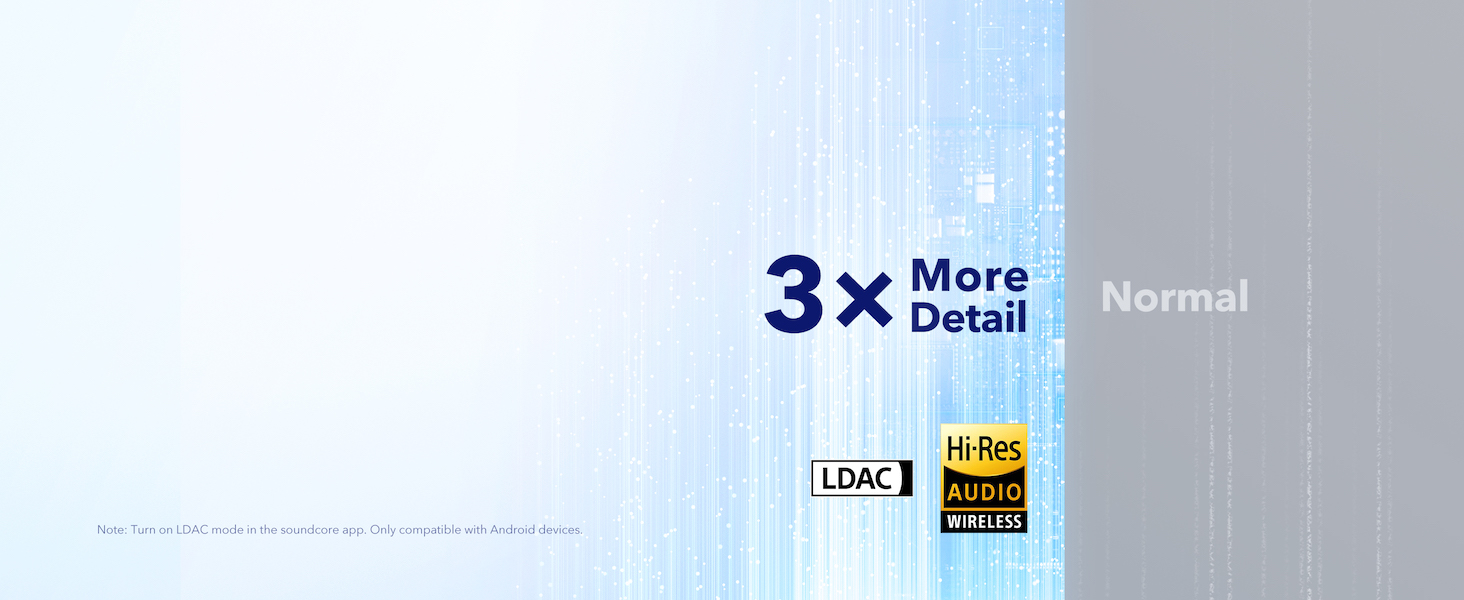
The Space Q45 headphones are equipped with 40mm double-layer diaphragm drivers, crafted from silk and ceramic materials. This innovative design produces sound with intense bass and crisp treble, ensuring every detail of your audio is heard. The headphones also support LDAC for Hi-Res Audio Wireless sound, delivering 3 times more detail than standard Bluetooth codecs.

8. Batareyanın ömrü və doldurulması
The Space Q45 headphones offer impressive battery performance:
- Up to 50 hours of playtime with Noise Cancellation mode activated.
- Up to 65 hours of playtime in Normal mode.
- Sürətli şarj: 5 dəqiqəlik şarj təxminən 4 saatlıq oyun vaxtı təmin edir.
- Tam doldurma vaxtı: Təxminən 2 saat.

9. Baxım
9.1. Təmizləmə
- Use a soft, dry cloth to clean the earcups and headband.
- Sərt kimyəvi maddələrdən və ya aşındırıcı materiallardan istifadə etməyin.
- Qulaqcıqları suya batırmayın.
9.2. Saxlama
- When not in use, store the headphones in their protective travel case to prevent damage.
- Həddindən artıq temperaturda və ya yüksək rütubətdə saxlamaqdan çəkinin.
10. Giderme
If you encounter any issues with your Soundcore Space Q45 headphones, please refer to the following common solutions:
- Güc yoxdur: Ensure the headphones are fully charged. Connect them to a power source using the USB-C cable.
- Səs yoxdur: Check the volume levels on both the headphones and your connected device. Ensure the headphones are properly paired via Bluetooth or the 3.5mm AUX cable is securely connected.
- Cütləşmə Problemləri: Turn off Bluetooth on all other devices, then try re-pairing the headphones with your desired device. If issues persist, reset the headphones (refer to the Soundcore app or online support for specific reset instructions).
- Səs-küyün ləğvi işləmir: Ensure the Noise Cancellation mode is activated. Adjust the noise cancellation levels via the Soundcore app.
For further assistance, consult the Soundcore app or visit the official Soundcore support websayt.
11. Spesifikasiyalar
| Model Adı | A3040 |
| Səs-küyə Nəzarət | Adaptiv aktiv səs-küyün ləğvi |
| Bağlantı texnologiyası | Simsiz (Bluetooth 5.3) |
| Bluetooth diapazonu | 10 Metr |
| Audio sürücü ölçüsü | 40 Millimetr |
| Batareya Ömrü (ANC Aktiv) | 50 saat |
| Batareya Ömrü (Normal Rejim) | 65 saat |
| Doldurma vaxtı | 2 saat |
| Maddə Çəkisi | 295 qram (10.4 unsiya) |
| Məhsul Ölçüləri | 6.34 x 3.46 x 7.44 düym |
| Qulaqlıq yuvası | 3.5 mm Jack |
| Nəzarət metodu | Proqram, Media İdarəetmə Düymələri |
12. Zəmanət və Dəstək
Soundcore products are backed by a limited warranty. For detailed warranty information, frequently asked questions, and customer support, please visit the official Soundcore website or contact their customer service team. You can also find support resources within the Soundcore app.
Websayt: www.soundcore.com
E-poçt: service@soundcore.com