1. Giriş
The Maxcom MM724 is a simple mobile phone designed for ease of use, featuring straightforward software and practical functions. It is particularly suitable for users who prefer a device without complicated menus. Key features include an emergency SOS button, a built-in flashlight, and Bluetooth connectivity for hearing aid compatibility.
2. Paketin məzmunu
Zəhmət olmasa aşağıdakı elementlər üçün qutuyu yoxlayın:
- 1 Maxcom MM724 Mobile Phone
- 1 Desktop Charger
- 1 Matching Cords (for charger)
- 1 İstifadəçi Təlimatı (bu sənəd)
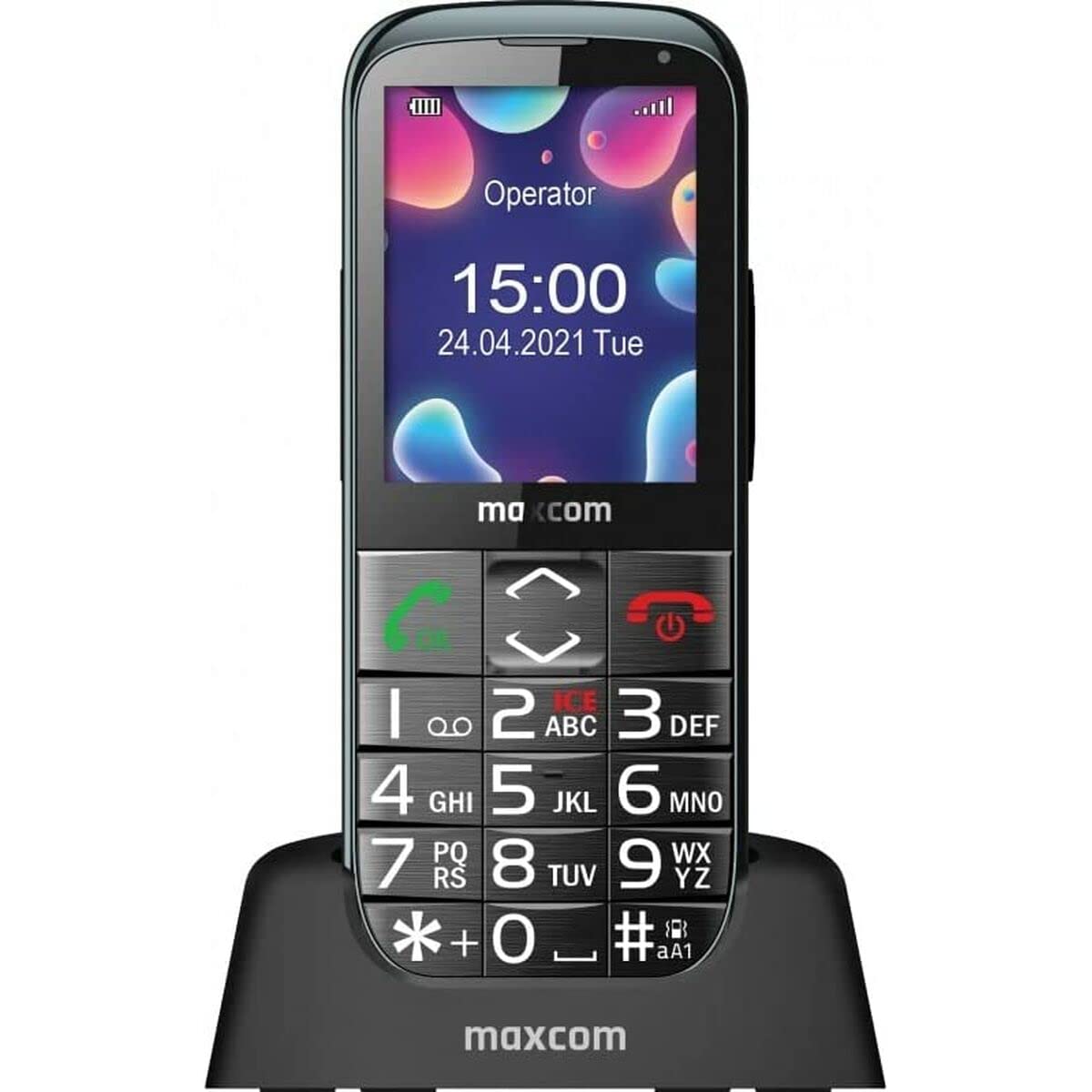
Image: The Maxcom MM724 simple mobile phone, typically black, with a clear display and large buttons.
3. Quraşdırma
3.1. SİM kartın və batareyanın daxil edilməsi
- Telefonun arxa qapağını ehtiyatla çıxarın.
- SIM kart(lar)ınızı qızılı kontakt ucları aşağı olmaqla təyin olunmuş yuvaya(lara) yerləşdirin.
- Kontaktların düzgün düzülməsini təmin edərək batareyanı daxil edin.
- Arxa qapağı etibarlı şəkildə yerinə oturana qədər dəyişdirin.
3.2. Cihazın doldurulması
The Maxcom MM724 uses a convenient desktop charger. To charge your phone:
- Connect the charger cord to a power outlet.
- Place the phone upright into the desktop charging cradle.
- Ensure the charging indicator on the phone or cradle illuminates, indicating that charging has begun.
- For optimal battery life, keep the phone in the cradle when not in use to ensure it is always charged.
4. Əməliyyat Təlimatları
4.1. Açma / Söndürmə
- Yandırmaq üçün: Ekran işıqlanana qədər Güc/Zəngi Bitir düyməsini (adətən qırmızı) basıb saxlayın.
- Söndürmək üçün: Enerji söndürmə seçimləri görünənə qədər Enerji/Zəngi Sonlandır düyməsini basıb saxlayın, sonra təsdiq edin.
4.2. Zənglərin edilməsi və qəbulu
- Zəng etmək üçün: Dial the number using the keypad and press the Call button (usually green).
- Zəngi qəbul etmək üçün: Press the Call button when the phone rings. The phone is designed to ring very loudly to ensure calls are not missed.
- Zəngi bitirmək üçün: Enerji/Zəngi Sonlandır düyməsini basın.
4.3. Mesajların Göndərilməsi və Qəbul Edilməsi
Navigate to the 'Messages' menu to compose new SMS messages or read incoming ones. Use the keypad to type your message.
4.4. SOS düyməsinin istifadəsi
The SOS button is located on the back of the phone and is designed for emergencies.
- Quraşdırma: Access the phone's settings to pre-define a list of emergency contacts.
- Aktivləşdirmə: In an emergency, press and hold the SOS button. The phone will automatically call the pre-defined contacts in sequence until one answers.
4.5. Activating the Flashlight
The phone features a dedicated button for the flashlight, making it easy to activate when needed. Refer to your phone's specific button layout for its location.
4.6. Bluetooth and Hearing Aid Compatibility
The Maxcom MM724 supports Bluetooth connectivity, allowing it to pair with compatible devices, including certain hearing aids. This enables hands-free calling.
- Cütləşmə: Go to the Bluetooth settings on your phone and enable Bluetooth. Put your hearing aid into pairing mode (consult your hearing aid's manual). Select your hearing aid from the list of available devices on the phone to pair.
- Qeyd: Compatibility with hearing aids depends on the hearing aid's features. Consult your audiologist for specific compatibility information. The phone also features a ring line and additional gain for improved audio performance with or without hearing aids.
5. Baxım
- Təmizləmə: Telefonun ekranını və gövdəsini təmizləmək üçün yumşaq, quru bir parça istifadə edin. Maye təmizləyicilərdən və ya aşındırıcı materiallardan istifadə etməkdən çəkinin.
- Batareyaya qulluq: Keep the battery charged regularly. Avoid extreme temperatures, which can affect battery performance and lifespan.
- Yaddaş: Telefonu uzun müddət istifadə etmədikdə sərin və quru yerdə saxlayın.
6. Giderme
- Telefon açılmır: Ensure the battery is correctly inserted and charged. Connect the phone to the charger and try again.
- Şəbəkə siqnalı yoxdur: SIM kartın düzgün yerləşdirilib-yerləşdirilmədiyini yoxlayın. Daha yaxşı şəbəkə əhatə dairəsinə malik bir əraziyə keçin. Problem davam edərsə, xidmət təminatçınızla əlaqə saxlayın.
- Zəng etmək/qəbul etmək mümkün deyil: Verify that you have sufficient credit or an active plan. Check network signal strength.
- Bluetooth cütləşmə problemləri: Ensure both devices are in pairing mode and within range. Try restarting both the phone and the Bluetooth device.
7. Spesifikasiyalar
| Brend | Maxcom |
| Model Adı | MM724 |
| Əməliyyat sistemi | Android |
| Ekran Ölçüsü | 3 düym |
| Bağlantı texnologiyası | Bluetooth |
| Hüceyrə Texnologiyası | 4G |
| Simsiz Şəbəkə Texnologiyası | GSM |
| Rəng | Qara |
| Maddə Çəkisi | 85 qram |
| Simsiz Taşıyıcı | Kilidi açıldı |
8. Zəmanət və Dəstək
Warranty information for the Maxcom MM724 mobile phone is typically provided with your purchase documentation or can be found on the official Maxcom website. For technical support or service inquiries, please refer to the contact information provided by your retailer or the manufacturer.


