1. Giriş
Aldığınız üçün təşəkkür edirikasing the AZATOM Zenith Z4. This portable audio system combines DAB/DAB+ and FM radio, a CD player, Bluetooth connectivity, USB playback, and an alarm clock function. This manual provides essential information for setting up, operating, and maintaining your device. Please read it thoroughly before use and retain it for future reference.
2. Qutu İçindəkilər
Carefully unpack your Zenith Z4 and ensure all items listed below are present:
- AZATOM Zenith Z4 Unit
- Elektrik enerjisi adapteri
- İstifadəçi Təlimatı (bu sənəd)
- Qeydiyyat kartı

Image showing the AZATOM Zenith Z4 unit, its power adapter, user manual, and registration card as included in the box.
3. Məhsul bitdiview: İdarəetmə və Xüsusiyyətlər
3.1 Ön Panel İdarəetmələri

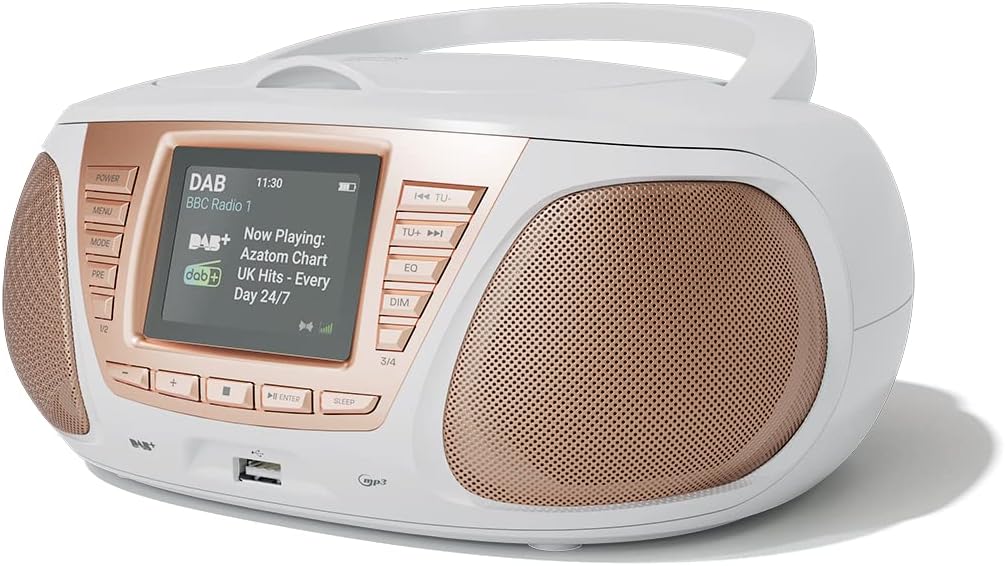
Ətraflı view of the AZATOM Zenith Z4's front panel, highlighting the color LCD display and various control buttons.
- Güc düyməsi: Cihazı yandırır və ya söndürür.
- MENU düyməsi: Sistem menyusuna daxil olur.
- MODE düyməsi: Switches between DAB, FM, CD, Bluetooth, USB, and AUX modes.
- PRE Button (Presets): Accesses stored radio station presets.
- 1/2, 3/4 Buttons: Direct access to specific presets or navigation.
- +, - Buttons: Adjusts volume, navigates menus, or tunes radio frequencies.
- GİR düyməsi: Seçimləri təsdiqləyir.
- SLEEP düyməsi: Yuxu taymerini təyin edir.
- TU- / TU+ Buttons: Tunes radio frequencies down/up or skips tracks.
- EQ Düyməsi: Ekvalayzer parametrlərini tənzimləyir.
- DIM düyməsi: Ekran parlaqlığını tənzimləyir.
- USB Port: MP3 oxutmaq üçün USB yaddaş cihazlarını qoşmaq üçün.
- Qulaqlıq Jack: Şəxsi dinləmə üçün 3.5 mm çıxış.
3.2 Arxa Panel Əlaqələri
The rear panel typically includes the power input and auxiliary input.
- DC Giriş: Güc adapter bağlantısı.
- AUX IN: 3.5mm input for connecting external audio sources.
4. Quraşdırma
4.1 Yandırılır
The Zenith Z4 can be powered by the included AC adapter or by batteries for portability.
- AC Gücü: Connect the mains power adapter to the DC IN socket on the rear of the unit and plug it into a wall outlet.
- Batareya Gücü: Open the battery compartment (usually on the bottom or rear) and insert the required batteries (type and quantity specified in the compartment).

The AZATOM Zenith Z4 is designed for portability, allowing use with batteries or the supplied mains power adapter.
4.2 İlkin Quraşdırma (İlk İstifadə)
Upon first power-on, the unit may automatically perform an initial setup:
- The display will typically show a welcome message.
- The unit may automatically scan for available DAB/DAB+ and FM radio stations. This process can take a few minutes.
- The clock will usually set itself automatically via DAB signal. If not, refer to the menu settings to manually set the time and date.
5. Əməliyyat Təlimatları
5.1 DAB/DAB+ Radio
To access digital radio stations:
- düyməsini basın MODE 'DAB' göstərilənə qədər düyməni basın.
- The unit will automatically scan for stations if it hasn't already. To perform a full scan manually, navigate to the 'Full Scan' option in the DAB menu.
- istifadə edin TU- or TU+ buttons to browse the list of available stations.
- basın ENTER stansiya seçmək.

The Zenith Z4 features leading British DAB and FM technology for optimal digital radio performance.
5.2 FM Radio
To listen to FM radio stations:
- düyməsini basın MODE 'FM' göstərilənə qədər düyməni basın.
- Basın və saxlayın TU- or TU+ to auto-scan for the next available station. Briefly press to fine-tune the frequency.
- basın ENTER to confirm a station.
5.3 Storing and Recalling Presets (DAB/FM)
The Zenith Z4 allows you to store up to 60 preset stations (30 DAB, 30 FM).
- Tune to your desired DAB or FM station.
- basın və saxlayın PRE Ekranda 'Öncədən Quraşdırılmış Saxlama' görünənə qədər düyməni basın.
- istifadə edin +/- buttons to select a preset number (1-30 for DAB, 1-30 for FM).
- basın ENTER to save the station.
- Əvvəlcədən qurulmuş ayarı xatırlamaq üçün qısaca basın PRE düyməsini basın, sonra istifadə edin +/- or the numbered buttons (1/2, 3/4) to select and press ENTER.

The Zenith Z4 allows storing up to 60 presets (30 DAB and 30 FM) for quick access to your favorite stations.
5.4 CD pleyer
Audio CD çalmaq üçün:
- düyməsini basın MODE button until 'CD' is displayed.
- Open the CD compartment lid located on the top of the unit.
- Place a CD (CD, CD-R, CD-RW compatible) with the label side facing up.
- Close the CD compartment lid. The unit will begin reading the disc and playback will start automatically.
- istifadə edin TU- və TU+ buttons to skip tracks. Use ENTER Oxutma/Fasilə üçün.

The Zenith Z4 features a top-loading CD player, compatible with various CD formats, to enjoy your music collection.
5.5 Bluetooth bağlantısı
Stream audio wirelessly from your compatible devices:
- düyməsini basın MODE button until 'Bluetooth' is displayed. The unit will enter pairing mode, indicated by a flashing Bluetooth icon or message.
- Mobil cihazınızda (smartfon, planşet, noutbuk) Bluetooth-u aktivləşdirin və mövcud cihazları axtarın.
- Select 'AZATOM Zenith Z4' from the list. Once paired, the unit will confirm the connection.
- You can now play audio from your device, and it will stream through the Zenith Z4.

Connect your Bluetooth device to the Zenith Z4 to enjoy streaming services like Spotify and Apple Music.
5.6 USB Oynatma
MP3 oynamaq üçün fileUSB sürücüsündən s:
- MP3 audio ehtiva edən USB flash sürücüsünü (FAT32 formatında) daxil edin fileön paneldəki USB portuna qoşun.
- düyməsini basın MODE button until 'USB' is displayed.
- Vahid oxuyacaq files, and playback should begin automatically. Use the TU- və TU+ treklərdə naviqasiya etmək üçün düymələr.
5.7 Köməkçi Giriş
Connect external audio devices using the AUX IN port:
- Connect one end of a 3.5mm audio cable (not included) to the AUX IN port on the rear of the Zenith Z4.
- Connect the other end to the headphone jack or audio output of your external device (e.g., MP3 player, older smartphone).
- düyməsini basın MODE 'AUX' görünənə qədər düyməni basın.
- Xarici cihazınızdan oxutmaya nəzarət edin.
5.8 Qulaqlıqdan istifadə
For private listening:
- Plug your 3.5mm headphones into the headphone jack on the front panel.
- The sound from the speakers will automatically mute.
- Səs səviyyəsini +/- düymələri.
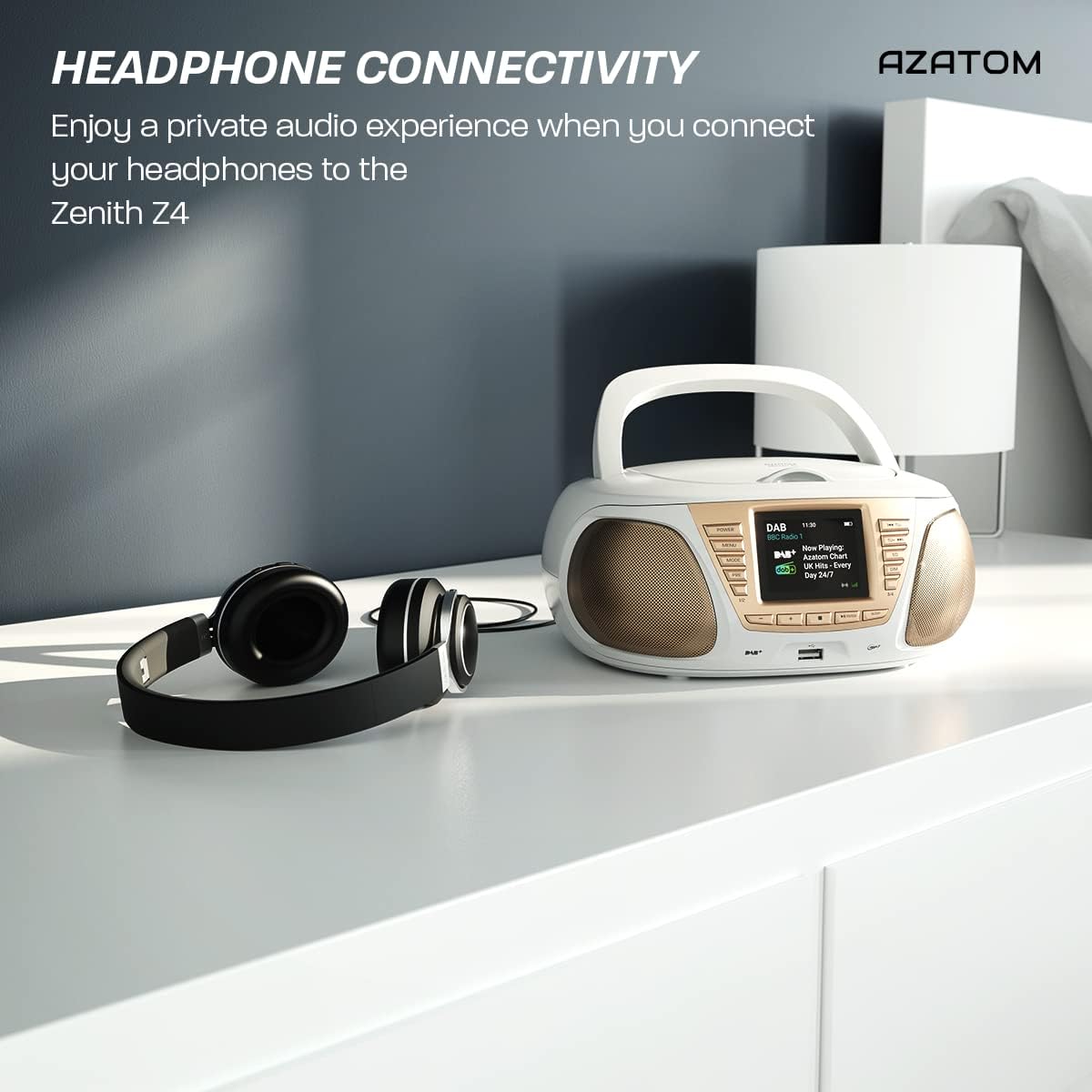
Enjoy a private audio experience by connecting your headphones to the Zenith Z4.
5.9 Zəngli saat funksiyası
The Zenith Z4 includes an alarm clock feature:
- Access the alarm settings through the MENU düyməsi.
- Follow the on-screen prompts to set the alarm time, source (e.g., buzzer, DAB, FM), and volume.
- Ensure the unit is powered on or in standby mode for the alarm to activate.
6. Baxım
To ensure the longevity and optimal performance of your Zenith Z4:
- Təmizləmə: Use a soft, dry cloth to clean the unit's exterior. Do not use abrasive cleaners, waxes, or solvents.
- CD pleyer: If the CD player experiences issues, use a specialized CD lens cleaner disc.
- Havalandırma: Ensure the unit has adequate ventilation and is not covered during operation.
- Yaddaş: Uzun müddət istifadə edilmədikdə, elektrik enerjisindən ayırın və batareyaları çıxarın. Sərin və quru yerdə saxlayın.
7. Giderme
If you encounter issues with your Zenith Z4, please refer to the table below for common problems and solutions:
| Problem | Mümkün Səbəb | Həll |
|---|---|---|
| Cihaz işə düşmür | No power supply; flat batteries | Check AC adapter connection; replace batteries. |
| Səs yoxdur | Volume too low; headphones connected; incorrect mode | Increase volume; disconnect headphones; select correct mode (DAB, FM, CD, BT, USB, AUX). |
| Zəif radio qəbulu | Antenna not extended; weak signal | Fully extend the telescopic antenna; reposition the unit for better signal. |
| CD oxunmur | CD dirty/scratched; incorrect disc type; CD not inserted correctly | Clean CD; ensure CD is compatible (CD, CD-R, CD-RW); reinsert CD label-side up. |
| Bluetooth qoşulmur | Unit not in pairing mode; device too far; already connected to another device | Ensure unit is in Bluetooth mode and pairing; move device closer; disconnect from other devices. |
8. Spesifikasiyalar
Key technical specifications for the AZATOM Zenith Z4:
- Brend: AZATOM
- Model nömrəsi: Z4SLV
- Rəng: Ağ
- Bağlantı texnologiyası: Auxiliary, DAB+, DAB, Bluetooth, USB
- Ümumi USB Portları: 1
- Uyğun Cihazlar: Smartphone, Tablet, MP3 Player, Personal Computer
- Element Ölçüləri (UxWxH): 23 x 20 x 10 santimetr
- Güc mənbəyi: Wired Electric, Battery
- Dinamik növü: Boombox
- Maddə çəkisi: 1.3 kiloqram
- Güc Çıxışı: 20 Vt
9. Zəmanət və Dəstək
AZATOM products are engineered in the UK and come with comprehensive support:
- Zəmanət: The Zenith Z4 includes a 3-year premium warranty. Online registration is required to activate this warranty.
- Müştəri Dəstəyi: AZATOM offers lifetime customer service based in the UK for setup and installation advice. Please refer to the registration card or AZATOM's official webəlaqə məlumatları üçün sayt.
AZATOM provides a 3-year warranty (registration required) and dedicated UK customer support for their products.


