Giriş
This manual provides essential information for the proper setup, operation, and maintenance of your Unitech TS100 2D Hands-Free Presentation Barcode Scanner. Please read this manual thoroughly before using the device to ensure optimal performance and to prevent damage.
The Unitech TS100 is an omnidirectional USB wired desktop barcode reader designed for efficient and intuitive scanning of 1D and 2D barcodes, including PDF417 and Data Matrix, in retail and other point-of-sale environments.
Təhlükəsizlik Məlumatı
- Do not expose the scanner to extreme temperatures, humidity, or direct sunlight.
- Avoid dropping the scanner or subjecting it to strong impacts.
- Do not attempt to disassemble or modify the scanner. This will void the warranty.
- Qoşulmaq üçün yalnız təqdim olunan USB kabelindən istifadə edin.
- Keep the scanning window clean to ensure accurate barcode reading.
Paketin məzmunu
Bütün maddələrin mövcud olduğundan əmin olmaq üçün paketin məzmununu yoxlayın:
- Unitech TS100 2D Presentation Barcode Scanner
- USB kabel
- Tez Başlanğıc Bələdçisi (əgər varsa)
Məhsul Bitdiview
The Unitech TS100 features a compact design with a large scan window for easy barcode presentation. Its omnidirectional scanning capability allows for quick and efficient data capture.
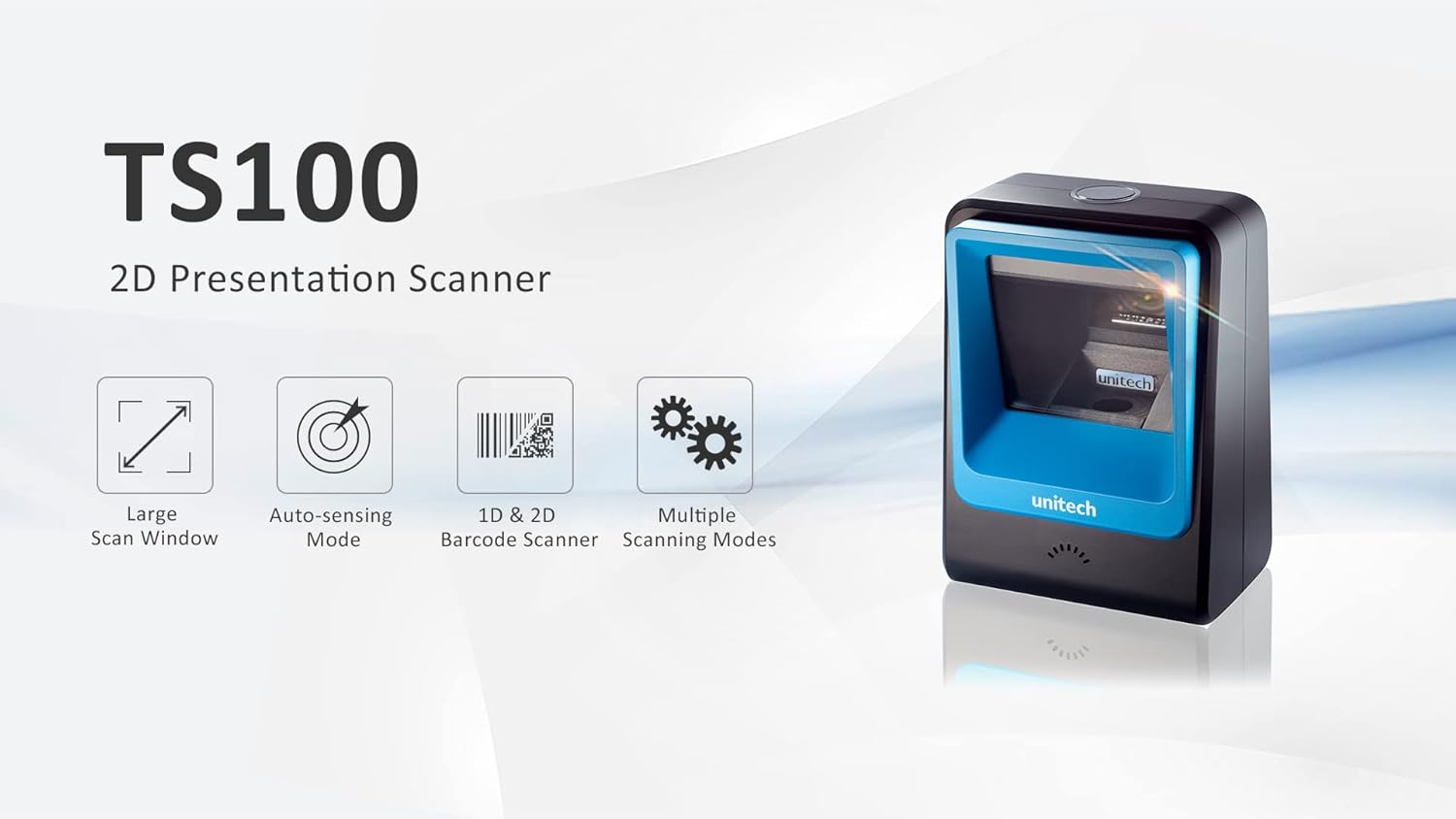
Figure 1: Unitech TS100 2D Presentation Scanner highlighting its large scan window, auto-sensing mode, 1D & 2D barcode scanning, and multiple scanning modes.

Şəkil 2: Ön view of the Unitech TS100 scanner, showing the blue scanning window and the Unitech logo.

Şəkil 3: Geri view of the Unitech TS100 scanner, displaying the product label with model number TS100-SUCB00-SG and power specifications.
Quraşdırma
Follow these steps to set up your Unitech TS100 barcode scanner:
- Skaneri paketdən çıxarın: Carefully remove the TS100 scanner and its accessories from the packaging.
- USB kabelini qoşun: Insert the USB cable into the port at the back of the scanner.
- Host Cihazına qoşulun: Plug the other end of the USB cable into an available USB port on your computer, laptop, or POS system.
- Sürücünün quraşdırılması: The scanner is typically plug-and-play. Your operating system should automatically detect and install the necessary drivers. Wait for the installation to complete.
- Güc Aktivdir: The scanner will power on automatically once connected to a powered USB port. A beep and/or LED indicator will confirm it is ready for use.
Əməliyyat Təlimatları
The Unitech TS100 is designed for hands-free operation, offering multiple scanning modes for various applications.
Əsas Skanlama
- Place the barcode within the scanner's field of view, facing the scanning window.
- The scanner will automatically detect the barcode and emit a successful scan indication (e.g., a beep and/or green LED).
- The scanned data will be transmitted to your connected host device as keyboard input.
Skanlama rejimləri
The TS100 supports multiple scanning modes to optimize performance for different barcode types and environments:
- Normal rejim: Standard scanning for most 1D and 2D barcodes.
- Smartphone Mode: Optimized for reading barcodes displayed on smartphone screens, which can sometimes be reflective.
- Sürətli rejim: Designed for faster scanning of multiple barcodes in quick succession.
Refer to the full programming manual (available on the Unitech website) for instructions on how to switch between these modes using configuration barcodes.
Baxım
Proper maintenance ensures the longevity and performance of your scanner:
- Skanlama Pəncərəsinin Təmizlənməsi: Yumşaq, tüysüz parçadan yüngülcə istifadə edin dampened with water or a mild, non-abrasive cleaner. Do not use harsh chemicals or abrasive materials.
- Xarici Təmizləmə: Wipe the exterior of the scanner with a soft, dry cloth.
- Yaddaş: İstifadə edilmədikdə, skaneri təmiz, quru yerdə, birbaşa günəş işığından və həddindən artıq temperaturdan uzaq saxlayın.
Problemlərin aradan qaldırılması
If you encounter issues with your TS100 scanner, refer to the table below for common problems and solutions:
| Problem | Mümkün Səbəb | Həll |
|---|---|---|
| Skaner işə düşmür. | USB cable not properly connected or host device USB port is not powered. | Ensure the USB cable is securely connected to both the scanner and the host device. Try a different USB port or host device. |
| Skaner barkodları oxumur. | Barcode is damaged, poorly printed, or not supported. Scanning window is dirty. Incorrect scanning mode. | Ensure the barcode is clear and undamaged. Clean the scanning window. Verify the barcode symbology is supported. Try switching scanning modes (e.g., Smartphone Mode for screen barcodes). |
| Skan edilmiş məlumatlar səhv və ya natamamdır. | Poor barcode quality. Scanner configuration issues. | Ensure the barcode is clear. Refer to the programming manual for advanced configuration settings. |
| Scanner beeps but no data is transmitted. | Host device not recognizing the scanner as a keyboard input. | Ensure the cursor is in a text field on your host device. Reconnect the USB cable. Restart the host device. |
Spesifikasiyalar
Detailed technical specifications for the Unitech TS100 scanner:
| Xüsusiyyət | Spesifikasiya |
|---|---|
| Sensor | Image Sensor with 1280x800 pixels |
| İşıqlandırma | 650nm RED LED |
| Skan dərəcəsi | 60 fps |
| Skew Angle | Horizontal Angle: 50°; Vertical Angle: 35° |
| Səs bucağı | ±65° |
| Roll bucağı | 360° |
| Optik qətnamə | 1D: 4 mil; 2D: 6.7 mil |
| Printing Contrast Scale | 25% |
| Host interfeysi | USB |
| Ölçülər (U x G x Y) | 4.1 düym x 5.7 düym x 2.7 düym (105 mm x 146 mm x 70 mm) |
| Çəki | 12.1 oz / 345g (without cable) |
| 1D Symbologies Supported | UPC-A/E, EAN-8/13, UPC/EAN Supplementals, EAN-8 Extend, Code 128, Code 39, Code 93, Code 11, Interleaved 2 of 5, Matrix 2 of 5, Codabar, MSI Plessey, GS1 DataBar, China Postal, Korean Postal, etc. |
| 2D Symbologies Supported | PDF417, MicroPDF417, DataMatrix, DataMatrix-Inverse, Maxicode, QRcode, MicroQR, Aztec, Aztec Inverse, Han Xin, Han Xin Inverse |
| Göstərici | LED, Buzzer |
| İşləmə temperaturu | 32°F - 122°F (0°C - 50°C) |
| Saxlama temperaturu | -40°F - 158°F (-40°C - 70°C) |
| Nisbi Rütubət | 0% -dən 95% -ə qədər kondensasiya olunmur |
Zəmanət və Dəstək
The Unitech TS100 barcode scanner main unit comes with a 1 il zəmanət satın alındığı tarixdən. Bu zəmanət normal istifadə zamanı material və işlənmə qüsurlarını əhatə edir.
For technical support, warranty claims, or further assistance, please contact Unitech customer service or visit the official Unitech websayt. Satınalma qəbzinizi zəmanət xidmətləri üçün satınalmanın sübutu kimi saxlayın.
Unitech America Websayt: www.unitechamerica.com